1. تعارف
This manual provides detailed instructions for the operation and maintenance of your Monster Open Touch Pro 100 Wireless Earbuds. Please read this manual thoroughly before use to ensure proper functionality and to maximize your listening experience.
2. پيڪيج مواد
پڪ ڪريو ته سڀئي شيون توهان جي پيڪيج ۾ موجود آهن:
- Monster Open Touch Pro 100 Wireless Earbuds (Left and Right)
- Charging Case with Touch Screen
- USB چارجنگ ڪيبل (ٽائيپ-سي)
- استعمال ڪندڙ جو دستياب (ھي دستاويز)
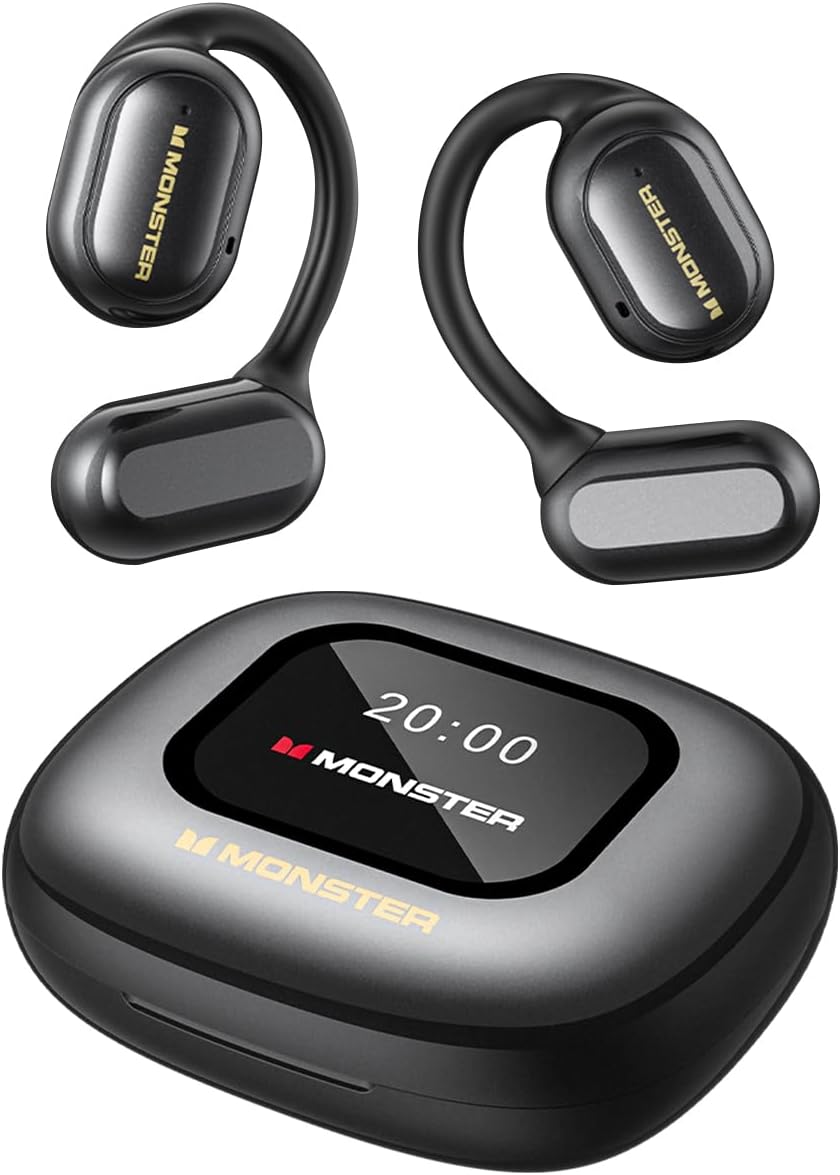
Image: The Monster Open Touch Pro 100 wireless earbuds and their charging case, illustrating the complete product package.
3. پراڊڪٽ ختمview
3.1 ائربڊ جا جزا
- کليل ڪن ڊيزائن: آس پاس جي شعور جي اجازت ڏئي ٿو.
- ڪن جا ڪُنڊا: Ergonomic curved design for secure and comfortable wear.
- 16.2 ايم ايم ڊائنامڪ ڊرائيور: For clear sound quality.
- مائڪروفون: For Environmental Noise Cancellation (ENC) during calls.
- رابطا چارج ڪرڻ: ڪيس اندر چارج ڪرڻ لاءِ.
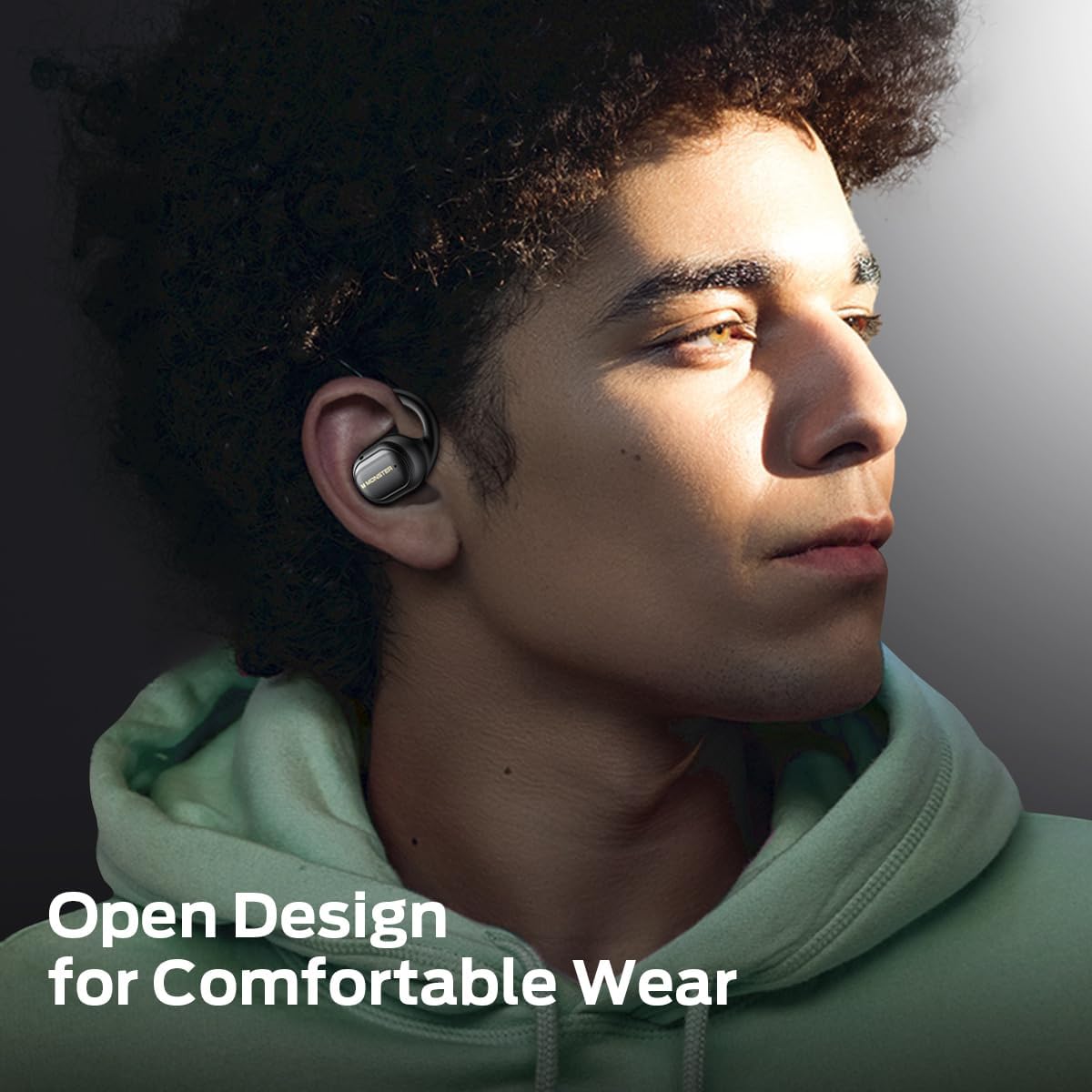
Image: A man wearing the Monster Open Touch Pro 100 earbud, demonstrating its open-ear design and comfortable fit.
3.2 Charging Case Features
- LED Full-Color Smart Touch Screen: For control over music, settings, and more.
- TF ڪارڊ سلاٽ: Supports independent MP3 playback (TF card not included).
- USB-C چارجنگ پورٽ: For recharging the case.

Image: The Monster Open Touch Pro 100 charging case displaying its LED full-color smart touch screen, showing various control options.
4. سيٽ اپ
4.1 شروعاتي چارجنگ
Before first use, fully charge the earbuds and the charging case. Place the earbuds into the charging case and connect the USB-C cable to the charging port on the case, then connect the other end to a USB power source (e.g., computer, wall adapter).
The LED screen on the charging case will indicate the charging status. A full charge typically takes approximately 1.5-2 hours for the case and earbuds.
4.2 پاور آن/آف
- پاور آن: چارجنگ ڪيس کوليو. ائربڊس پاڻمرادو آن ٿيندا ۽ پيئرنگ موڊ ۾ داخل ٿيندا.
- بجلي بند: ائربڊس کي چارجنگ ڪيس ۾ واپس رکو ۽ ڍڪ بند ڪريو. اهي پاڻمرادو ڊسڪنيڪٽ ٿي ويندا ۽ بجلي بند ٿي ويندي.
4.3 بلوٽوٽ جوڙي
- Ensure the earbuds are charged and powered on (open the charging case).
- پنهنجي ڊوائيس (اسمارٽ فون، ٽيبليٽ، ليپ ٽاپ) تي، بلوٽوٿ کي فعال ڪريو.
- ڳولھيو available Bluetooth devices and select "Monster Open Touch Pro 100".
- Once connected, the earbuds will indicate successful pairing, and the device will show them as connected.
The earbuds will automatically attempt to reconnect to the last paired device when removed from the case.
5. آپريٽنگ هدايتون
5.1 ائربڊ ٽچ ڪنٽرولز
The earbuds feature touch-sensitive areas for controlling playback and calls:
- راند/روڪ: Single click on either L/R earbud.
- اڳيون گيت: Double click on the Right earbud.
- اڳيون گيت: Triple click on the Left earbud.
- جواب ڏيو ڪال: Double click on either L/R earbud.
- ڪال ڪال ڪريو: Hold for 3 seconds on either L/R earbud.
- وائس اسسٽنٽ کي فعال ڪريو. Hold for 2 seconds on either L/R earbud.

Image: A visual guide to the touch controls on the Monster Open Touch Pro 100 earbuds, detailing actions for play/pause, track skipping, call management, and voice assistant activation.
5.2 چارجنگ ڪيس ٽچ اسڪرين جا ڪم
The full-color touch screen on the charging case provides advanced controls:
- ميوزڪ پلے بیک ڪنٽرول: Play, pause, skip tracks, adjust volume directly from the screen.
- EQ موڊس: Select from multiple equalizer presets (e.g., Rock and Roll, Pop, Normal, Jazz, Classic) to customize your audio experience.
- ٻولي مٽائي: Change the system language of the case interface.
- ڪئميرا شٽر: Use the case as a remote shutter button for your smartphone camera.
- منهنجو ائرفون ڳوليو: Locate misplaced earbuds by activating an audible signal.
- سيٽنگون: Access additional device settings.

Image: The Monster Open Touch Pro 100 charging case screen displaying the language selection interface, allowing users to switch between languages.

Image: The Monster Open Touch Pro 100 charging case screen displaying various equalizer modes such as Rock and Roll, Pop, Normal, Jazz, and Classic.
5.3 Independent MP3 Mode (TF Card)
The charging case features a TF card slot, allowing the earbuds to function as an independent MP3 player without requiring a connected phone or network.
- Insert a TF card (not included) with your music files into the designated slot on the charging case.
- On the touch screen, navigate to the "SD Music" option.
- Select and play your desired music directly from the TF card.
Note: Hot-swapping of the TF card is not supported. Ensure the device is powered off or in a safe state before inserting or removing the TF card.

Image: The Monster Open Touch Pro 100 charging case with a TF card being inserted, highlighting its independent MP3 playback capability.
6. سار سنڀال
6.1 صفائي
- ائربڊس ۽ چارجنگ ڪيس کي نرم، سڪل، لِنٽ فري ڪپڙي سان صاف ڪريو.
- گھڙڻ وارا صاف ڪندڙ، الڪوحل، يا ڪيميائي محلول استعمال نه ڪريو.
- Keep charging contacts clean and dry to ensure proper charging.
6.2 پاڻي جي مزاحمت
The earbuds are rated IPX5 waterproof, meaning they are protected against low-pressure water jets from any direction. This makes them suitable for workouts and light rain.
Important: The charging case is NOT waterproof. Avoid exposing the charging case to water or moisture.

Image: A woman exercising while wearing the Monster Open Touch Pro 100 earbuds, illustrating their IPX5 waterproof performance against sweat and light moisture.
6.3 اسٽوريج
جڏهن استعمال ۾ نه هجي، ته ائربڊس کي انهن جي چارجنگ ڪيس ۾ محفوظ ڪريو ته جيئن انهن جي حفاظت ٿئي ۽ يقيني بڻائي سگهجي ته اهي چارج ٿيل رهن. انتهائي گرمي پد کان پري ٿڌي، سڪل جاءِ تي ذخيرو ڪريو.
7. مسئلا حل ڪرڻ
| مسئلو | ممڪن سبب | حل |
|---|---|---|
| ائربڊس نه ملائي رهيا آهن | Earbuds not in pairing mode; Bluetooth off on device; out of range. | Ensure case is open and earbuds are powered on. Turn Bluetooth off and on on your device. Move closer to your device. |
| earbuds مان ڪوبه آواز ناهي | Volume too low; earbuds not connected; media paused. | Increase volume on device and earbuds. Reconnect earbuds. Check media playback status. |
| چارج ڪيس چارج نه ڪرڻ | Cable not connected properly; faulty cable/adapter; dirty charging port. | Ensure USB-C cable is securely connected. Try a different cable or power adapter. Clean the charging port gently. |
| جيڪڏهن ڪن ۾ ائربڊ چارج نه ٿي رهيا آهن | ائربڊس صحيح طرح سان نه لڳل آهن؛ گندا چارجنگ رابطا. | Adjust earbuds in case to ensure proper contact. Clean earbud and case charging contacts. |
| ٽچ اسڪرين غير جوابده | Temporary software glitch; low battery. | Restart the charging case (if possible, by closing and reopening). Ensure the case is sufficiently charged. |
8. وضاحتون
| خاصيت | تفصيل |
|---|---|
| ماڊل نالو | Monster Open Touch Pro 100 |
| رابطي ٽيڪنالاجي | وائرليس (بلوٽوت) |
| بلوٽوت ورزن | 5.4 |
| ڪن جي جڳهه | کليل ڪن |
| آڊيو ڊرائيور جو قسم | متحرڪ ڊرائيور (16.2 ايم ايم) |
| شور ڪنٽرول خاصيتون | ماحولياتي شور منسوخي (ENC) |
| ڪنٽرول جو طريقو | ڇڪڻ |
| خاص خاصيتون | LED Full-Color Smart Screen, TF Card Support, IPX5 Waterproof (earbuds only) |
| بيٽري جي زندگي (ايربڊس) | 8 ڪلاڪن تائين (هڪ چارج تي) |
| ڪُل پلے بیک وقت | 30 ڪلاڪن تائين (چارجنگ ڪيس سان) |
| مواد | سلڪون (ڪن جا ڪُنڊا) |
| شيءِ جو وزن | 7.4 اونس |
| مطابقت رکندڙ ڊوائيسز | اسمارٽ فونز، ليپ ٽاپ، ٽيبليٽ، سمارٽ اسپيڪرز |
9. وارنٽي ۽ سپورٽ
وارنٽي جي معلومات ۽ ڪسٽمر سپورٽ لاءِ، مھرباني ڪري پنھنجي خريداري سان شامل دستاويزن جو حوالو ڏيو يا سرڪاري مونسٹر جو دورو ڪريو. webسائيٽ. وارنٽي دعوائن لاءِ خريداري جو ثبوت رکو.
ٺاهيندڙ: دانو


