1. تعارف
This manual provides essential information for setting up, operating, maintaining, and troubleshooting your Skylight Digital Picture Frame 2. Please read these instructions carefully to ensure optimal performance and longevity of your device.
2. سيٽ اپ
Setting up your Skylight Digital Picture Frame 2 is designed to be straightforward, allowing you to enjoy your memories quickly.
- Plug, Play, and Enjoy: Simply plug in your frame, connect it to your Wi-Fi network, and select a unique Skylight email address. No apps or subscriptions are required for basic photo sharing.

Figure 2.1: The Skylight Digital Picture Frame 2, shown with its packaging and the companion mobile application, ready for initial setup.
3. آپريٽنگ هدايتون
The Skylight Frame 2 offers intuitive features for managing and displaying your photos and videos.
3.1 تصويرون ۽ وڊيوز موڪلڻ
Share moments instantly with your frame from anywhere.
- Email Sharing: Send photos and videos directly to your frame's unique Skylight email address.
- ايپ شيئرنگ: Use the free Skylight app (available for iOS and Android) to easily upload and manage photos. You can invite family and friends to contribute to your frame.
- Privacy-First Sharing: Your family's photos are always private and secure.

Figure 3.1: The Skylight Frame displaying a photo, with a smartphone showing the companion app for easy photo sharing.

Figure 3.2: A Skylight Frame showcasing a photo, illustrating the secure and private photo sharing capabilities via email or the dedicated app.
3.2 ٽچ اسڪرين نيويگيشن
The 10-inch Full HD touch-screen display provides an intuitive user experience.
- وجداني ڪنٽرول: Easily adjust, pinch, and zoom photos directly on the frame.
- Responsive Experience: The 2GHz quad-core processor ensures smooth slideshows and a responsive touch experience.
- شاندار ڊسپلي: Enjoy vivid colors and sharp detail with the 1920x1200 Full HD resolution and auto-brightness adjustment.

Figure 3.3: The touchscreen interface of the Skylight Frame, highlighting intuitive gestures like tapping to reveal new photos and adjusting images.

Figure 3.4: A close-up of the Skylight Frame's display, demonstrating its Full HD resolution and vivid color reproduction.
3.3 Gift Mode
Preload and personalize your digital frame without unboxing it.
- Pre-load Photos: Activate Gift Mode to upload photos before gifting, ensuring the recipient sees cherished memories immediately upon setup.

Figure 3.5: The Skylight Frame in 'Gift Mode', showing how photos can be pre-loaded before gifting, ensuring a personalized experience upon unboxing.
3.4 Adaptive Orientation
The frame automatically adjusts to its position.
- خودڪار گھمڻ: Your images auto-rotate and resize to match the frame's position, whether in landscape or portrait orientation.
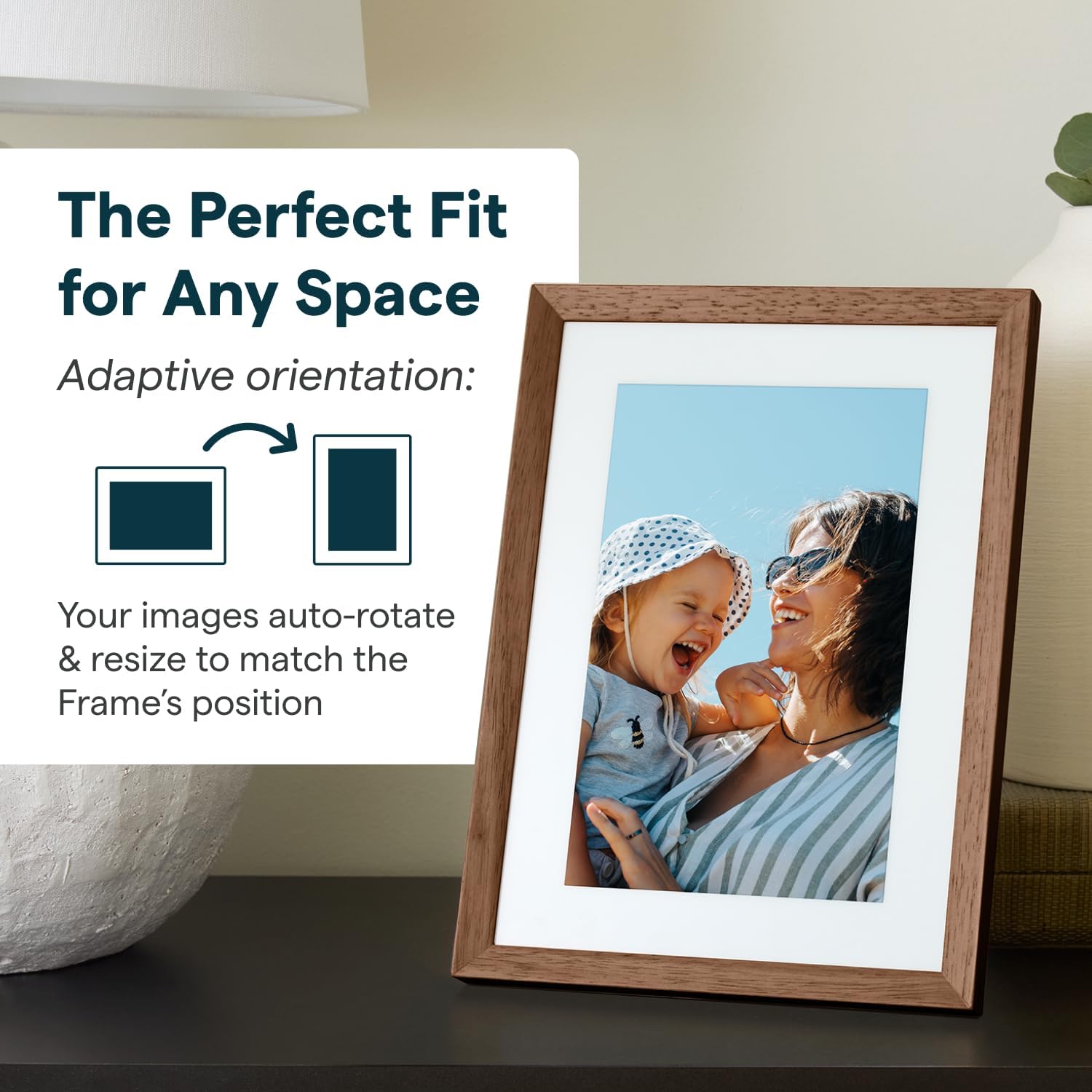
Figure 3.6: The Skylight Frame demonstrating its adaptive orientation feature, automatically adjusting images for both landscape and portrait display.
3.5 اسٽوريج ۽ ڪارڪردگي
- 16GB اسٽوريج: Save thousands of photos and videos directly on the frame. Cloud-based storage eliminates the need for SD cards.
- تيز ڪارڪردگي: The 2GHz quad-core processor ensures fast uploads and smooth operation.
3.6 ڊيزائن جون خاصيتون
- خوبصورت ڊيزائن: Features premium wood and interchangeable Snap Frames to match any decor.
- اينٽي گليئر اسڪرين: بهتر ڪري ٿو viewروشني جي مختلف حالتن ۾.

Figure 3.7: The Skylight Frame highlighting its upgraded features, including premium wood, interchangeable snap frames, Full HD display, auto-brightness, and anti-glare screen.
4. سار سنڀال
Proper care will ensure your Skylight Frame 2 remains in excellent condition.
- اسڪرين جي صفائي: اسڪرين کي نرميءَ سان صاف ڪرڻ لاءِ نرم، لِنٽ فري ڪپڙو استعمال ڪريو. ضدي داغن لاءِ، ٿورو ڊيampڪپڙي کي پاڻي يا اسڪرين محفوظ ڪلينر سان ڌوئڻ ڏيو. سخت ڪيميڪلز کان پاسو ڪريو.
- فريم صاف ڪرڻ: فريم کي سڪل يا ٿوري ڊي سان صاف ڪريوamp ڪپڙو. گھڻائي صاف ڪندڙ استعمال نه ڪريو.
- لڳائڻ: Place the frame on a stable, flat surface away from direct sunlight, extreme temperatures, and high humidity.
5. مسئلا حل ڪرڻ
If you encounter issues with your Skylight Frame 2, refer to the following common solutions.
| مسئلو | ممڪن سبب | حل |
|---|---|---|
| فريم آن نه ٿي رهيو آهي | پاور اڊاپٽر ڳنڍيل نه آهي يا خراب آهي. | Ensure the power adapter is securely plugged into the frame and a working power outlet. Try a different outlet. |
| وائي فائي سان ڳنڍجي نٿو سگھي | Incorrect Wi-Fi password, weak signal, or router issue. | Double-check the Wi-Fi password. Move the frame closer to the router. Restart your Wi-Fi router. |
| Photos not appearing | Incorrect email address used, Wi-Fi disconnected, or server delay. | Verify the Skylight email address. Ensure the frame is connected to Wi-Fi. Allow some time for photos to sync. |
| ٽچ اسڪرين غير جوابي | عارضي سافٽ ويئر جي خرابي. | Restart the frame by unplugging it and plugging it back in after 10 seconds. |
If these steps do not resolve your issue, please contact Skylight customer support.
6. وضاحتون
Key technical specifications for the Skylight Digital Picture Frame 2.
- پيداوار جي ماپ: 10 x 10 x 0.99 انچ
- شيء جو وزن: 2.81 پائونڊ
- بيٽريون: 1 Lithium ڌاتو جي بيٽري گھربل (شامل)
- ٺاهيندڙ: اسڪائي لائيٽ فريم
- اصليت جو ملڪ: چين
- رنگ: Walnut - 10" Frame 2
- قرارداد: 1920x1200
- مطابقت رکندڙ ڊوائيسز: اسمارٽ فون
- اسڪرين جي ماپ: 10 انچ
7. وارنٽي ۽ سپورٽ
Skylight is committed to providing excellent customer service.
- ڪسٽمر سپورٽ: For any questions or assistance, please refer to the contact information provided with your product packaging or visit the official Skylight webسائيٽ.
- وارنٽي ڄاڻ: Details regarding the product warranty are typically included in the packaging or available on the manufacturer's webسائيٽ. مھرباني ڪري وارنٽي دعوائن لاءِ خريداري جو ثبوت رکو.


