1. تعارف
This manual provides detailed instructions for the Taiahiro BK820 Typewriter Mechanical Gaming Keyboard and Mouse Combo. Designed for both gaming and daily computing, this combo offers a unique retro aesthetic combined with modern mechanical performance and customizable RGB lighting. Please read this manual thoroughly to ensure proper setup, operation, and maintenance of your new device.
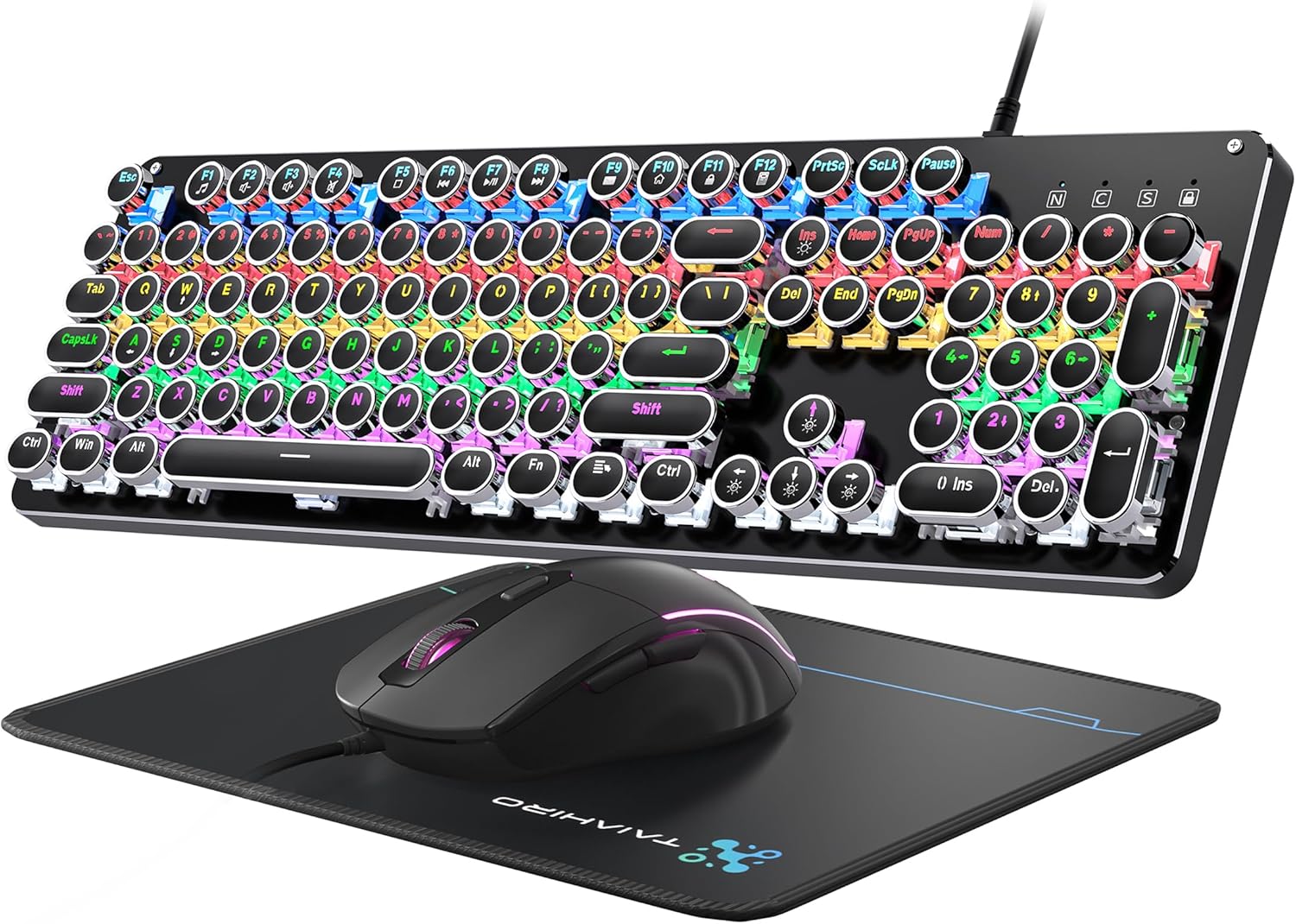
Figure 1: Taiahiro BK820 Typewriter Mechanical Gaming Keyboard and Mouse Combo.
2. پيڪيج مواد
The Taiahiro BK820 combo includes the following items:
- ٽائيپ رائيٽر مشيني ڪي بورڊ
- وائرڊ گيمنگ ماؤس
- ماؤس پيڊ
3. مصنوعات جون خاصيتون
The Taiahiro BK820 combo is equipped with several features to enhance your user experience:
- Typewriter Mechanical Keyboard and Mouse Set: Features mechanical blue switches, durable round keycaps, and an adjustable DPI optical mouse. Offers speed, accuracy, and comfort with a crisp click sound and precise tactile feedback.
- Metal Panel & Top Quality: The mechanical gaming keyboard is constructed from top-grade aluminum alloy with a matte finish. Double-shot-molded ABS keycaps are wear-resistant, non-fading, and removable for easy cleaning.
- 7 Colors Breathing RGB Gaming Mouse: Wired gaming mouse with a high-precision optical sensor and super-fast game engine. Features 4 Adjustable DPI Levels (800/1600/2400/3200), RGB backlighting, an anti-skid scroll wheel, and 7-color lighting with breathing and cycling effects.
- 104-Key Anti-Ghost Ergonomic Keyboard: 104 anti-ghosting keys for fast response. Full-size keyboard includes 12 multimedia keys and a number pad. Ergonomically designed with a high-low key layout, suspended round keys, and adjustable double kickstand feet to reduce hand fatigue.
- 11 Modes RGB Backlighting: Keyboard features 4-color RGB backlighting with 11 different lighting modes. Double-shot injection molded keycaps ensure clear backlight and extreme durability. Brightness and breathing speed are adjustable.
- Wide Compatible: USB 2.0 plug-and-play connection. Compatible with PC, laptop, Mac, and other devices, supporting Windows, Linux, and Mac OS systems.
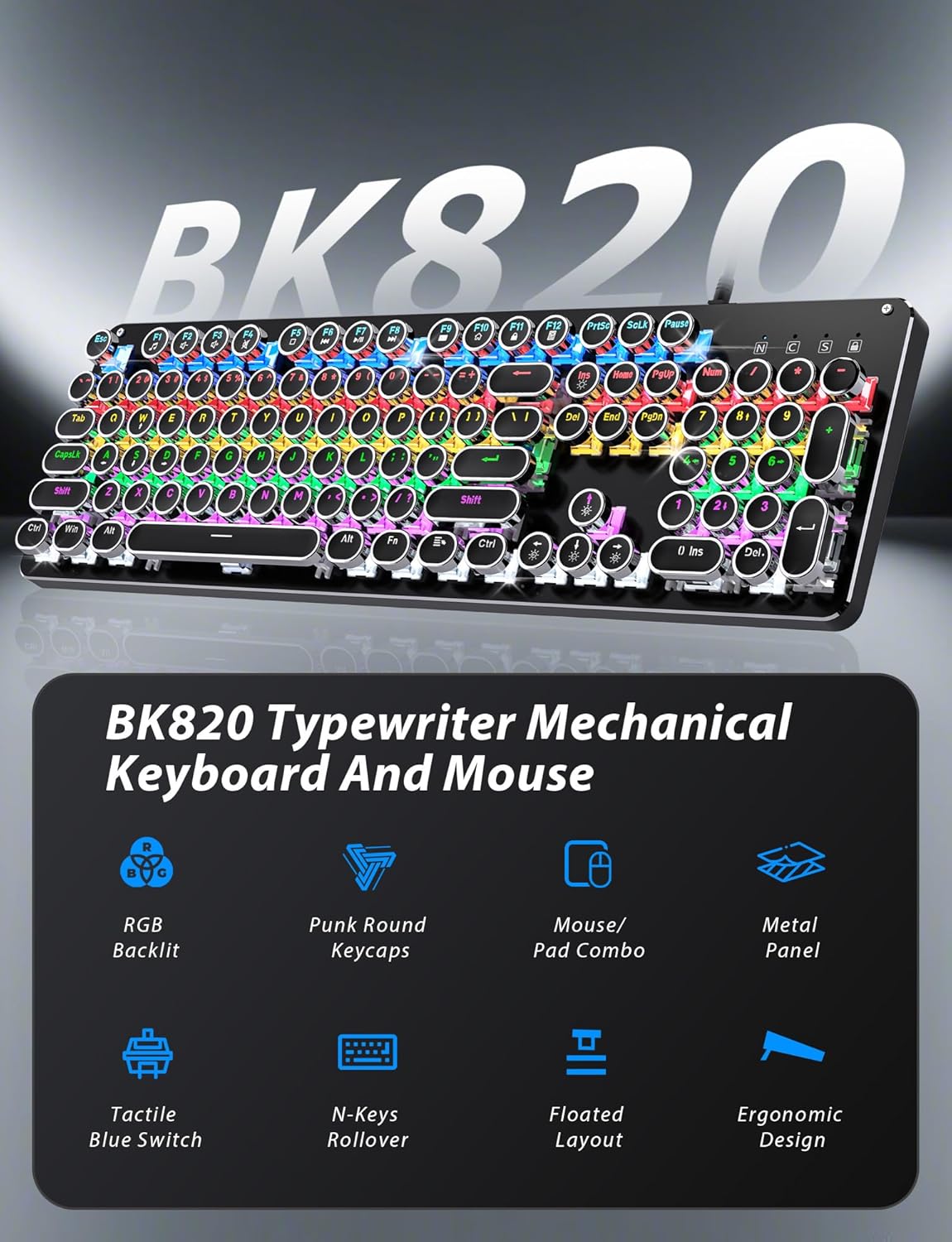
Figure 2: Key features of the Taiahiro BK820 combo.
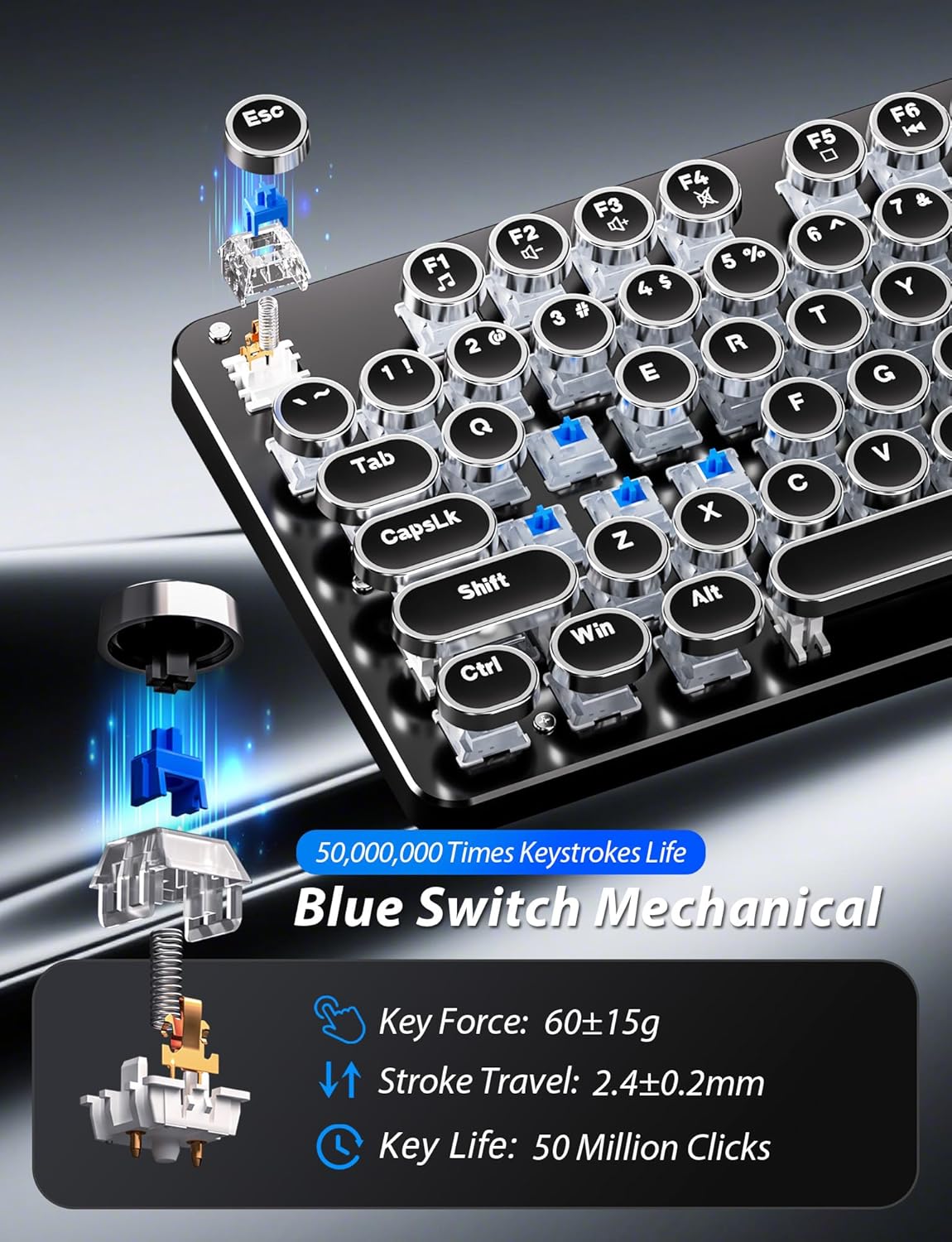
شڪل 3: تفصيلي view of the mechanical blue switches.
4. سيٽ اپ جون هدايتون
- ڪي بورڊ ڳنڍيو: Plug the keyboard's USB cable into an available USB 2.0 port on your computer. The keyboard is plug-and-play and should be recognized automatically by your operating system.
- ماؤس کي ڳنڍيو: Plug the mouse's USB cable into another available USB 2.0 port on your computer. The mouse is also plug-and-play.
- ڪي بورڊ جي زاويه کي ترتيب ڏيو: Flip the keyboard over. Extend the adjustable double kickstand feet located on the underside of the keyboard to achieve your preferred typing angle.
- کلائي آرام سان ڳنڍيو (اختياري): The keyboard features a magnetic wrist rest. Align the wrist rest with the front edge of the keyboard until it snaps into place.
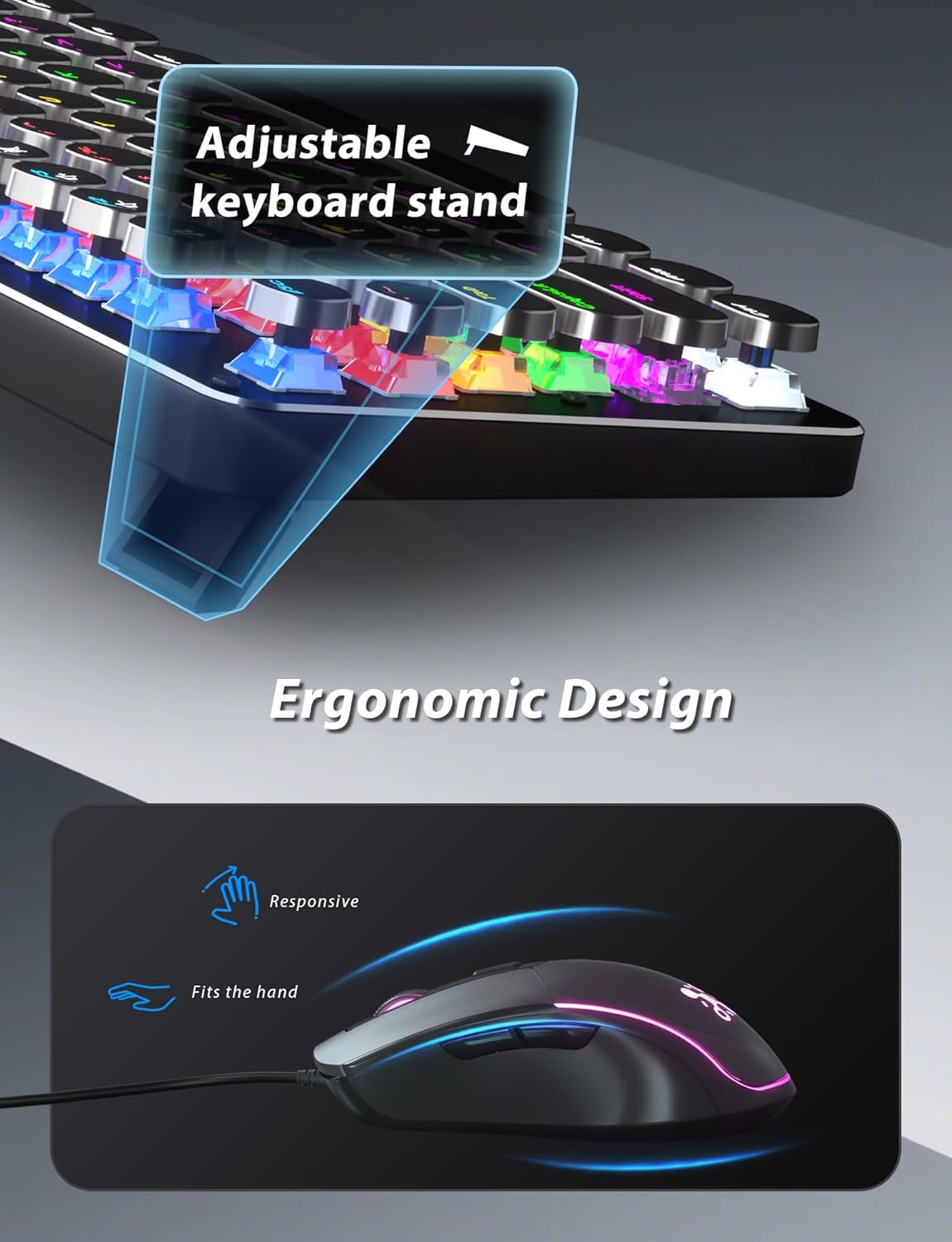
Figure 4: Adjustable keyboard stand for ergonomic comfort.
5. آپريٽنگ هدايتون
5.1 ڪي بورڊ جا ڪم
- RGB Backlight Modes: دٻايو Fn + INS to cycle through 11 different RGB backlight modes.
- واپسي جي روشني کي ترتيب ڏيو: دٻايو ايف اين + ↑ (مٿي تير) روشني وڌائڻ لاءِ يا Fn + ↓ (هيٺ تير) روشني گھٽائڻ لاء.
- پس منظر جي رفتار کي ترتيب ڏيو: دٻايو ايف اين + ← (کاٻو تير) to decrease animation speed or Fn + → (ساڄو تير) to increase animation speed for dynamic lighting modes.
- گيمنگ موڊس: The keyboard offers 6 preset gaming modes. Press Fn + F1 ذريعي Fn + F6 to activate specific key lighting for different game types.
- ملٽي ميڊيا ڪيز: استعمال ڪريو Fn چا combinationي سان ميلاپ ۾ F1-F12 keys for various multimedia controls (e.g., volume, play/pause, calculator).
- ونڊوز ڪي لاڪ: دٻايو Fn+Win ونڊوز ڪي کي لاڪ يا ان لاڪ ڪرڻ لاءِ، گيمنگ دوران حادثاتي دٻن کي روڪڻ لاءِ.

Figure 5: Keyboard RGB backlight controls.
5.2 مائوس جا ڪم
- ڊي پي آءِ ايڊجسٽمينٽ: Press the DPI button located on the top of the mouse to cycle through 4 adjustable DPI levels (800/1600/2400/3200).
- آر بي جي روشني: The mouse features 7-color breathing and cycling RGB lighting that changes automatically.
- اڳتي/پوئتي بٽڻ: جلدي نيويگيشن لاءِ پاسي واري بٽڻن کي استعمال ڪريو web browsers or other applications.

Figure 6: Taiahiro BK820 Gaming Mouse with RGB lighting and DPI button.
5.3 سرڪاري پراڊڪٽ وڊيوز
وڊيو 1: هي وڊيو هڪ اوور مهيا ڪري ٿوview of the 104-Key Retro Typewriter Mechanical Gaming Keyboard and Mouse combo, showcasing ان جي ڊيزائن ۽ خاصيتون.
Video 2: This video demonstrates the unboxing experience of the BK820 Typewriter Mechanical Keyboard and Mouse, showing the contents as they are removed from the packaging.
Video 3: This video introduces the Typewriter Mechanical Keyboard and Mouse Combo, highlighting its design and functionality.
6. سار سنڀال
To ensure the longevity and optimal performance of your keyboard and mouse:
- ڪي ڪيپس جي صفائي: The double-shot-molded ABS keycaps are removable. Gently pull them off to clean any dust or debris underneath. Use a soft, damp cloth to wipe the keycaps and the keyboard surface. Ensure all parts are dry before reattaching keycaps.
- Mouse Cleaning: Use a soft, dry cloth to clean the mouse surface. Avoid using harsh chemicals or abrasive materials.
7. مسئلا حل ڪرڻ
- ڪي بورڊ يا مائوس جواب نه ڏئي رهيو آهي: Ensure both the keyboard and mouse USB cables are securely plugged into your computer's USB ports. Try plugging them into different USB ports.
- بيڪ لائيٽ ڪم نه ڪري رهي آهي/ايڊجسٽ ٿي رهي آهي: Verify that the keyboard is powered on. Use Fn + INS to cycle through modes. Adjust brightness with ايف اين + ↑/↓ and speed with ايف اين + ←/→.
- Windows Key Disabled: If the Windows key is not functioning, it might be locked. Press Fn+Win to toggle its lock status.
- Mouse DPI Not Changing: Press the dedicated DPI button on the mouse to cycle through the available sensitivity settings.
8. وضاحتون
| برانڊ | تائيهرو |
| ماڊل نمبر | بي ڪي 820 |
| رنگ | ڪارو |
| رابطي ٽيڪنالاجي | USB |
| خاص خصوصيت | پٺاڻ |
| مطابقت رکندڙ ڊوائيسز | پي سي، ليپ ٽاپ، ميڪ |
| شيءِ جو وزن | 2.51 پائونڊ |
| پيڪيج جي ماپ | 17.8 x 6.42 x 3.03 انچ |
9. وارنٽي ۽ سپورٽ
For warranty information, technical support, or any inquiries regarding your Taiahiro BK820 Typewriter Mechanical Gaming Keyboard and Mouse Combo, please refer to the manufacturer's official webسائيٽ تي وڃو يا سڌو سنئون انهن جي ڪسٽمر سروس سان رابطو ڪريو. وارنٽي دعوائن لاءِ پنهنجي خريداري جي رسيد رکو.


