تعارف
Thank you for choosing the Urbanista Valencia Wireless Headphones. This manual provides comprehensive instructions to help you set up, operate, and maintain your headphones, ensuring optimal performance and longevity. Please read this manual carefully before using your device.
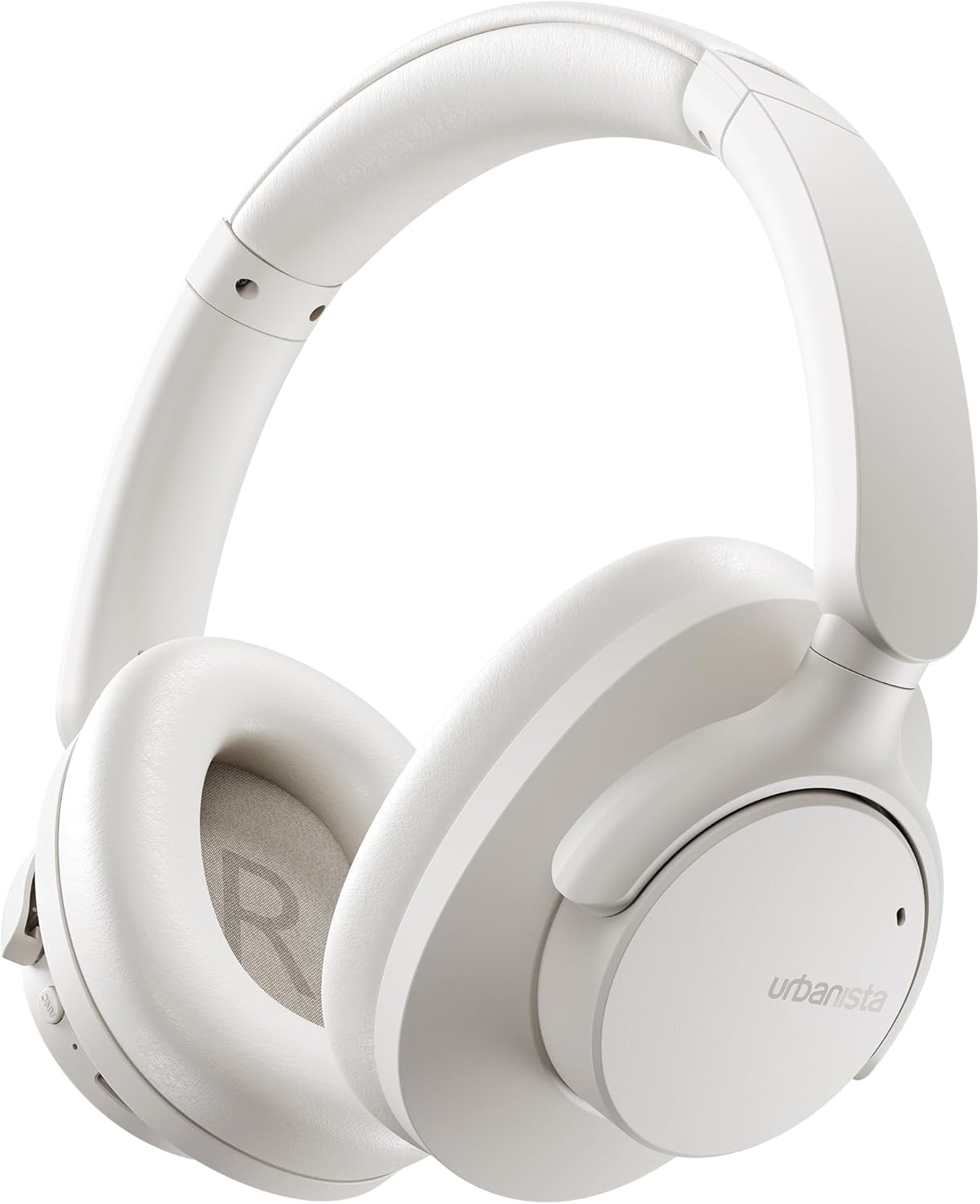
Image: The Urbanista Valencia Wireless Headphones in white, showcasing their sleek over-ear design.
دٻي ۾ ڇا آهي
پڪ ڪريو ته سڀئي شيون انباڪسنگ تي موجود آهن:
- Urbanista Valencia Wireless Headphones
- چارج ڪيس
- USB-C Charging Cable (not explicitly listed but implied for USB-C charging)
- استعمال ڪندڙ جو دستياب (ھي دستاويز)
پيداوار ختمview
Familiarize yourself with the key features and components of your Urbanista Valencia headphones.

Image: A person wearing the Urbanista Valencia headphones, highlighting the Active Noise Cancellation feature. This feature is designed to reduce up to 95% of low-frequency urban noise, such as traffic, engines, and crowds.
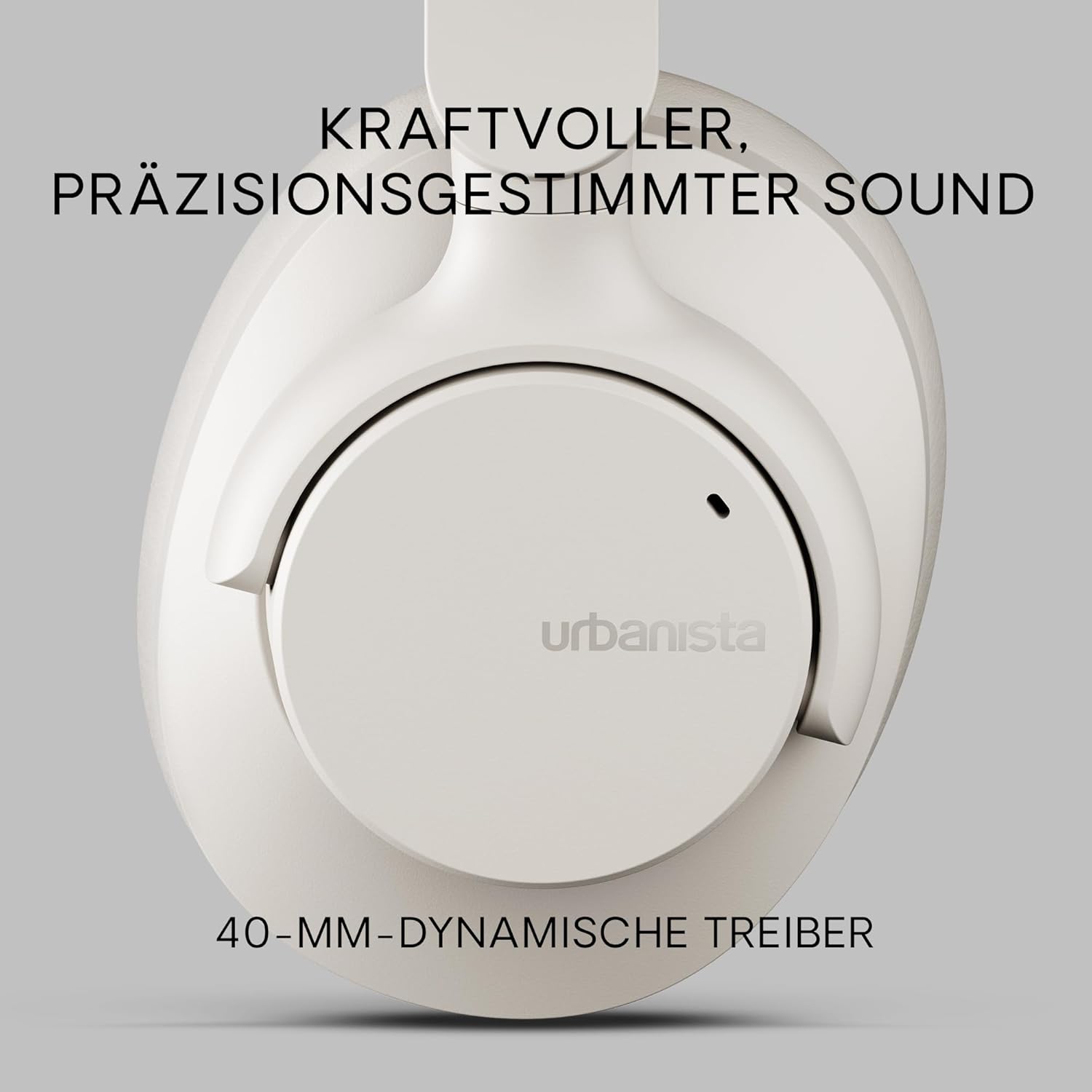
تصوير: هڪ ويجهو تصوير view of an Urbanista Valencia earcup, emphasizing the powerful, precision-tuned sound delivered by its 40mm dynamic drivers.

Image: A user wearing the headphones, with icons illustrating key features: noise-cancelling microphones, Bluetooth multipoint connectivity, and crystal-clear call quality.
سيٽ اپ ڪريو
1. هيڊفون چارج ڪرڻ
Before first use, fully charge your Urbanista Valencia headphones.
- Connect the USB-C charging cable to the charging port on the headphones.
- ڪيبل جي ٻئي ڇيڙي کي USB پاور سورس سان ڳنڍيو (مثال طور، وال اڊاپٽر، ڪمپيوٽر USB پورٽ).
- The LED indicator on the headphones will show charging status. It will typically turn off or change color when fully charged.
- مڪمل چارج لڳ ڀڳ 50 ڪلاڪ راند جو وقت فراهم ڪري ٿو.

Image: The Urbanista Valencia headphones, illustrating their impressive 50 hours of playtime and convenient USB-Type-C charging capability.
2. بلوٽوٽ جوئر
Pair your headphones with your Bluetooth-enabled device.
- پڪ ڪريو ته هيڊفون چارج ٿيل ۽ بند ٿيل آهن.
- هيڊفونز تي پاور بٽڻ کي دٻايو ۽ رکو جيستائين LED اشارو چمڪيو، جيڪو پيئرنگ موڊ کي ظاهر ڪري ٿو.
- توهان جي ڊوائس (اسمارٽ فون، ٽيبليٽ، ڪمپيوٽر) تي، بلوٽوٿ سيٽنگز ڏانهن وڃو ۽ بلوٽوٿ کي فعال ڪريو.
- Select "Urbanista Valencia" from the list of available devices.
- Once connected, the LED indicator will stop flashing or show a solid light.
- The headphones support Bluetooth Multipoint, allowing connection to two devices simultaneously.
آپريٽنگ
ڪنٽرول
The Urbanista Valencia headphones feature intuitive controls for managing audio and calls.
- پاور بٽڻ: پاور آن/آف ڪرڻ لاءِ دٻايو ۽ رکو. هلائڻ/روڪ ڪرڻ لاءِ مختصر دٻايو.
- حجم مٿي/ا Traيون ٽريڪ: آواز وڌائڻ لاءِ مختصر دٻايو. ايندڙ ٽريڪ لاءِ ڊگهو دٻايو.
- حجم ھي//پوئين ٽريڪ: آواز گهٽائڻ لاءِ مختصر دٻايو. پوئين ٽريڪ لاءِ ڊگهو دٻايو.
- ANC بٽڻ: فعال شور منسوخي کي آن/آف ٽوگل ڪريو.
- وائيس اسسٽنٽ بٽڻ: Activate your device's voice assistant (e.g., Google Assistant).
فعال شور جي منسوخي (ANC)
The ANC feature reduces ambient noise, providing a more immersive listening experience. Press the dedicated ANC button to activate or deactivate this function.
وائس اسسٽنٽ
Your Urbanista Valencia headphones are compatible with voice assistants like Google Assistant. Press the Voice Assistant button to activate and issue commands to your connected device.
سار سنڀال
مناسب سنڀال توهان جي هيڊفونز جي ڊگهي عمر ۽ ڪارڪردگي کي يقيني بڻائي ٿي.
- صفائي: هيڊفون صاف ڪرڻ لاءِ نرم، سڪل ڪپڙو استعمال ڪريو. سخت ڪيميڪل يا رگڙيندڙ مواد استعمال نه ڪريو.
- اسٽوريج: When not in use, store the headphones in their charging case or a protective pouch to prevent damage. The foldable design allows for compact storage.
- پاڻي جي مزاحمت: هيڊفون پاڻي جي مزاحمتي آهن. انهن کي پاڻي ۾ ٻڏڻ يا تيز مينهن ۾ وجهڻ کان پاسو ڪريو. جيڪڏهن اهي گلا ٿي وڃن ته چڱي طرح سڪايو.
- بيٽري جي سنڀال: For optimal battery life, avoid fully discharging the headphones frequently. Charge them regularly.

Image: The Urbanista Valencia headphones folded, emphasizing their 240-gram lightweight construction and foldable design, which contribute to all-day comfort and portability.
مشڪلاتون
جيڪڏهن توهان کي مسئلا درپيش اچن ٿا، ته هيٺ ڏنل عام حلن جو حوالو ڏيو:
| مسئلو | حل |
|---|---|
| هيڊفونز آن نه ٿا ٿين | Ensure the headphones are fully charged. Press and hold the power button for a few seconds. |
| ڊوائيس سان جوڙو نه ٿو ٺاهي سگهجي | پڪ ڪريو ته هيڊفون پيئرنگ موڊ ۾ آهن (ايل اي ڊي چمڪندڙ). پنهنجي ڊوائيس تي بلوٽوٿ کي بند ڪريو ۽ آن ڪريو. ڊوائيس جي ويجهو وڃو. |
| آواز ڪونهي | Check volume levels on both headphones and connected device. Ensure headphones are correctly paired. Try re-pairing. |
| ANC اثرائتي ڪم نه ڪري رهيو آهي | Ensure ANC is activated. Check that the earcups form a good seal around your ears. |
وضاحتون
Detailed technical specifications for the Urbanista Valencia Wireless Headphones:
- ماڊل نالو: والنسيا
- شئي ماڊل نمبر: 1040242
- برانڊ: شهري
- رنگ: اڇو
- فارم فيڪٽر: ڪن مٿان
- رابطي ٽيڪنالاجي: وائرليس (بلوٽوت)
- وائرليس ڪميونيڪيشن ٽيڪنالاجي: بلوٽوٿ
- شامل اجزاء: چارج ڪيس
- مواد: پلاسٽڪ
- پيداوار لاءِ مخصوص استعمال: Entertainment, Fitness, Travel
- مطابقت رکندڙ ڊوائيسز: Bluetooth ڊوائيسز
- ڪيبل خصوصيت: ڪيبل کان سواء
- شيء جو وزن: 246 گرام (8.7 آونس)
- پاڻي جي مزاحمت جي سطح: پاڻي مزاحمتي
- شين جو تعداد: 1
- ڪنٽرولر جو قسم: گوگل اسسٽنٽ
- خاص خاصيتون: Lightweight, Microphone Included, Voice Assistant Compatible, Water Resistant, Wireless
- پيداوار جي ماپ: 7.28 x 7.28 x 3.15 انچ
- بيٽريون: 3 Lithium Ion بيٽريون گھربل (شامل)
حفاظت جي ڄاڻ
مھرباني ڪري ھيٺ ڏنل حفاظتي ھدايتن تي عمل ڪريو:
- هيڊفونز کي گهڻي عرصي تائين انتهائي گرمي پد يا سڌي سج جي روشنيءَ ۾ نه رکو.
- Avoid listening at high volume levels for prolonged durations to prevent hearing damage.
- هيڊفونز کي ڌار ڪرڻ يا تبديل ڪرڻ جي ڪوشش نه ڪريو. اهو وارنٽي کي رد ڪري ڇڏيندو ۽ نقصان پهچائي سگھي ٿو.
- ٻارن ۽ پالتو جانورن جي پهچ کان پري رکو.
وارنٽي ۽ سپورٽ
For warranty information or technical support, please visit the official Urbanista webسائيٽ تي وڃو يا انهن جي ڪسٽمر سروس سان رابطو ڪريو. ڪنهن به وارنٽي دعوائن لاءِ خريداري جو ثبوت رکو.

Image: Two individuals wearing Urbanista headphones (black and white models), with a 'Certified Plastic Neutral Product' badge visible, highlighting the brand's commitment to sustainability.


