تعارف
Thank you for choosing the Emerson EVP-2002 Home Theater LCD Projector. This manual provides essential information for setting up, operating, and maintaining your projector to ensure optimal performance and longevity. Please read this manual thoroughly before using the product and retain it for future reference.
دٻي ۾ ڇا آهي
پيڪنگ کولڻ وقت، مھرباني ڪري پڪ ڪريو ته ھيٺ ڏنل سڀ شيون موجود آھن:
- Emerson EVP-2002 Projector
- UL Approved Power Adaptor
- ريموٽ ڪنٽرول
- پروجيڪٽر لينس ڍڪ
- استعمال ڪندڙ جو دستياب (ھي دستاويز)
پيداوار ختمview
The Emerson EVP-2002 is designed to deliver an immersive home theater experience with its advanced LCD technology and versatile connectivity options.

تصوير: سامهون view of the Emerson EVP-2002 projector, showcasing the lens and ventilation. This compact projector is designed for home entertainment.
اهم خاصيتون:
- عميق تفريح: Transforms your space into a theater for sports, movies, and TV shows.
- بلوٽوت ڪنيڪشن: Allows easy pairing with external audio devices.
- Effortless Media Streaming: Compatible with streaming devices like Amazon Fire Stick, Roku, or Google Chromecast (not included).
- روشن بصري: Advanced LCD projector delivers high-quality resolution with clarity and color vibrancy.
- Versatile Multi-Media Functionality: Supports HDMI and USB flash drives for various video, audio, and photo formats.
- ڊگھي عرصي وارو LED بلب: Durable LED bulb with up to 30,000 hours of lifespan.
- Powerful Built-In Speakers: Delivers clear, full-bodied sound.

تصوير: پاسي view of the Emerson EVP-2002 projector, showing its compact cylindrical design and adjustable stand.
پيداوار جي ماپ ۽ وزن:
- طول و عرض: 6.75 x 4.12 x 4.98 انچ
- وزن: 1.43 پائونڊ

Image: Diagram illustrating the dimensions (6.75 in. length, 4.12 in. width, 4.98 in. height) and weight (1.43 lbs) of the Emerson EVP-2002 projector.
سيٽ اپ گائيڊ
1. رکڻ
Position the projector on a stable, flat surface. Ensure there is adequate ventilation around the unit. The distance from the screen or wall will determine the image size. Adjust the projector's angle using its stand for optimal projection.
2. پاور ڪنيڪشن
- Connect the UL Approved Power Adaptor to the DC IN port on the projector.
- Plug the power adaptor into a standard electrical outlet.
- The power indicator light should illuminate.
3. Connecting Input Sources
The EVP-2002 offers multiple input options:
- HDMI: Connect an HDMI cable from your source device (e.g., laptop, game console, streaming stick) to the HDMI port on the projector.
- USB: ميڊيا هلائڻ لاءِ USB پورٽ ۾ USB فليش ڊرائيو داخل ڪريو. files سڌو.
- 3.5 ايم ايم آڊيو: Connect external speakers or headphones using a 3.5mm audio cable to the AUX OUT port.

تصوير: پوئين پاسي view of the Emerson EVP-2002 projector, showing the various input ports including HDMI, USB, and DC power input.
آپريٽنگ هدايتون
1. پاور آن/آف
- To power on, press the Power button on the projector or the remote control.
- To power off, press the Power button again. The projector will enter standby mode.
2. فوڪس کي ترتيب ڏيڻ
Rotate the focus ring located near the lens until the projected image appears clear and sharp.
3. ذريعن جي چونڊ
Use the "Source" button on the remote control or the projector's control panel to cycle through available input sources (HDMI, USB, etc.).
4. بلوٽوت ڪنيڪشن
- Ensure Bluetooth is enabled on your external audio device (e.g., speaker, headphones).
- On the projector, navigate to the Bluetooth settings (refer to on-screen menu if available, or press the dedicated Bluetooth button if present).
- جوڙڻ لاءِ موجود ڊوائيسز جي فهرست مان پنهنجو ڊوائيس چونڊيو.
- Once paired, audio will be routed through the connected Bluetooth device.
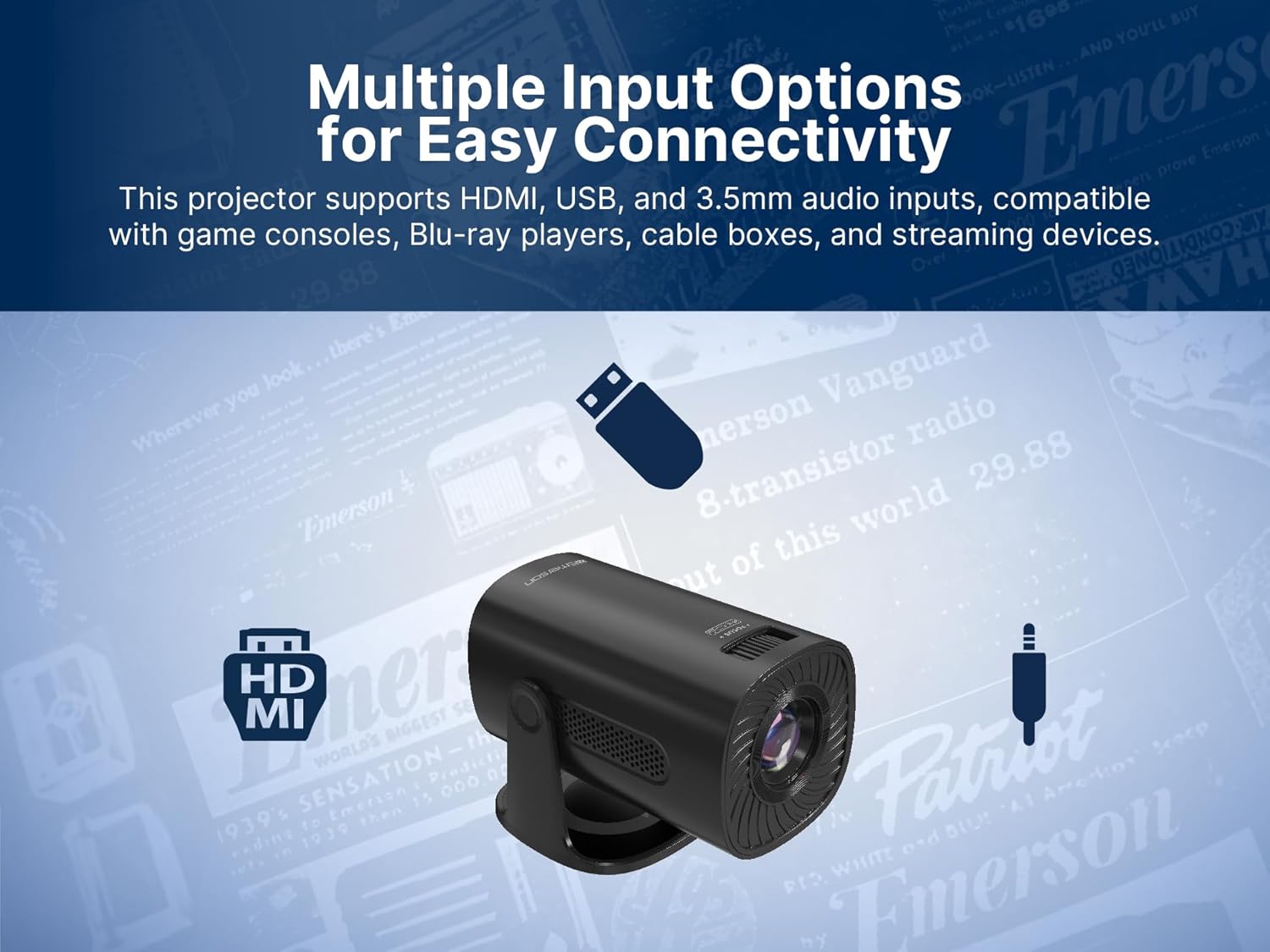
Image: The Emerson EVP-2002 projector displaying a Bluetooth icon, indicating its wireless audio connectivity feature.
5. Media Playback (USB)
- Insert a USB flash drive containing compatible media files USB پورٽ ۾.
- ان پٽ سورس جي طور تي "USB" چونڊيو.
- فولڊرن ذريعي وڃو ۽ files using the remote control or projector buttons.
- چونڊيو a file پلے بیک شروع ڪرڻ لاءِ.

Image: The Emerson EVP-2002 projector connected to a USB drive, illustrating its capability to play various media formats directly.
سار سنڀال
مناسب سار سنڀال توهان جي پروجيڪٽر جي ڊگهي عمر ۽ بهترين ڪارڪردگي کي يقيني بڻائي ٿي.
1. لينس صاف ڪرڻ
- Always power off and unplug the projector before cleaning.
- خاص طور تي آپٽيڪل لينس لاءِ ٺهيل نرم، لِنٽ فري ڪپڙو استعمال ڪريو.
- Gently wipe the lens in a circular motion. Avoid harsh chemicals or abrasive materials.
- Replace the lens cover when the projector is not in use to protect it from dust.
2. پروجيڪٽر جي جسم کي صاف ڪرڻ
- ٻاھرين کي نرم، سڪل ڪپڙي سان صاف ڪريو.
- Do not use liquid cleaners or sprays directly on the projector.
3. وينٽيليشن
- Ensure the ventilation vents are not blocked to prevent overheating.
- Periodically check and gently clean any dust accumulation on the vents using a soft brush or compressed air.
مشڪلاتون
جيڪڏهن توهان کي پنهنجي پروجيڪٽر سان مسئلا درپيش اچن ٿا، ته هيٺ ڏنل عام مسئلن ۽ حلن جو حوالو ڏيو:
| مسئلو | ممڪن سبب | حل |
|---|---|---|
| ڪا به تصوير پيش نه ڪئي وئي آهي |
|
|
| تصوير urري آهي |
|
|
| آواز ڪونهي |
|
|
| پروجيڪٽر وڌيڪ گرم ڪري ٿو |
|
|
وضاحتون
| خاصيت | تفصيل |
|---|---|
| ماڊل نمبر | EVP-2002 |
| برانڊ | ايمرسن |
| پيداوار جي ماپ | 6.75 x 4.12 x 4.98 انچ |
| شيءِ جو وزن | 1.43 پائونڊ |
| ڊسپلي قرارداد | 1280 x 720 |
| رابطي ٽيڪنالاجي | بلوٽوٿ |
| خاص خصوصيت | بلٽ ان اسپيڪر |
| تجويز ڪيل استعمال | Business, Education, Gaming, Home Cinema |
| ٺاهيندڙ | Naxa Electronics, Inc. |
پراڊڪٽ وڊيوز
Emerson EVP-2002 Product Video - 360 Spin
وڊيو: هڪ 360 درجا view of the Emerson EVP-2002 projector, showcasing its design and various angles. This video provides a comprehensive visual overview of the product's exterior.
وارنٽي ۽ سپورٽ
وارنٽي ڄاڻ
تفصيلي وارنٽي جي معلومات لاءِ، مھرباني ڪري پنھنجي پراڊڪٽ سان شامل وارنٽي ڪارڊ ڏسو يا سرڪاري ايمرسن جو دورو ڪريو webسائيٽ. ڪنهن به وارنٽي دعوائن لاءِ خريداري جي ثبوت طور پنهنجي خريداري جي رسيد رکو.
ڪسٽمر سپورٽ
If you require further assistance, technical support, or have questions not covered in this manual, please contact Emerson customer support. Contact details can typically be found on the product packaging, the official Emerson webسائيٽ، يا وارنٽي ڪارڊ.


