پيداوار ختمview
The ATTACK SHARK R5Ultra is a high-performance wireless gaming mouse designed for speed and precision. It features an ultra-lightweight carbon fiber composite construction, weighing only 39g, ensuring durability and comfort during extended use. Equipped with the advanced PixArt PAW3950 MAX sensor and Nordic 52840 MCU chip, it offers exceptional accuracy and a high polling rate for competitive gaming.
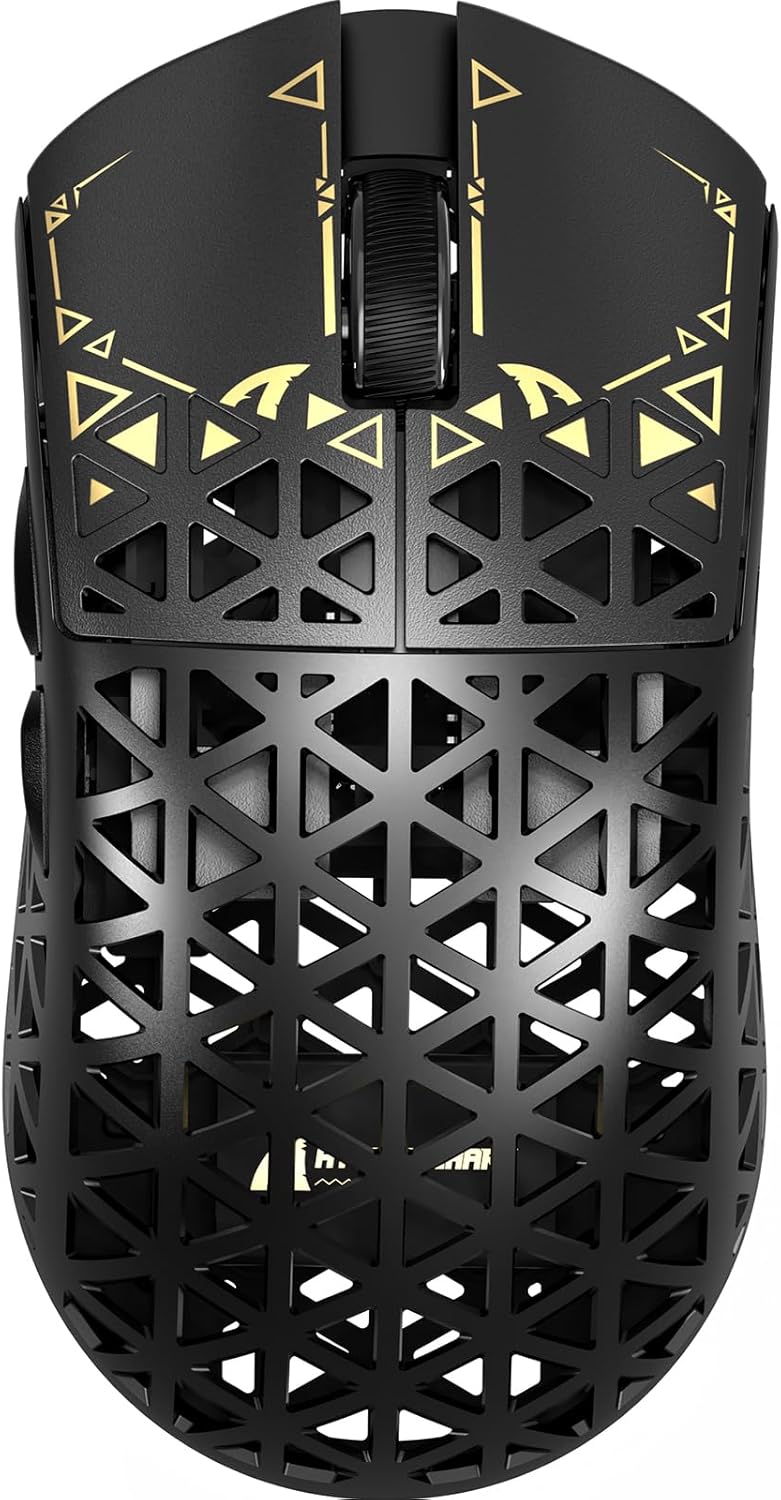
تصوير: مٿي view of the ATTACK SHARK R5Ultra gaming mouse, showcasing its lightweight carbon fiber design and intricate patterns.
This mouse supports tri-mode connectivity, allowing seamless switching between 2.4GHz wireless, Bluetooth, and wired USB connections. Its programmable features are managed via an innovative cloud-driven webpage, eliminating the need for traditional software installations.
پيڪيج مواد
- ATTACK SHARK R5Ultra Wireless Gaming Mouse
- USB-C چارجنگ ڪيبل
- 8K Mini Receiver (USB Dongle)
- استعمال ڪندڙ جو دستياب (ھي دستاويز)
- Additional PTFE feet (may be included)
سيٽ اپ گائيڊ
1. شروعاتي چارجنگ
Before first use, it is recommended to fully charge the mouse. Connect the provided USB-C cable to the mouse's charging port and the other end to a USB power source (e.g., computer USB port, USB wall adapter).
2. ڪنيڪٽيوٽي موڊس
The R5Ultra mouse supports three connection modes: 2.4GHz Wireless, Bluetooth, and Wired USB. A switch on the back of the mouse allows you to select your preferred mode.

Image: Diagram illustrating the tri-mode connectivity options: 2.4G Wireless with receiver, Bluetooth, and USB-C wired connection, along with charging.
2.1. 2.4GHz وائرليس موڊ
- Locate the 8K Mini Receiver (USB dongle) included in the package.
- USB رسيور کي توهان جي ڪمپيوٽر تي موجود USB پورٽ ۾ پلگ ان ڪريو.
- Switch the mode selector on the bottom of the mouse to the 2.4GHz wireless icon.
- مائوس کي خودڪار طريقي سان رسيور سان ڳنڍڻ گهرجي.
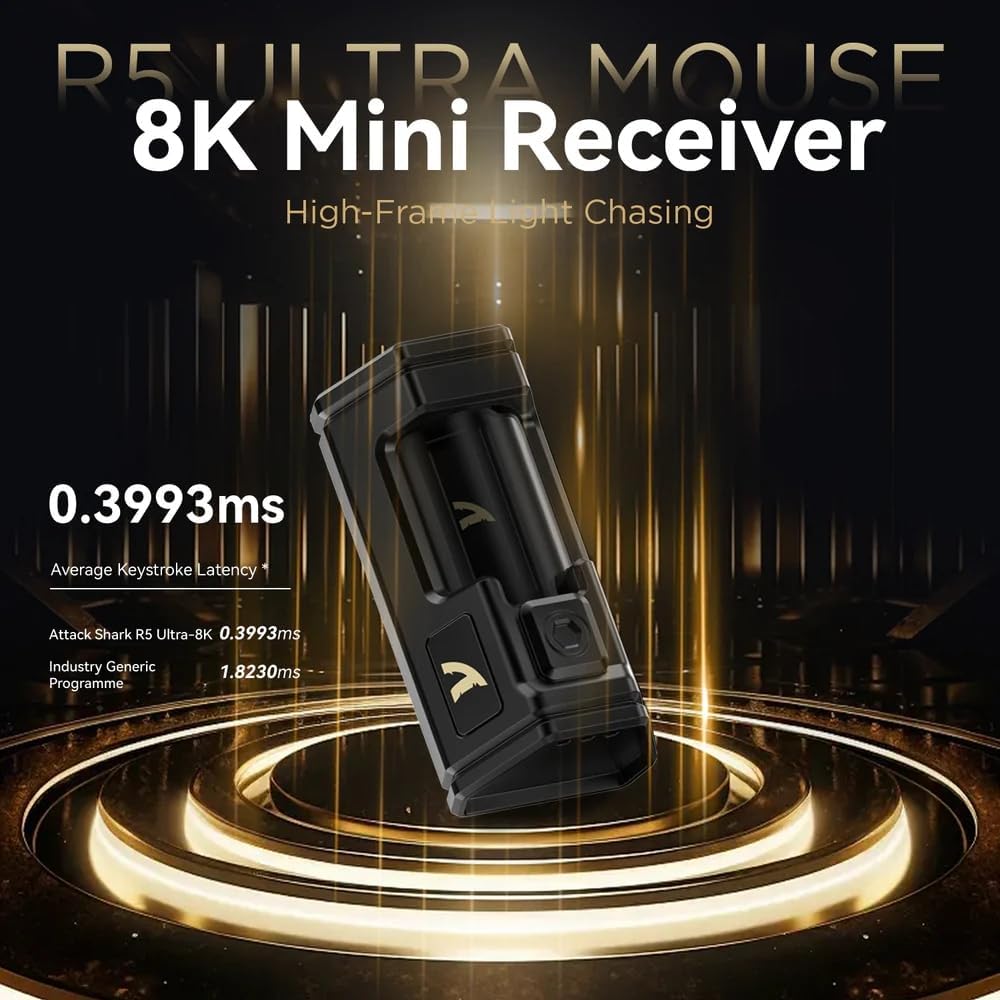
Image: Close-up of the compact 8K Mini Receiver, highlighting its low latency capabilities.
2.2. بلوٽوٽ موڊ
- Switch the mode selector on the bottom of the mouse to the Bluetooth icon.
- توهان جي ڪمپيوٽر يا ڊوائيس تي، بلوٽوٿ سيٽنگون کوليو ۽ نوان ڊوائيسز ڳوليو.
- Select "ATTACK SHARK R5Ultra" from the list of available devices to pair.
2.3. Wired USB Mode
- مهيا ڪيل USB-C ڪيبل کي مائوس سان ۽ ٻئي ڇيڙي کي پنهنجي ڪمپيوٽر تي USB پورٽ سان ڳنڍيو.
- مائوس خودڪار طريقي سان وائرڊ موڊ ۾ تبديل ٿي ويندو ۽ چارج ٿيڻ شروع ڪندو.
3. Driver and Customization
The R5Ultra utilizes an AI-designed cloud-driven webpage for customization, eliminating the need for traditional software downloads. Access the customization options by visiting the official ATTACK SHARK website and navigating to the R5Ultra product page or driver section. The webpage will automatically detect your system.
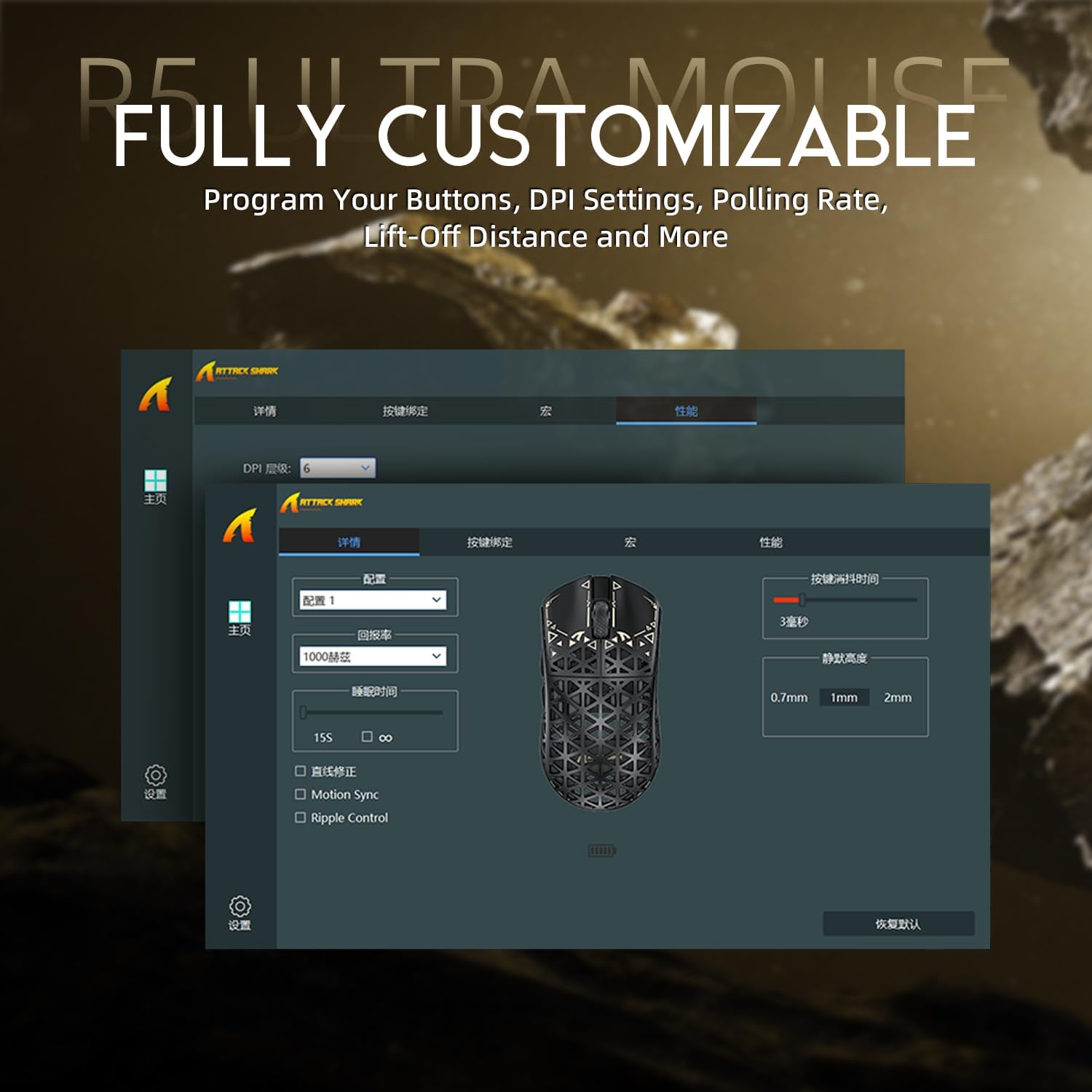
Image: Screenshot of the R5Ultra's web-based customization interface, showing options for DPI, polling rate, and button mapping.
آپريٽنگ هدايتون
ڊي پي آءِ ايڊجسٽمينٽ
The R5Ultra mouse features a PixArt PAW3950 MAX sensor capable of up to 42,000 programmable DPI. DPI settings can be adjusted through the cloud-driven customization webpage. You can set multiple DPI stages and switch between them using a dedicated button on the mouse (if configured) or through the software.

تصوير: تفصيلي view of the PixArt PAW3950 MAX sensor, highlighting its advanced capabilities for high DPI and acceleration.
پولنگ جي شرح
The mouse supports an 8KHz wireless polling rate, providing extremely low latency and fast data transmission. In wired mode, a 1KHz polling rate is maintained. Higher polling rates consume more battery power. You can adjust the polling rate via the customization webpage to balance performance and battery life.
پروگراميبل بٽڻ
The R5Ultra features multiple programmable buttons. Through the cloud-driven customization webصفحو ، توهان ڪري سگهو ٿا:
- Remap button functions.
- Create and assign macros.
- Adjust lift-off distance.
- Configure competitive modes.
بيٽري جو انتظام
To optimize battery life, consider adjusting the polling rate to a lower setting (e.g., 1KHz or 2KHz) when not engaged in competitive gaming. The mouse can be charged while in wired mode, allowing continuous use.
اهم خاصيتون
- الٽرا هلڪو وزن ڊيزائن: Weighing only 39g, constructed from injection-molded carbon fiber material with a hollow design for enhanced durability and reduced weight.

تصوير: گھڻا views of the R5Ultra mouse, showcasing its carbon fiber composite housing and lightweight structure.
- ترقي يافته سينسر: Features the PixArt PAW3950 MAX sensor, offering up to 42,000 DPI, 750 IPS speed, and 50g acceleration for precise tracking.
- اعلي پولنگ جي شرح: Supports an 8KHz wireless polling rate for minimal latency and rapid response, crucial for competitive gaming.
- ٽرائي موڊ ڪنيڪٽوٽي: Seamlessly switch between 2.4GHz wireless, Bluetooth, and wired USB connections for versatile use across various devices and platforms.
- پائيدار سوئچ: Equipped with OMRON microswitches, rated for over 100 million clicks, ensuring long-lasting performance and crisp feedback.
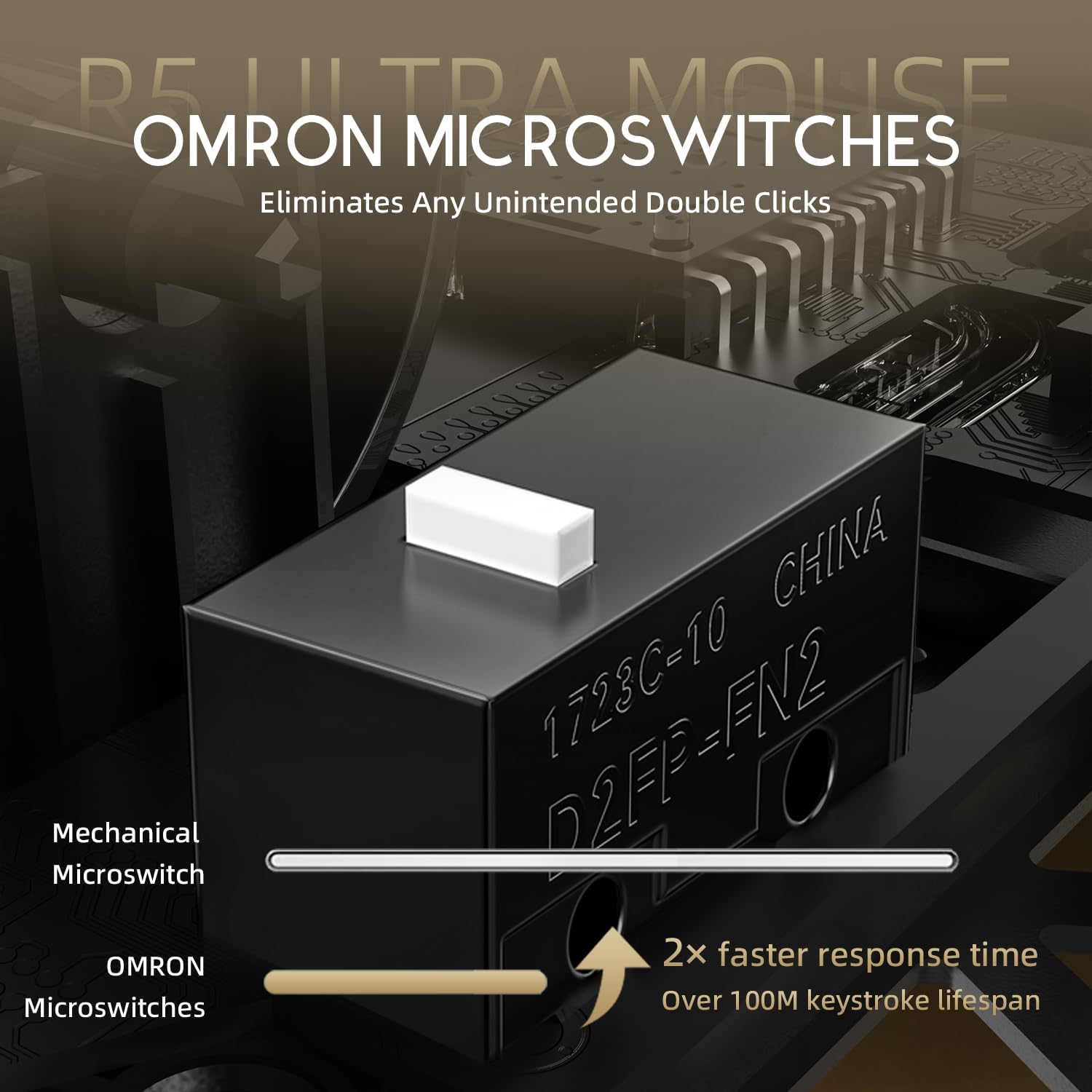
Image: Close-up of the OMRON microswitches, illustrating their mechanical design and durability for over 100 million clicks.
- Cloud-Based Driver: Innovative AI-designed driver accessible via a webpage, allowing for comprehensive customization without software installation.
- PTFE پير: 100% Virgin Grade PTFE feet provide consistent and smooth glide for optimal mouse movement.
سار سنڀال ۽ سنڀال
- صفائي: مائوس جي مٿاڇري کي صاف ڪرڻ لاءِ نرم، سڪل ڪپڙو استعمال ڪريو. ضدي مٽيءَ لاءِ، ٿورو ڊيamp cloth can be used, ensuring no liquid enters the mouse. Avoid harsh chemicals or abrasive materials.
- سينسر جي سار سنڀال: Keep the optical sensor area on the bottom of the mouse clean and free from dust or debris to ensure accurate tracking.
- اسٽوريج: مائوس کي سڌي سج جي روشني ۽ انتهائي گرمي پد کان پري ٿڌي، سڪل جاءِ تي رکو.
- بيٽري جي سنڀال: Avoid fully discharging the battery frequently. For long-term storage, charge the mouse to about 50% to prolong battery life.
مشڪلاتون
رابطي جا مسئلا
- 2.4GHz وائرليس: Ensure the USB receiver is securely plugged in and the mouse is switched to 2.4GHz mode. Try plugging the receiver into a different USB port.
- بلوٽوٿ: Verify Bluetooth is enabled on your device and the mouse is in Bluetooth pairing mode. Remove previous pairings and re-pair if necessary.
- وائرس: Check the USB-C cable connection at both ends. Try a different USB port or cable if available.
Tracking Problems
- مائوس جي تري ۾ موجود آپٽيڪل سينسر کي صاف ڪريو.
- پڪ ڪريو ته توهان مائوس کي مناسب مٿاڇري تي استعمال ڪري رهيا آهيو (مثال طور، هڪ مائوس پيڊ). تمام گهڻو عڪاسي ڪندڙ يا اڻ برابر سطحون ٽريڪنگ کي متاثر ڪري سگهن ٿيون.
- If experiencing issues at higher polling rates (e.g., 8KHz), try reducing the polling rate via the customization webpage to 1KHz, 2KHz, or 4KHz to see if performance improves.
- Check the mouse feet (PTFE skates) for wear or damage. Worn feet can affect glide and tracking consistency.
بيٽري جلدي ختم ٿيڻ
- Higher polling rates (e.g., 8KHz) consume more power. Reduce the polling rate if extended battery life is desired.
- پڪ ڪريو ته مائوس مڪمل طور تي چارج ٿيل آهي.
- جيڪڏهن مسئلو جاري رهي، ڪسٽمر سپورٽ سان رابطو ڪريو.
وضاحتون
| خاصيت | تفصيل |
|---|---|
| ماڊل نمبر | R5 |
| رابطي | 2.4G وائرليس، بلوٽوٿ، USB وائرڊ |
| سينسر | PixArt PAW3950 MAX Optical Sensor |
| ڊي پي آءِ رينج | Up to 42,000 DPI (Programmable) |
| پولنگ جي شرح | 8000Hz Wireless, 1000Hz Wired |
| تڪڙ | 50 جي |
| IPS Speed | 750 آئي پي ايس |
| سوئچز | OMRON Microswitches (100 Million Clicks Lifespan) |
| وزن | Approximately 39g (Ultra-lightweight) |
| مواد | ڪاربان فائبر جامع |
| پيرن جو مواد | 100% Virgin Grade PTFE |
| طول و عرض | 6.85 x 4.21 x 2.8 انچ (پيڪيج طول و عرض) |
| مطابقت | Windows, macOS, PCs, Laptops, Mac, Tablet Devices, Consoles |
وارنٽي ۽ سپورٽ
For warranty information, please refer to the warranty card included with your product or visit the official ATTACK SHARK website. If you encounter any issues not covered in this manual or require further assistance, please contact ATTACK SHARK customer support through their official webسائيٽ يا توهان جي خريداري سان مهيا ڪيل رابطي جي معلومات.
You can visit the ATTACK SHARK Store for more information and support: ATTACK SHARK Store on Amazon


