تعارف
This manual provides essential information for the safe and efficient operation of your BE COOL BCPSN2L01 Pedestal Fan. Please read these instructions carefully before use and retain them for future reference. The BCPSN2L01 combines powerful airflow with an integrated mist function and ambient lighting to enhance your indoor environment.
اهم حفاظتي هدايتون
باهه، بجليءَ جي جھٽڪي ۽ زخم جي خطري کي گهٽائڻ لاءِ بجليءَ جا سامان استعمال ڪرڻ وقت هميشه بنيادي حفاظتي احتياطن تي عمل ڪريو.
- بجلي جي فراهمي کي يقيني بڻائيtage اوزار تي ريٽنگ ليبل سان ملندو آهي.
- پنکڙي، بجلي جي تار، يا پلگ کي پاڻي يا ٻين مائعات ۾ نه ٻوڙيو.
- Unplug the fan from the outlet when not in use, before cleaning, or before moving.
- پرستار کي ٻارن ۽ پالتو جانورن جي پهچ کان پري رکو.
- فين کي خراب ٿيل ڪنڊ يا پلگ سان نه هلايو.
- Avoid placing the fan near curtains or other objects that could be drawn into the fan blades.
- جڏهن پنکڙو هلي رهيو هجي ته گرل ذريعي آڱريون يا ٻيون شيون نه داخل ڪريو.
- Use the fan only on a stable, level surface.
- هوا جي سوراخ کي بند نه ڪريو.
- Only use clean, distilled water in the water tank for the mist function.
پيداوار ختمview
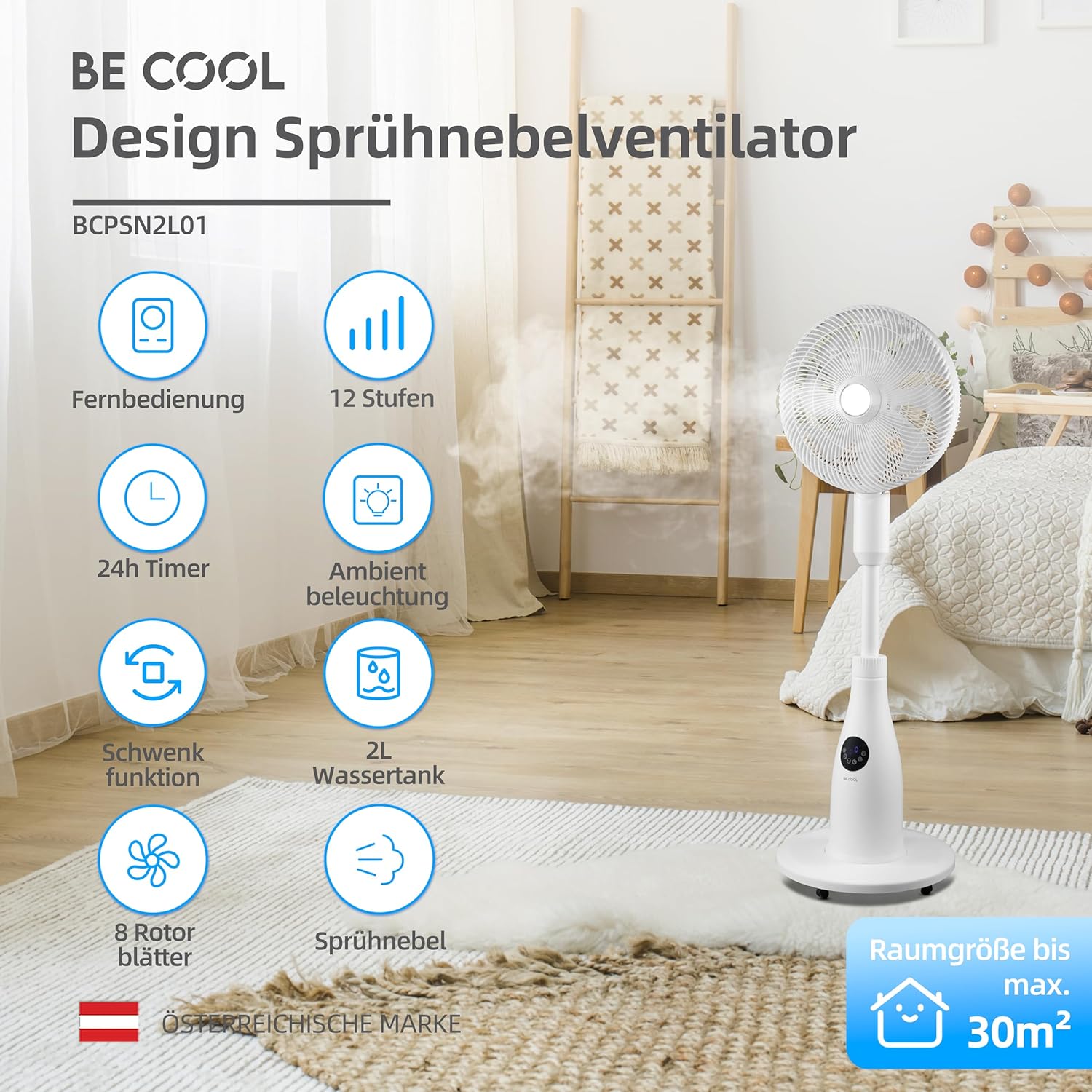
The BE COOL BCPSN2L01 is a versatile pedestal fan designed to provide efficient cooling and air circulation with an integrated mist function and ambient lighting.
اجزاء
- Fan Head with Grille and Blades
- Adjustable اسٽينڊ
- بنياد
- پاڻي جي ٽانڪي (2 ليٽر گنجائش)
- Control Panel (Touch-sensitive)
- ريموٽ ڪنٽرول
- پاور ڪنڊ
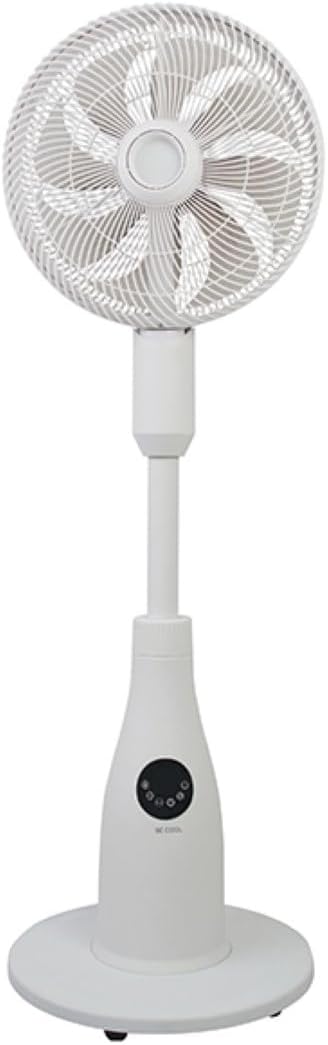
ڪنٽرول پينل ۽ ريموٽ ڪنٽرول
The fan can be operated using the touch-sensitive control panel on the unit or the included remote control.
ڪنٽرول پينل افعال:
- پاور بٽڻ: پنن کي آن يا بند ڪري ٿو.
- اسپيڊ بٽڻ: Adjusts fan speed (12 levels).
- موڊ بٽڻ: Cycles through Normal, Nature, and Sleep modes.
- مٽيءَ جو بٽڻ: Activates or deactivates the mist function.
- cرندڙ بٽڻ: Toggles the oscillation feature.
- ٽائمر بٽڻ: آٽو آف ٽائمر سيٽ ڪري ٿو (24 ڪلاڪن تائين).
- هلڪو بٽڻ: Controls the ambient lighting.


سيٽ اپ جون هدايتون
اسيمبلي
- پيڪنگ مان سڀني حصن کي احتياط سان کوليو.
- Assemble the fan head, stand, and base according to the diagrams in the quick start guide (if provided separately). Ensure all connections are secure.
- پنکڙي کي مضبوط، هموار مٿاڇري تي رکو.
پاڻي جي ٽانڪي ڀرڻ
- Locate the water tank at the rear of the fan's base.
- پاڻي جي ٽانڪي کي احتياط سان ٻاهر ڪڍو.
- Fill the tank with clean, distilled water. Do not exceed the maximum fill line.
- Carefully reinsert the water tank into its position until it clicks securely.
- Ensure the water tank is properly seated before operating the mist function.

آپريٽنگ هدايتون
بجليءَ جي تار کي مناسب اليڪٽريڪل آئوٽليٽ ۾ لڳايو.
پاور آن / آف
کي دٻايو پاور بٽڻ on the control panel or remote control to turn the fan on or off.
فين جي رفتار کي ترتيب ڏيڻ
کي دٻايو اسپيڊ بٽڻ repeatedly to cycle through the 12 available fan speed levels.
آپريٽنگ موڊ چونڊيو
کي دٻايو موڊ بٽڻ to switch between the following modes:
- عام موڊ: چونڊيل رفتار تي مسلسل هوا جو وهڪرو فراهم ڪري ٿو.
- فطرت موڊ: وقفي وقفي سان پنکڙي جي رفتار کي مختلف ڪندي قدرتي هوائن جي نقل ڪري ٿو.
- سمهڻ جو طريقو: Operates at a lower, quieter speed with reduced display brightness for undisturbed rest.

Activating Mist Function
Ensure the water tank is filled. Press the مٽيءَ جو بٽڻ to activate or deactivate the refreshing mist function.
Using Oscillation
کي دٻايو اوسيليشن بٽڻ to start or stop the fan's oscillation, which distributes air across a wider area.

ٽائمر کي ترتيب ڏيڻ
کي دٻايو ٽائمر بٽڻ repeatedly to set the desired auto-off time, from 1 to 24 hours. The fan will automatically turn off after the set duration.
ماحوليات جي روشني
کي دٻايو هلڪو بٽڻ to turn the ambient lighting on or off. This feature provides a soft glow, particularly useful in Sleep Mode.
سار سنڀال ۽ صفائي
Regular cleaning helps maintain the fan's performance and extends its lifespan. Always unplug the fan before cleaning.
ٻاهرئين حصي جي صفائي
پنکڙي جي ٻاهرين مٿاڇري کي نرم، ڊي سان صاف ڪريوamp ڪپڙو. استعمال نه ڪريو abrasive cleaners يا solvents.
پاڻي جي ٽانڪي جي صفائي
- يونٽ مان پاڻي جي ٽانڪي کي هٽايو.
- باقي پاڻي خالي ڪريو.
- Rinse the tank thoroughly with clean water. For deeper cleaning, use a mild detergent and a soft brush, then rinse completely.
- Allow the tank to air dry before refilling and reinserting.
Cleaning Fan Blades and Grille
Periodically, dust may accumulate on the fan blades and inside the grille. Refer to the product's specific instructions for safely removing the front grille to clean the blades. Use a soft cloth or vacuum cleaner with a brush attachment to remove dust.
مشڪلاتون
If you encounter issues with your fan, please refer to the following common problems and solutions:
- فين چالو نه ٿيو:
- پڪ ڪريو ته بجلي جي تار محفوظ طور تي ڪم ڪندڙ بجلي جي آئوٽليٽ ۾ لڳل آهي.
- Check if the power button has been pressed.
- Verify there is no power outage توهان جي علائقي ۾.
- Mist function is not working:
- Check if the water tank is filled with water.
- Ensure the water tank is correctly seated in the unit.
- Clean the mist nozzle if it appears blocked.
- فين شور آهي:
- Ensure the fan is placed on a stable, level surface.
- Check for any obstructions around the fan blades or grille.
- Dust accumulation on blades can cause imbalance; clean the blades if necessary.
- ريموٽ ڪنٽرول جواب نه ڏئي رهيو آهي:
- Check and replace the battery (1 CR2 battery included).
- Ensure there are no obstructions between the remote and the fan's receiver.
وضاحتون
| خاصيت | تفصيل |
|---|---|
| برانڊ | ٿڌي ٿي |
| ماڊل نمبر | بي سي پي ايس اين 2 ايل 01 |
| طاقت | 80 واٽ |
| جلدtage | 230 وولٽ (AC) |
| هوا جي وهڪري جي گنجائش | 1500 m³/h |
| پاڻي جي ٽانڪي گنجائش | 2 ليٽر |
| بخارات جي شرح | 0.25 L/h (approx.) |
| رفتار جو تعداد | 12 |
| آسن وارا | ها |
| ٽائمر | 24 ڪلاڪ تائين |
| ريموٽ ڪنٽرول | ها (1 CR2 بيٽري شامل آهي) |
| پيداوار جا طول و عرض (ڊي x ڊبليو x ايڇ) | 42.9 x 42.9 x 114.5 سينٽي |
| شيءِ جو وزن | 6.9 ڪلوگرام |
| تجويز ڪيل ڪمرو سائيز | 30 m² تائين |

وارنٽي ۽ سپورٽ
For warranty information, please refer to the documentation provided at the time of purchase or contact your retailer. For technical support or service inquiries, please contact the manufacturer's customer service department.
ٺاهيندڙ: ٿڌو ٿي


