1. تعارف
This manual provides detailed instructions for the installation, operation, and maintenance of your AOC 24B31H 24-inch Full HD Monitor. Please read this manual thoroughly before using the product to ensure proper setup and functionality. Keep this manual for future reference.
The AOC 24B31H monitor features a 24-inch Full HD (1920x1080) display with a 120Hz refresh rate and 1ms MPRT response time, designed for smooth visual performance. It incorporates Adaptive Sync technology to reduce screen tearing and stuttering, along with low blue light and flicker-free technologies for enhanced eye comfort during extended use. The monitor also boasts a 3-side frameless design for an immersive viewتجربو.
2. پيڪيج مواد
Verify that all items listed below are present in your product package. If any items are missing or damaged, please contact your retailer or AOC customer support.
- AOC 24B31H Monitor Display
- مانيٽر اسٽينڊ بيس
- اسٽينڊ نيڪ مانيٽر ڪريو
- پاور ڪيبل
- HDMI ڪيبل
- ڊي-سب (وي جي اي) ڪيبل
- استعمال ڪندڙ جو دستياب (ھي دستاويز)
- وارنٽي ڪارڊ
3. سيٽ اپ جون هدايتون
3.1 مانيٽر اسٽينڊ کي گڏ ڪرڻ
- Carefully place the monitor display face down on a soft, clean surface to prevent scratches.
- اسٽينڊ نيڪ کي مانيٽر پينل جي پوئين پاسي سان ڳنڍيو. پڪ ڪريو ته اهو محفوظ طور تي جاءِ تي ڪلڪ ڪري ٿو يا جيڪڏهن مهيا ڪيو ويو آهي ته اسڪرو سان مضبوط ٿيل آهي.
- Connect the stand base to the stand neck. Tighten the thumb screw or screws at the bottom of the base to secure it.
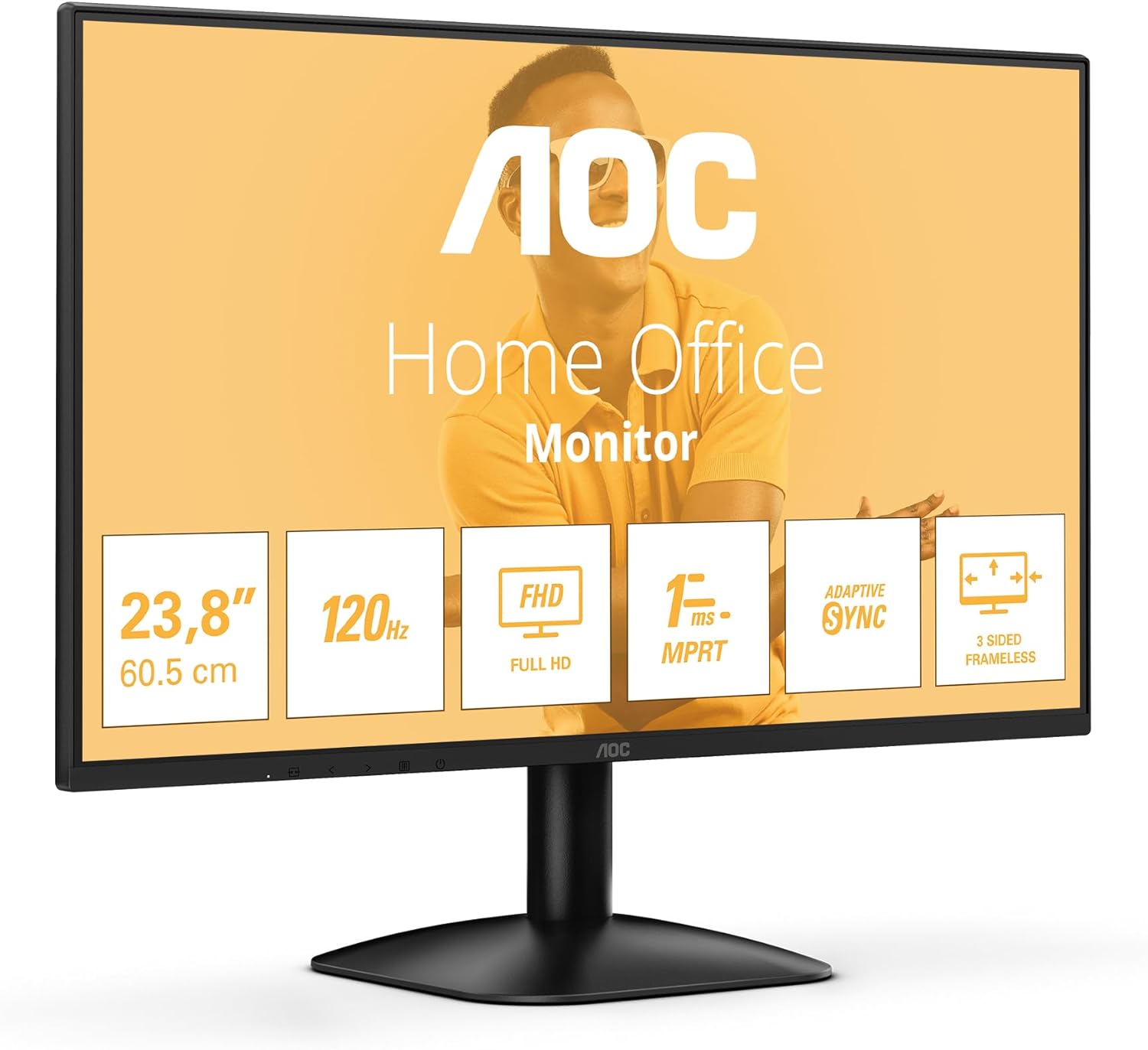
شڪل 3.1: سامهون view of the AOC 24B31H monitor with its stand assembled. This image shows the display panel attached to the stand neck and base, ready for use.
3.2 مانيٽر کي ڳنڍڻ
- پاور ڪنيڪشن: Connect the power cable to the monitor's power input port and then to a power outlet.
- وڊيو ڪنيڪشن:
- For HDMI connection: Connect one end of the HDMI cable to the HDMI port on the monitor and the other end to the HDMI output port on your computer.
- For D-Sub (VGA) connection: Connect one end of the D-Sub cable to the D-Sub port on the monitor and the other end to the VGA output port on your computer.

شڪل 3.2: پوئتي view of the AOC 24B31H monitor, highlighting the HDMI 1.4 and D-Sub input ports. This image illustrates where to connect the video cables from your computer to the monitor.

Figure 3.3: General rear view of the AOC 24B31H monitor, showing the location of all input ports and the power connection. This provides an overview of the monitor's connectivity options.
4. آپريٽنگ هدايتون
4.1 پاور آن/آف
Press the power button located on the bottom bezel of the monitor to turn it on or off. The power indicator light will illuminate when the monitor is on.
4.2 آن-اسڪرين ڊسپلي (OSD) مينيو نيويگيشن
The OSD menu allows you to adjust various monitor settings. Use the control buttons, typically located on the bottom bezel or rear of the monitor, to navigate the menu.
- مينيو بٽڻ: او ايس ڊي مينيو کوليو.
- نيويگيشن بٽڻ: مينيو آپشنز (مٿي/هيٺ، کاٻي/ساڄي) ذريعي منتقل ڪرڻ لاءِ استعمال ٿيندو آهي.
- چونڊيو/داخل ڪريو بٽڻ: چونڊ جي تصديق ڪري ٿو يا ذيلي مينيو ۾ داخل ٿئي ٿو.
- نڪرڻ جو بٽڻ: موجوده مينيو يا او ايس ڊي مان نڪرندو آهي.
4.3 اهم خاصيتون ۽ ترتيبون
- قرارداد: The monitor supports a maximum resolution of 1920x1080 (Full HD). Ensure your computer's display settings are configured to this resolution for optimal image quality.
- ريفريش جي شرح: The monitor operates at a 120Hz refresh rate. Verify your graphics card settings are configured to 120Hz to experience smoother visuals.
- موافقت واري هم وقت سازي: This technology synchronizes the monitor's refresh rate with your graphics card's frame rate to eliminate screen tearing and stuttering. Enable this feature in your graphics card control panel if supported.
- گھٽ بليو لائيٽ موڊ: Reduces blue light emissions to minimize eye strain. This setting can typically be adjusted within the OSD menu.
- فلڪر-آزاد ٽيڪنالاجي: This monitor is designed to reduce screen flickering, contributing to a more comfortable viewing experience during prolonged use. This is an inherent hardware feature and does not require user adjustment.
- جوابي وقت (MPRT): With a 1ms Moving Picture Response Time, the monitor delivers crisp images and smooth motion, particularly beneficial for fast-paced content.
5. سار سنڀال
5.1 مانيٽر جي صفائي
- صفائي ڪرڻ کان اڳ هميشه مانيٽر کي پاور آئوٽليٽ مان ڪڍي ڇڏيو.
- نرم، لِنٽ کان خالي ڪپڙو استعمال ڪريو ٿورڙو ڊيampپاڻي يا نرم، غير رگڙيندڙ اسڪرين ڪلينر سان صاف ڪيو وڃي.
- صاف ڪندڙ کي سڌو سنئون اسڪرين تي نه اسپري ڪريو. پهرين ان کي ڪپڙي تي لڳايو.
- بينزين، ٿنڀا، امونيا تي ٻڌل ڪلينر، يا رگڙيندڙ صفائي ايجنٽ استعمال ڪرڻ کان پاسو ڪريو، ڇاڪاڻ ته اهي اسڪرين کي نقصان پهچائي سگهن ٿا ياasing.
5.2 اسٽوريج
جيڪڏهن مانيٽر کي ڊگهي عرصي تائين ذخيرو ڪري رهيا آهيو، ته پڪ ڪريو ته ان کي پاور آف ڪيو وڃي، ان پلگ ڪيو وڃي، ۽ سڌي سج جي روشني ۽ انتهائي گرمي پد کان پري ٿڌي، سڪل جاءِ تي ذخيرو ڪيو وڃي. حفاظت لاءِ اصل پيڪنگنگ استعمال ڪرڻ جي سفارش ڪئي وئي آهي.
6. مسئلا حل ڪرڻ
| مسئلو | ممڪن سبب | حل |
|---|---|---|
| اسڪرين تي ڪوبه تصوير نه آهي |
|
|
| تصوير ڌنڌلي يا بگڙيل آهي. |
|
|
| اسڪرين چمڪندڙ |
|
|
| No sound from monitor / Cannot connect headphones |
|
|
7. وضاحتون
| خاصيت | تفصيل |
|---|---|
| ماڊل نالو | اي او سي 24 بي 31 ايڇ |
| اسڪرين جي ماپ | 23.8 انچ |
| قرارداد | 1920 x 1080 (مڪمل HD) |
| ريفريش جي شرح | 120 هز |
| جوابي وقت | 1ms MPRT |
| اسپيڪٽ ريشو | 16:9 |
| موافقت واري هم وقت سازي | حمايت ڪئي |
| وڊيو انپٽس | 1x HDMI 1.4، 1x ڊي-سب (VGA) |
| رنگ | ڪارو |
| طول و عرض (LxWxH) | 7.32 x 21.35 x 16.14 انچ (اسٽينڊ سان) |
| وزن | 6.6 پائونڊ (اسٽينڊ سان) |
| خاص خاصيتون | Low Blue Light, Flicker-Free, 3-Side Frameless Design |
8. وارنٽي ۽ سپورٽ
8.1 وارنٽي ڄاڻ
Your AOC 24B31H monitor is covered by a limited warranty. Please refer to the warranty card included in your package for specific terms, conditions, and duration of coverage. Retain your proof of purchase for warranty claims.
For detailed warranty information, please visit the official AOC website or contact AOC customer support.
8.2 ڪسٽمر سپورٽ
If you encounter any issues not covered in the troubleshooting section or require further assistance, please contact AOC customer support. Contact details can typically be found on the AOC official webسائيٽ تي يا وارنٽي ڪارڊ تي.
When contacting support, please have your monitor model number (24B31H) and serial number ready.


