1. تعارف
This manual provides essential information for setting up, operating, and maintaining your Dell Alienware AW3425DWM-A 34-inch curved gaming monitor. Please read these instructions carefully to ensure optimal performance and longevity of your device.

سامهون view of the Dell Alienware AW3425DWM-A 34-inch curved gaming monitor, showcasing its curved screen and Alienware branding.
2. سيٽ اپ جون هدايتون
2.1. Unpacking ۽ اسيمبلي
پيڪنگ مان سڀني حصن کي احتياط سان هٽايو. اسيمبلي سان اڳتي وڌڻ کان اڳ پڪ ڪريو ته سڀئي حصا موجود آهن.
- اسٽينڊ جي بنياد کي اسٽينڊ ريزر سان ڳنڍيو.
- Attach the assembled stand to the monitor panel. Ensure it clicks securely into place.
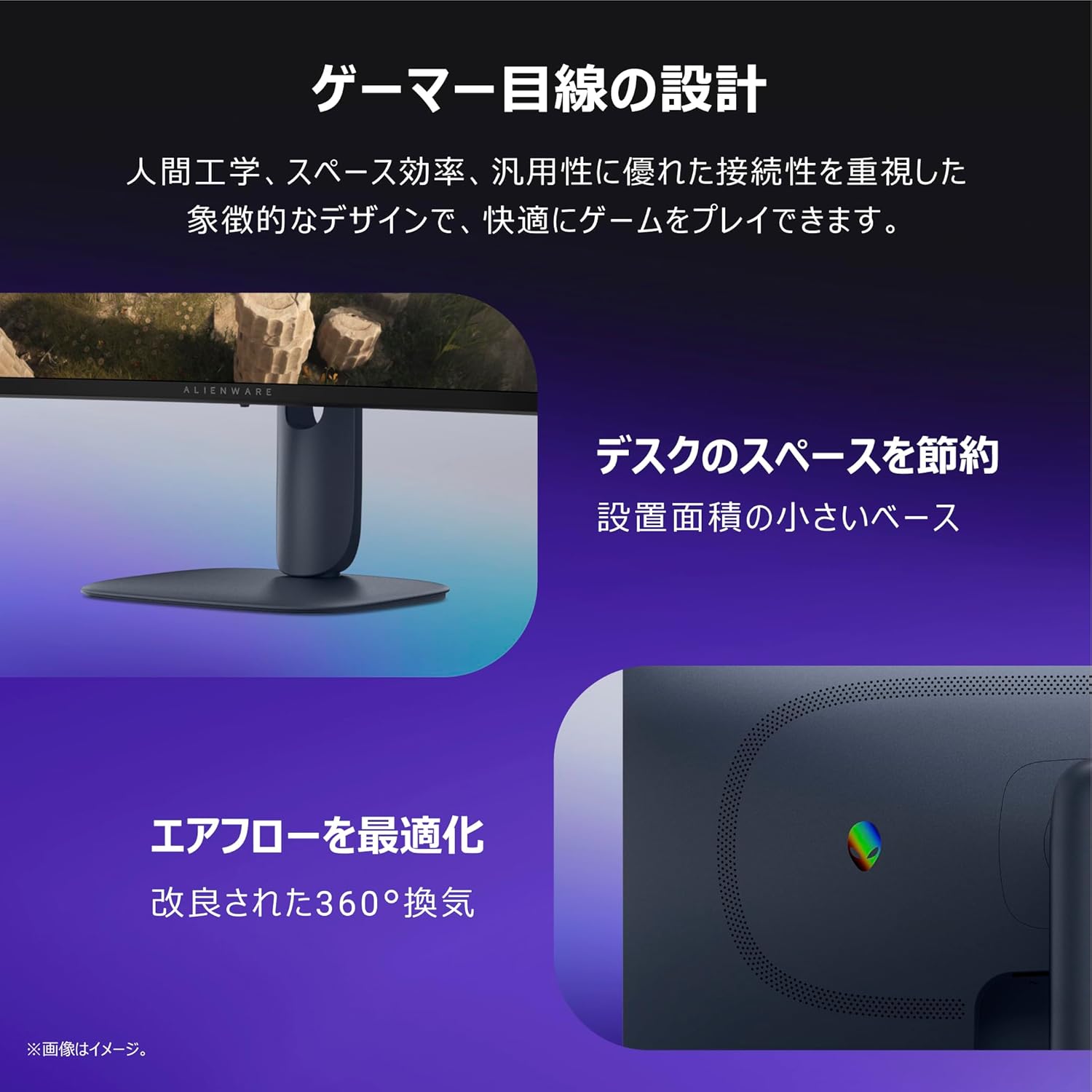
ريڙهه view of the monitor, illustrating the stand attachment point and the integrated cable management slot for a tidy setup.
2.2. مانيٽر کي ڳنڍڻ
Connect the necessary cables to your monitor and computer/devices. Refer to the port diagram for correct connections.
- پاور ڪيبل: پاور ڪيبل کي مانيٽر ۽ پاور آئوٽ سان ڳنڍيو.
- وڊيو ڪيبل: Use either a DisplayPort 1.4 cable (1 included) or an HDMI 2.1 cable (2 included) to connect your computer to the monitor.
- USB اپ اسٽريم ڪيبل: Connect the USB-B (UP) port on the monitor to a USB-A port on your computer to enable the monitor's USB downstream ports.

تفصيلي view of the monitor's rear ports, including power connector, security lock slot, joystick, HDMI 2.1 (x2), DisplayPort 1.4 (x1), USB 5Gbps Type-B upstream, and USB 5Gbps Type-A downstream ports (one with Battery Charging 1.2 support).
3. آپريٽنگ هدايتون
3.1. پاور آن/آف
Press the power button, usually located on the bottom or rear of the monitor, to turn it on or off.
3.2. آن-اسڪرين ڊسپلي (OSD) مينيو
The OSD menu allows you to adjust various monitor settings. Navigate the menu using the joystick located on the rear of the monitor.
- جوائس اسٽڪ مٿي/هيٺ: مينيو اختيارن جي ذريعي وڃو.
- جوائس اسٽڪ کاٻي/ساڄي: Adjust values or move between sub-menus.
- جوائس اسٽڪ پريس: ڪو آپشن چونڊيو يا سيٽنگ جي تصديق ڪريو.
3.3. Physical Adjustments
The monitor stand offers ergonomic adjustments for comfortable viewing.
- اونچائي جي ترتيب: Adjust the monitor height between 444.69mm and 554.69mm.
- جھلڻ: Tilt the screen forward or backward for optimal viewزاويه.
- ويسا جبل: The monitor supports VESA 100x100mm mounting for alternative stands or wall mounts.

Illustrations demonstrating the monitor's adjustable features: height adjustment, forward/backward tilt, and swivel.
4. اهم خاصيتون
- WQHD High-Resolution Display: Experience immersive visuals with a WQHD (3440x1440) resolution on a 34-inch ultrawide 1500R curved VA panel. This resolution ensures detailed and expansive views for gaming and other content.
- هموار ڪارڪردگي: Enjoy fluid gameplay with a 180Hz refresh rate and a rapid 1ms (GtG) response time. AMD FreeSync Premium and VESA AdaptiveSync technologies minimize screen tearing and stuttering for a seamless experience.
- تيز بصري: Benefit from vibrant and accurate colors with 95% DCI-P3 color gamut coverage and VESA DisplayHDR 400 certification, providing enhanced contrast and brightness.
- Extended Gameplay Comfort: A dedicated console mode and hardware-based blue light reduction (ComfortView Plus) help reduce eye strain during long gaming sessions, maintaining color accuracy.
- گيمر-مرڪزي ڊيزائن: The monitor features an ergonomic design with a space-saving base and optimized 360-degree ventilation for improved airflow, ensuring comfort and efficiency.

اڳيان ۽ پوئتي views of the monitor, highlighting its WQHD resolution and 1500R curvature for an immersive experience.
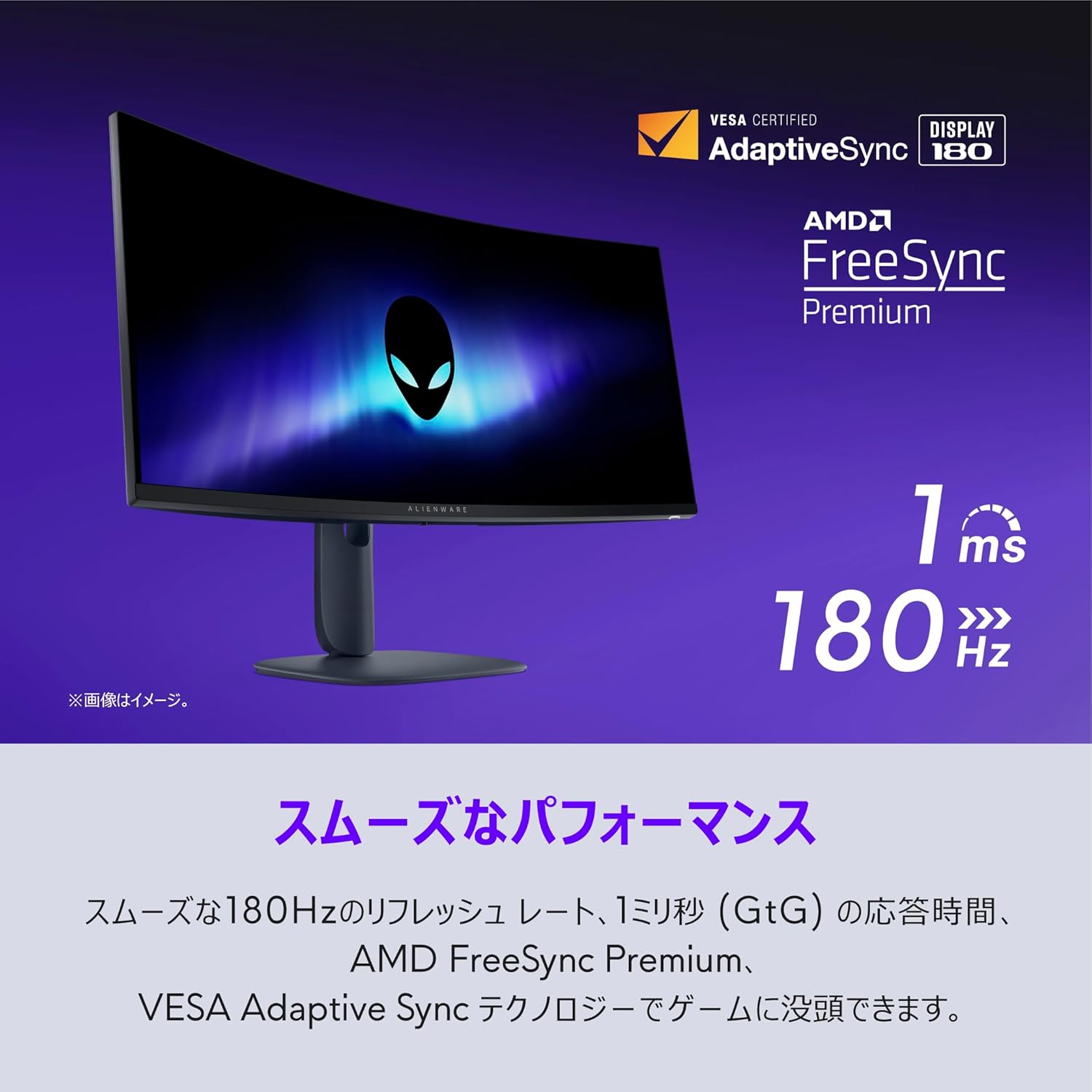
The monitor in action, demonstrating smooth performance with its 180Hz refresh rate and 1ms response time, supported by AMD FreeSync Premium.

The monitor displaying sharp visuals, emphasizing its DCI-P3 95% color coverage and VESA DisplayHDR 400 certification.
5. وضاحتون
| خاصيت | تفصيل |
|---|---|
| اسڪرين جي ماپ | 34 انچ |
| پينل جو قسم | VA, Anti-glare, 1500R Curved |
| وڌ ۾ وڌ قرارداد | 3440 x 1440 (WQHD) |
| اسپيڪٽ ريشو | 21:9 |
| مقابلي جي نسبت | 3000:1 |
| روشني | 400 cd/m² |
| رنگ جي کوٽائي | 1.07 بلين رنگ |
| رنگ گامٽ | ڊي سي آءِ-پي 3 95٪ |
| جوابي وقت | 1ms (GtG) |
| ريفريش جي شرح | 180Hz |
| ويڊيو ان پٽ پورٽس | DisplayPort 1.4 x1, HDMI 2.1 x2 |
| USB بندرگاهن | USB-A (downstream, 1 with BatteryCharge) x2, USB-B (upstream) x1 |
| ترتيبون | Height, Tilt, VESA Mount (100x100mm) |
| طول و عرض (H x W x D) | 554.69mm-444.69mm x 805.45mm x 232mm |
| وزن (اسٽينڊ سان) | 9.51 ڪلو |
| شامل لوازمات | Power cable, DP-DP cable (1.8m), HDMI 2.1 cable (1.8m), USB A-to-B cable (1.8m) |
6. سار سنڀال
6.1. مانيٽر جي صفائي
To ensure clear display and prevent damage, follow these cleaning guidelines:
- صفائي ڪرڻ کان اڳ هميشه مانيٽر کي پاور آئوٽليٽ مان ڪڍي ڇڏيو.
- استعمال ڪريو نرم، lint-آزاد ڪپڙو روشنيءَ سان ڊيampپاڻي يا غير رگڙيندڙ اسڪرين ڪلينر سان صاف ڪيو وڃي.
- اسڪرين يا مانيٽر تي سڌو سنئون مائع نه اسپري ڪريو casing.
- بينزين، ٿلهو، امونيا تي ٻڌل ڪلينر، يا رگڙيندڙ مواد استعمال ڪرڻ کان پاسو ڪريو، ڇاڪاڻ ته اهي مٿاڇري کي نقصان پهچائي سگهن ٿا.
6.2. اسٽوريج
جيڪڏهن مانيٽر کي ڊگهي عرصي تائين ذخيرو ڪري رهيا آهيو، پڪ ڪريو ته ان کي پاور آف ڪيو وڃي، ان پلگ ڪيو وڃي، ۽ سڌي سج جي روشني ۽ انتهائي گرمي پد کان پري ٿڌي، سڪل جاءِ تي ذخيرو ڪيو وڃي. بهترين تحفظ لاءِ جيڪڏهن موجود هجي ته اصل پيڪنگنگ استعمال ڪريو.
7. مسئلا حل ڪرڻ
جيڪڏهن توهان کي پنهنجي مانيٽر سان مسئلا درپيش اچن ٿا، ته هيٺ ڏنل عام مسئلن ۽ حلن جو حوالو ڏيو:
- طاقت ناهي:
- چيڪ ڪريو ته پاور ڪيبل محفوظ طور تي ٻنهي مانيٽر ۽ پاور آئوٽ سان ڳنڍيل آهي.
- ٻئي ڊوائيس ۾ پلگ ان ڪندي پڪ ڪريو ته پاور آئوٽليٽ ڪم ڪري رهيو آهي.
- ڪوبه سگنل:
- Ensure the video cable (DisplayPort or HDMI) is firmly connected to both the monitor and your computer's graphics card.
- او ايس ڊي مينيو استعمال ڪندي صحيح ان پٽ سورس چونڊيو.
- جيڪڏهن موجود هجي ته ڪا ٻي وڊيو ڪيبل يا پورٽ آزمايو.
- Flickering or Unstable Image (especially with multiple HDMI connections at high refresh rates):
- پڪ ڪريو ته توهان جا گرافڪس ڪارڊ ڊرائيور اپ ٽو ڊيٽ آهن.
- If using multiple monitors or devices via HDMI, try reducing the refresh rate for the HDMI connection in your display settings.
- Consider using a DisplayPort to HDMI adapter if connecting a device that primarily uses HDMI but experiences issues with direct HDMI connections at higher refresh rates.
- Check if Dolby Vision is enabled in your system settings; disabling it might resolve some display inconsistencies.
- تصوير جي معيار جا مسئلا (ڌمڪيون، مسخ ٿيل، غلط رنگ):
- Adjust resolution and refresh rate settings on your computer to match the monitor's native resolution (3440x1440) and supported refresh rates.
- Perform a factory reset via the OSD menu.
- پڪ ڪريو ته وڊيو ڪيبل خراب نه آهي.
For persistent issues, please contact Dell Technical Support as detailed in the Warranty and Support section.
8. وارنٽي ۽ سپورٽ
8.1. 5-Year Exchange Warranty
Your Dell Alienware AW3425DWM-A monitor is covered by a 5-year exchange warranty, which includes the LCD panel and backlight. If a product failure occurs under normal use and environment, and Dell Technical Support determines a fault by 4 PM on a weekday, a replacement unit will be delivered free of charge on the next business day (Monday-Friday, excluding holidays and year-end/New Year period from December 30th to January 3rd).
Customers are required to replace the product unit themselves and return the faulty unit to Dell. Delivery times for replacement products may vary by region.
8.2. Premium Panel Guarantee (Bright Pixel Guarantee)
The Premium Panel Guarantee ensures that if even one 'bright pixel' defect is found on the LCD panel, Dell will replace the product free of charge. The validity period for this guarantee is the same as the monitor's main warranty period.
A 'bright pixel' is defined as a pixel that remains permanently lit in a color (white, red, blue, green, purple, light blue, yellow) against a black background. Dark pixels (permanently black pixels against a white background) are not covered by this guarantee.
If you suspect a bright pixel defect, please contact Dell Technical Support for diagnosis.
8.3. Manufacturer Support Contact
When contacting support, please have the 'Express Service Code' attached to your product ready.
- Chat (LINE) Support: https://page.line.me/391vsisb (LINE Account Name: Dell Technologies / LINE ID: @dell / Hours: 9:00-21:00, Monday-Sunday, including holidays)
- فون سپورٽ: https://www.dell.com/support/incidents-online/ja-jp/contactus/Dynamic
Note: Manufacturer support is applicable only to products sold and shipped by Amazon.co.jp. For products sold by other sellers, please contact the respective seller for support.


