1. تعارف
The LAUNCH X431 IMMO Plus is a professional-grade automotive diagnostic and key programming tool designed for comprehensive vehicle maintenance and repair. This all-in-one device integrates advanced functions such as key matching, ECU coding, all-system diagnostics, and bidirectional control, providing extensive coverage for a wide range of vehicle models.
It is equipped with the X-PROG3 programmer for advanced immobilizer functions and supports various protocols including CANFD and DOIP. This manual provides essential information for setting up, operating, and maintaining your LAUNCH X431 IMMO Plus.
2. پراڊڪٽ جا حصا ۽ سيٽ اپ
2.1. دٻي ۾ ڇا آهي
The LAUNCH X431 IMMO Plus package includes the following main components:
- Display tablet (main unit)
- VCI ڪنيڪٽر
- تشخيصي ڪيبل
- X-PROG3 Kit (includes X-PROG3 unit, MCU1 & MCU2 adapters, EEPROM adapter, XTA001 adapter)
- پاور اڊاپٽر
- سگريٽ لائٽر ڪيبل
- OBD I Adaptor Box
- Non-16pin Adaptor Cable Kit
- Password Envelope (for initial setup/registration)

شڪل 2.1: ختمview of the LAUNCH X431 IMMO Plus main unit, X-PROG3, DBSCAR VII VCI, and various cables and adapters, all neatly organized within their respective carry cases.

Figure 2.2: The X-PROG3 programmer, a key component for immobilizer and key programming, shown with its associated MCU1, MCU2, and EEPROM adapters for reading and writing chip data.
2.2. شروعاتي سيٽ اپ ۽ پاور آن
- ڊوائيس چارج ڪريو: Before first use, ensure the main display tablet is fully charged using the provided power adapter.
- پاور آن: Press and hold the power button on the tablet to turn it on. The device runs on Android 10.0.
- نيٽ ورڪ ڪنيڪشن: Connect the tablet to a stable Wi-Fi network to enable software updates and online functions.
- رجسٽريشن: Follow the on-screen prompts to register your device. This typically involves creating a LAUNCH account.
- NASTF Authorization (Important for IMMO functions in US/Canada): For users in the United States and Canada, specific 1-M-M-0 related functions require logging into a NASTF VSPID account. After December 4, 2024, you may need to purchase NASTF functions authorization on the device (approx. $49.99) and log in to your registered NASTF VSPID account to continue using these features. More information can be found at wp.nastf.org ۽ aviondemand.wistia.com/folders/3x561d5r6f.
3. ڊوائيس کي هلائڻ
3.1. General Diagnostic Functions
The LAUNCH X431 IMMO Plus offers OE-level diagnostic capabilities for nearly all vehicle systems across 200+ car brands and 20,000+ models. Key diagnostic features include:
- ڊي ٽي سي پڙهو/صاف ڪريو: Retrieve and erase Diagnostic Trouble Codes from all Electronic Control Units (ECUs).
- لائيو ڊيٽا اسٽريمنگ: View real-time data streams from various sensors and components, often with graphical display for trend analysis.
- آٽو VIN: Automatically identify vehicle information (make, model, year, engine type).
- خودڪار اسڪين: Perform a comprehensive scan of all control modules for fault codes.
- فريم ڊيٽا منجمد ڪريو: Review vehicle conditions at the moment a fault occurred.
- تشخيصي رپورٽ: Automatically generate detailed diagnostic reports for analysis and record-keeping.

Figure 3.1: The diagnostic tool's ability to perform a full-system scan, read/clear codes, view live data, and conduct active tests for comprehensive vehicle assessment.
3.2. Key Programming and Immobilizer Functions
The X431 IMMO Plus, combined with the X-PROG3 programmer, provides extensive immobilizer and key programming capabilities:
- Key Matching/Adding/Copying/Deleting: Perform various key-related operations for brands like BMW, Benz, VW, and Porsche.
- PIN Reading: Retrieve PIN codes for all-key-lost scenarios for Toyota, Volvo, Citroen, Peugeot, and VW.
- ECU Cloning (Engine & Gearbox): Backup and restore data, and clone Engine/Gearbox ECUs for over 5000 models, including Bosch, Continental, Siemens, and Delco brands.
- ماڊل متبادل: Facilitate the replacement of various control modules.
- EEPROM/MCU Chip Data Read/Write: Directly read and write data from EEPROM and MCU/ECU chips.
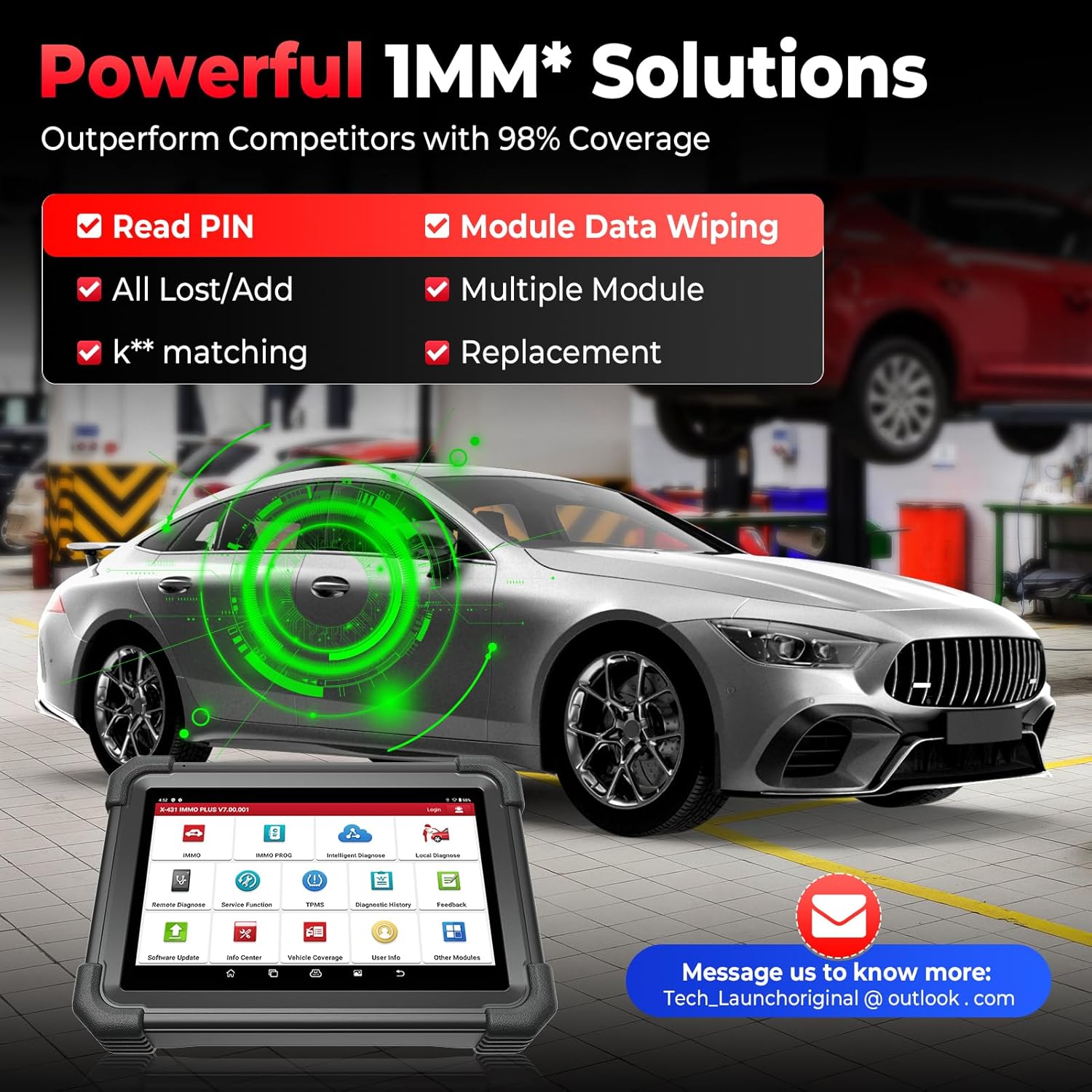
Figure 3.2: The powerful IMMO solutions offered by the device, including PIN reading, all-key-lost/add functions, key matching, module data wiping, and replacement capabilities.
3.3. ECU Coding and Advanced Functions
The device supports advanced ECU coding and customization features:
- ECU ڪوڊنگ: Reprogram adaptive data for ECUs after repairs or replacements.
- حسب ضرورت: Modify pre-programmed options to activate hidden functions or deactivate unneeded features (e.g., auto start-stop, chimes).
- VAG Guided Functions: Step-by-step instructions for common repairs and adaptations for Volkswagen Group vehicles, including component coding and security access.
- ايف سي اي ايس جي ڊبليو لاءِ آٽو آٿ: Seamlessly perform diagnostics for Fiat Chrysler Automobiles (FCA) vehicles with Secure Gateway Module by logging into your AUTOAUTH account on the device.
- CANFD & DOIP Protocol Support: Compatible with newer vehicle communication protocols for faster and more efficient data transmission.

Figure 3.3: Visual representation of the advanced ECU coding capabilities, including matching component control modules, customizing OE-settings, disabling functions, activating advanced features, and enhancing vehicle comfort.
3.4. ٻطرفو ڪنٽرول (فعال ٽيسٽ)
The bidirectional control feature allows the tool to send commands to ECUs and control actuators to perform specific actions, aiding in accurate fault location. Examples شامل آهن:
- EVAP test
- انجنيئر ٽيسٽ
- Idle relearn
- Controlling windows, doors, sunroofs, coolant fans, valves, and headlamps.
3.5. Maintenance Services (39+ Functions)
The X431 IMMO Plus includes over 39 maintenance and reset functions to address common vehicle issues:
- تيل ري سيٽ
- اي پي بي ري سيٽ (اليڪٽرانڪ پارڪنگ بريڪ)
- بي ايم ايس ري سيٽ (بيٽري مئنيجمينٽ سسٽم)
- ايس اي ايس ري سيٽ (اسٽيئرنگ اينگل سينسر)
- TPMS Reset (Tire Pressure Monitoring System)
- ABS خونريزي
- ٿروٽل ميچنگ
- انجيڪٽر ڪوڊنگ
- گيئر سکيا
- ۽ ٻيا ڪيترائي.
Note: The availability of specific IMMO and reset functions may vary by vehicle model. Please consult the device's vehicle coverage list or contact support for compatibility checks.

Figure 3.4: A selection of the 39+ maintenance services available, designed to fix a wide range of vehicle-related issues.
4. سار سنڀال
4.1. سافٽ ويئر اپڊيٽ
The LAUNCH X431 IMMO Plus comes with 2 years of free software updates. Regular updates ensure the device has the latest vehicle coverage, bug fixes, and new features. Connect the device to Wi-Fi and navigate to the "Software Update" section on the main menu to check for and install available updates.
4.2. عام سنڀال
- ڊوائيس کي صاف ۽ مٽي ۽ نمي کان پاڪ رکو.
- Store the device and its accessories in the provided carry cases when not in use to prevent damage.
- ڊگھي عرصي تائين ڊيوائس کي انتهائي گرمي پد يا سڌي سج جي روشنيءَ کي بي نقاب ڪرڻ کان پاسو ڪريو.
5. مسئلا حل ڪرڻ
5.1. عام مسئلا ۽ حل
- ڊوائيس تي طاقت نه آهي: پڪ ڪريو ته بيٽري چارج ٿيل آهي. پاور اڊاپٽر کي ڳنڍيو ۽ ٻيهر ڪوشش ڪريو.
- Connection issues with vehicle: Verify that the VCI connector is securely plugged into the vehicle's OBD-II port and properly paired with the tablet. Check all cable connections.
- IMMO functions not working (US/Canada): Confirm that you have logged into your NASTF VSPID account and purchased the necessary authorization if required after December 4, 2024.
- Software errors/freezing: Try restarting the device. If the issue persists, check for software updates or perform a factory reset (note: this will erase user data).
5.2. وڌيڪ مدد جي ڳولا
If you encounter issues that cannot be resolved using this manual, please contact LAUNCH customer support. You can reach them at 1-888-756-2936 (Mon-Fri 9:00 AM–6:00 PM EST) or via email at aftersale-launchdirect@outlook.com.
6. وضاحتون
| خاصيت | تفصيل |
|---|---|
| برانڊ | لانچ |
| ماڊل | X431 IM** PLUS |
| پيداوار جي ماپ | 17.32"ليٽر x 12.6"ڊبليو x 14.96"ايڇ |
| آپريٽنگ سسٽم | Android 10.0 |
| ڊسپلي قرارداد | 1280x800 |
| شيءِ جو وزن | 21.1 پائونڊ |
| بيٽريون | 1 ليتيم آئن بيٽري (شامل) |
| پهرين دستياب تاريخ | مارچ 26، 2025 |
7. وارنٽي ۽ سپورٽ
The LAUNCH X431 IMMO Plus comes with a 2-year free software update period. For any product-related issues or technical assistance, please utilize the contact information provided in the Troubleshooting section. LAUNCH is committed to providing reliable support for its products.
اضافي طور تي، الف 60-day return and refund policy is available for this product.


