1. تعارف
Thank you for choosing the EWEADN S9 Pro Wireless Gaming Mouse. This manual provides essential information for setting up, operating, and maintaining your new gaming mouse. The S9 Pro features triple connection modes, a high-precision PAW3395 optical sensor, customizable DPI settings, and a lightweight ergonomic design for optimal performance.
2. پيڪيج مواد
مھرباني ڪري تصديق ڪريو ته سڀ شيون توھان جي پيڪيج ۾ موجود آھن:
- EWEADN S9 Pro Wireless Gaming Mouse
- هدايت نامو (هي دستاويز)
- 8K Custom Receiver (USB dongle)
- 1.5M Parachute Cord (USB-C to USB-A cable)
- PE Bag Foot Pad
- Anti-slip Protection Sticker

Image: All items included in the EWEADN S9 Pro Wireless Gaming Mouse package, including the mouse, USB-C cable, receiver, and accessories.
3. پراڊڪٽ ختمview
Familiarize yourself with the buttons and ports of your EWEADN S9 Pro mouse:
Image: A detailed diagram illustrating the various buttons and ports on the EWEADN S9 Pro mouse, including Left Button, Right Button, Middle Button (scroll wheel), DPI Switch, Forward Button, Backward Button, Type-C Port, and the 2.4G-OFF-BT mode switch on the underside.
- کاٻي بٽڻ: معياري کاٻي ڪلڪ فنڪشن.
- ساڄي بٽڻ: معياري ساڄي ڪلڪ فنڪشن.
- وچ وارو بٽڻ (اسڪرول ويل): مٿي/هيٺ اسڪرول ڪريو، وچ ۾ ڪلڪ ڪريو.
- DPI سوئچ: اڳواٽ مقرر ٿيل DPI سطحن ذريعي چڪر.
- فارورڊ بٽڻ: اڳتي نيويگيٽ ڪري ٿو web برائوزر يا ايپليڪيشنون.
- پوئتي بٽڻ: پوئتي نيويگيٽ ڪري ٿو web برائوزر يا ايپليڪيشنون.
- قسم-سي پورٽ: وائرڊ ڪنيڪشن ۽ چارجنگ لاءِ.
- 2.4G-OFF-BT Switch: Located on the underside, used to select connection mode or power off.
4. سيٽ اپ
4.1. مائوس کي چارج ڪرڻ
Before first use, it is recommended to fully charge the mouse. Connect the supplied USB-C cable to the mouse's Type-C port and the other end to a USB power source (e.g., computer USB port, USB wall adapter).

Image: The EWEADN S9 Pro mouse connected via its USB-C port to a charging cable, indicating the charging process.
4.2. ڪنيڪشن جا طريقا
The S9 Pro mouse supports three connection modes: 2.4G Wireless, Bluetooth 5.0, and USB-C Wired. Use the switch on the underside of the mouse to select your desired mode.
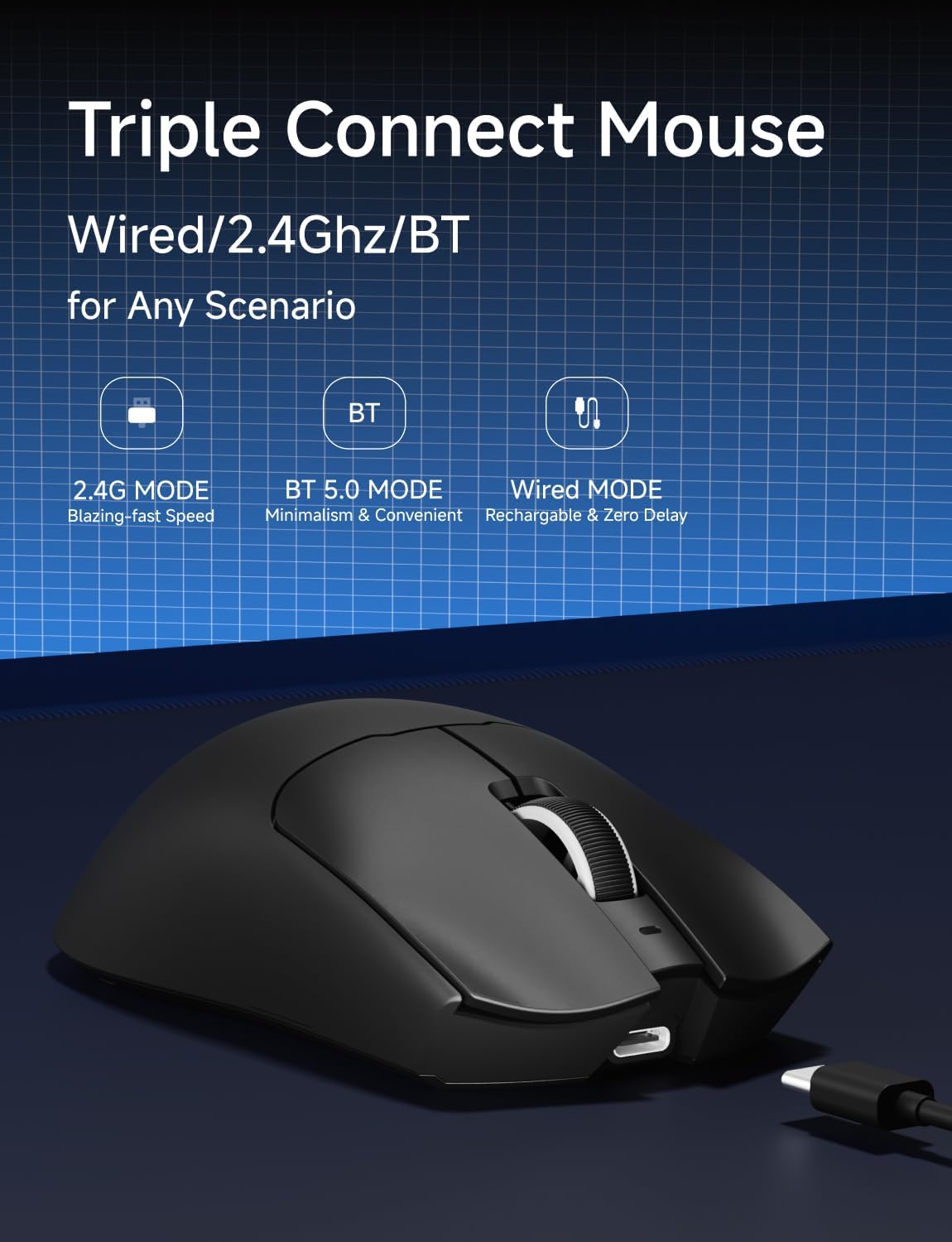
Image: An illustration highlighting the three connection modes: 2.4G Wireless for blazing-fast speed, Bluetooth 5.0 for convenience, and USB-C Wired for zero delay and recharging.
2.4G وائرليس ڪنيڪشن
- Locate the 8K Custom Receiver (USB dongle) in the package.
- USB رسيور کي توهان جي ڪمپيوٽر تي موجود USB پورٽ ۾ پلگ ان ڪريو.
- Slide the mode switch on the underside of the mouse to the "2.4G" position.
- مائوس کي خودڪار طريقي سان توهان جي ڪمپيوٽر سان ڳنڍڻ گهرجي.
بلوٽوٽ 5.0 ڪنيڪشن
- Slide the mode switch on the underside of the mouse to the "BT" position.
- توهان جي ڪمپيوٽر يا ڊوائيس تي، بلوٽوٿ سيٽنگون کوليو ۽ نوان ڊوائيسز ڳوليو.
- Select "EWEADN S9 Pro" from the list of available devices to pair.
USB-C وائرڊ ڪنيڪشن
- Connect the supplied USB-C cable to the mouse's Type-C port.
- ڪيبل جي USB-A ڇيڙي کي پنهنجي ڪمپيوٽر تي موجود USB پورٽ سان ڳنڍيو.
- مائوس وائرڊ موڊ ۾ ڪم ڪندو ۽ هڪ ئي وقت چارج ٿيندو.
5. آپريٽنگ هدايتون
5.1. ڊي پي آءِ ايڊجسٽمينٽ
The EWEADN S9 Pro mouse features customizable DPI settings. You can cycle through preset DPI levels using the dedicated DPI switch button on the top of the mouse. For fine-tuning and additional customization, please use the official EWEADN software.

Image: The EWEADN S9 Pro mouse with an overlay indicating 6 customizable DPI settings, ranging from 800 to 26000 DPI.
5.2. پولنگ جي شرح
The mouse supports an 8K polling rate in wireless mode (with the 8K receiver) and 1K in wired mode. The polling rate can be configured through the EWEADN software to match your preferences and system capabilities.
5.3. پروگراميبل بٽڻ
The S9 Pro mouse is equipped with programmable buttons. To customize button functions, DPI/IPS settings, lift-off distance, and create macros, download and install the official EWEADN software from the manufacturer's website. This software allows for advanced personalization of your mouse settings.
5.4. Ergonomic ڊيزائن
The mouse is designed for right-handed users with medium to large hands, weighing only 59 grams. Its ergonomic shape aims to reduce fatigue during extended use. It supports various grip styles including palm, claw, and fingertip grips.

Image: An illustration demonstrating the EWEADN S9 Pro mouse's compatibility with palm grip, claw grip, and fingertip grip styles, designed for medium-large handed players.
6. سار سنڀال
6.1. صفائي
To clean your mouse, use a soft, dry, lint-free cloth. Avoid using harsh chemicals, solvents, or abrasive materials, as these can damage the surface and internal components. For stubborn dirt, a slightly damp cloth can be used, ensuring no moisture enters the mouse.
6.2. بيٽري جي سنڀال
The S9 Pro features a 500mAh rechargeable battery. To maximize battery life:
- مائوس کي انتهائي گرمي پد تي بي نقاب ڪرڻ کان پاسو ڪريو.
- Charge the mouse regularly, especially when the battery indicator shows low power.
- جيڪڏهن مائوس کي گهڻي عرصي تائين ذخيرو ڪري رهيا آهيو، ته ان کي اسٽوريج ڪرڻ کان اڳ تقريباً 50 سيڪڙو تائين چارج ڪريو.
7. مسئلا حل ڪرڻ
7.1. ڪوئو جواب نه ڏئي رهيو آهي
- بيٽري چيڪ ڪريو: Ensure the mouse is charged. Connect the USB-C cable to charge.
- Check Connection Mode: Verify the mode switch on the underside is set correctly (2.4G, BT, or OFF).
- 2.4G وائرليس: Ensure the USB receiver is securely plugged into a working USB port. Try a different USB port.
- بلوٽوٿ: Re-pair the mouse with your device in Bluetooth settings. Ensure your device's Bluetooth is enabled.
- وائرس: Ensure the USB-C cable is firmly connected to both the mouse and the computer.
7.2. ڊي پي آءِ تبديل نه ٿي رهيو آهي
- پڪ ڪريو ته توهان صحيح DPI سوئچ بٽڻ کي دٻائي رهيا آهيو.
- If using custom DPI settings, check the EWEADN software to ensure settings are applied correctly.
7.3. Lag or Stuttering
- وائرليس مداخلت: Move the mouse closer to the receiver or your Bluetooth device. Avoid placing the receiver near other wireless devices or large metal objects.
- پولنگ جي شرح: While 8K polling rate offers high performance, some systems may experience issues. Try reducing the polling rate via the EWEADN software if you encounter instability.
- بيٽري جي سطح: Low battery can sometimes affect wireless performance. Charge the mouse fully.
8. وضاحتون
| خاصيت | تفصيل |
|---|---|
| برانڊ | EWEADN |
| ماڊل نمبر | S9 پرو |
| رابطي ٽيڪنالاجي | 2.4Ghz وائرليس، بلوٽوٿ 5.0، USB-C وائرڊ |
| تحريڪ جي سڃاڻپ ٽيڪنالاجي | آپٽيڪل (PAW3395 سينسر) |
| ڊي پي آءِ رينج | 26000 DPI تائين |
| IPS Tracking | 650 آئي پي ايس |
| پولنگ جي شرح | 8K Wireless, 1K Wired |
| سوئچز | Kailh Micro Switch (100 Million Clicks) |
| بيٽري جي گنجائش | 500mAh |
| بيٽري جي زندگي | 250 ڪلاڪ تائين |
| وزن | 59 گرام (تقريبن 2.08 آونس) |
| مطابقت | Windows 7/8/10/XP/Vista, Mac OS, Linux, Android |
| ڪيبل ڊگھائي | 1.5M Parachute Cord |
| پيڪيج جي ماپ | 7.32 x 5.75 x 2.32 انچ |
9. وارنٽي ۽ سپورٽ
EWEADN provides manufacturer support for its products. If you encounter any issues or have questions regarding your S9 Pro Wireless Gaming Mouse, please contact EWEADN customer support. The manufacturer aims to provide a response within 24 hours and offers 360 days of brand support.

Image: An illustration indicating EWEADN's commitment to customer support, including 24-hour reply times and 360 days of manufacturer brand support.
For the most up-to-date support information and software downloads, please visit the official EWEADN webسائيٽ.


