1. تعارف
This manual provides instructions for the Birdfy Smart Bird House with Cameras, Model AMZ-4160-5-SO. This device is designed to observe nesting birds with its dual 1080P cameras, AI detection capabilities, and solar-powered wireless operation. It allows for remote monitoring and interaction via a connected application.

Image 1.1: The Birdfy Smart Bird House with Cameras, showing its design and a bird in flight, along with a smartphone screen displaying live camera feeds.
2. پيڪيج مواد
پڪ ڪريو ته سڀئي جزا پيڪيج ۾ موجود آهن:
- پکين جو گھر
- 1080P Birdfy camera
- Instruction manuals (English-Spanish-French/English-German-Italian)
- Multi-language quick guides (English-Spanish-French-German-Italian)
- 1 wall-mounting positioning mark
- 1 back hanger
- 1 اسڪرو ڊرائيور
- 1 پٽي
- 1 ڪيبل ڪلپ
- 4 long silver screws
- 4 short silver screws
- 4 expansion screws
- 2 small hose clamps
- 4 replaceable entrance holes (25mm/28mm/38mm/50mm)
- 1 Type-C power cable
- 1 5W solar panel
- Extended operation box with 3m cable (features blue/red indicators, Type-C charging port, power button, and reset button)

Image 2.1: Visual representation of the items included in the Birdfy Smart Bird House package.
3. سيٽ اپ ۽ تنصيب
3.1. چڙهڻ جا اختيار
The Birdfy Smart Bird House offers versatile installation options:
- Pole-Mounted: Secure the birdhouse to a suitable pole in your garden.
- Tree-Mounted: Use the provided strap and hose clamps to attach the birdhouse to a tree trunk.
- ڀت تي لڳل: Utilize the wall-mounting positioning mark and screws to fix the birdhouse to a wall or fence.

Image 3.1: Depiction of the three primary installation methods: pole-mounted, tree-mounted, and wall-mounted.
3.2. Solar Panel Connection
Connect the included 5W solar panel to the birdhouse for continuous power. The solar panel helps maintain the charge of the internal battery, ensuring uninterrupted operation.

Image 3.2: The Birdfy Smart Bird House connected to its 5W solar panel for power.
3.3. وائي فائي ڪنيڪشن
The device connects wirelessly via 2.4GHz Wi-Fi. Ensure your Wi-Fi network is 2.4GHz compatible for proper functionality. 5GHz Wi-Fi is not supported.

Image 3.3: Illustration of the wireless setup, highlighting 2.4GHz Wi-Fi compatibility and the solar panel connection.
3.4. Predator Guards
Select and install one of the four provided replaceable entrance holes (25mm, 28mm, 38mm, 50mm) with metal predator guards to protect nesting birds from predators. Choose the appropriate size based on the target bird species.

Image 3.4: Various entrance hole sizes with metal predator guards, indicating suitable bird species for each size.
4. آپريٽنگ هدايتون
4.1. ڊبل ڪئميرا ڪارڪردگي
The Birdfy Smart Bird House features two 1080P cameras: one positioned inside the nesting area and another observing the exterior entrance. This provides a comprehensive view of bird activity.

Image 4.1: Diagram illustrating the interior and exterior camera views of the birdhouse.
4.2. AI جي چڪاس ۽ الرٽ
The integrated AI system detects key nesting moments, such as egg-laying and brooding. It sends real-time alerts to your connected device and can automatically generate highlight videos of these events.

Image 4.2: A smartphone screen displaying an alert notification for egg-laying activity in the birdhouse.
4.3. ريموٽ ڪنٽرول
An external remote control with a 10-foot range allows you to manage power and settings without disturbing nesting birds. This feature enables remote rebooting or charging of the camera.

Image 4.3: Diagram showing the remote control unit and its connection to the birdhouse for remote power management.
4.4. App Usage and Cloud Storage
Access live feeds, recorded events, and share moments through the dedicated Birdfy application. The system includes unlimited cloud storage for active nesting stories, allowing you to revisit and share birding moments.

Image 4.4: A smartphone screen demonstrating the sharing functionality within the Birdfy app.
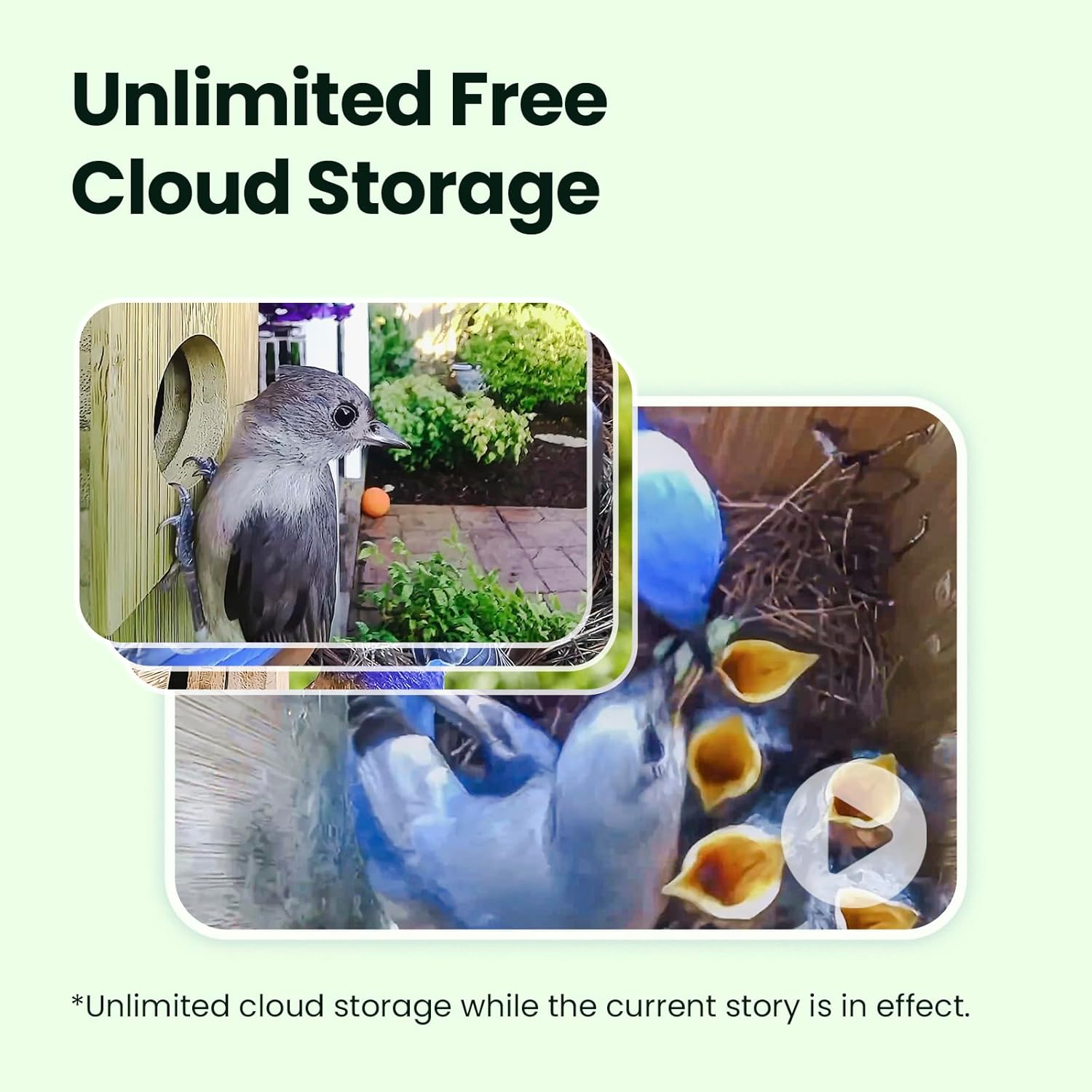
Image 4.5: Visual representation of the cloud storage feature, showing various captured bird moments.
4.5. رات جو نظارو
The cameras provide clear night vision, allowing for continuous monitoring of bird activity even in low-light conditions without disturbing the birds.
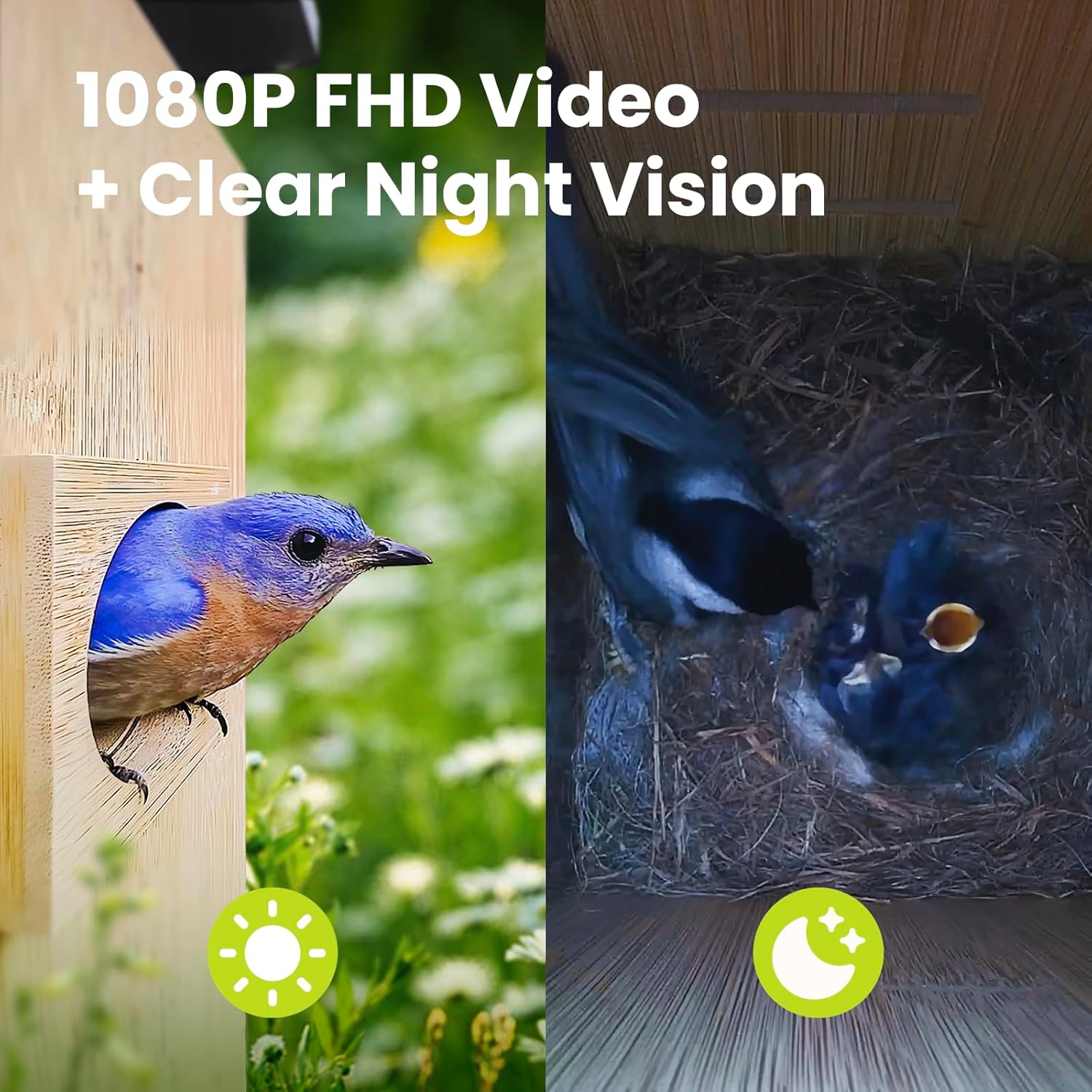
Image 4.6: Comparison of daytime 1080P FHD video and clear night vision footage from the birdhouse camera.
5. سار سنڀال
The Birdfy Nest is designed for easy cleaning. It features a 180° full-open magnetic door, allowing convenient access to the interior for cleaning and maintenance.

Image 5.1: Step-by-step illustration of how to open and clean the Birdfy Smart Bird House.
5.1. Bird-Friendly Design Features
The birdhouse incorporates several features for bird comfort and safety:
- Metal Predator Guards: Protect the entrance from predators.
- Fledgling Kerfs: Grooves inside the house assist young birds in climbing to the entrance.
- Mesh Floor: پاڻي جي نيڪال ۽ وائيٽليشن مهيا ڪري ٿي.
- وينٽيليشن سوراخ: Ensure proper airflow within the nesting chamber.

تصوير 5.2: تفصيلي view of the bird-friendly design elements: metal predator guard, fledgling kerfs, mesh floor, and ventilation holes.
6. وضاحتون
| خاصيت | تفصيل |
|---|---|
| برانڊ | پکيڙي |
| ماڊل نالو | AMZ-4160-5-SO |
| شيءِ جو وزن | 13.92 پائونڊ |
| شيون طول و عرض (LxWxH) | 9.17 x 8.07 x 17.17 انچ |
| مواد | بانس |
| رنگ | قدرتي |
| ڪئميرا قرارداد | 1080P ايف ايڇ |
| وائي فائي ڪنيڪشن | 2.4GHz (5GHz not compatible) |
| شمسي پينل | 5W |
| مخصوص استعمال | ٻاھران |
7. مسئلا حل ڪرڻ
- ڪابه وڊيو فيڊ ناهي: Ensure the device is powered on and connected to a 2.4GHz Wi-Fi network. Check the battery level via the app.
- خراب وڊيو معيار: Verify Wi-Fi signal strength at the installation location. Ensure camera lenses are clean.
- سولر پينل چارج نه ٿي رهيو آهي: Confirm the solar panel is correctly connected and positioned to receive direct sunlight.
- ريموٽ ڪنٽرول غير جوابده: Ensure the remote control is within the 10-foot operating range of the birdhouse.
- AI Detection Issues: Ensure the firmware is up to date through the Birdfy app.
8. وارنٽي ۽ سپورٽ
8.1. وارنٽي ڄاڻ
The Birdfy Smart Bird House with Cameras comes with a 2 سال وارنٽي خريداري جي تاريخ کان. هي وارنٽي عام استعمال هيٺ پيداوار جي خرابين ۽ خرابين کي ڍڪيندي آهي. وارنٽي دعوائن لاءِ مهرباني ڪري خريداري جو ثبوت رکو.
8.2. ڪسٽمر سپورٽ
For technical assistance, troubleshooting, or warranty inquiries, please contact Birdfy customer support. Refer to the contact information provided in the quick guide or visit the official Birdfy webسپورٽ وسيلن لاء سائيٽ.


