1. تعارف
خريد ڪرڻ لاءِ مهربانيasing the MONODEAL T23 3-Speed Turntable. This manual provides essential information for the safe and correct operation of your device. Please read it thoroughly before use and retain it for future reference.
2. حفاظت جي ڄاڻ
- باهه يا بجليءَ جي جھٽڪي کان بچڻ لاءِ يونٽ کي مينهن يا نمي جي سامهون نه رکو.
- ڪابينا نه کوليو. صرف قابل اهلڪارن جي خدمت جو حوالو ڏيو.
- Ensure the power adapter matches your local power supply.
- Place the unit on a stable, level surface away from direct sunlight, heat sources, and excessive dust or vibration.
- ٻارن جي پهچ کان پري رکو.
3. پيڪيج مواد
پڪ ڪريو ته سڀئي شيون پيڪيج ۾ موجود آهن:
- 1 x MONODEAL T23 Record Player
- 1 x 5V 1.5A Power Cord
- 1 x استعمال ڪندڙ دستياب (هي دستاويز)
4. پراڊڪٽ ختمview
Familiarize yourself with the various parts and controls of your MONODEAL T23 Turntable.

شڪل 4.1: مٿي ۽ پوئتي View of the MONODEAL T23 Turntable with labeled components including Power Switch, Headphone Jack, Mode button, LED Light, USB Port, Power Adapter Input, RCA Output Jacks, 45 RPM Fixator, Tone Arm Raise Lever, Auto Stop Switch, LP Speed Switch, and Stylus.
- Power Switch/Volume Knob: يونٽ کي آن/آف ڪري ٿو ۽ حجم کي ترتيب ڏئي ٿو.
- هيڊ فون جڪ هيڊفون سان ذاتي طور تي ٻڌڻ لاءِ.
- موڊ بٽڻ: Switches between different input modes (e.g., Phono, Bluetooth, USB).
- LED لائيٽ: Indicates power and mode status.
- USB پورٽ: USB پلے بیک لاءِ.
- پاور اڊاپٽر ان پٽ: Connects to the provided 5V 1.5A power cord.
- آر سي اي آئوٽ پُٽ جڪس (ايل/آر): Connects to external ampلائفائر يا طاقتور اسپيڪر.
- 45 RPM Fixator: Adapter for 7-inch records with large center holes.
- ٽون آرم ريز ليور: Lifts and lowers the tone arm gently.
- آٽو اسٽاپ سوئچ: آٽو اسٽاپ فنڪشن کي فعال يا غير فعال ڪري ٿو.
- ايل پي اسپيڊ سوئچ: پلے بیک اسپيڊ (33، 45، يا 78 RPM) چونڊيندو آهي.
- اسٽائلس The needle that reads the grooves of the record.
5. سيٽ اپ
- پيڪنگ کولڻ: Carefully remove the turntable from its packaging. Retain the packaging for future transport or storage.
- لڳائڻ: Place the turntable on a stable, level surface. Ensure there is adequate ventilation around the unit.
- پاور ڪنيڪشن: Connect the provided 5V 1.5A power cord to the DC IN port on the back of the turntable and then plug it into a wall outlet.
- مٽي ڍڪڻ: The transparent dust cover can be opened or closed to protect the platter and stylus when not in use.
6. آپريٽنگ هدايتون
6.1 ونائل ريڪارڊ هلائڻ
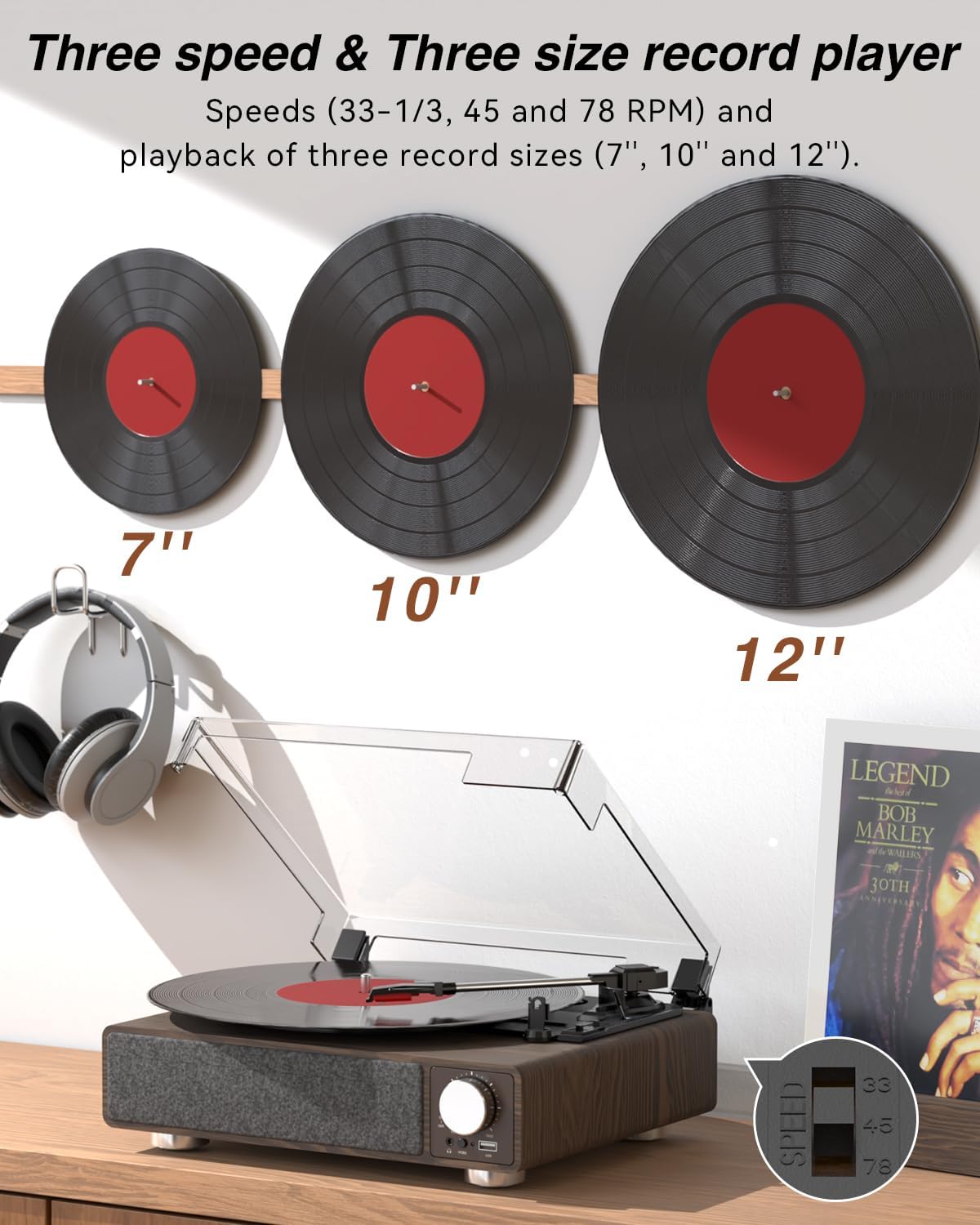
شڪل 6.1: The MONODEAL T23 Turntable supports 3 speeds and 3 record sizes.
- Turn the Power Switch/Volume Knob clockwise to turn on the unit.
- مٽي جي ڍڪ کي مٿي ڪريو.
- Place a vinyl record on the turntable platter. If playing a 7-inch record with a large center hole, place the 45 RPM fixator on the spindle first.
- Select the appropriate speed (33, 45, or 78 RPM) using the LP Speed Switch, matching the record you are playing.
- Push the Tone Arm Raise Lever up to lift the tone arm.
- دستي طور تي ٽون بازو کي رڪارڊ جي گهربل شروعاتي ٽريڪ تي منتقل ڪريو.
- Push the Tone Arm Raise Lever down to gently lower the tone arm onto the record. Playback will begin.
- Adjust the volume using the Power Switch/Volume Knob.
- آٽو اسٽاپ فنڪشن: If the Auto Stop Switch is set to ON, the turntable will automatically stop rotating when the record finishes playing. If set to OFF, it will continue to rotate.
- To stop playback, lift the tone arm using the lever and return it to the tone arm rest. Turn the Power Switch/Volume Knob counter-clockwise to turn off the unit.
6.2 Bluetooth Transmission (BT OUT)
This feature allows you to stream audio from the turntable to external Bluetooth speakers or headphones.

شڪل 6.2: Bluetooth transmission from the turntable to external devices.
- Ensure the turntable is powered on and in Phono mode (playing a record).
- Press and hold the Mode button until the LED indicator flashes blue, indicating Bluetooth transmission pairing mode.
- Place your Bluetooth speaker or headphones in pairing mode.
- The turntable will automatically search for and connect to the nearest Bluetooth device. Once connected, the LED indicator will turn solid blue.
- Audio from the record will now play through your connected Bluetooth device.
6.3 Bluetooth Reception (BT IN)
This feature allows you to stream audio from your mobile device (phone, tablet) to the turntable's built-in speakers.
شڪل 6.3: Bluetooth reception by the turntable from a smartphone.
- ٽرن ٽيبل کي چالو ڪريو.
- Press the Mode button repeatedly until the LED indicator flashes blue, indicating Bluetooth reception pairing mode.
- On your mobile device, enable Bluetooth and search for available devices. Select "MONODEAL T23" from the list.
- هڪ دفعو ڳنڍيو ويو، LED اشارو مضبوط نيري ٿي ويندو.
- Play audio on your mobile device, and it will sound through the turntable's speakers. Adjust volume using the turntable's volume knob or your mobile device.
6.4 USB پلے بیک
The turntable supports playing audio files هڪ USB فليش ڊرائيو مان.
- Insert a USB flash drive into the USB port on the front of the turntable.
- Press the Mode button to switch to USB mode. The LED indicator will change to reflect USB mode.
- The turntable will automatically begin playing audio files from the USB drive. Use the control buttons (if available, or refer to the specific model's USB control instructions) to navigate tracks.
6.5 آر سي اي آئوٽ
Connect the turntable to an external amplifier or powered speakers for enhanced sound.

شڪل 6.4: RCA output for external speakers and headphone jack for private listening.
- Ensure the turntable and your external audio system are turned off.
- Connect an RCA cable (not included) to the RCA Output Jacks (L/R) on the back of the turntable.
- Connect the other end of the RCA cable to the corresponding audio input on your ampلائفائر يا طاقتور اسپيڪر.
- ٽرن ٽيبل ۽ پنهنجي ٻاهرين آڊيو سسٽم ٻنهي کي آن ڪريو.
- Play a record as described in Section 6.1. Audio will be routed through your external system. Adjust volume on both devices as needed.
6.6 هيڊ فون جيڪ
For private listening, connect headphones to the 3.5mm headphone jack on the front of the unit.
- Plug your 3.5mm headphones into the Headphone Jack.
- Adjust the volume using the Power Switch/Volume Knob.
7. سار سنڀال
7.1 ٽرنٽيبل کي صاف ڪرڻ
- يونٽ جي ٻاهرين حصي کي نرم، سڪل ڪپڙي سان صاف ڪريو. گھڙڻ وارا صاف ڪندڙ يا محلول استعمال نه ڪريو.
- جڏهن استعمال ۾ نه هجي ته مٽيءَ جي ڍڪ کي بند رکو ته جيئن مٽيءَ جي جمع ٿيڻ کان بچي سگهجي.
7.2 اسٽائلس ڪيئر
- Handle the stylus with extreme care. Avoid touching the stylus tip with your fingers.
- نرم برش استعمال ڪندي وقت بوقت اسٽائلس کي صاف ڪريو، پوئتي کان اڳيان تائين نرميءَ سان برش ڪريو.
- A worn stylus can damage records and degrade sound quality. Replace the stylus when signs of wear appear (e.g., distorted sound, skipping).
7.3 رڪارڊ جي سنڀال
- Always hold records by their edges or center label.
- رڪارڊ کي انهن جي ٻانهن ۾ عمودي طور تي ٿڌي، سڪل جاءِ تي محفوظ ڪريو.
- مٽي ۽ جامد کي هٽائڻ لاءِ وقف ٿيل رڪارڊ صفائي برش يا محلول سان رڪارڊ کي باقاعدي صاف ڪريو.
8. مسئلا حل ڪرڻ
| مسئلو | ممڪن سبب | حل |
|---|---|---|
| طاقت نه آهي | Power cord not connected; Power outlet not working; Unit not turned on. | Ensure power cord is securely connected; Try a different outlet; Turn the Power Switch/Volume Knob clockwise. |
| بلٽ ان اسپيڪر مان ڪوبه آواز ناهي | Volume too low; RCA output connected; Bluetooth transmission active. | Increase volume; Disconnect RCA cables if not using external speakers; Ensure Bluetooth transmission is off if you want sound from built-in speakers. |
| آواز بگڙيل يا لڪجي وڃڻ | Record dirty or damaged; Stylus dirty or worn; Turntable not level; Excessive vibration. | Clean record; Clean or replace stylus; Place turntable on a stable, level surface; Ensure turntable is away from sources of vibration. |
| بلوٽوٿ جوڙڻ ناڪام ٿيو | Device too far; Device not in pairing mode; Interference. | Move devices closer; Ensure both devices are in pairing mode; Turn off other Bluetooth devices nearby. |
| Auto stop not working | Auto Stop Switch is OFF. | Set the Auto Stop Switch to ON. Note: Some records may stop prematurely or not at all due to variations in groove patterns. |
9. وضاحتون
| خاصيت | تفصيل |
|---|---|
| ماڊل نالو | تي23 |
| برانڊ | مونوڊيل |
| پيداوار جي ماپ | 11.81 x 9.84 x 4.31 انچ (30 x 25 x 11 سينٽي) |
| شيءِ جو وزن | 5.77 پائونڊ (2.62 ڪلوگرام) |
| مواد | ڪاٺ |
| پلے بیک اسپيڊ | 33-1/3، 45، 78 آر پي ايم |
| رڪارڊ سائيز سپورٽ ٿيل | 7"، 10"، 12" |
| رابطي | Bluetooth (Reception & Transmission), USB, RCA Output, Headphone Jack |
| طاقت جو ذريعو | تار وارو اليڪٽرڪ (5V 1.5A) |
| خاص خاصيتون | Built-in Stereo Speakers, Auto Stop, Belt-Drive System |
10. وارنٽي ۽ سپورٽ
MONODEAL products are designed and manufactured to the highest quality standards. For warranty information and technical support, please refer to the warranty card included with your purchase or visit the official MONODEAL website. Please have your model number (T23) and purchase date available when contacting support.


