1. تعارف
خريد ڪرڻ لاءِ مهربانيasing the IRRADIO IR-M5 Classic Portable Speaker. This manual provides essential information for the safe and efficient operation of your device. Please read it thoroughly before use and keep it for future reference.
2. حفاظت جي ڄاڻ
- اسپيڪر کي گهڻي وقت تائين انتهائي گرمي پد يا سڌي سج جي روشنيءَ ۾ نه رکو.
- ڊپ کان پاسو ڪريو يا اسپيڪر کي مضبوط اثرن جي تابع ڪرڻ.
- ڊوائيس کي پاڻ ڌار نه ڪريو، مرمت نه ڪريو، يا تبديل نه ڪريو. قابل سروس اهلڪارن سان رجوع ڪريو.
- اسپيڪر کي طبي ڊوائيسز کان پري رکو، ڇاڪاڻ ته ان ۾ مقناطيس هوندا آهن.
- چارجنگ ڪيبل کي ڳنڍڻ کان اڳ پڪ ڪريو ته چارجنگ پورٽ سڪي ويو آهي.
- This device is IPX7 water-resistant, meaning it can be submerged in up to 1 meter of water for 30 minutes. Do not intentionally submerge it for longer periods or deeper than specified.
3. پيڪيج مواد
مھرباني ڪري ھيٺ ڏنل شين لاءِ پيڪيج چيڪ ڪريو:
- IRRADIO IR-M5 Classic Portable Speaker
- USB چارجنگ ڪيبل
- استعمال ڪندڙ دستي
4. پراڊڪٽ ختمview
اسپيڪر جي حصن ۽ ڪنٽرولن سان پاڻ کي واقف ڪريو.

شڪل 4.1: سامهون view of the IRRADIO IR-M5 Classic speaker, showing the speaker grille, IRRADIO logo, and RGB LED light bar.
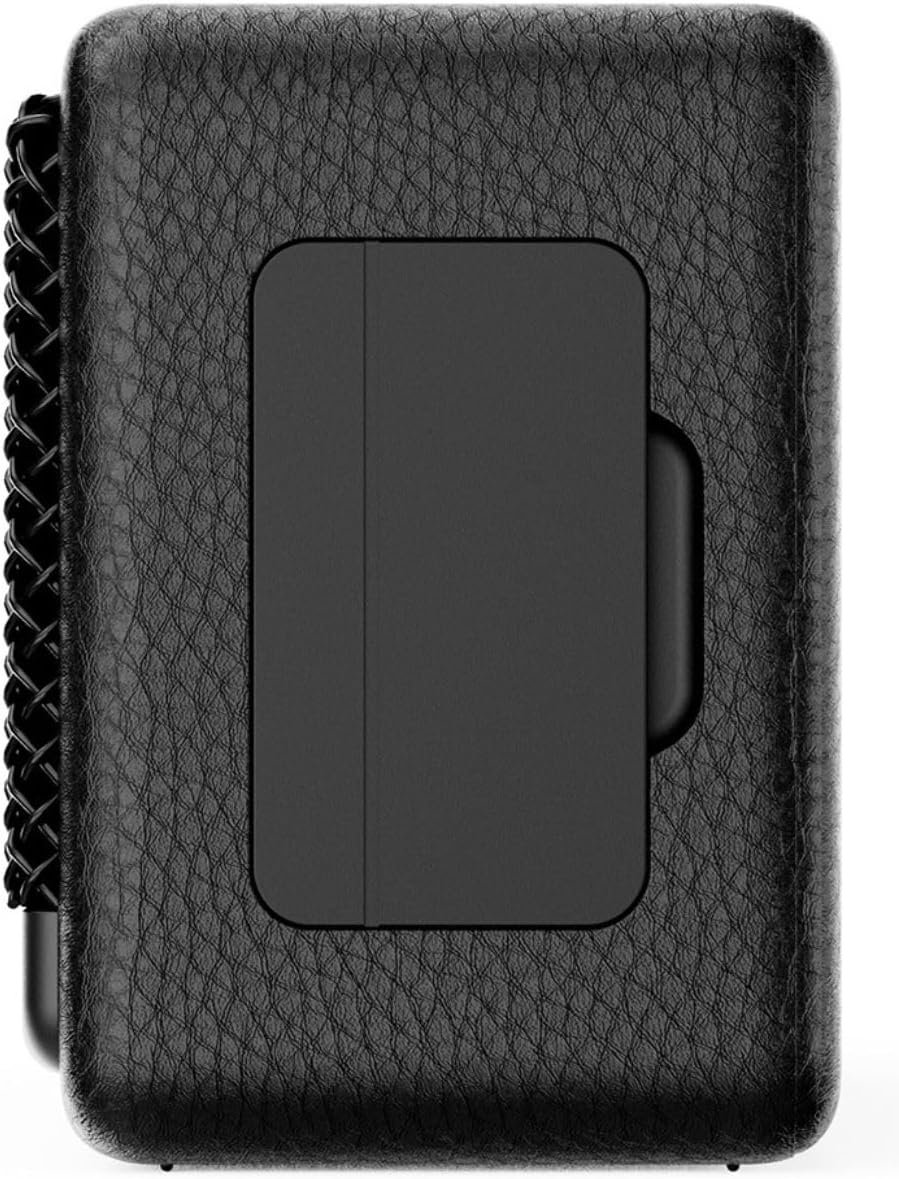
شڪل 4.2: پوئتي view of the IRRADIO IR-M5 Classic speaker, highlighting the passive subwoofer panel.

شڪل 4.3: پاسي view of the IRRADIO IR-M5 Classic speaker, showing the integrated strap for portability.
ڪنٽرول ۽ بندرگاهن:
- پاور بٽڻ: دٻايو ۽ دٻايو بند ڪرڻ / بند ڪرڻ لاء.
- حجم مٿي/ا Traيون ٽريڪ: حجم وڌائڻ لاءِ مختصر پريس، ايندڙ ٽريڪ لاءِ ڊگهو پريس.
- حجم ھي//پوئين ٽريڪ: حجم گهٽائڻ لاءِ مختصر پريس، پوئين ٽريڪ لاءِ ڊگهو پريس.
- هلايو/روڪيو/ڪال بٽڻ: Press to play/pause music or answer/end calls.
- موڊ بٽڻ (M): Press to switch between Bluetooth and USB playback modes.
- RGB LED Button: Press to cycle through RGB lighting modes or turn off the lights.
- USB-C چارجنگ پورٽ: اسپيڪر چارج ڪرڻ لاء.
- USB-A پورٽ: For external USB music playback.
- AUX Input (3.5mm Mini Jack): وائرڊ آڊيو ڪنيڪشن لاءِ.
5. سيٽ اپ
5.1 اسپيڪر کي چارج ڪرڻ
Before first use, fully charge the speaker. Connect the provided USB charging cable to the USB-C port on the speaker and the other end to a compatible USB power adapter (not included).
- LED اشارو ڏيکاريندو چارج جي حالت.
- مڪمل چارج لڳ ڀڳ 3.5 ڪلاڪ لڳن ٿا.
5.2 پاور آن/آف
- To power on, press and hold the Power button until you hear an audible prompt.
- پاور آف ڪرڻ لاءِ، پاور بٽڻ کي ٻيهر دٻايو ۽ رکو جيستائين اسپيڪر بند نه ٿئي.
5.3 بلوٽوٽ جوڙي
- Turn on the speaker. It will automatically enter Bluetooth pairing mode, indicated by a flashing LED.
- پنهنجي ڊوائيس (اسمارٽ فون، ٽيبليٽ، ليپ ٽاپ) تي، بلوٽوٿ کي فعال ڪريو ۽ موجود ڊوائيسز جي ڳولا ڪريو.
- Select "IR-M5 Classic" from the list of devices.
- Once paired, the LED indicator will stop flashing and remain solid. You are now ready to play music.
6. آپريٽنگ هدايتون
6.1 ميوزڪ پلے بیک
- بلوٽوٽ موڊ: ڪامياب جوڙڻ کان پوءِ، پنهنجي ڳنڍيل ڊوائيس تان موسيقي هلايو.
- USB پلے بیک: Insert a USB drive with MP3/WAV files into the USB-A port. The speaker will automatically switch to USB mode and begin playback. Use the Mode button to switch if necessary.
- ويڪس موڊ: Connect an audio device using a 3.5mm AUX cable to the AUX input. The speaker will automatically switch to AUX mode.
6.2 حجم ڪنٽرول
- Press the Volume Up (+) button to increase volume.
- Press the Volume Down (-) button to decrease volume.
6.3 Track Navigation
- Long press the Volume Up (+) button for the next track.
- Long press the Volume Down (-) button for the previous track.
6.4 ٽرو وائرليس اسٽيريو (TWS) فنڪشن
To pair two IR-M5 Classic speakers for a stereo experience:
- پڪ ڪريو ته ٻئي اسپيڪر آن آهن ۽ ڪنهن به بلوٽوٿ ڊوائيس سان ڳنڍيل نه آهن.
- On one speaker, double-press the Play/Pause button. It will enter TWS pairing mode.
- The speakers will automatically connect to each other. You will hear a confirmation sound.
- Once TWS paired, connect your device to one of the speakers via Bluetooth as described in section 5.3. Both speakers will now play in stereo.
6.5 آر جي بي ايل اي ڊي لائيٽنگ
Press the RGB LED button to cycle through different lighting modes or to turn the lights off.
7. سار سنڀال
- اسپيڪر کي نرم، سڪل ڪپڙي سان صاف ڪريو. گھڙڻ وارا صاف ڪندڙ يا محلول استعمال نه ڪريو.
- جڏهن استعمال ۾ نه هجي ته اسپيڪر کي ٿڌي، سڪل جاءِ تي اسٽور ڪريو.
- If the speaker will not be used for an extended period, charge it every 3 months to maintain battery health.
8. مسئلا حل ڪرڻ
| مسئلو | ممڪن سبب | حل |
|---|---|---|
| اسپيڪر آن نٿو ٿئي. | گھٽ بيٽري. | اسپيڪر کي مڪمل چارج ڪريو. |
| بلوٽوٿ ذريعي جوڙي نه ٿو سگهجي. | اسپيڪر پيئرنگ موڊ ۾ ناهي يا اڳ ۾ ئي ڪنهن ٻئي ڊوائيس سان ڳنڍيل آهي. | Ensure speaker is in pairing mode. Disconnect from other devices. Restart speaker and device. |
| آواز ڪونهي. | Volume too low; incorrect input mode; device not playing. | Increase volume. Check input mode (Bluetooth/USB/AUX). Ensure source device is playing. |
| TWS جوڙڻ ناڪام ٿيو. | Speakers are already connected to a device or each other. | TWS جوڙڻ شروع ڪرڻ کان اڳ پڪ ڪريو ته ٻئي اسپيڪر سڀني ڊوائيسز کان ڌار ٿيل آهن. |
9. وضاحتون
| خاصيت | تفصيل |
|---|---|
| ماڊل نالو | IR-M5 ڪلاسڪ |
| برانڊ | IRRADIO |
| ٻاھر نڪرڻ جي طاقت | 20W (Rated), 28W (Music) |
| ڊرائيور | 2 x 50mm Full-Range, 1 x Passive Subwoofer |
| تعدد جواب | 85 هز - 20 ڪلو هرٽز |
| بلوٽوت ورزن | 5.4 |
| وائرلیس رينج | 10 ميٽر تائين (بغير رڪاوٽ جي) |
| بيٽري جي گنجائش | 2000mAh (3.7V, 7.4 Wh) |
| پلے بیک وقت | لڳ ڀڳ. 8 ڪلاڪ (50٪ حجم تي) |
| چارج ڪرڻ وقت | لڳ ڀڳ. 3.5 ڪلاڪ |
| پاڻي جي مزاحمت | IPX7 |
| طول و عرض (L x W x H) | 17.4 x 8 x 5.3 سينٽي (6.8 x 3.15 x 2.1 انچ) |
| وزن | 506 گرام (0.506 ڪلوگرام) |
| سپورٽ ٿيل آڊيو فارميٽ | MP3، WAV |
10. وارنٽي ۽ سپورٽ
This product comes with a standard manufacturer's warranty. For detailed warranty terms and conditions, please refer to the warranty card included in your package or contact your local distributor. For technical support or service inquiries, please visit the official IRRADIO webسائيٽ يا انهن جي ڪسٽمر سروس سان رابطو ڪريو.
نوٽ: پراڊڪٽ جون وضاحتون ۽ ڊيزائن بهتري لاءِ بغير اطلاع جي تبديل ٿي سگهن ٿا.


