1. تعارف
Thank you for choosing the Cievie Dash Cam C200. This ultra-compact 4K dash camera is designed to provide reliable and high-quality video recording for your vehicle, ensuring peace of mind on the road and while parked. This manual will guide you through the setup, operation, and maintenance of your new dash cam.
2. دٻي ۾ ڇا آهي
- Cievie Dash Cam C200
- 64GB SD Card (Pre-installed)
- ڪار چارجر اڊاپٽر
- ڪار جبل
- تنصيب جو اوزار
- ڪيبل ڪلپ (x5)
- اليڪٽرو اسٽيٽڪ اسٽيڪر (x2)
- 3M چپڪندڙ ٽيپ (x2)
- استعمال ڪندڙ دستي
3. پراڊڪٽ ختمview
The Cievie C200 is engineered for discreet placement and powerful performance. Its mini design ensures it doesn't obstruct your view ڊرائيونگ دوران.
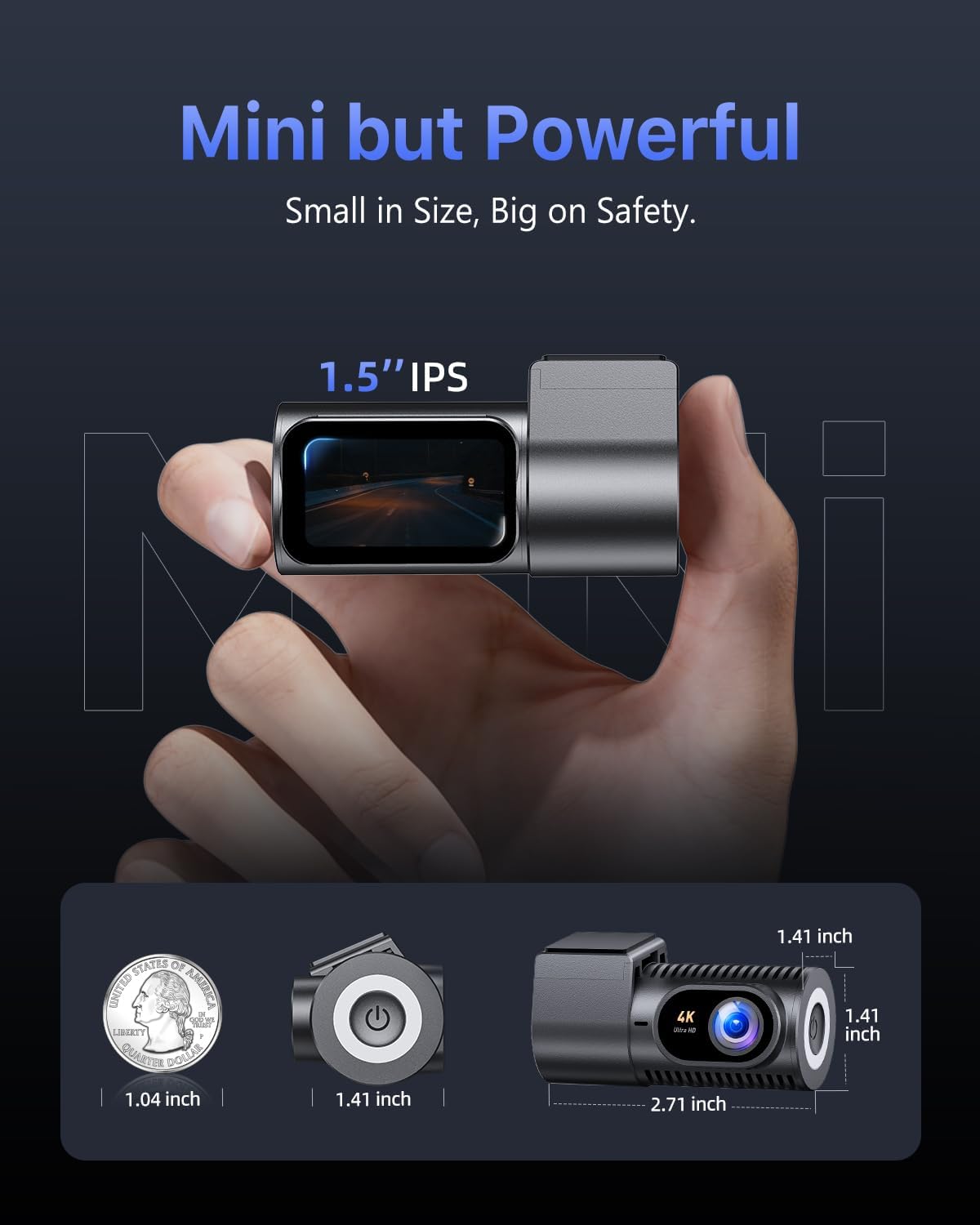
Figure 3.1: Compact design and dimensions of the Cievie C200 Dash Cam.
- ڪمپيڪٽ سائيز: Measuring approximately 1.41 x 2.71 x 1.41 inches, it mounts discreetly behind your rearview آئينو.
- 1.5" IPS Display: Provides clear live playback and easy menu navigation directly on the device.
- 360 ° گردش: The lens offers full 360-degree rotation for flexible recording angles, capturing either the road ahead or the vehicle's interior.
4. سيٽ اپ گائيڊ
4.1 ڊيش ڪيم کي لڳائڻ
- Clean the windshield area where you intend to mount the dash cam. Ensure it is free of dust and grease.
- Apply one of the electrostatic stickers to the cleaned area on the windshield. This helps protect your windshield and makes removal easier.
- Attach the car mount with the 3M adhesive tape to the electrostatic sticker. Press firmly for 30 seconds to ensure a secure bond.
- ڊيش ڪيم کي ماؤنٽ تي سلائڊ ڪريو جيستائين اهو جاءِ تي ڪلڪ نه ڪري.
4.2 پاور ڪنيڪشن
- Connect the USB-C cable to the dash cam's power port.
- Route the power cable along the edge of the windshield and dashboard using the provided cable clips and installation tool to keep it tidy and out of the way.
- Plug the car charger adapter into your vehicle's 12V power outlet (cigarette lighter socket).
4.3 SD ڪارڊ لڳائڻ
The Cievie C200 comes with a 64GB SD card pre-installed. If you need to replace it, ensure the dash cam is powered off before inserting or removing the SD card. Use a Class 10 or higher U3 speed micro SD card (up to 256GB supported).
4.4 ايپ جي انسٽاليشن ۽ وائي فائي ڪنيڪشن
The dash cam features 5.8GHz WiFi for fast footage download and app control. Download the GKU GO app from your smartphone's app store (iOS/Android) by scanning the QR code below or searching for 'GKU GO'.
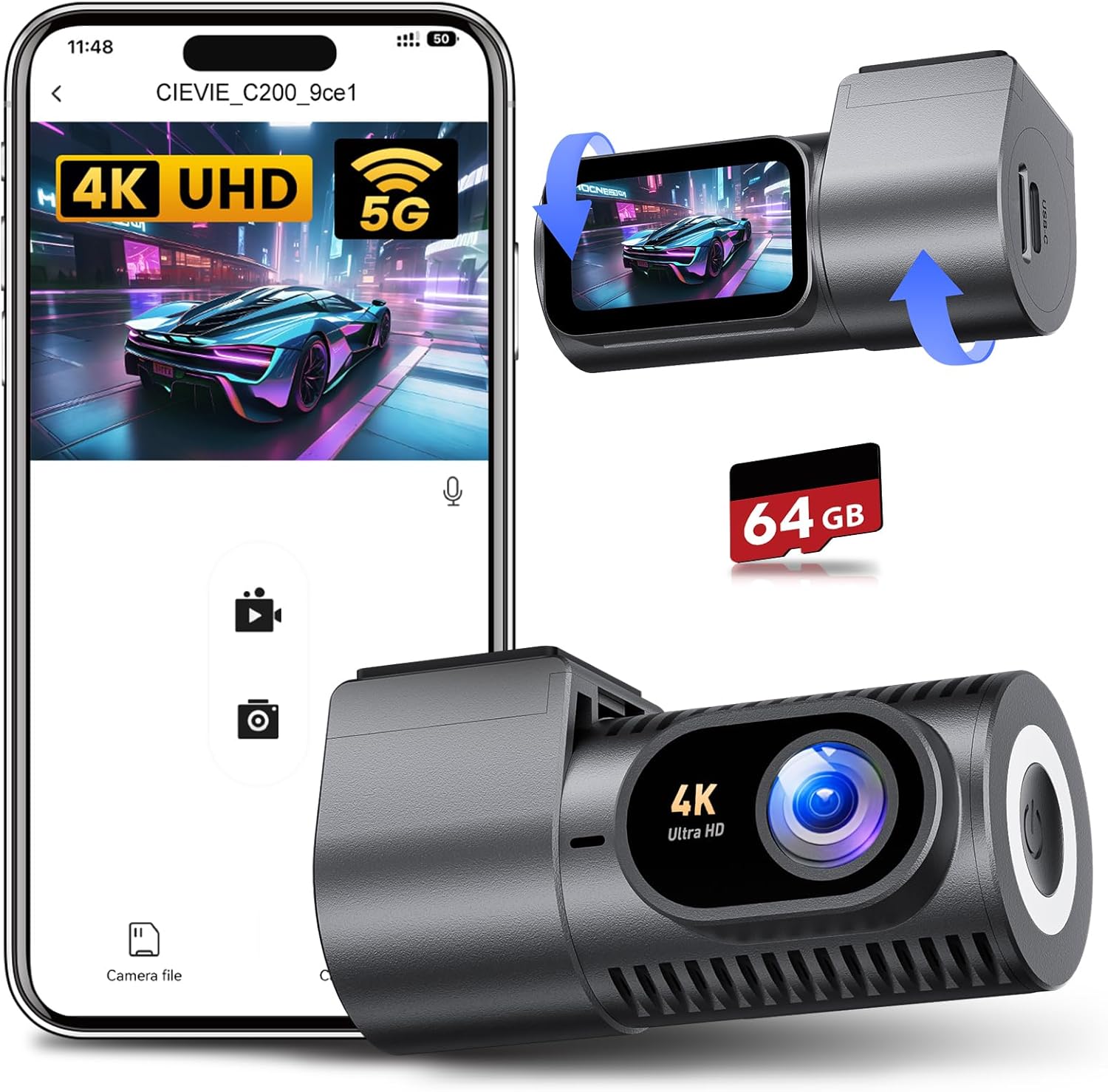
Figure 4.1: Cievie C200 Dash Cam connected to the GKU GO mobile application.

Figure 4.2: Scan this QR code to download the GKU GO app.
- Ensure the dash cam is powered on.
- Open the GKU GO app on your smartphone.
- Select 'Add Camera' and then 'Connect Device'.
- Go to your phone's Wi-Fi settings and connect to the dash cam's Wi-Fi network (e.g., CIEVIE_C200_xxxxxx). The default password is 12345678.
- Return to the GKU GO app. You can now view زنده فوtage, download clips, and adjust settings.
Tip: For optimal connection stability, temporarily disable VPN and CarPlay/Android Auto on your phone if you experience issues.
5. آپريٽنگ هدايتون
5.1 رڪارڊنگ موڊس
The Cievie C200 records in stunning 4K UHD resolution with a 170° wide-angle lens, capturing multiple lanes of traffic and minimizing blind spots.
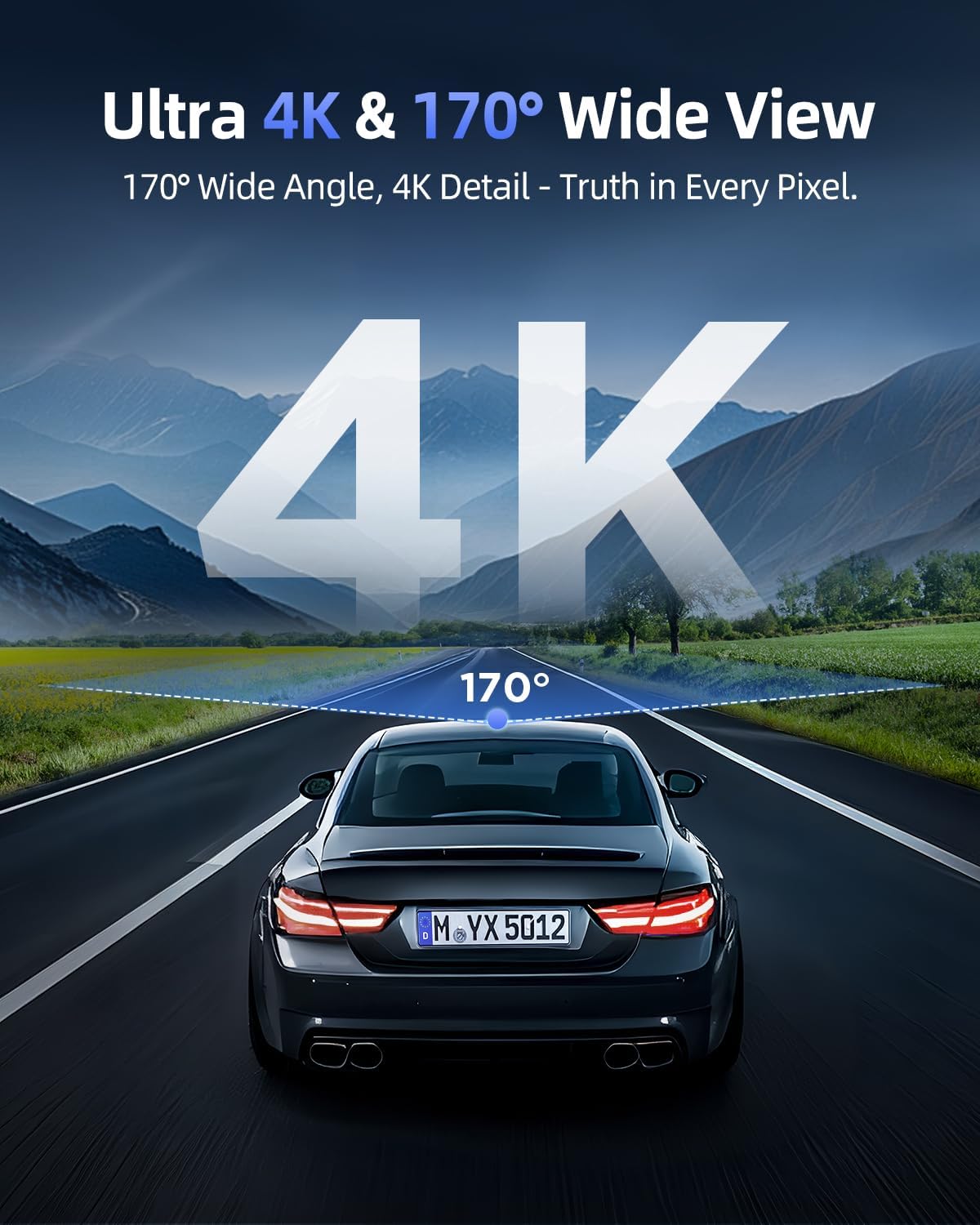
Figure 5.1: The 4K UHD resolution and 170° wide-angle lens capture extensive road details.
5.2 لوپ رڪارڊنگ
The dash cam continuously records. When the SD card is full, the oldest unlocked footage is automatically overwritten by new recordings. This ensures you always have the most recent events captured.
5.3 G-Sensor & One-Touch Lock
The built-in G-Sensor automatically detects sudden impacts or collisions. When an event is detected, the corresponding video footage is automatically locked to prevent it from being overwritten, serving as critical evidence. You can also manually lock footage by pressing the emergency button on the dash cam.

Figure 5.2: Key recording features including loop recording, G-Sensor lock, and the pre-installed 64GB SD card.
5.4 360° Rotatable Design
The unique 360° rotatable lens allows you to easily switch between recording the front view of your vehicle and the interior cabin. This is useful for capturing passenger interactions or securing evidence from different angles.
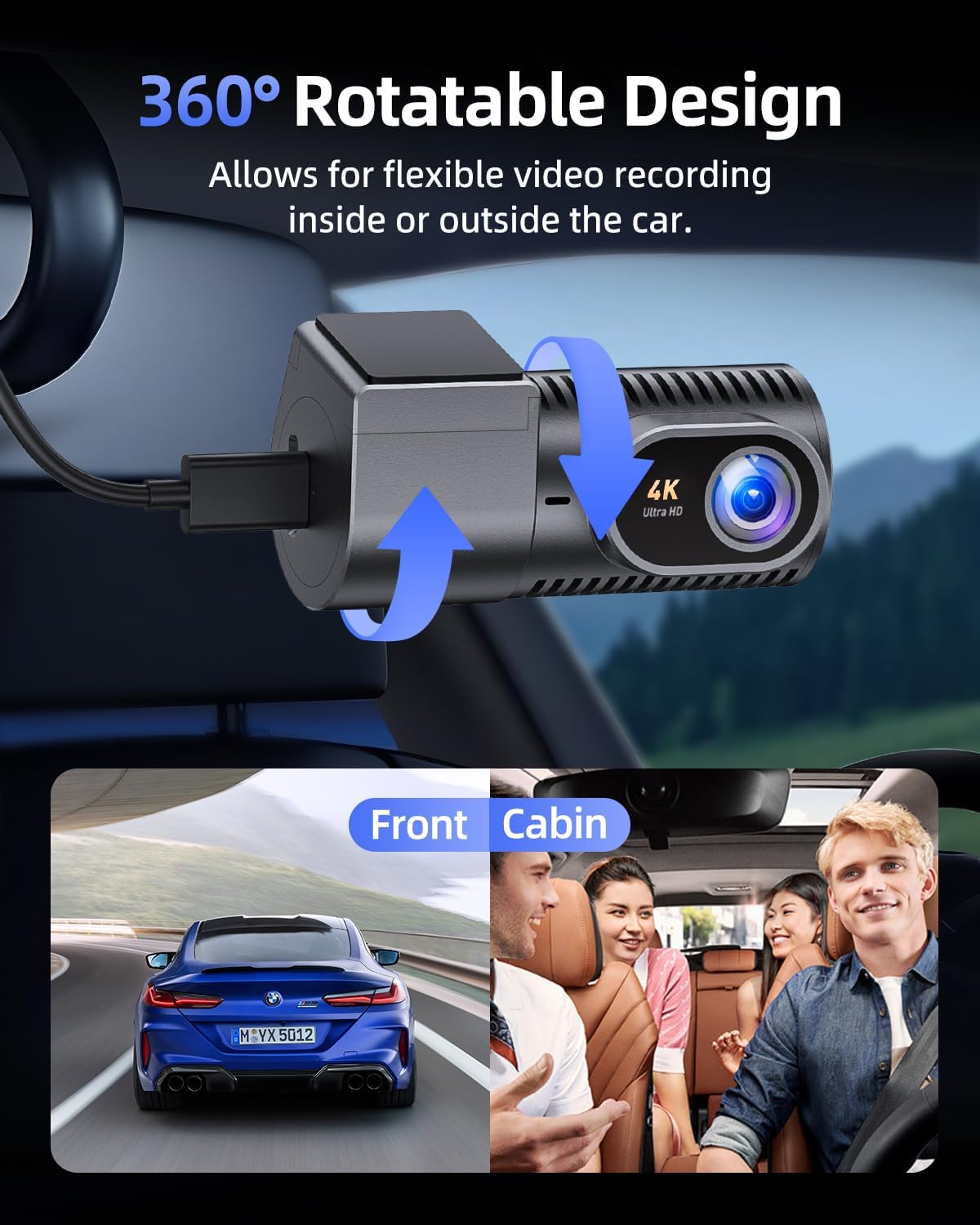
Figure 5.3: The 360° rotatable design provides flexible recording options for both exterior and interior views.
5.5 سپر نائيٽ ويزن
Equipped with an F2.0 aperture and WDR (Wide Dynamic Range) technology, the C200 delivers enhanced night vision capabilities. It captures clear and vivid details even in low-light conditions or during adverse weather like rain.
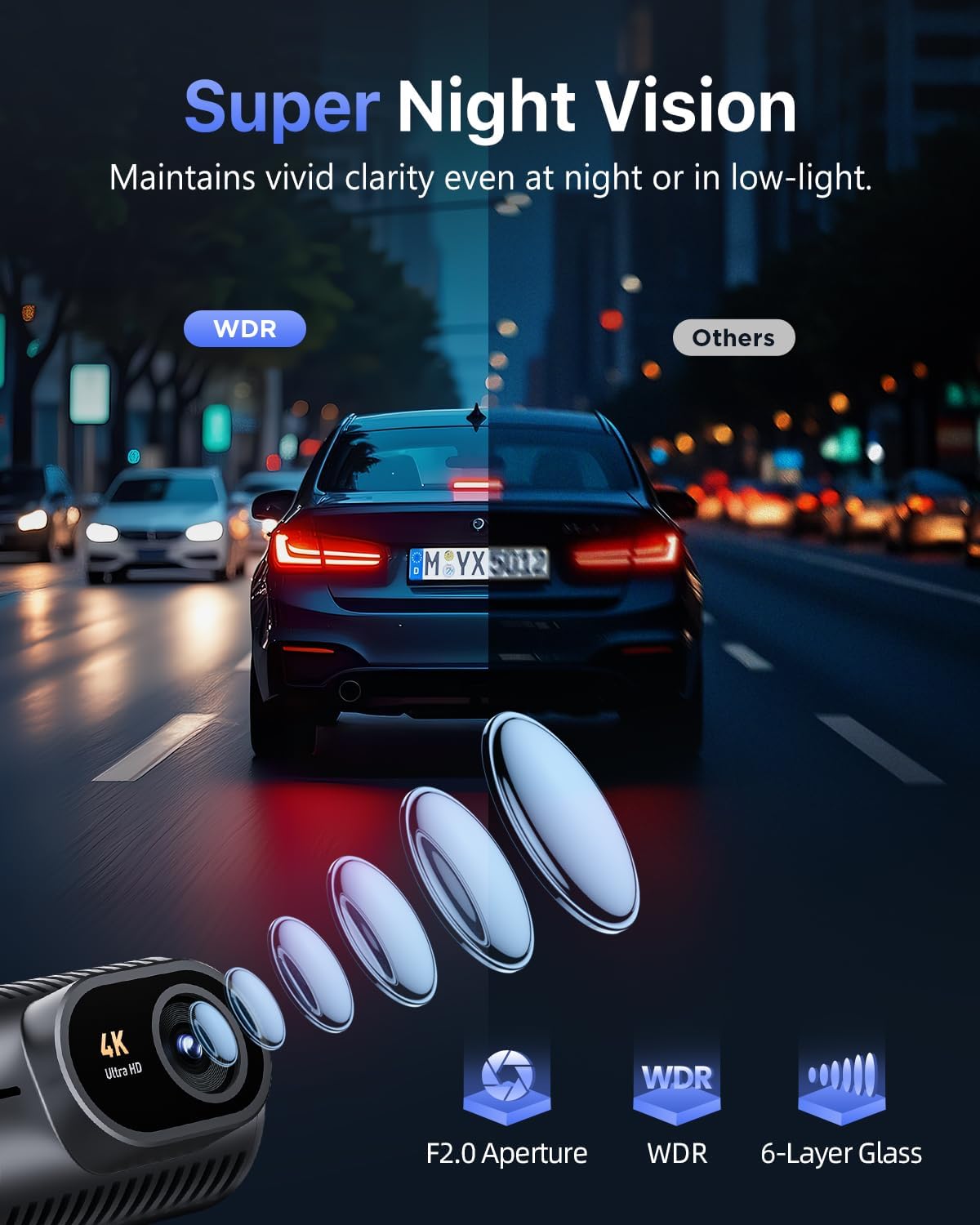
Figure 5.4: Super Night Vision with F2.0 aperture and WDR ensures clear recordings in challenging light conditions.
5.6 Screen Auto-Off
To minimize distractions during driving, the dash cam's 1.5" IPS screen can be set to automatically dim or turn off after 30s, 60s, or 180s. The blue indicator light will remain on to confirm recording is active.
5.7 24/7 Parking Monitor
Protect your vehicle around the clock with two parking surveillance modes:
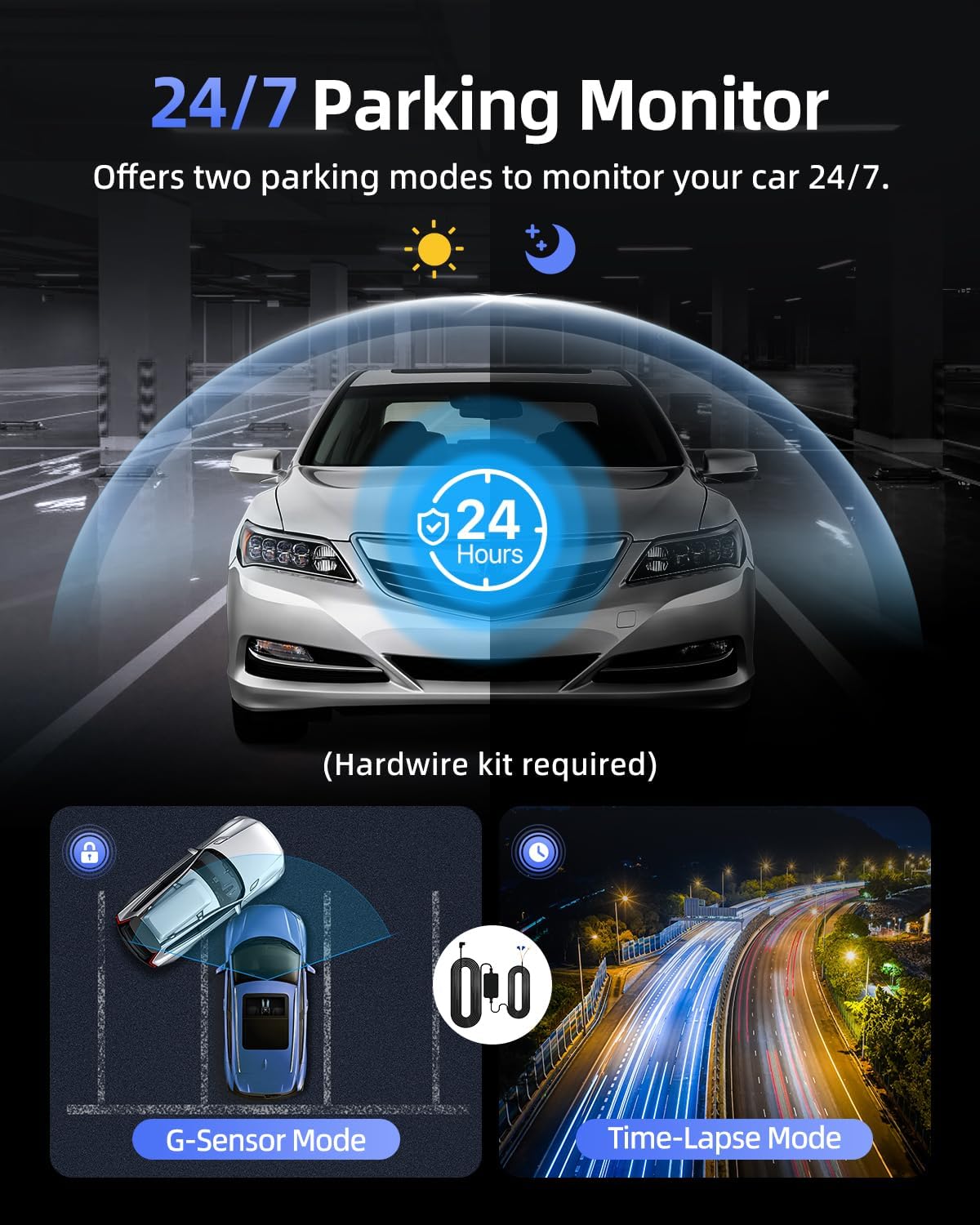
Figure 5.5: The 24/7 Parking Monitor offers two modes for continuous vehicle protection.
- جي-سينسر موڊ: If an impact is detected while parked, the dash cam will automatically power on and record a short video, then lock it as an emergency file.
- وقت گذرڻ جو طريقو: Records continuously at a low frame rate (e.g., 1/2/5fps) to save storage space while providing comprehensive coverage.
Note: Both parking modes require an optional hardwire kit (sold separately) to provide continuous power to the dash cam when the vehicle is off.
6. سار سنڀال
6.1 ايس ڊي ڪارڊ فارميٽنگ
It is recommended to format the SD card regularly (e.g., once a month) to ensure optimal performance and prevent data corruption. You can format the SD card via the GKU GO app or by connecting the SD card to a computer and formatting it to FAT32.
6.2 صفائي
Use a soft, dry cloth to clean the dash cam's lens and body. Avoid using abrasive cleaners or solvents that could damage the device.
6.3 Extreme Weather Durability
The Cievie C200 is built with high-grade aluminum alloy construction, allowing it to withstand extreme temperatures from -4°F to 185°F (-20°C to 85°C) without issues, ensuring reliable operation in various climates.
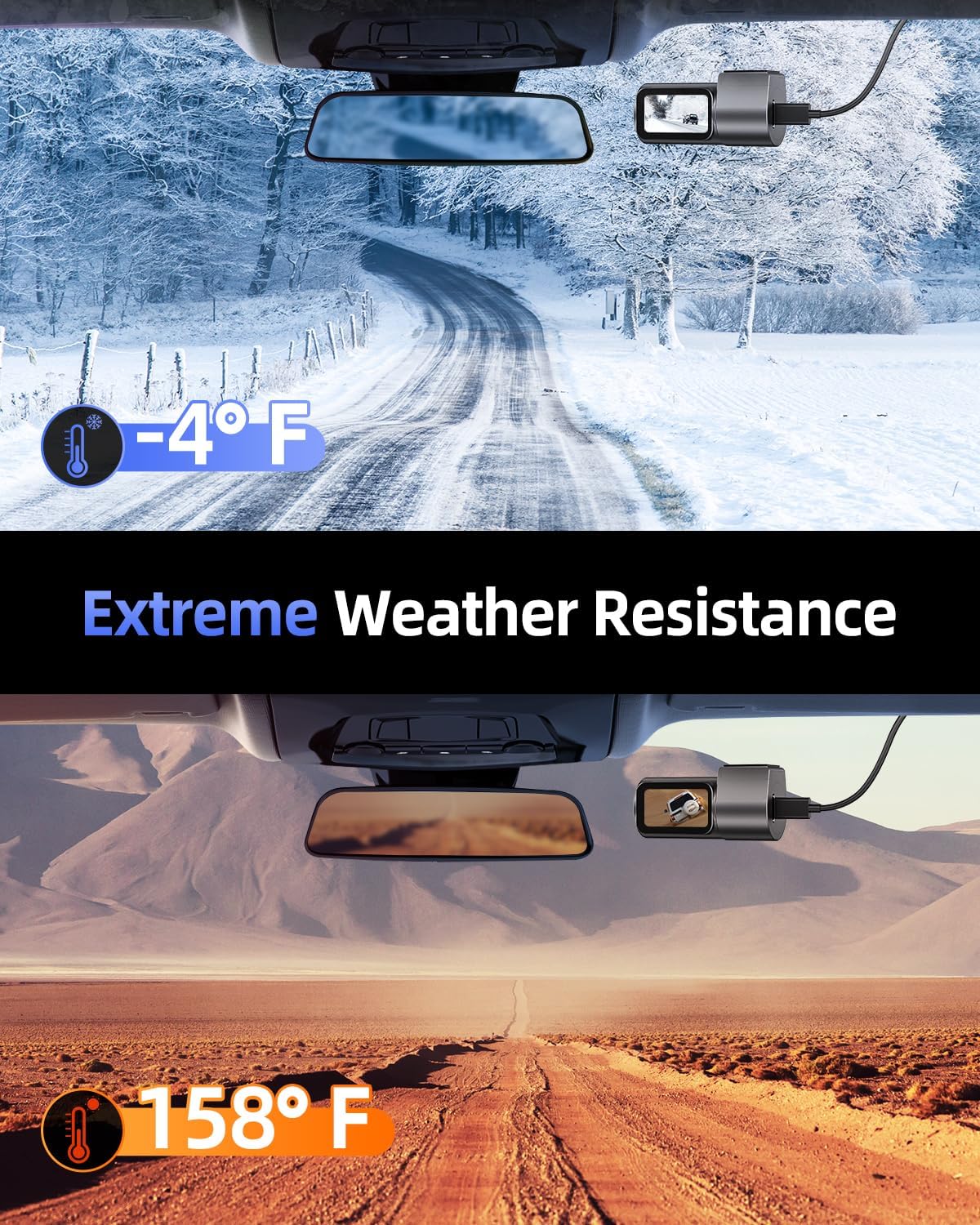
Figure 6.1: The Cievie C200 is designed for durability in extreme hot and cold conditions.
7. مسئلا حل ڪرڻ
- ڊيش ڪيم آن نه ٿي رهيو آهي: Ensure the power cable is securely connected to both the dash cam and the car's 12V outlet. Check if the vehicle's 12V outlet is functioning.
- وائي فائي ڪنيڪشن جا مسئلا: Make sure the dash cam is powered on. Try restarting both the dash cam and your phone. Temporarily disable VPN or CarPlay/Android Auto on your phone. Ensure you are within the Wi-Fi range (up to 6 meters/19 feet).
- فوtage Not Saving/Corrupted: Format the SD card regularly. Ensure you are using a high-quality Class 10 U3 micro SD card. If issues persist, try a different SD card.
- Screen Turns Off Automatically: This is a normal feature (Screen Auto-Off). The blue indicator light confirms recording is active. You can adjust the auto-off time in the app settings.
- پارڪنگ مانيٽر ڪم نه ڪري رهيو آهي: Ensure the optional hardwire kit is correctly installed and connected to a constant power source. Check the settings in the GKU GO app to ensure parking mode is enabled.
8. وضاحتون
| خاصيت | تفصيل |
|---|---|
| پيداوار جي ماپ | 1.42 x 2.72 x 1.42 انچ |
| شيءِ جو وزن | 1.9 اونس |
| ماڊل نمبر | سي200 |
| رابطي ٽيڪنالاجي | وائي فائي (5.8GHz) |
| وڊيو ڪيپچر ريزوليوشن | 4K (3840x2160) |
| ڏيکاريو | 1.5'' IPS Display |
| لينس زاويه | 170° وائڊ اينگل |
| ذخيرو | Includes 64GB SD Card (Supports up to 256GB) |
| خاص خاصيتون | Loop Recording, G-Sensor, 24/7 Parking Monitor, Super Night Vision, 360° Rotation, Built-In Speaker, Remote App Control |
| آپريٽنگ جي درجه حرارت | -4°F کان 185°F (-20°C کان 85°C) |
| چڙهڻ جو قسم | ونڊ شيڊ جو جبل |
9. وارنٽي ۽ سپورٽ
Cievie stands behind the quality of its products. Your Cievie Dash Cam C200 comes with:
- 12 مهينن وارنٽي: Covering manufacturing defects.
- 30 Days Free Return/Money Back: توهان جي ذهني سڪون لاءِ.
- 24/7 ڪسٽمر سپورٽ: Dedicated support team available to assist you.
For customer support or technical assistance, please contact us via email at سپورٽ@cievie.co.
وڌايل ڪوريج لاءِ تحفظ جا منصوبا پڻ موجود آهن:
- 2 سالن جو تحفظ وارو منصوبو
- 3 سالن جو تحفظ وارو منصوبو
- مڪمل حفاظت (مهيني منصوبو جيڪو اهل خريداري کي ڍڪيندو آهي)


