1. تعارف
This manual provides detailed instructions for the installation, operation, and maintenance of your MOES WiFi Smart Light Switch (1-Gang). This smart switch is designed to enhance your home lighting control with convenience and smart features.
اهم خاصيتون:
- Supports both no-neutral wire and with-neutral wire configurations.
- No hub required; connects directly to your 2.4GHz Wi-Fi network.
- Compatible with Alexa and Google Assistant for voice control.
- Remote control via smartphone application.
- Timer and scheduling functions for automated lighting.
- Space-saving design fits most standard wall boxes.

Image 1.1: MOES WiFi Smart Light Switch packaging and the 1-gang switch unit.
2. حفاظت جي ڄاڻ
- انسٽاليشن يا سار سنڀال کان اڳ هميشه سرڪٽ بريڪر تي بجلي بند ڪريو.
- جيڪڏهن توهان کي بجلي جي وائرنگ بابت پڪ ناهي، ته هڪ قابل اليڪٽريشن سان صلاح ڪريو.
- This switch is designed for indoor use only.
- پراڊڪٽ جي وضاحتن ۾ بيان ڪيل وڌ ۾ وڌ لوڊ ريٽنگ کان وڌيڪ نه ڪريو.
3. انسٽاليشن گائيڊ
3.1. قبل از انسٽاليشن چيڪ لسٽ
- Ensure your home has a 2.4GHz Wi-Fi network. 5GHz networks are not supported.
- Confirm the existing wiring in your wall box (neutral wire present or not).
- Tools required: Screwdriver, wire strippers, voltagاي جاچ ڪندڙ.
3.2. وائرنگ جون هدايتون
The MOES Smart Light Switch supports both neutral wire and no-neutral wire configurations. Please identify your wiring type before proceeding.
3.2.1. No-Neutral Wire Installation
If your wall box does not have a neutral wire, a capacitor (included in the package) is required for proper operation. This capacitor must be connected across the light bulb terminals.
- پاور بند ڪريو: پنھنجي سرڪٽ بريڪر کي ڳوليو ۽ جيڪو سوئچ توھان تبديل ڪري رھيا آھيو ان جي پاور بند ڪريو. پڪ ڪريو ته پاور بند آھي وولٽ سانtagاي جاچ ڪندڙ.
- تارن جي سڃاڻپ ڪريو: In your wall box, identify the Line (Live) wire, Load wire(s), and Ground wire.
- Connect wires to the switch:
- Connect the Line wire to the 'L' terminal on the smart switch.
- Connect the Load wire(s) to the 'L1' (OUT) terminal. For 1-gang switches, typically only L1 is used.
- Connect the Ground wire to the 'GND' terminal.
- ڪيپيسٽر انسٽال ڪريو: Connect the provided capacitor across the light bulb terminals (between the live and neutral wires at the light fixture). This is crucial for no-neutral setups to ensure stable power to the smart switch.
- سوئچ لڳايو: Secure the smart switch into the wall box and attach the faceplate.
- بجلي بحال ڪريو: سرڪٽ برڪر تي بجلي کي واپس ڦيرايو.

Image 3.1: Wiring diagram for no-neutral wire installation, showing capacitor connection.

Image 3.2: Comparison of Neutral + Live Wire and No Neutral Wire diagrams, highlighting the capacitor for no-neutral setups.
3.2.2. With-Neutral Wire Installation
If your wall box has a neutral wire, the installation is straightforward.
- پاور بند ڪريو: پنھنجي سرڪٽ بريڪر کي ڳوليو ۽ جيڪو سوئچ توھان تبديل ڪري رھيا آھيو ان جي پاور بند ڪريو. پڪ ڪريو ته پاور بند آھي وولٽ سانtagاي جاچ ڪندڙ.
- تارن جي سڃاڻپ ڪريو: In your wall box, identify the Line (Live) wire, Neutral wire, Load wire(s), and Ground wire.
- Connect wires to the switch:
- Connect the Line wire to the 'L' terminal on the smart switch.
- غير جانبدار تار کي 'N' ٽرمينل سان ڳنڍيو.
- Connect the Load wire(s) to the 'L1' (OUT) terminal. For 1-gang switches, typically only L1 is used.
- Connect the Ground wire to the 'GND' terminal.
- سوئچ لڳايو: Secure the smart switch into the wall box and attach the faceplate.
- بجلي بحال ڪريو: سرڪٽ برڪر تي بجلي کي واپس ڦيرايو.
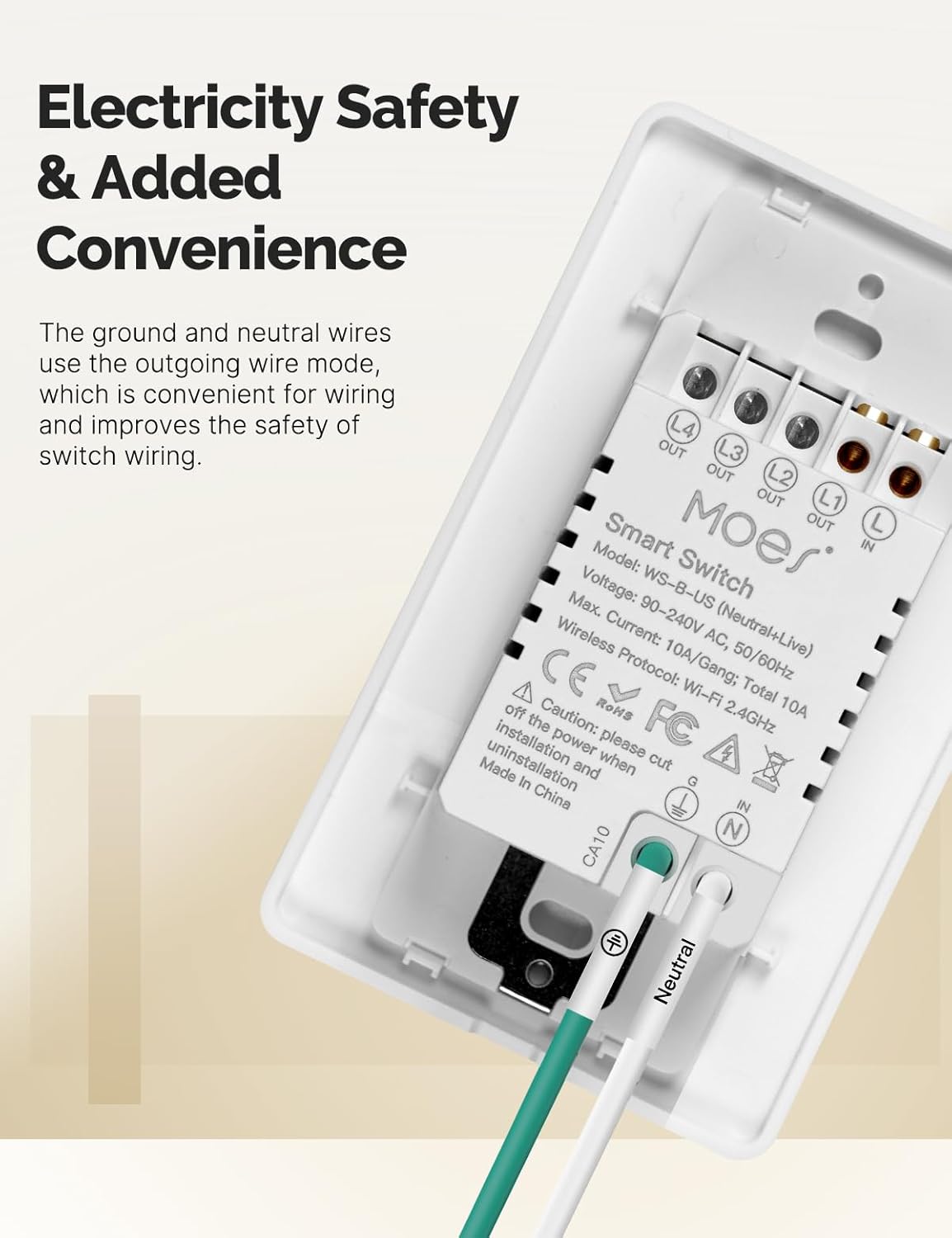
تصوير 3.3: ريئر view of the MOES Smart Switch showing wiring terminals for Line, Neutral, Load, and Ground connections.
3.3. ايپ جوڙڻ
- ايپ ڊائون لوڊ ڪريو: Download the "Smart Life" or "MOES" app from your smartphone's app store.
- رجسٽر/لاگ ان: هڪ اڪائونٽ ٺاهيو يا ايپ ۾ لاگ ان ڪريو.
- ڊوائيس شامل ڪريو: نئون ڊوائيس شامل ڪرڻ لاءِ ايپ جي مٿي ساڄي ڪنڊ ۾ '+' آئڪن تي ٽيپ ڪريو.
- ڊوائيس جو قسم چونڊيو: Choose "Electrical" then "Light Switch" or "Switch (Wi-Fi)".
- وائي فائي تفصيل داخل ڪريو: Ensure your phone is connected to a 2.4GHz Wi-Fi network. Enter your Wi-Fi password.
- پيرسن موڊ The switch should automatically enter pairing mode (indicator light blinking rapidly). If not, press and hold the switch button for 5-10 seconds until it blinks rapidly.
- مڪمل جوڙو: Follow the on-screen instructions in the app to complete the pairing process. Once connected, you can rename the switch.
Video 3.1: A visual guide demonstrating the general installation process for the MOES Smart Light Switch, including wiring and app pairing. (Note: Video may show a multi-gang switch, but principles apply to 1-gang).
4. آپريٽنگ هدايتون
4.1. دستي ڪنٽرول
Press the physical button(s) on the switch to turn the connected light(s) on or off. The switch features high-quality buttons for reliable operation.
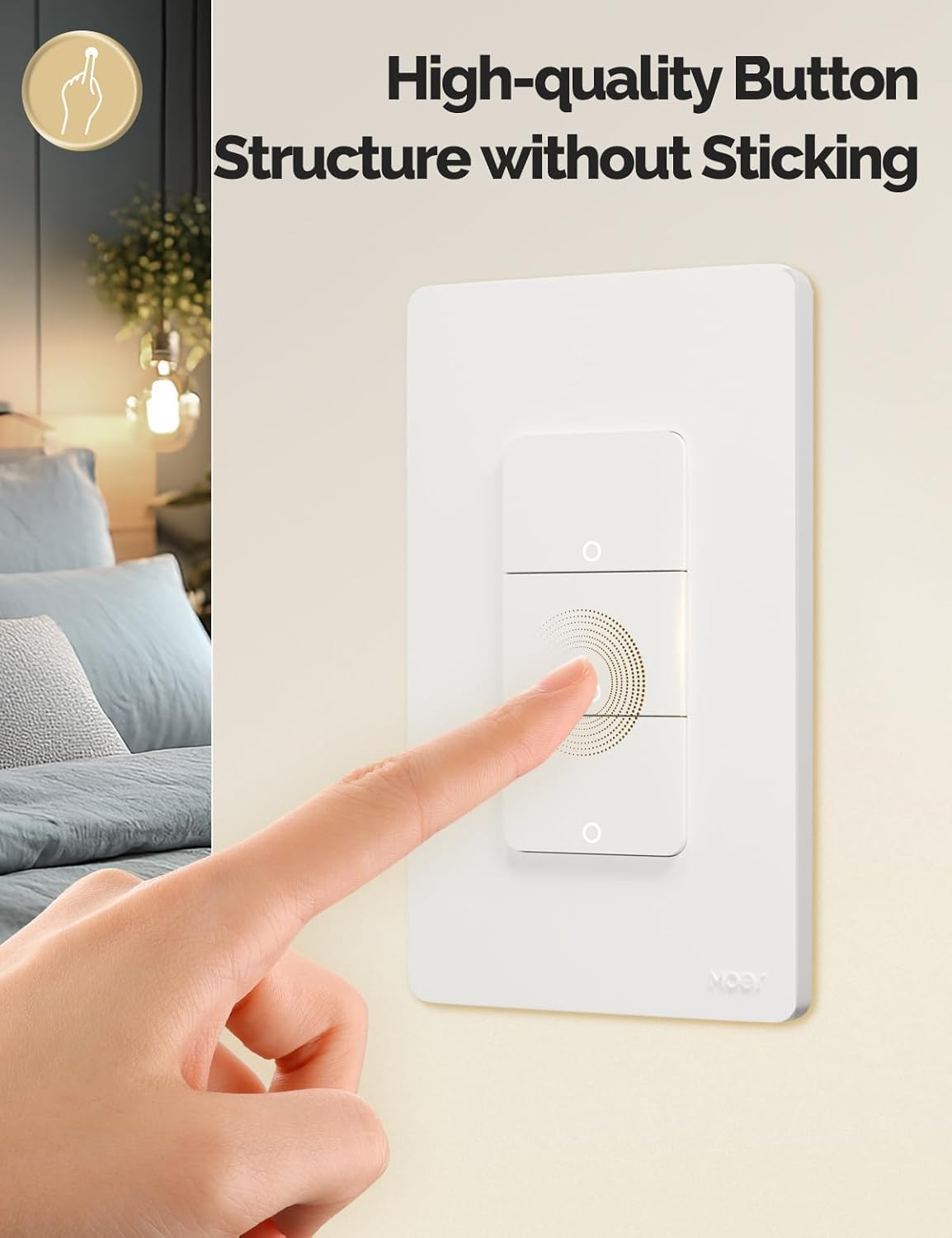
Image 4.1: Close-up of the MOES Smart Switch highlighting its high-quality button design.
4.2. App Control (Remote Control)
Once paired with the app, you can control your lights from anywhere using your smartphone.
- Open the "Smart Life" or "MOES" app.
- Select your smart switch from the device list.
- Tap the on/off icons to control your lights.

Image 4.2: Demonstrates remote control functionality of the smart switch via the mobile application.
4.3. وائس ڪنٽرول
The switch is compatible with Amazon Alexa and Google Assistant for hands-free control.
- لنڪ اڪائونٽ: In your Alexa or Google Home app, link your "Smart Life" or "MOES" account.
- دريافت ڪريو آلات: پنهنجي وائس اسسٽنٽ کي نوان ڊوائيس ڳولڻ لاءِ چئو.
- وائس حڪم: Use commands like "Alexa, turn on the living room light" or "Hey Google, turn off the bedroom light."

Image 4.3: Setup showing smart speakers (Alexa, Google Home) interacting with the smart switch for voice control.
4.4. ٽائمر ۽ شيڊول جا ڪم
Automate your lighting with customizable timers and schedules through the app.
- شيڊول: Set specific times for lights to turn on or off daily or on selected days.
- ڳڻپ Set a countdown timer for lights to turn off after a set duration.
- سائيڪل جو وقت: Configure lights to cycle on and off at regular intervals.
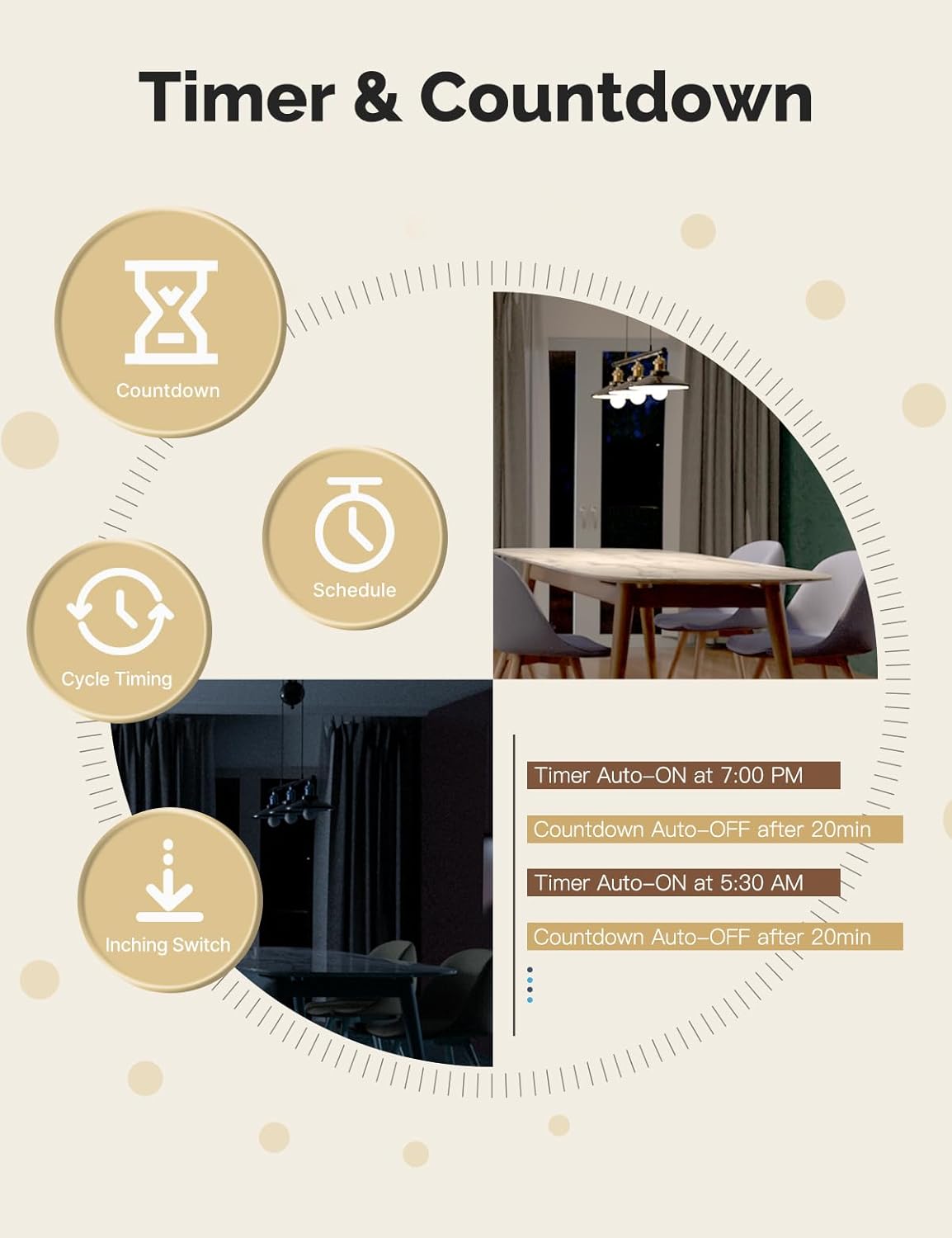
Image 4.4: Visual representation of timer and countdown settings available in the smart home application.
4.5. Indicator Light Mode
The switch features an indicator light that can be configured via the app to show ON/OFF status or switch location in the dark.

Image 4.5: Illustrates different indicator light modes, such as showing ON/OFF status or switch location.
4.6. Relay Status Settings
Configure the switch's behavior after a power outage (Power-off, Power-on, or Restart Memory) through the app settings.

Image 4.6: Screenshot of the app interface for configuring relay status settings after a power interruption.
5. سار سنڀال
- Clean the switch faceplate with a soft, dry cloth. Avoid abrasive cleaners or solvents.
- Regularly check for app updates to ensure optimal performance and security.
- Ensure your Wi-Fi network is stable and within range of the switch.
6. مسئلا حل ڪرڻ
| مسئلو | ممڪن سبب | حل |
|---|---|---|
| Switch not responding to app/voice commands. |
|
|
| Lights flicker or do not turn off completely (no-neutral wiring). |
|
|
| Switch gets warm or burns out. |
|
|
| Difficulty with initial installation. |
|
|
7. وضاحتون
| خاصيت | تفصيل |
|---|---|
| برانڊ | MOES |
| ماڊل | WS-US-L (1-Gang) |
| آپريشن موڊ | خودڪار |
| رابطي جو قسم | عام طور تي کليل |
| ڪنيڪٽر جو قسم | اسڪرو ٽرمينلز |
| ٽرمينل | اسڪرو |
| سرڪٽ جو قسم | 2-رستو |
| چڙهڻ جو قسم | ڀت جبل |
| رابطي جو مواد | ٽوپي |
| پوزيشن جو تعداد | 1 |
| ڪنٽرول جو طريقو | ايپ، ريموٽ، ٽچ، آواز |
| وائرليس پروٽوڪول | وائي فائي 2.4GHz |
| جلدtage | 90-240V AC، 50/60Hz |
| Max. Current (per gang) | 8A |
| Total Max. Current | 8A |

Image 7.1: Detailed dimensions and technical specifications of the MOES Smart Light Switch.
8. وارنٽي ۽ سپورٽ
MOES products are designed for reliability and performance. For warranty information, technical support, or further assistance, please visit the official MOES webسائيٽ تي وڃو يا سڌو سنئون انهن جي ڪسٽمر سروس سان رابطو ڪريو.
توهان وڌيڪ معلومات ۽ سپورٽ وسيلا هتي ڳولي سگهو ٿا ايميزون تي MOES اسٽور.


