1. تعارف
Thank you for choosing the TCL 98C6K 98-inch 4K QD-MiniLED Smart TV. This manual provides essential information for setting up, operating, maintaining, and troubleshooting your new television. Please read this manual thoroughly before using the product to ensure safe and optimal performance. Keep this manual for future reference.
2. حفاظت جي ڄاڻ
باهه، بجليءَ جي جھٽڪي ۽ زخم جي خطري کي گهٽائڻ لاءِ هن ٽيليويزن کي استعمال ڪندي هميشه بنيادي حفاظتي احتياطن تي عمل ڪريو.
- ٽي وي کي مينهن يا نمي کي بي نقاب نه ڪريو.
- ٽي وي نه کوليو سيasing؛ سڀني خدمتن کي قابل اهلڪارن جي حوالي ڪريو.
- ٽي وي جي چوڌاري مناسب وائيٽليشن کي يقيني بڻائي.
- ٽي وي کي سڌي سج جي روشني، گرمي جي ذريعن ۽ کليل شعلن کان پري رکو.
- Use only the power cord and accessories provided by TCL.
- بجلي جي طوفان دوران يا ڊگهي عرصي تائين استعمال نه ٿيڻ تي ٽي وي کي ان پلگ ڪريو.
3. پيڪيج مواد
پڪ ڪريو ته سڀئي شيون پيڪيج ۾ موجود آهن:
- TCL 98C6K 98-inch 4K QD-MiniLED Smart TV
- ريموٽ ڪنٽرول
- استعمال ڪندڙ دستي
- ٽي وي اسٽينڊ اجزاء
- پاور ڪيبل
- پاور اڊاپٽر
4. سيٽ اپ
4.1 Unpacking ۽ لڳائڻ
Carefully remove the TV from its packaging. It is recommended that two or more people handle the TV due to its size and weight. Place the TV on a stable, flat surface or mount it on a wall using a compatible VESA mount (sold separately).
4.2 اسٽينڊ تنصيب
If using the included stand, attach the stand components to the bottom of the TV using the provided screws. Ensure the stand is securely fastened before placing the TV upright.
4.3 ڳنڍڻ وارا آلات
Connect your external devices (e.g., Blu-ray player, game console, soundbar) to the TV using the appropriate ports.
- HDMI: هاءِ ڊيفينيشن آڊيو ۽ وڊيو لاءِ.
- USB: USB اسٽوريج ڊوائيسز کي ڳنڍڻ لاءِ.
- طاقت: پاور ڪيبل کي ٽي وي سان ڳنڍيو ۽ پوءِ پاور آئوٽليٽ سان.
ٽي وي وائرليس ڊوائيسز ۽ انٽرنيٽ رسائي لاءِ بلوٽوٿ ۽ وائي فائي ڪنيڪشن کي سپورٽ ڪري ٿو.

پاسي view of the TCL 98C6K TV, illustrating the location of HDMI, USB, and other connectivity ports.

ريڙهه view of the TCL 98C6K TV, detailing the back panel design and potential wall-mounting points.
4.4 شروعاتي پاور آن
After connecting all necessary cables, plug the TV into a power outlet. Press the power button on the remote control or on the TV itself. Follow the on-screen instructions for initial setup, including language selection, network connection, and channel scanning.
5. پنهنجو ٽي وي هلائڻ
5.1 ريموٽ ڪنٽرول اوورview
The remote control allows you to access all TV functions. Familiarize yourself with the buttons for power, volume, channel selection, smart TV navigation, and input source selection.
5.2 بنيادي ڪم
- پاور آن / آف: پاور بٽڻ کي دٻايو.
- حجم ڪنٽرول: واليوم اپ/ڊائون بٽڻ استعمال ڪريو.
- چينل چونڊ: چينل مٿي/هيٺ بٽڻ يا نمبر پيڊ استعمال ڪريو.
- ان پٽ جو ذريعو: Press the 'Source' button to switch between HDMI, USB, and other inputs.
5.3 سمارٽ ٽي وي جون خاصيتون
Your TCL 98C6K TV runs on a smart operating system, providing access to various applications and services. It includes features like Google Assistant for voice control and Chromecast for casting content from your mobile devices.
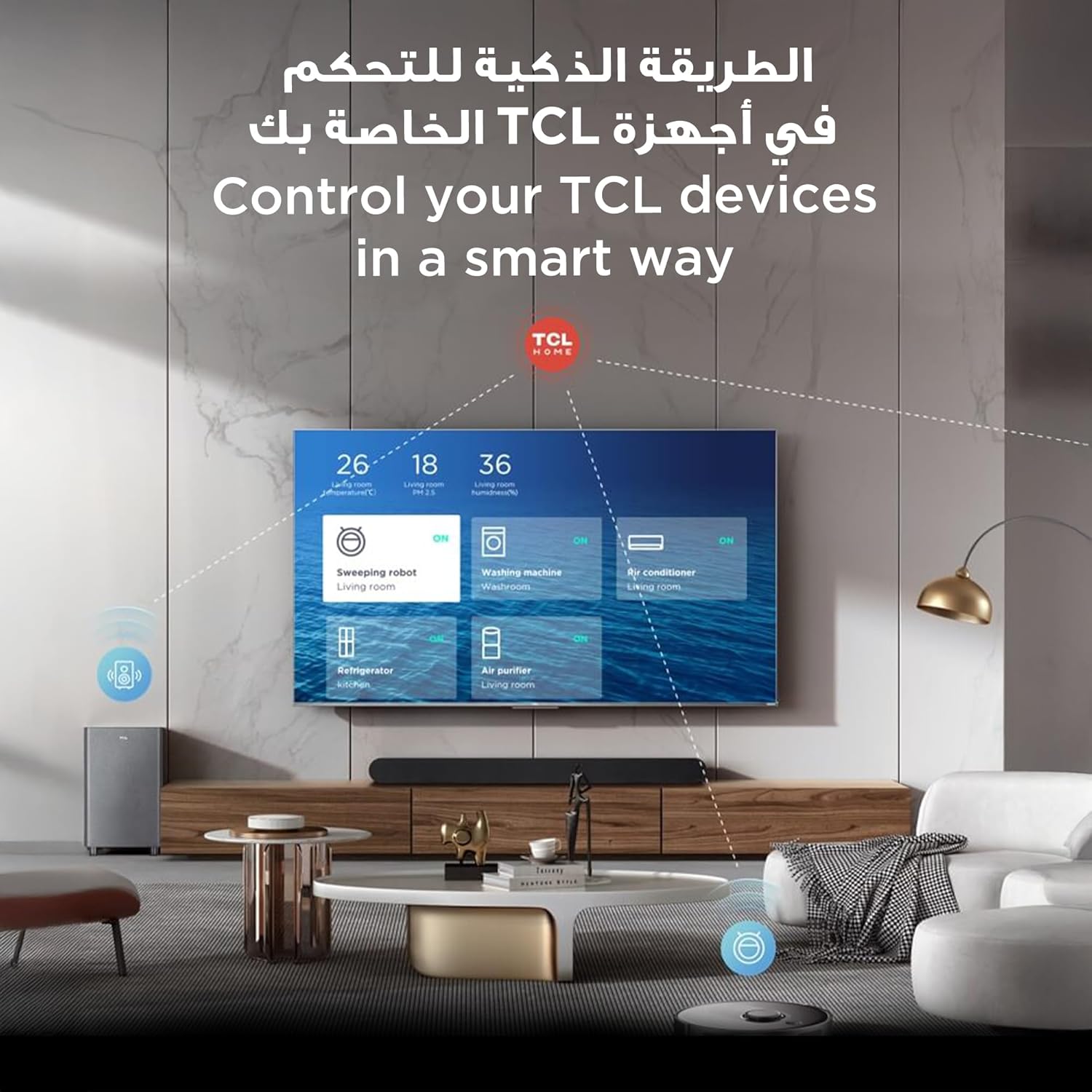
The TCL TV's smart interface allows for integrated control of other TCL smart home devices.
5.4 تصوير ۽ آواز سيٽنگون
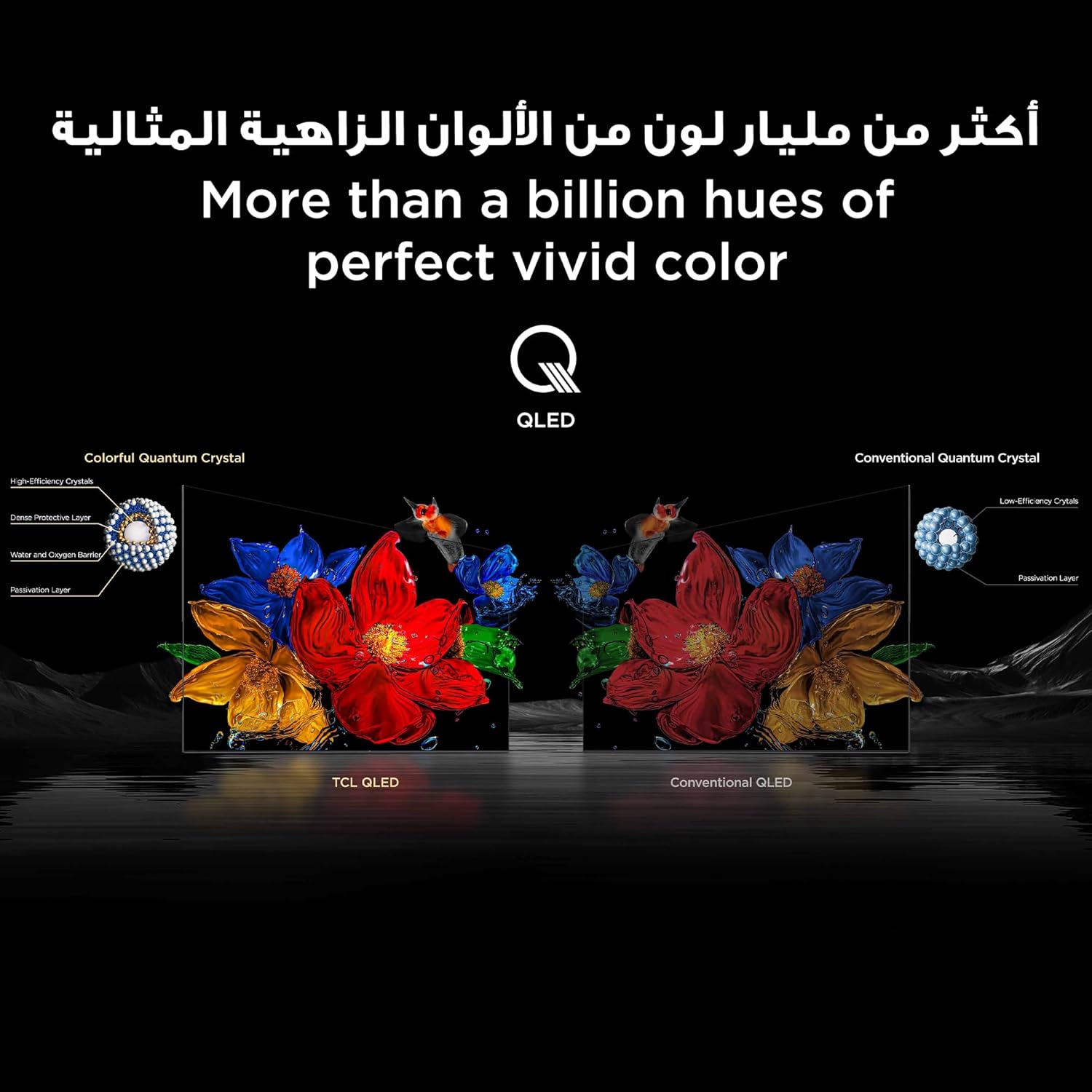
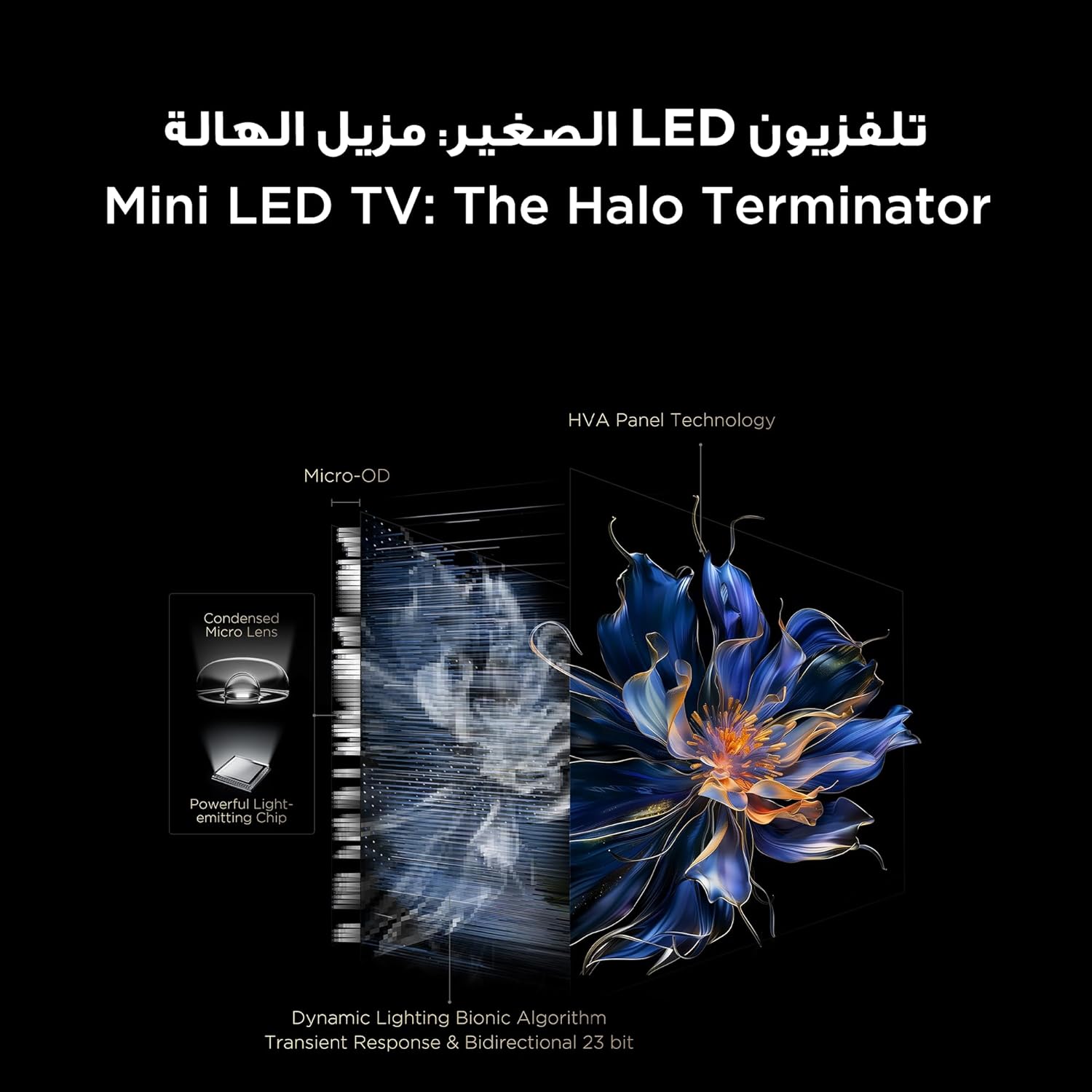
The TV features QD-MiniLED technology, offering precise dimming across up to 512 zones for enhanced contrast and brightness. With Quantum Dot technology, it delivers over a billion vibrant colors, covering 93% of the DCI-P3 color gamut. High Dynamic Range (HDR) support ensures stunning detail in both bright and dark scenes.
Visual representation of TCL QLED technology, showcasing its ability to produce over a billion vibrant colors.

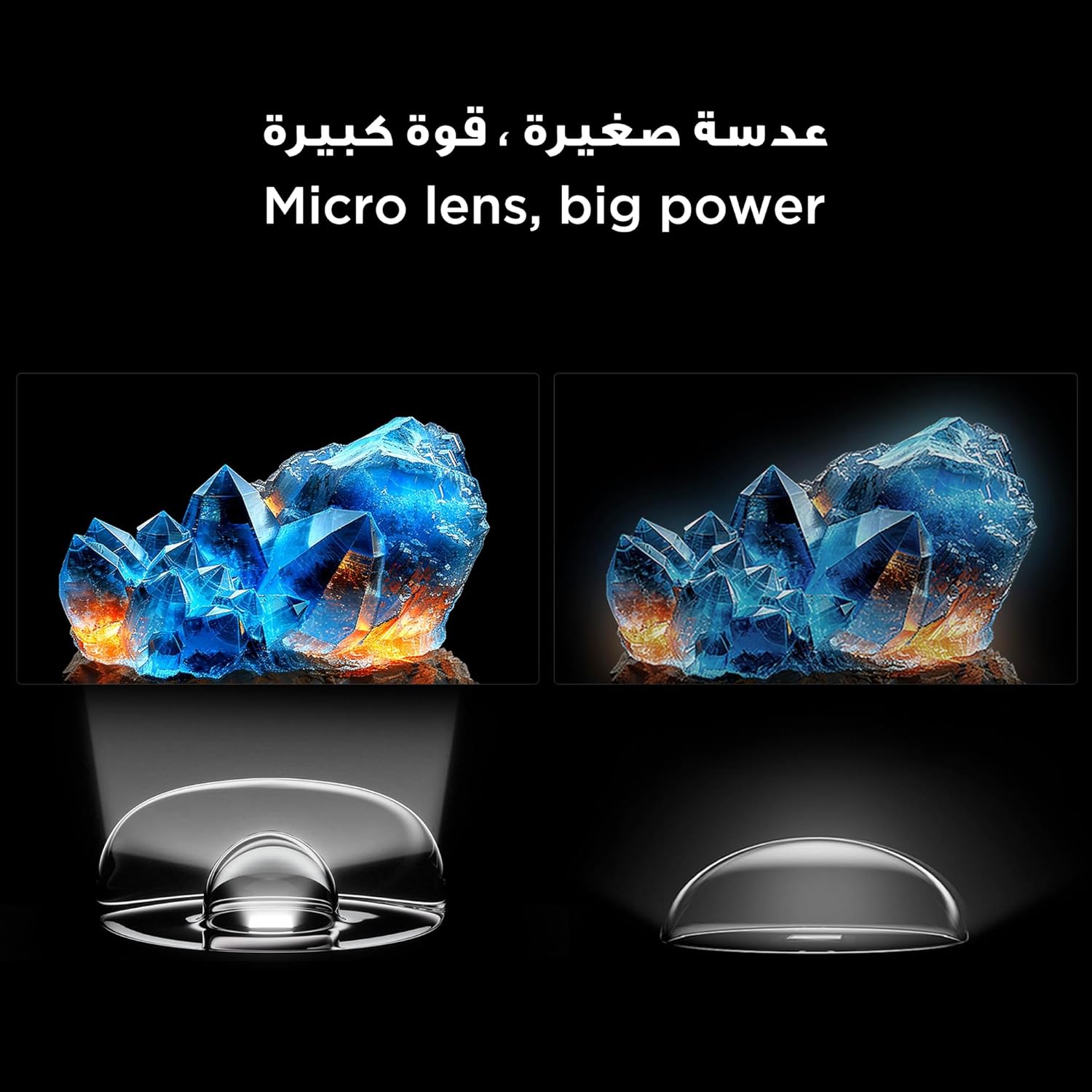
An illustration of the Mini LED TV technology, highlighting its advanced backlighting system for improved contrast and reduced halo effects.
Detail of the micro lens technology used in the Mini LED display, enhancing light control and picture quality.
The integrated AiPQ Pro Processor optimizes picture and sound in real-time, ensuring a superior viewing experience. For audio, the TV features an Onkyo 2.1 Hi-Fi sound system, delivering rich and immersive sound.

The AiPQ Pro Processor, responsible for intelligent picture and sound optimization.
The Onkyo 2.1 sound system provides a cinematic audio experience.
5.5 گيمنگ جون خاصيتون
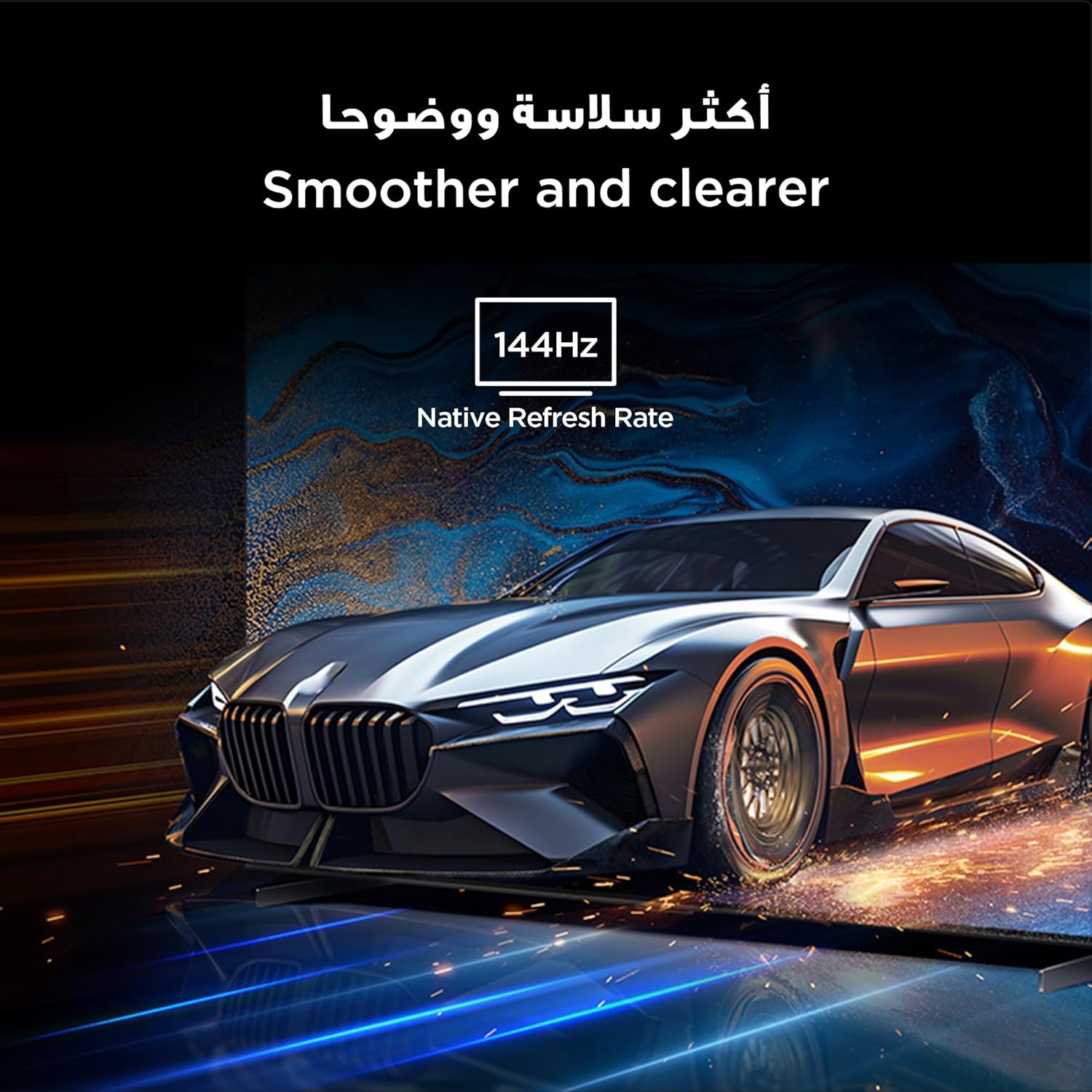
With a native 144Hz refresh rate, the TV provides ultra-smooth motion, ideal for fast-paced action and gaming. This ensures a clear and fluid visual experience without motion blur.
The 144Hz native refresh rate ensures smoother and clearer motion, especially beneficial for gaming and fast-action content.
6. سار سنڀال
6.1 اسڪرين کي صاف ڪرڻ
نرم، لِنٽ کان پاڪ ڪپڙي سان اسڪرين کي نرميءَ سان صاف ڪريو. ضدي نشانن لاءِ، هلڪو ڊيampڪپڙي کي پاڻي يا خاص اسڪرين ڪلينر سان ڌوئڻ. سخت ڪيميڪلز يا رگڙيندڙ مواد استعمال ڪرڻ کان پاسو ڪريو.
6.2 عام سنڀال
ٽي وي کي باقاعدي طور تي صاف ڪري مٽيءَ کان پاڪ رکوasing with a dry, soft cloth. Ensure ventilation openings are not blocked. Do not place heavy objects on the TV.
7. مسئلا حل ڪرڻ
جيڪڏهن توهان کي پنهنجي ٽي وي سان مسئلا درپيش اچن ٿا، ته هيٺ ڏنل عام حلن جو حوالو ڏيو:
| مسئلو | ممڪن حل |
|---|---|
| ڪابه طاقت | چيڪ ڪريو ته پاور ڪيبل محفوظ طريقي سان ڳنڍيل آهي ۽ پاور آئوٽ ليٽ ڪم ڪري رهيو آهي. ڪو ٻيو آئوٽ ليٽ آزمايو. |
| تصوير ناهي، پر آواز موجود آهي | پڪ ڪريو ته صحيح ان پٽ سورس چونڊيو ويو آهي. ٻاهرين ڊوائيسز سان ڪيبل ڪنيڪشن چيڪ ڪريو. |
| آواز ڪونهي، پر تصوير موجود آهي | Check volume levels and mute settings. Verify audio cable connections. |
| ريموٽ ڪنٽرول ڪم نه ڪري رهيو آهي | بيٽريون تبديل ڪريو. پڪ ڪريو ته ريموٽ ۽ ٽي وي جي وچ ۾ ڪا به رڪاوٽ نه آهي. |
| خراب تصويري معيار | Adjust picture settings (brightness, contrast, sharpness). Check the quality of the input signal. |
| وائي فائي سان ڳنڍجي نٿو سگهي | Ensure your router is on and within range. Re-enter the Wi-Fi password. Restart the TV and router. |
جيڪڏهن مسئلو برقرار رهي، مهرباني ڪري TCL ڪسٽمر سپورٽ سان رابطو ڪريو.
8. وضاحتون
Detailed technical specifications for the TCL 98C6K TV:
| خاصيت | تفصيل |
|---|---|
| ٺاهيندڙ | ٽي سي ايل |
| اصل جو ملڪ | چين |
| ماڊل نمبر | 98C6K |
| پيداوار جي ماپ (L x W x H) | 218.4 x 10.2 x 127 سينٽي |
| پيداوار جو وزن | 52 ڪلو |
| اسڪرين جي ماپ | 98 انچ |
| ڊسپلي ٽيڪنالاجي | QD-MiniLED |
| قرارداد | 4K |
| ريفريش جي شرح | 144 هرٽز (اصلي) |
| خاص خاصيتون | Onkyo 2.1 Hi-Fi, IMAX Enhanced, Ultra-slim design, High HDR brightness, Multi-eye care, Chromecast, Google Assistant, AiPQ Pro Processor, AI mode |
| شامل اجزاء | Remote control, User manual, Stand, Power cable, Power adapter |
| رابطي ٽيڪنالاجي | HDMI، USB، بلوٽوت، وائي فائي |
| اسپيڪٽ ريشو | 16:9 |
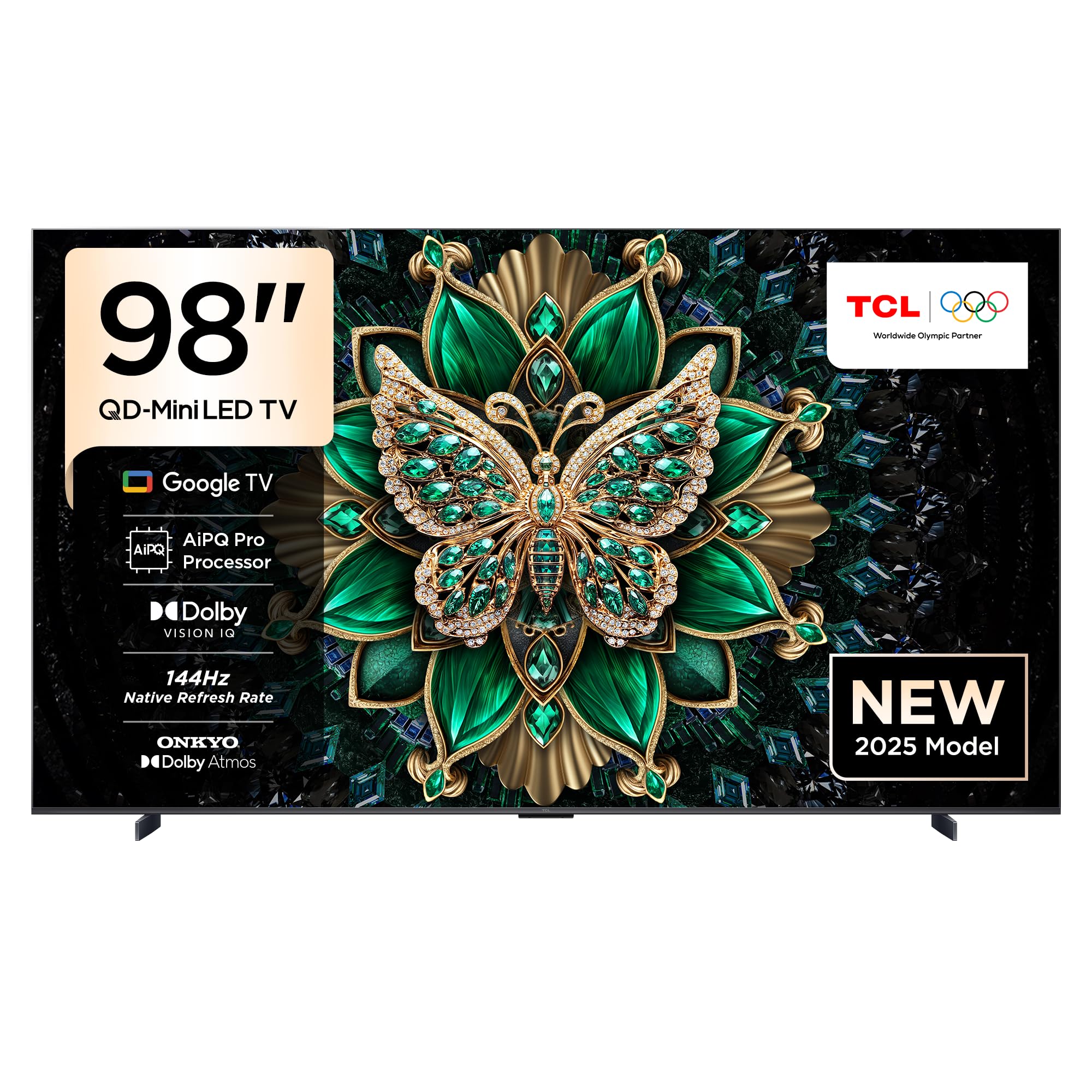
سامهون view of the TCL 98C6K 98-inch 4K QD-MiniLED Smart TV.

ڪنڊ وارو اڳيون view of the TCL 98C6K TV.
پاسي پروfile of the TCL 98C6K TV, showcasing ان جي پتلي ڊيزائن.
9. وارنٽي ۽ سپورٽ
وارنٽي جي معلومات لاءِ، مھرباني ڪري پنھنجي پراڊڪٽ سان شامل وارنٽي ڪارڊ ڏسو يا سرڪاري TCL جو دورو ڪريو. website. For technical support, product registration, or service inquiries, please contact TCL customer service through their official channels.
توهان اضافي مدد ۽ وسيلا ڳولي سگهو ٿا ٽي سي ايل برانڊ اسٽور.


