1. تعارف
Thank you for choosing the ProtoArc EM15 Bluetooth Wireless Mouse. This manual provides detailed instructions for setting up, operating, and maintaining your new mouse. Please read this manual thoroughly before use to ensure optimal performance and longevity of your device.
2. پراڊڪٽ ختمview
The ProtoArc EM15 is a versatile wireless mouse designed for enhanced productivity and comfort. It offers multiple connectivity options and a compact, ergonomic design.
- ملٽي ڊوائيس ڪنيڪشن: Connects to up to three devices simultaneously via Bluetooth, USB, and Type-C.
- Rechargeable & Energy Saving: Features a built-in Lithium-Ion battery, rechargeable via USB-C, offering extended use and standby times.
- ترتيب ڏيڻ وارو DPI: Three DPI levels (1000/1600/2400) for precise and smooth tracking across various surfaces.
- خاموش ڪلڪ: Designed for silent operation, minimizing disturbance (note: scroll wheel is not silent).
- Ergonomic & Slim Design: Provides maximum hand support and comfort, ideal for travel.
- وسيع مطابقت: Compatible with Windows 7/8/10/XP, Vista, Mac OS X 10.10 or later, and all Type-C devices.

Figure 1: ProtoArc EM15 Wireless Mouse (Gray)
3. شروعات ڪرڻ (سيٽ اپ)
The ProtoArc EM15 mouse offers flexible connection options to suit your devices.
3.1. پيڪنگ ۽ اجزاء
Inside the package, you will find the ProtoArc EM15 mouse, a USB-C charging cable, a USB receiver, and a Type-C receiver. The USB and Type-C receivers are conveniently stored in a dedicated compartment on the back of the mouse.
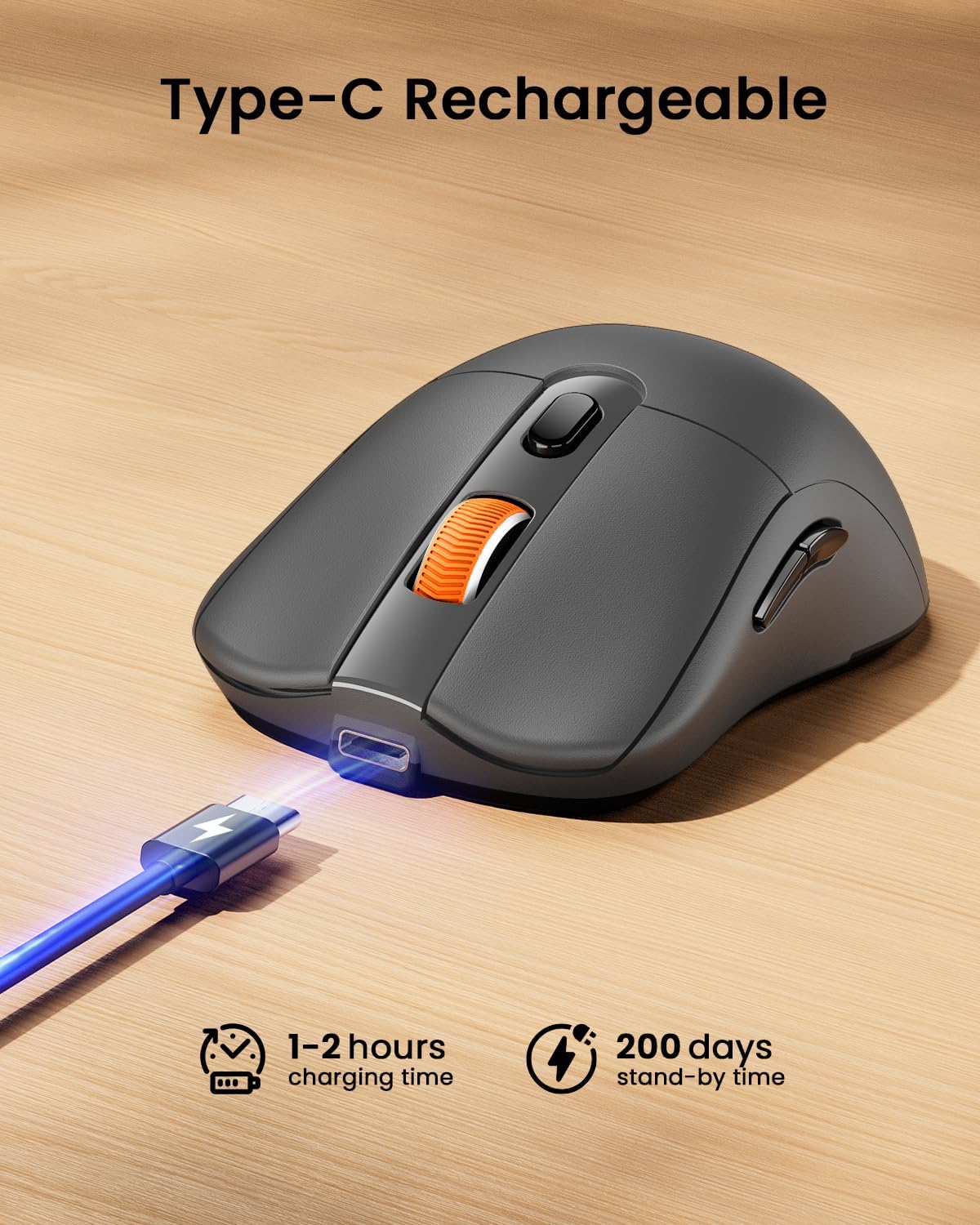
Figure 2: Mouse with integrated USB and Type-C receivers.
3.2. توهان جي ڊوائس سان ڳنڍڻ
The EM15 mouse supports three connection modes: 2.4G USB Wireless, Type-C Wireless, and Bluetooth. You can switch between connected devices using the mode switch button on the bottom of the mouse.
Video 1: Demonstrates connecting the EM15 mouse via Bluetooth and 2.4G wireless receivers to multiple devices.
3.2.1. 2.4G USB or Type-C Wireless Connection
- Open the receiver compartment on the back of the mouse.
- Remove the appropriate receiver (USB or Type-C) for your device.
- Plug the receiver into an available USB or Type-C port on your computer, laptop, or tablet.
- ھيٺئين پاسي پاور سوئچ استعمال ڪندي ماؤس کي چالو ڪريو.
- مائوس کي خودڪار طريقي سان توهان جي ڊوائيس سان ڳنڍڻ گهرجي.
3.2.2. بلوٽوٽ ڪنيڪشن
- ھيٺئين پاسي پاور سوئچ استعمال ڪندي ماؤس کي چالو ڪريو.
- Press the mode switch button on the bottom of the mouse until the Bluetooth indicator light flashes.
- On your device (laptop, tablet, PC), go to Bluetooth settings.
- ڳولھيو new devices and select "ProtoArc EM15" from the list.
- جوڙڻ جي عمل کي مڪمل ڪرڻ لاءِ ڪنهن به آن-اسڪرين اشارن تي عمل ڪريو.

Figure 3: Multi-device connection setup with the EM15 mouse.
4. آپريٽنگ هدايتون
Familiarize yourself with the mouse's controls for efficient use.
4.1. بٽڻ ۽ ڪم

Figure 4: Key buttons and features of the ProtoArc EM15 mouse.
- کاٻي / ساڄي ڪلڪ ڪريو: معياري مائوس جا ڪم.
- اسڪرول ويل: عمودي اسڪرولنگ لاءِ.
- DPI سوئچ: Press to cycle through DPI settings (1000/1600/2400).
- اڳتي/پوئتي بٽڻ: نيويگيٽ web pages or documents (not compatible with Mac OS).
- موڊ سوئچ بٽڻ: Located on the bottom, cycles between Bluetooth, 2.4G USB, and Type-C connections.
- پاور سوئچ: On/Off control for the mouse.
4.2. ڊي پي آءِ ايڊجسٽمينٽ
The mouse features three adjustable DPI levels: 1000, 1600, and 2400. Press the DPI switch button located near the scroll wheel to change the sensitivity. A higher DPI provides faster cursor movement, while a lower DPI offers more precise control.
4.3. Quiet Click Feature
The left and right click buttons are designed for quiet operation, reducing noise in quiet environments. Please note that the middle scroll wheel does not have this silent click feature.
4.4. Ergonomic ڊيزائن
The mouse is shaped to provide maximum support and comfort for your hand, reducing strain during prolonged use. Its slim profile also makes it convenient for portability.
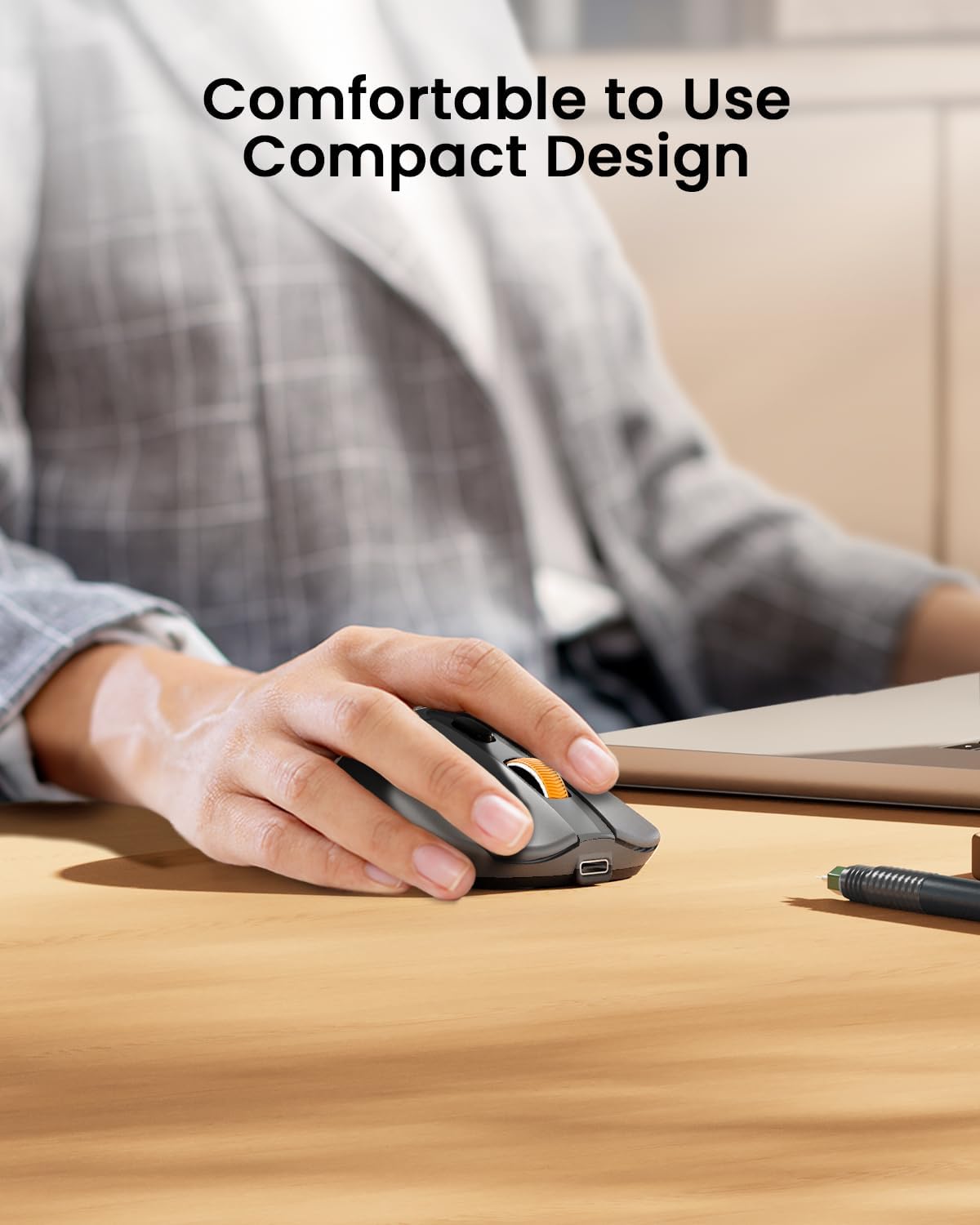
Figure 5: The ergonomic design of the mouse provides comfortable hand support.
5. Charging and Power Management (Maintenance)
The ProtoArc EM15 mouse is equipped with a built-in rechargeable Lithium-Ion battery.
5.1. مائوس کي چارج ڪرڻ
- Locate the Type-C charging port at the front of the mouse.
- Connect the included USB-C charging cable to the mouse and a power source (e.g., computer USB port, USB wall adapter).
- مڪمل چارج عام طور تي 1-2 ڪلاڪ لڳن ٿا.

Figure 6: Charging the EM15 mouse with the Type-C cable.
5.2. Battery Life and Energy Saving
Once fully charged, the mouse can be used for approximately 15 days. It features an energy-saving sleep mode, which it enters after a few minutes of inactivity, extending its standby time up to 200 days.
6. مسئلا حل ڪرڻ
If you encounter issues with your ProtoArc EM15 mouse, please refer to the following common solutions:
- مائوس جواب نه ڏئي رهيو آهي: Ensure the mouse is powered on and fully charged. Check the connection mode (Bluetooth, USB, Type-C) and ensure it matches your device's connection. For wireless connections, ensure the receiver is properly plugged in.
- بلوٽوٿ ڪنيڪشن جا مسئلا: Make sure your device's Bluetooth is enabled. Try unpairing and re-pairing the mouse in your device's Bluetooth settings. Ensure the mouse is in Bluetooth pairing mode (flashing indicator light).
- ڪرسر جي حرڪت جا مسئلا: Adjust the DPI settings using the DPI switch button. Ensure the mouse is used on a suitable surface.
- Forward/Backward Buttons Not Working on Mac OS: These buttons are not compatible with Mac OS systems.
- چارج ڪرڻ جا مسئلا: Verify the Type-C cable is securely connected to both the mouse and the power source. Try a different USB port or charging adapter.
7. وضاحتون
| خاصيت | تفصيل |
|---|---|
| ماڊل | ايم 15 |
| برانڊ | پروٽو آرڪ |
| رابطي ٽيڪنالاجي | 2.4G USB Wireless, Bluetooth, Type C Wireless |
| تحريڪ جي سڃاڻپ ٽيڪنالاجي | بصري |
| ڊي پي آئي جي سطح | 1000/1600/2400 |
| خاص خاصيتون | Ergonomic Design, Lightweight, Portable, Rechargeable, Soundless |
| بيٽري جو قسم | بلٽ ان ليٿيم آئن |
| چارجنگ پورٽ | ٽائپ-سي |
| شيءِ جو وزن | 7 اونس |
| پيڪيج جي ماپ | 7.24 x 5.31 x 2.83 انچ |
| مطابقت | Windows 7/8/10/XP, Vista, Mac OS X 10.10+, Type-C devices |
8. وارنٽي ۽ سپورٽ
For warranty information and customer support, please refer to the documentation included with your product or visit the official ProtoArc webسائيٽ. وارنٽي جي دعوي لاء توهان جي خريداري جي رسيد رکو.


