1. تعارف ۽ اوورview
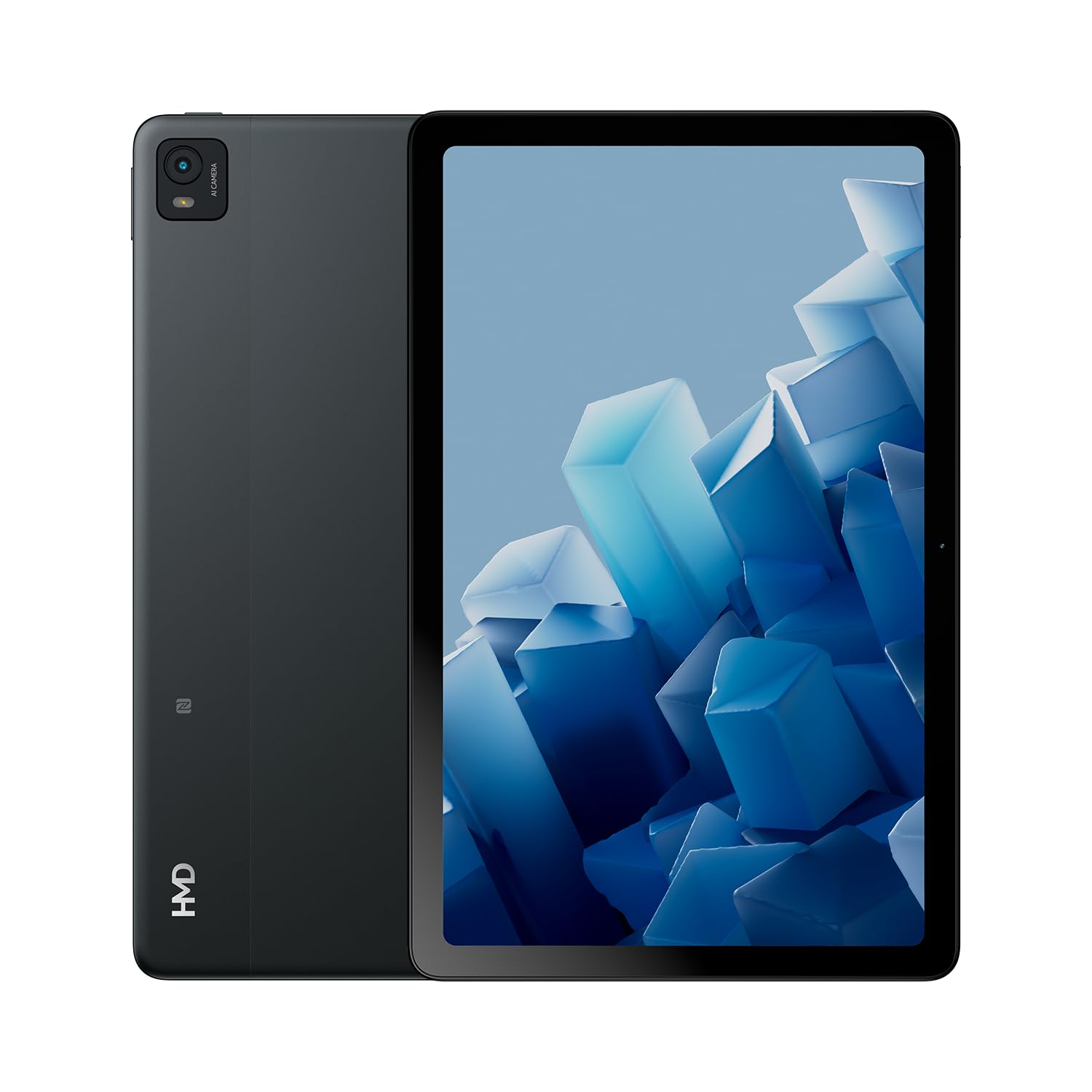
The HMD T21 tablet is designed for entertainment and productivity, featuring a clear 10.36-inch HD display and immersive audio. It supports an active pen for creative tasks and offers extended screen real estate for computer integration. Enjoy long-lasting battery performance with monthly security updates until summer 2027.
- Fortress of Security: Bank, surf, and shop online fearlessly with monthly security updates until the summer of 2027.
- عميق تفريح: Dive deep into entertainment on the clear 10.36-inch cover glass display with immersive audio.
- وڌايل بيٽري جي زندگي: Stay powered up with an 8200 mAh battery, offering up to 3 days of usage and 18W fast charge support with 800 full charging cycles.
- Creative and Productive: Unleash your creativity with active pen support and enhance productivity by using the tablet as additional screen real estate for your computer.
- Crystal Clear Audio-Visuals: Enjoy HD video for calls and streaming, complemented by stereo speakers with OZO playback.

2. دٻي ۾ ڇا آهي
Your HMD T21 package includes the following items:
- HMD T21 Tablet
- USB ڪيبل
- پاور اڊاپٽر
- سم پن
- استعمال ڪندڙ ھدايت
- تڪڙو شروع ھدايت
- حفاظت جو ڪتاب

3. سيٽ اپ
3.1 شروعاتي پاور آن
- Press and hold the Power button (located on the side) until the HMD logo appears on the screen.
- پنهنجي ٻولي چونڊڻ، وائي فائي نيٽ ورڪ سان ڳنڍڻ، ۽ پنهنجو گوگل اڪائونٽ سيٽ اپ ڪرڻ لاءِ اسڪرين تي ڏنل هدايتن تي عمل ڪريو.
3.2 ڊوائيس چارج ڪرڻ
Before first use, it is recommended to fully charge your HMD T21 tablet.
- Connect the USB cable to the tablet's USB-C port.
- USB ڪيبل جي ٻئي پڇاڙي کي پاور اڊاپٽر سان ڳنڍيو.
- پاور اڊاپٽر کي وال آئوٽليٽ ۾ لڳايو.
- The battery icon on the screen will indicate charging status. The tablet supports 18W fast charging.
3.3 Inserting a SIM Card (if applicable)
If your model supports cellular connectivity, follow these steps:
- ٽيبليٽ جي پاسي تي سم ڪارڊ ٽري ڳوليو.
- Insert the provided SIM pin into the small hole on the tray to eject it.
- پنهنجا نانو-سم ڪارڊ ۽/يا مائڪرو ايس ڊي ڪارڊ ٽري ۾ سون جي رابطن کي هيٺئين طرف رکي رکو.
- احتياط سان ٽري کي ٽيبليٽ ۾ ٻيهر داخل ڪريو.
4. آپريٽنگ هدايتون
4.1 ڊسپلي نيويگيشن
The HMD T21 features a 10.36-inch HD display. Navigate the interface using touch gestures:
- ٽيپ ڪريو: ڪا شيءِ چونڊيو يا ڪا ايپ کوليو.
- سوائپ اسڪرينن يا فهرستن ذريعي اسڪرول ڪريو.
- زوم ڪرڻ لاءِ پنچ: تصويرن کي زوم ان يا آئوٽ ڪريو ۽ web صفحا.
- ڊگهي پريس: لاڳاپيل مينيو تائين رسائي ڪريو يا ايپ آئڪن کي منتقل ڪريو.

4.2 ڪئميرا جو استعمال
The tablet is equipped with an 8MP rear camera and an 8MP front camera for photos and video calls.
- هوم اسڪرين تان ڪئميرا ايپ کوليو.
- تصوير ڪڍڻ لاءِ شٽر بٽڻ کي دٻايو.
- ڪئميرا ٽوگل آئڪن استعمال ڪندي اڳيان ۽ پوئين ڪئميرا جي وچ ۾ سوئچ ڪريو.
- وڊيوز رڪارڊ ڪرڻ لاءِ وڊيو موڊ چونڊيو.
4.3 آڊيو ۽ ڪنيڪٽوٽي
Enjoy clear audio through the stereo speakers with OZO playback. Connect to the internet via Wi-Fi (802.11a/b/g/n/ac) or cellular data (if supported by your model).
- وائي فائي: دستياب نيٽ ورڪن سان ڳنڍڻ لاءِ سيٽنگون > نيٽ ورڪ ۽ انٽرنيٽ > وائي فائي ڏانهن وڃو.
- بلوٽوٿ: بلوٽوٿ لوازمات سان جوڙڻ لاءِ سيٽنگون > ڳنڍيل ڊوائيسز > بلوٽوٿ ڏانهن وڃو.
- هيڊ فون جڪ Use the 3.5mm audio jack for wired headphones.
5. سار سنڀال
5.1 بيٽري جي سنڀال
بيٽري جي زندگي ۽ ڊگهي عمر کي وڌائڻ لاءِ:
- انتهائي گرمي پد کان بچاء.
- بهترين چارجنگ لاءِ مهيا ڪيل چارجر استعمال ڪريو.
- Periodically allow the battery to discharge below 20% before recharging.
5.2 سافٽ ويئر اپڊيٽ
HMD provides monthly security updates until summer 2027 to keep your device secure and up-to-date.
- دستياب اپڊيٽس کي جانچڻ ۽ انسٽال ڪرڻ لاءِ سيٽنگون > سسٽم > سسٽم اپڊيٽ ڏانهن وڃو.
5.3 توهان جي ڊوائيس کي صاف ڪرڻ
Use a soft, lint-free cloth to clean the screen and body of the tablet. Avoid harsh chemicals or abrasive materials.
6. مسئلا حل ڪرڻ
If you encounter issues with your HMD T21, try the following basic troubleshooting steps:
- ڊوائيس ٻيهر شروع ڪريو: پاور بٽڻ کي دٻايو ۽ رکو، پوء ٽيپ ڪريو ٻيهر شروع ڪريو.
- سافٽ ويئر اپڊيٽس لاءِ چيڪ ڪريو: پڪ ڪريو ته توهان جو ڊوائيس جديد سافٽ ويئر ورزن هلائي رهيو آهي.
- ايپ ڪيش صاف ڪريو: If an app is misbehaving, go to Settings > Apps > [App Name] > Storage & cache > Clear cache.
- Factory reset (last resort): If problems persist, you may need to perform a factory reset. Back up your data first. Go to Settings > System > Reset options > Erase all data (factory reset).
7. وضاحتون
| خاصيت | تفصيل |
|---|---|
| ماڊل نالو | T21 (TA-1597) |
| آپريٽنگ سسٽم | Android 13 |
| اسڪرين جي ماپ | 10.36 انچ |
| اسڪرين جي قرارداد | 2000x1200 پڪسلز |
| پروسيسر | 1.8 GHz Unisoc |
| ياداشت (رام) | 4 جي بي |
| رکڻ جي گنجائش | 64 جي بي (مائڪرو ايس ڊي ذريعي وڌائي سگهجي ٿو) |
| ريڙهه Webڪئميرا جي قرارداد | 8 ايم پي |
| سامهون ڪئميرا ريزوليوشن | 8 ايم پي |
| بيٽري جي زندگي (اوسط) | 24 Hours (up to 3 days with typical usage) |
| فاسٽ چارج سپورٽ | 18W |
| وائرليس جو قسم | 802.11a، 802.11ac، 802.11b، 802.11g، 802.11n |
| شيءِ جو وزن | 1.04 پائونڊ |
| پيداوار جي ماپ | 6.19 x 9.75 x 0.3 انچ |
| رنگ | ڪارو اسٽيل |

8. وارنٽي ۽ سپورٽ
Your HMD T21 tablet comes with a manufacturer's warranty. Please refer to the warranty card included in your package for specific terms and conditions.
For technical support, troubleshooting assistance, or warranty claims, please visit the official HMD support website or contact customer service through the details provided in your product documentation.


