1. تعارف
Thank you for choosing the AOC Gaming 25G4SRE monitor. This manual provides essential information for setting up, operating, and maintaining your monitor. Please read it carefully before using the product to ensure proper functionality and safety. The AOC 25G4SRE is designed for competitive gaming, offering an ultra-fast 300 Hz refresh rate (overclockable to 310 Hz), a 1 ms GtG response time, and a fast IPS panel for smooth, tear-free visuals. With 0.3 ms MPRT, low input lag, and HDR10 support, every image is sharp and responsive. It features an eSports base, FlickerFree technology, and an integrated USB hub for seamless connectivity.
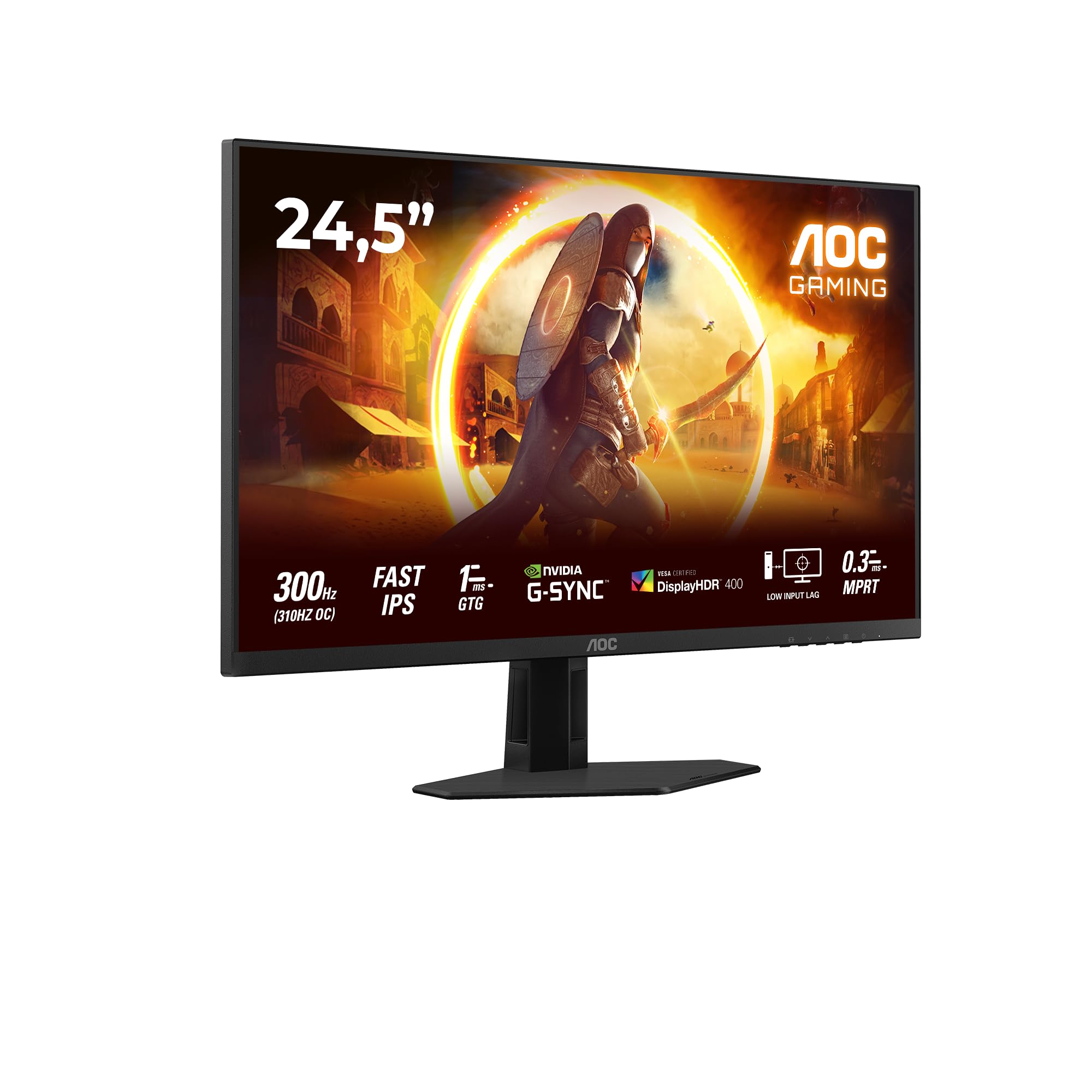
شڪل 1.1: سامهون view of the AOC Gaming 25G4SRE monitor.
2. حفاظت جي ڄاڻ
Please observe the following safety precautions to prevent damage to the monitor and ensure your personal safety:
- مانيٽر کي غير مستحڪم ڪارٽ، اسٽينڊ، يا ٽيبل تي نه رکو.
- وينٽيليشن جي افتتاح کي نه روڪيو.
- پاڻي جي ويجهو مانيٽر استعمال نه ڪريو.
- بجلي جي تار تي ڳري شيون نه رکو.
- صرف مانيٽر سان فراهم ڪيل پاور اڊاپٽر استعمال ڪريو.
- Unplug the monitor from the wall outlet if it will not be used for an extended period.
- سڀني خدمتن جو حوالو ڏيو قابل خدمت اهلڪارن ڏانهن.
3. پيڪيج مواد
Verify that all items are present in your package. If any items are missing or damaged, contact your dealer immediately.
- AOC Gaming 25G4SRE Monitor
- مانيٽر اسٽينڊ (بنياد ۽ گردن)
- پاور ڪيبل
- HDMI ڪيبل
- ڊسپلي پورٽ ڪيبل
- تڪڙو شروع ھدايت
4. سيٽ اپ
4.1 اسٽينڊ کي گڏ ڪرڻ
- ڇڪڻ کان بچڻ لاءِ مانيٽر جو منهن نرم، صاف مٿاڇري تي احتياط سان رکو.
- اسٽينڊ گردن کي مانيٽر پينل سان ڳنڍيو.
- Secure the stand base to the neck using the provided screws.
4.2 مانيٽر کي ڳنڍڻ
مناسب ڪيبل استعمال ڪندي مانيٽر کي پنهنجي ڪمپيوٽر ۽ پاور سورس سان ڳنڍيو.
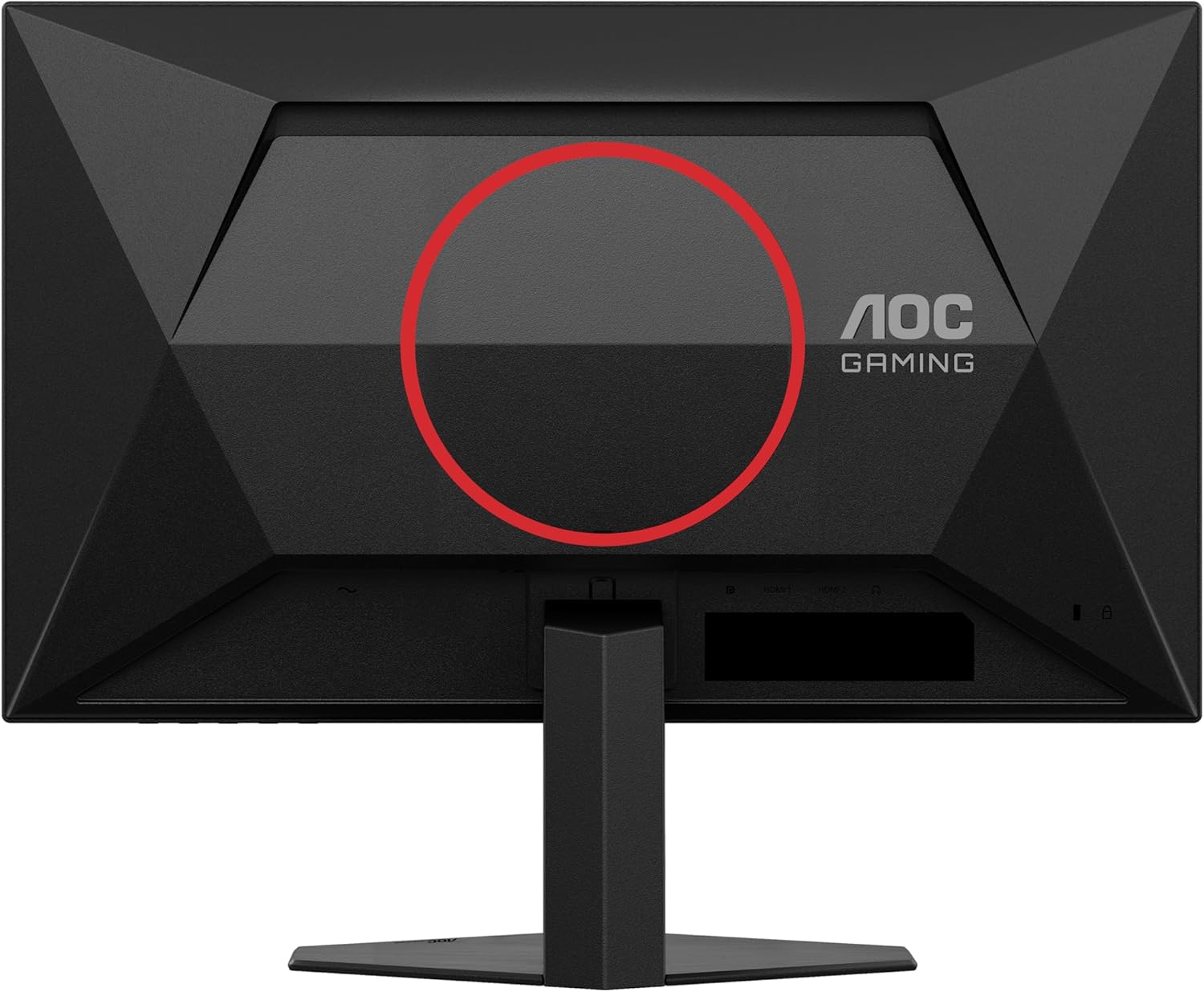
شڪل 4.1: پوئتي view of the monitor, showing the stand attachment area and port locations.

Figure 4.2: Diagram illustrating the HDMI, DisplayPort, and Headphone Out ports.
- پاور ڪنيڪشن: پاور ڪيبل کي مانيٽر جي پاور ان پٽ سان ۽ پوءِ وال آئوٽليٽ سان ڳنڍيو.
- وڊيو ڪنيڪشن:
- For optimal performance, use the DisplayPort cable to connect the monitor to your computer's graphics card.
- Alternatively, use an HDMI cable to connect to an HDMI port on your computer. The monitor supports 2 x HDMI 2.0 inputs.
- آڊيو ڪنيڪشن: Connect headphones or external speakers to the Headphone Out port if desired.
5. مانيٽر کي هلائڻ
5.1 پاور آن/آف
Press the power button located on the bottom right of the monitor to turn it on or off.
5.2 آن اسڪرين ڊسپلي (OSD) مينيو
Use the buttons on the bottom bezel of the monitor to navigate the OSD menu. The OSD allows you to adjust various settings such as brightness, contrast, color temperature, input source, and gaming features.

شڪل 5.1: مثالampمانيٽر سيٽنگز لاءِ آن-اسڪرين ڊسپلي (OSD) مينيو جو le.
5.3 اهم خاصيتون ۽ سيٽنگون
- High Refresh Rate (300Hz/310Hz OC): Experience ultra-smooth gameplay. Ensure your graphics card and connection cable (DisplayPort recommended) support this refresh rate. You can enable overclocking to 310Hz via the OSD menu.
- Fast IPS Panel: Enjoy wide viewing angles up to 178 degrees with consistent color and clarity from almost any perspective.
- NVIDIA G-Sync مطابقت رکندڙ: Synchronizes the monitor's refresh rate with your NVIDIA GPU to eliminate screen tearing and stuttering for a fluid gaming experience. Enable this feature in your graphics card control panel.
- VESA Certified DisplayHDR 400: Provides enhanced dynamic range for improved colors and contrast, delivering a more vivid visual experience. Activate HDR in your operating system display settings.
- گھٽ ان پٽ ليگ: Minimizes the delay between your input devices and the display, ensuring quick response times in fast-paced games.
- Rapid Response Time (1ms GtG / 0.3ms MPRT): Reduces motion blur and ghosting for crystal-clear images during fast-moving scenes.
- FlickerFree Technology: ڊگهي استعمال دوران اکين جي تڪليف کي گهٽائڻ لاءِ اسڪرين جي ٽمٽار کي گهٽائي ٿو.
- گھٽ بليو لائيٽ موڊ: Reduces harmful blue light emissions to decrease eye fatigue and improve viewing comfort. This can be enabled through the OSD menu.

Figure 5.2: Visual comparison demonstrating the fluidity of 300Hz refresh rate over 60Hz.

Figure 5.3: Illustration of wide viewing angles provided by the Fast IPS panel technology.

Figure 5.4: Visual representation of NVIDIA G-Sync compatibility for tear-free gaming.

Figure 5.5: Comparison showing the visual improvement with DisplayHDR 400 enabled.

Figure 5.6: Illustration demonstrating the benefit of low input lag for responsive gaming.

Figure 5.7: Visual comparison highlighting the difference between 0.3ms MPRT and 4ms response times.

Figure 5.8: Comparison showing the absence of flicker on a FlickerFree monitor versus a conventional one.
6. سار سنڀال
6.1 مانيٽر جي صفائي
- هميشه صاف ڪرڻ کان اڳ مانيٽر کي انپلگ ڪريو.
- استعمال ڪريو نرم، lint-آزاد ڪپڙو روشنيءَ سان ڊيampپاڻي يا نرم، غير رگڙيندڙ اسڪرين ڪلينر سان صاف ڪيو وڃي.
- Do not use alcohol, ammonia, or abrasive cleaners, as they may damage the screen or casing.
- ڇڪڻ کان بچڻ لاءِ اسڪرين کي نرميءَ سان صاف ڪريو.
6.2 عام سنڀال
- مانيٽر کي سڌي سج جي روشني يا انتهائي گرمي پد جي سامهون آڻڻ کان پاسو ڪريو.
- Keep the monitor away from sources of heat and moisture.
- مانيٽر يا ان جي ڪيبل تي ڳري شيون نه رکو.
7. مسئلا حل ڪرڻ
جيڪڏهن توهان کي پنهنجي مانيٽر سان مسئلا درپيش اچن ٿا، ته هيٺ ڏنل عام مسئلن ۽ حلن جو حوالو ڏيو:
| مسئلو | ممڪن حل |
|---|---|
| اسڪرين تي ڪوبه تصوير نه آهي | Ensure the power cable is securely connected. Check if the video cable (HDMI/DisplayPort) is properly connected to both the monitor and the computer. Select the correct input source via the OSD menu. |
| تصوير ڌنڌلي يا بگڙيل آهي. | Adjust the resolution and refresh rate settings on your computer to match the monitor's native resolution (1920x1080) and desired refresh rate. Check the video cable for damage. |
| اسڪرين چمڪندڙ | Ensure FlickerFree technology is enabled in the OSD. Check for loose cable connections. Update your graphics card drivers. |
| هيڊ فونز مان ڪوبه آواز ناهي | Ensure headphones are fully plugged into the Headphone Out port. Check audio output settings on your computer. Adjust volume levels on both the monitor and computer. |
| G-Sync not working | Ensure you are using a DisplayPort cable. Verify G-Sync is enabled in the NVIDIA Control Panel. Update graphics card drivers. |
8. وضاحتون
Detailed technical specifications for the AOC Gaming 25G4SRE monitor:
| خاصيت | تفصيل |
|---|---|
| برانڊ | AOC |
| ماڊل نمبر | 25G4SRE |
| اسڪرين جي ماپ | 25 انچ (62.2 سينٽي) |
| قرارداد | ايف ايڇ ڊي 1080 پي (1920 x 1080) |
| اسپيڪٽ ريشو | 16:9 |
| ريفريش جي شرح | 300 Hz (310 Hz Overclock) |
| جوابي وقت | 1 ms GtG, 0.3 ms MPRT |
| پينل جو قسم | تيز رفتار IPS |
| HDR سپورٽ | ويزا تصديق ٿيل ڊسپلي ايDR ڊي آر 400 |
| موافقت واري هم وقت سازي | NVIDIA G-Sync مطابقت رکندڙ |
| رابطي | 2 x HDMI 2.0, 1 x DisplayPort 1.4, Headphone Out |
| خاص خاصيتون | Frameless, FlickerFree, Low Blue Light, Low Input Lag |
| پيداوار جي ماپ | 19.4D x 56W x 43.8H سينٽي ميٽر |
| ٺاهيندڙ | AOC انٽرنيشنل |
| اصل جو ملڪ | چين |
For more detailed product information, please refer to the official product information sheet:

Figure 8.1: Product Information Sheet (English) for AOC 25G4SRE.
You can also find the EPREL registration details هتي.
9. وارنٽي ۽ سپورٽ
AOC International provides comprehensive support for your monitor.
9.1 وارنٽي ڄاڻ
- Minimum Guarantee Offered by Supplier: 3 سال
- اسپيئر پارٽس جي گھٽ ۾ گھٽ ضمانت واري دستيابي: 7 سال
- گھٽ ۾ گھٽ گارنٽي ٿيل پراڊڪٽ سپورٽ: 8 سال
مھرباني ڪري وارنٽي دعوائن لاءِ خريد ڪرڻ جو پنھنجو ثبوت رکو.
9.2 ڪسٽمر سپورٽ
For technical assistance, warranty inquiries, or other support needs, please contact AOC Customer Service:
- Webسائيٽ: https://eu.aoc.com
- اي ميل: kevin.yang@tpv-tech.com
- فون: +31 (0) 20 504 6962


