1. تعارف
Thank you for choosing the ZEALOT ZE21 Portable Bluetooth Speaker. This manual provides essential information for setting up, operating, and maintaining your speaker. Please read it thoroughly before use to ensure optimal performance and longevity of your device.

شڪل 1.1: سامهون view of the ZEALOT ZE21 Portable Bluetooth Speaker.
2. پيڪيج مواد
پڪ ڪريو ته سڀئي شيون پيڪيج ۾ موجود آهن:
- 1 x ZEALOT ZE21 Bluetooth Speaker
- 1 x تڪڙو شروع ھدايت
- 1 x Charging Cable (Charger not Included)
- 1 x ڪلهي وارو پٽي

Figure 2.1: ZEALOT ZE21 speaker and its included accessories.
3. سيٽ اپ
3.1 اسپيڪر کي چارج ڪرڻ
Before first use, fully charge the speaker. The ZEALOT ZE21 features a 48000mAh battery and supports 45W USB-C PD fast charging. A full charge typically takes approximately 2.5 hours with a compatible 45W PD charger (not included).
- Connect the provided USB-C charging cable to the speaker's IN-5V USB-C port.
- Connect the other end of the cable to a 45W Power Delivery (PD) compatible USB-C charger.
- The charging indicator lights will illuminate. Once fully charged, the indicators will change or turn off depending on the model.
3.2 شروعاتي پاور آن
پاور بٽڻ کي دٻايو ۽ رکو (U) on the control panel for a few seconds until the speaker powers on.
3.3 بلوٽوٽ جوڙي
اسپيڪر خودڪار طريقي سان بلوٽوٿ پيئرنگ موڊ ۾ داخل ٿيندو جڏهن پهريون ڀيرو پاور آن ڪيو ويندو يا جيڪڏهن ڪو به ڊوائيس ڳنڍيل نه هوندو.
- پڪ ڪريو ته توهان جي ڊوائيس جو بلوٽوٿ فعال آهي.
- ڳولھيو "ZEALOT-ZE21" in your device's Bluetooth list.
- Select "ZEALOT-ZE21" to connect. A confirmation sound will indicate successful pairing.
3.4 جسماني جڳهه
The ZEALOT ZE21 is designed for portability and can be placed on various surfaces. It also features a tripod support design for elevated sound projection.
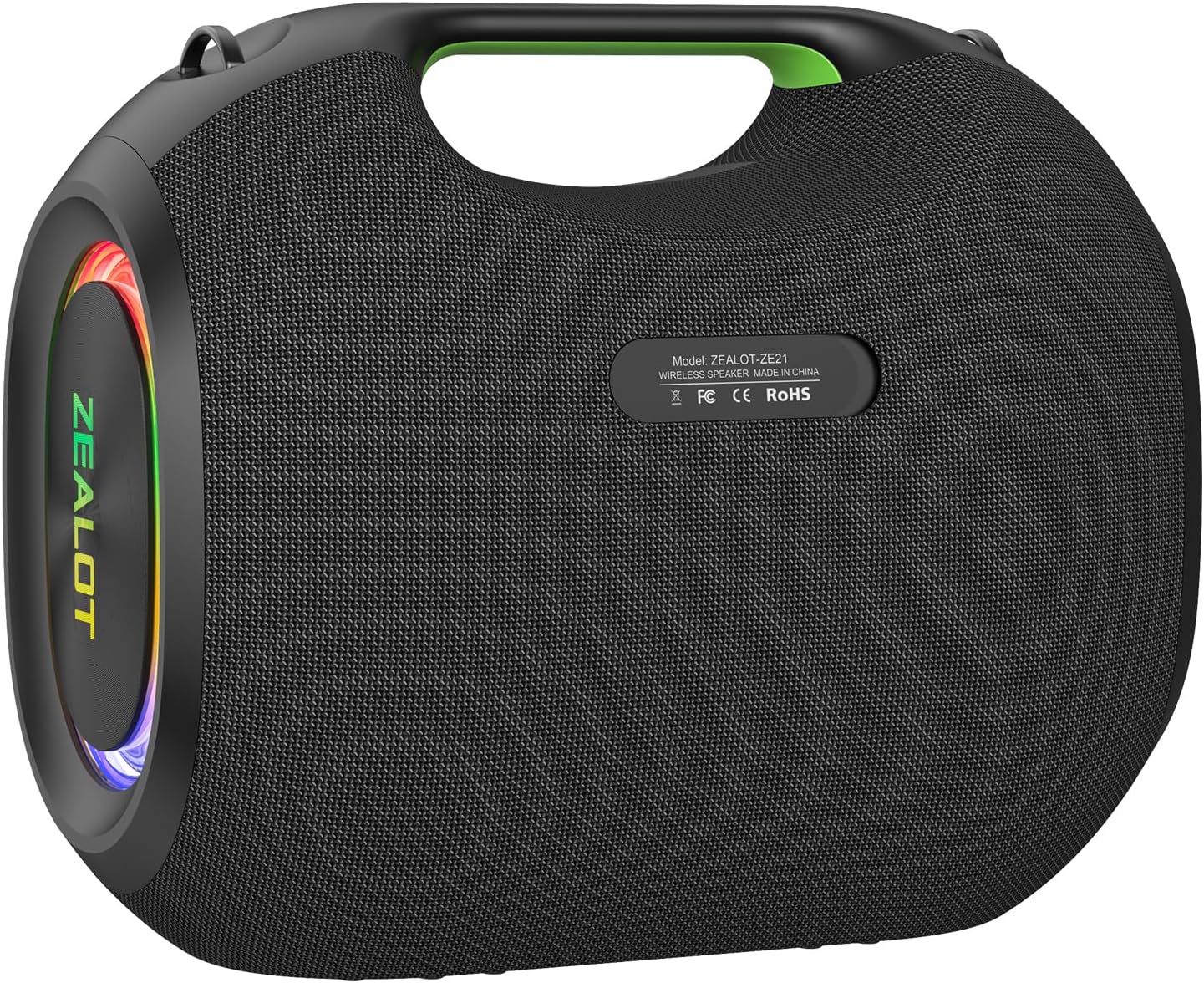
شڪل 3.1: پوئتي view showing connectivity ports (USB, AUX, TF, USB-C IN/OUT).
4. آپريٽنگ هدايتون
4.1 ڪنٽرول پينل ختمview
The control panel is located on the top of the speaker. It includes buttons for power, mode selection, volume, EQ, and lighting.

Figure 4.1: Control panel, connectivity ports, and anti-slip base.
4.2 بنيادي ڪم
- پاور آن / آف: کي دٻايو ۽ رکو U بٽڻ
- حجم ڪنٽرول: دٻايو + حجم وڌائڻ لاءِ، - حجم گھٽائڻ لاء.
- راند/روڪ: کي دٻايو راند/روڪ button (triangle symbol).
- اڳيون ٽريڪ: کي دٻايو ۽ رکو + بٽڻ
- پويون ٽريڪ: کي دٻايو ۽ رکو - بٽڻ
- موڊ سوئچ: کي دٻايو M button to cycle through Bluetooth, USB, TF Card, and AUX modes.
4.3 EQ موڊس
The ZEALOT ZE21 offers three professional EQ modes to optimize your audio experience. Press the EQ انهن مان چڪر لڳائڻ لاءِ بٽڻ:
- پرش ترقيء: Enhances low frequencies for electronic music and hip-hop.
- VOCAL CLARITY: Optimizes mid-range frequencies for podcasts, audiobooks, or clear vocals.
- معياري: هڪ متوازن آواز پرو مهيا ڪري ٿوfile for general listening.

Figure 4.2: Visual representation of the three EQ modes.
4.4 Versatile Connectivity
In addition to Bluetooth 5.3, the speaker supports multiple playback options:
- USB پلے بیک: MP3 سان USB ڊرائيو داخل ڪريو files USB پورٽ ۾.
- ٽي ايف ڪارڊ (مائڪرو ايس ڊي) پلے بیک: آڊيو سان گڏ هڪ TF ڪارڊ داخل ڪريو files into the TF slot.
- AUX 3.5mm Input: Connect an external audio device using a 3.5mm audio cable to the AUX port.
4.5 Multi-Device Pairing (TWS Function)
Connect two ZEALOT ZE21 speakers wirelessly for true stereo sound or a massive mono party mode.
- پڪ ڪريو ته ٻئي اسپيڪر آن آهن ۽ ڪنهن به بلوٽوٿ ڊوائيس سان ڳنڍيل نه آهن.
- On one speaker (this will be the primary speaker), press the ڳنڍ button (infinity symbol).
- The primary speaker will search for the secondary speaker. Once connected, a confirmation sound will play.
- Connect your device to the primary speaker via Bluetooth. Audio will now play through both speakers.

Figure 4.3: Two ZEALOT ZE21 speakers connected via TWS for enhanced audio.
4.6 آر بي جي روشني اثرات
The speaker features customizable RGB lighting. Press the روشني button (sunburst symbol) to cycle through different colors and modes:
- 7 Colors & 3 Modes: Beat Sync, Breathing, Chasing.
- Press and hold the Light button to turn the lighting off.

Figure 4.4: Various RGB lighting modes available on the speaker.
5. سار سنڀال
5.1 صفائي
صاف ڪريو اسپيڪر کي نرميءَ سان ، ڊيamp cloth. Do not use abrasive cleaners or solvents. Ensure all ports are dry before charging or connecting other devices.
5.2 Waterproofing (IPX6)
The ZEALOT ZE21 is IPX6 rated, meaning it can withstand powerful water jets. It is resistant to splashes and rain but should not be submerged in water.

Figure 5.1: The speaker's IPX6 rating makes it suitable for outdoor use near water.
5.3 اسٽوريج
Store the speaker in a cool, dry place away from direct sunlight and extreme temperatures. If storing for an extended period, charge the battery to approximately 50% every three months to preserve battery life.
6. مسئلا حل ڪرڻ
| مسئلو | ممڪن سبب | حل |
|---|---|---|
| اسپيڪر پاور آن نٿو ٿئي. | گھٽ بيٽري. | Charge the speaker using the provided USB-C cable and a 45W PD charger. |
| بلوٽوٿ ذريعي جوڙي نه ٿو سگهجي. | Bluetooth not enabled on device; speaker already connected to another device; speaker too far from device. | Ensure Bluetooth is on. Disconnect from other devices. Move device closer to speaker (within 10 meters). |
| ڪابه آواز يا گهٽ آواز ناهي. | Volume too low on speaker or connected device; incorrect input mode. | Increase volume on both speaker and device. Press 'M' to select the correct input mode. |
| Sound quality is poor (e.g., muffled, lacking treble). | EQ mode not suitable for content; audio source quality. | Cycle through EQ modes (Bass Boost, Vocal Clarity, Standard) to find the best fit. Ensure audio source is high quality. |
| TWS جوڙڻ ناڪام ٿيو. | اسپيڪر اڳ ۾ ئي ٻين ڊوائيسز سان ڳنڍيل آهن؛ اسپيڪر تمام گهڻو پري آهن. | پڪ ڪريو ته ٻئي اسپيڪر ٻين بلوٽوٿ ڊوائيسز کان ڌار ٿيل آهن. TWS پيئرنگ دوران اسپيڪر کي هڪ ٻئي جي ويجهو رکو. |
7. وضاحتون
- ماڊل نالو: زيلوٽ-زي 21
- اسپيڪر وڌ ۾ وڌ آئوٽ پاور پاور: 250 واٽ
- رابطي ٽيڪنالاجي: Bluetooth 5.3, USB, TF Card, AUX 3.5mm
- بيٽري جي گنجائش: 48000 mAh
- چارج ڪرڻ وقت: Approximately 2.5 Hours (with 45W PD charger)
- پنروڪ درجه بندي: IPX6
- پيداوار جي ماپ: 16"D x 14"W x 10"H (42.4cm x 36.3cm x 26.2cm)
- شيء جو وزن: 23.6 پائونڊ
- آڊيو ڊرائيور جو قسم: ٽي-Amplified design (130W bass driver, dual 40W mid-range, dual 20W tweeters)
- تعدد جواب: 20 KHz تائين
- ڪنٽرول جو طريقو: ڇڪڻ
- طاقت جو ذريعو: بيٽري سان هلندڙ

Figure 7.1: Physical dimensions of the ZEALOT ZE21 speaker.

Figure 7.2: Internal speaker configuration highlighting the woofer, midrange, and tweeters.
8. پراڊڪٽ ختمview وڊيو
وڊيو 8.1: هڪ سرڪاري اوورview of the ZEALOT ZE21 250W Powerful Bluetooth Speaker, showcasing its features and capabilities.
9. وارنٽي ۽ سپورٽ
9.1 محدود وارنٽي
The ZEALOT ZE21 speaker comes with a limited warranty. Please refer to the warranty card included in your package or contact ZEALOT customer service for detailed terms and conditions.
9.2 ڪسٽمر سپورٽ
For any questions, technical assistance, or warranty claims, please contact ZEALOT customer support through their official webسائيٽ يا توهان جي پراڊڪٽ دستاويزن ۾ ڏنل رابطي جي معلومات.


