1. تعارف
Welcome to the GOBOULT Pyro Smartwatch user manual. This guide provides essential information for setting up, operating, and maintaining your new smartwatch. The GOBOULT Pyro combines advanced technology with a sleek design, offering features such as a vibrant AMOLED display, Bluetooth calling, comprehensive health monitoring, and various sports modes.
Please read this manual thoroughly to ensure proper use and to maximize your experience with the device.

Image 1.1: The GOBOULT Pyro Smartwatch in Charcoal Black. This image displays the watch face and strap, highlighting its overall design.
2. اهم خاصيتون
The GOBOULT Pyro Smartwatch is equipped with a range of features designed to enhance your daily life and fitness routine:
- 1.43 انچ AMOLED ڊسپلي: Enjoy an ultra-clear and vibrant display with 600 nits brightness and Always-On Display functionality.
- Rotating Dial Navigation: Effortlessly browse menus and switch between applications.
- بلوٽوٿ ڪالنگ 5.3: Make and receive calls directly from your wrist with enhanced audio quality.
- IP68 Water & Dust Resistance: Designed to withstand dust, sweat, and water immersion.
- 150+ Cloud-Based Watch Faces: Personalize your smartwatch to match your style.
- 120+ راندين جا طريقا: Track various fitness activities with real-time insights.
- اي آءِ وائيس اسسٽنٽ: Control tasks hands-free using voice commands.
- صحت جي نگراني: Includes SpO2, heart rate, blood pressure, stress, sleep, and menstrual cycle tracking.
- Smart Productivity Features: Remote camera control, flashlight, world clock, weather updates, and 'Find My Phone' functionality.

تصوير 2.1: هڪ اوورview شوڪasing key features of the GOBOULT Pyro Smartwatch, including the working dial, Always-On Display, 600 nits brightness, 120+ sports modes, Bluetooth calling, health monitoring, and IP68 water resistance.
3. سيٽ اپ
3.1. انباڪسنگ ۽ ابتدائي معائنو
پيڪيج کولڻ وقت، پڪ ڪريو ته سڀئي اجزا موجود آهن ۽ انهن کي ڪو نقصان نه پهتو آهي. دٻي ۾ هجڻ گهرجي:
- GOBOULT Pyro Smartwatch
- چارج ڪيبل
- استعمال ڪندڙ جو دستياب (ھي دستاويز)
- وارنٽي ڪارڊ
3.2. اسمارٽ واچ کي چارج ڪرڻ
Before first use, fully charge your GOBOULT Pyro Smartwatch. Connect the provided charging cable to the charging port on the back of the smartwatch and to a standard USB power adapter (not included). A full charge typically takes approximately 150 minutes.
نوٽ: Use a compatible charger to avoid damage. The smartwatch requires 1 AAA battery (included) for internal functions, but the main power is supplied via the charging cable.
3.3. توهان جي اسمارٽ فون سان جوڙڻ
To unlock the full functionality of your smartwatch, pair it with your smartphone via Bluetooth:
- Download the official GOBOULT companion app from your smartphone's app store (available for Android and iOS).
- پڪ ڪريو ته توهان جي اسمارٽ فون تي بلوٽوت فعال آهي.
- GOBOULT ايپ کوليو ۽ نئين ڊوائيس شامل ڪرڻ لاءِ اسڪرين تي ڏنل هدايتن تي عمل ڪريو.
- Select 'GOBOULT Pyro' from the list of available devices.
- پنهنجي اسمارٽ فون ۽ اسمارٽ واچ ٻنهي تي جوڙي جي درخواست جي تصديق ڪريو.
Once paired, the smartwatch will synchronize data and notifications with your phone.
4. آپريشن
4.1. ڊسپلي ۽ نيويگيشن
The GOBOULT Pyro features a 1.43-inch AMOLED display with 600 nits brightness, ensuring clear visibility even in bright sunlight. The Always-On Display (AOD) feature allows you to see essential information without fully activating the screen.

Image 4.1: The 1.43-inch AMOLED display of the GOBOULT Pyro Smartwatch, showcasing its vibrant colors and clarity, along with the Always-On Display feature and 600 nits brightness.
Navigate through menus and apps using the touchscreen and the intuitive rotating dial. Rotate the dial to scroll through lists or zoom, and press it to select items or return to the home screen.

Image 4.2: Close-up of the GOBOULT Pyro Smartwatch demonstrating the rotating action bezel for navigation through menus and options.
4.2. واچ فيس کي ترتيب ڏيڻ
Personalize your smartwatch with over 150 cloud-based watch faces. You can change watch faces directly from the smartwatch settings or through the companion app. The app also allows for custom watch face options.

Image 4.3: A visual representation of the 150+ cloud-based watch faces available for the GOBOULT Pyro Smartwatch, including options for custom watch faces.
4.3. بلوٽوٿ ڪالنگ
With Bluetooth 5.3, you can make and receive calls directly from your smartwatch. The device features a dedicated microphone and speaker for clear, hands-free communication. Ensure your smartwatch is connected to your phone via Bluetooth for this feature to work.

Image 4.4: The GOBOULT Pyro Smartwatch displaying an incoming call, illustrating the Bluetooth calling feature with its dedicated microphone and speaker.
4.4. راندين جا طريقا ۽ سرگرمي ٽريڪنگ
The smartwatch supports over 120 sports modes, allowing you to track a wide range of physical activities. Select your desired sport from the menu to monitor real-time data such as duration, calories burned, and heart rate.

Image 4.5: The GOBOULT Pyro Smartwatch displaying a running activity summary, highlighting the availability of 120+ sports modes for tracking various physical activities.
4.5. صحت جي نگراني
The GOBOULT Pyro provides 24/7 health monitoring capabilities:
- دل جي شرح مانيٽر: Tracks your heart rate continuously.
- SpO2 مانيٽرنگ: توهان جي رت جي آڪسيجن جي سطح کي ماپي ٿو.
- بلڊ پريشر مانيٽرنگ: توهان جي رت جي دٻاءُ جو اندازو مهيا ڪري ٿو.
- Sleep & Stress Monitoring: Analyzes sleep patterns and stress levels.
- عورتن جي حيض جي چڪر جي ٽريڪنگ: حيض جي چڪر کي ٽريڪ ڪرڻ ۽ اڳڪٿي ڪرڻ ۾ مدد ڪري ٿي.
For accurate readings, ensure the smartwatch is worn snugly on your wrist. Consult a medical professional for any health concerns; the smartwatch is not a medical device.

تصوير 4.6: پوئين پاسي view of the GOBOULT Pyro Smartwatch, showing the optical PPG tech sensors used for health monitoring features like heart rate, SpO2, and blood pressure tracking.
4.6. AI Voice Assistant and Smart Features
Access your AI voice assistant (Siri or Google Assistant) for hands-free commands. The smartwatch also offers additional smart features:
- SMS & Push Notifications: Receive alerts for messages and app notifications.
- ريموٽ ڪئميرا ڪنٽرول: پنهنجي فون جي ڪئميرا لاءِ پنهنجي واچ کي ريموٽ شٽر طور استعمال ڪريو.
- ٽارچ: Activate a simple flashlight function.
- عالمي ڪلاڪ: View مختلف وقت جي علائقن ۾.
- موسم جي تفصيل: موجوده موسم جي تازه ڪاريون حاصل ڪريو.
- منهنجو فون ڳولهيو: پنھنجو جوڙيل اسمارٽ فون ڳولھيو.
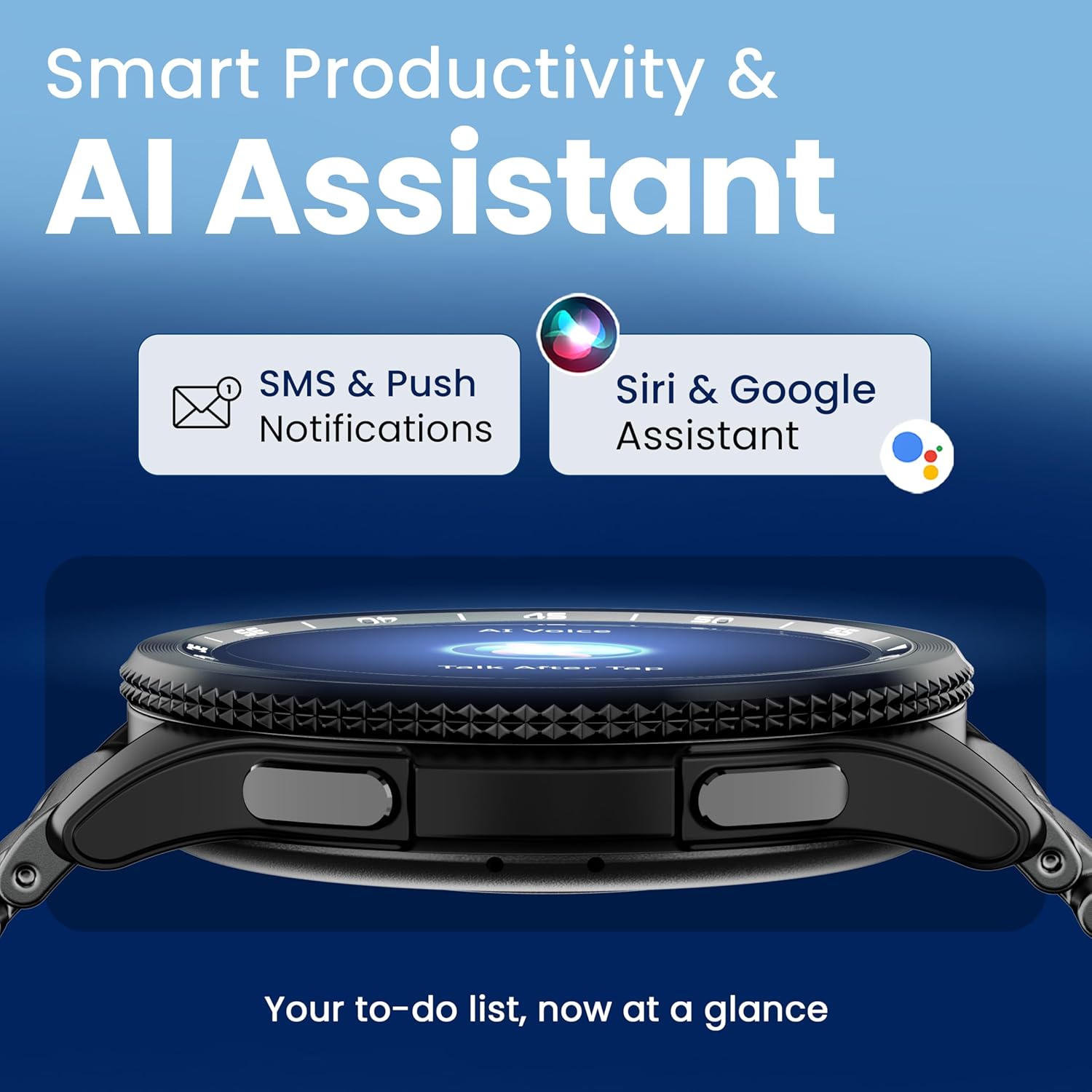
Image 4.7: The GOBOULT Pyro Smartwatch displaying the AI Voice Assistant interface, alongside icons for SMS and push notifications, indicating smart productivity features.

Image 4.8: The GOBOULT Pyro Smartwatch displaying the 'Find Phone' feature, with additional icons for remote camera control, flashlight, world clock, and weather details.
5. سار سنڀال
5.1. پاڻي ۽ مٽيءَ جي مزاحمت (IP68)
The GOBOULT Pyro Smartwatch is IP68 rated, meaning it is resistant to dust and can withstand immersion in water up to 1.5 meters for 30 minutes. This makes it suitable for daily wear, including during workouts and in rainy conditions. However, it is not recommended for diving, high-pressure water activities, or prolonged submersion.
اهم: Water resistance is not a permanent condition and may decrease over time with normal wear. Avoid exposing the watch to hot water, steam, or detergents, as these can compromise the seals.
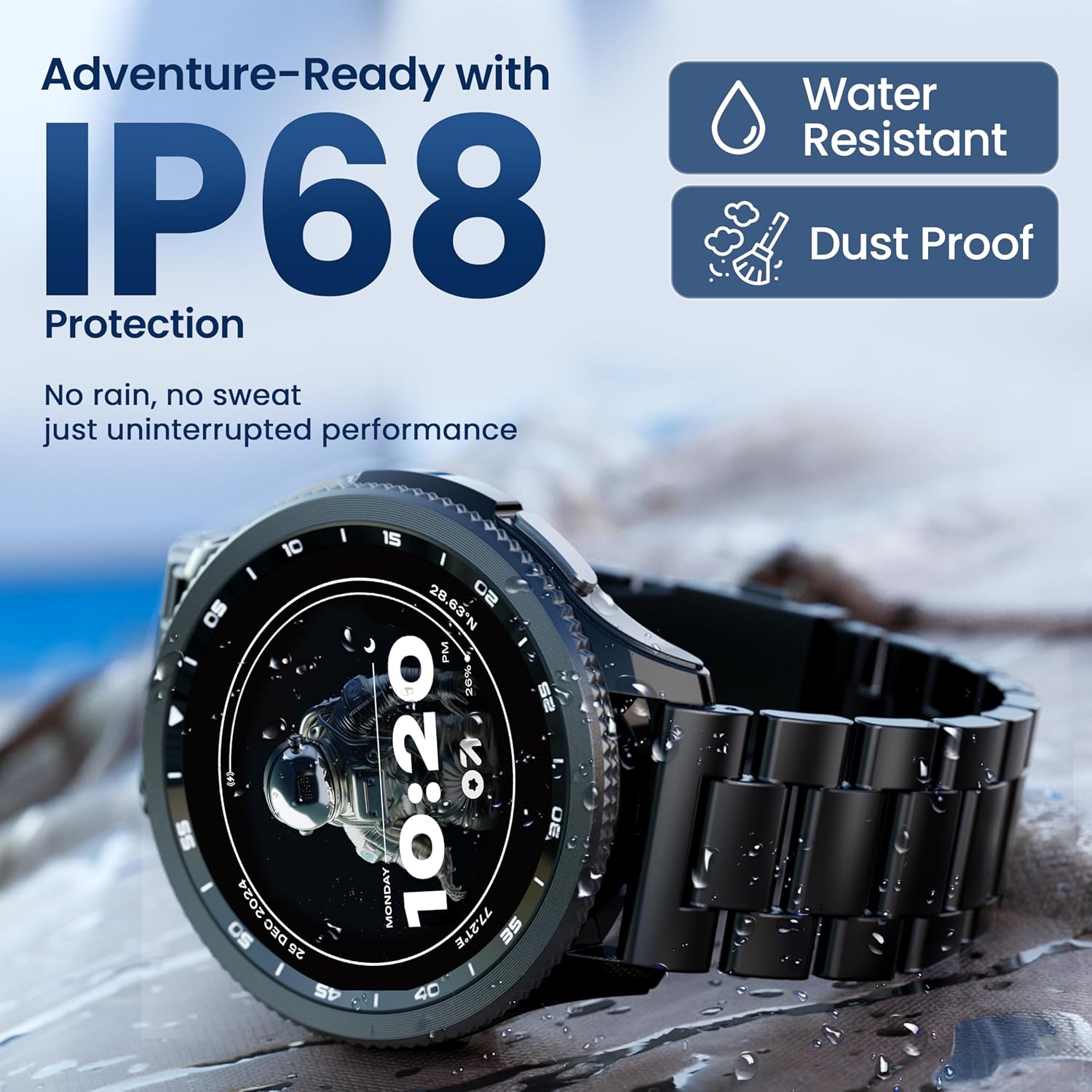
Image 5.1: The GOBOULT Pyro Smartwatch shown with water droplets, illustrating its IP68 water and dust resistance for uninterrupted performance in various conditions.
5.2. پنهنجي اسمارٽ واچ کي صاف ڪرڻ
To keep your smartwatch clean and functioning optimally:
- اسڪرين ۽ جسم کي نرم، لِنٽ فري ڪپڙي سان صاف ڪريو.
- جيڪڏهن ضروري هجي ته، ڊيampڪپڙي کي پاڻيءَ سان ٿورو ڇڪيو. سخت ڪيميڪل يا رگڙيندڙ مواد استعمال ڪرڻ کان پاسو ڪريو.
- موثر چارجنگ کي يقيني بڻائڻ لاءِ چارجنگ رابطن کي باقاعدي صاف ڪريو.
- If the strap is removable, clean it separately according to its material type.
5.3. بيٽري جي سنڀال
بيٽري جي زندگي کي وڌائڻ لاء:
- انتهائي گرمي پد کان بچاء.
- بار بار چارج ٿيڻ کان اڳ بيٽري کي مڪمل طور تي ختم نه ٿيڻ ڏيو.
- If storing the watch for an extended period, charge it to about 50% and power it off.
6. مسئلا حل ڪرڻ
If you encounter issues with your GOBOULT Pyro Smartwatch, refer to the following common solutions:
| مسئلو | ممڪن حل |
|---|---|
| سمارٽ واچ آن نه ٿي رهي آهي | پڪ ڪريو ته گھڙي مڪمل طور تي چارج ٿيل آهي. ان کي گهٽ ۾ گهٽ 30 منٽن لاءِ چارجر سان ڳنڍيو. |
| اسمارٽ فون سان جوڙڻ ۾ ناڪام | Check if Bluetooth is enabled on your phone. Ensure the smartwatch is in pairing mode. Restart both devices and try again. Make sure the companion app is installed and updated. |
| غلط صحت جي پڙهائي | Ensure the watch is worn snugly on your wrist, not too tight or too loose. Clean the sensors on the back of the watch. Avoid excessive movement during readings. |
| نوٽيفڪيشن ظاهر نه ٿي رهيا آهن | Verify that notification permissions are granted to the GOBOULT app on your smartphone. Check the app's settings to ensure notifications are enabled for desired applications. Ensure Bluetooth connection is stable. |
| بيٽري جلدي ختم ٿي ويندي آهي | Reduce screen brightness. Disable Always-On Display if not needed. Limit background app refresh. Ensure no apps are constantly running in the background. Frequent Bluetooth calling can also consume more power. |
| Charging issues (e.g., not connecting to charger) | Ensure the charging cable is correctly aligned with the magnetic contacts on the watch. Clean the charging contacts on both the cable and the watch. Try a different USB power source. |
| Rotating dial not working | Check for any physical obstruction or debris around the dial. Gently clean the area. If the issue persists, a software glitch might be present; try restarting the watch. |
7. وضاحتون
Below are the technical specifications for the GOBOULT Pyro Smartwatch:
| خاصيت | تفصيل |
|---|---|
| برانڊ | گوبولٽ |
| ماڊل سيريز | پيرو |
| ڊسپلي سائيز | 1.43 انچ |
| ڊسپلي جو قسم | AMOLED |
| روشني | 600 نٽس |
| رابطي | بلوٽوٿ 5.3 |
| آپريٽنگ سسٽم مطابقت | Android، iOS |
| پاڻي جي مزاحمت | IP68 |
| بيٽري جي گنجائش | 300 مليamp ڪلاڪ |
| سراسري بيٽري جي زندگي | 7 ڏينهن تائين |
| بيٽري چارج وقت | لڳ ڀڳ 150 منٽ |
| شيءِ جو وزن | 68 جي |
| شامل اجزاء | اسمارٽ واچ، چارجنگ ڪيبل، يوزر مينوئل، وارنٽي ڪارڊ |
8. وارنٽي ۽ سپورٽ
8.1. وارنٽي ڄاڻ
Your GOBOULT Pyro Smartwatch comes with a manufacturer's warranty. Please refer to the included Warranty Card for detailed information regarding warranty terms, conditions, and duration. Keep your proof of purchase for warranty claims.
8.2. ڪسٽمر سپورٽ
For technical assistance, troubleshooting beyond this manual, or warranty service, please contact GOBOULT customer support. Contact details can typically be found on the Warranty Card or the official GOBOULT website. When contacting support, please have your product model (Pyro) and purchase details ready.