1. تعارف
Thank you for choosing the MCHOSE Mix 87 Magnetic Switch Gaming Keyboard. This manual provides detailed instructions for setting up, operating, and maintaining your keyboard to ensure optimal performance. The Mix 87 is designed for competitive gaming, featuring Hall Effect magnetic switches with rapid trigger technology and adjustable actuation.
2. پيڪيج مواد
مھرباني ڪري تصديق ڪريو ته سڀ شيون توھان جي پيڪيج ۾ موجود آھن:
- MCHOSE Mix 87 Gaming Keyboard
- USB-سي ڪيبل
- ڪيپ ڪيپيندڙ
- اضافي سوئچ (2 ٽڪرا)
- استعمال ڪندڙ جو دستياب (ھي دستاويز)
3. پراڊڪٽ ختمview
The MCHOSE Mix 87 is a Tenkeyless (TKL) keyboard featuring 87 keys, Hall Effect magnetic switches, and a dedicated volume knob. Its design prioritizes speed, precision, and customization for an enhanced gaming experience.

تصوير 3.1: مٿو view of the MCHOSE Mix 87 Gaming Keyboard, showcasing its 87-key layout, dedicated function keys, and volume knob. The keyboard features RGB backlighting visible through the translucent keycaps.
اهم خاصيتون:
- هال اثر مقناطيسي سوئچ: Offers adjustable actuation points from 0.01mm to 3.4mm.
- Rapid Trigger (RT) Mode: Allows keys to react instantly upon release, enhancing responsiveness.
- 8000 هرٽز پولنگ ريٽ: Minimizes input latency for competitive gaming.
- آر جي بي بيڪ لائيٽنگ: Customizable 16 million color options with various effects.
- Dedicated Volume Knob: For convenient audio control.
- گيسڪٽ جبل جي جوڙجڪ: Provides a comfortable typing feel and acoustic profile.

تصوير 3.2: Close-up of the MCHOSE Mix 87 keyboard highlighting its magnetic switch technology. The image emphasizes the 0.001mm precision and 0.08ms event-level delay, crucial for high-performance gaming.
4. سيٽ اپ
4.1 ڪي بورڊ کي ڳنڍڻ
- Locate the USB-C port on the back of your MCHOSE Mix 87 keyboard.
- Connect one end of the provided USB-C cable to the keyboard.
- USB-C ڪيبل جي ٻئي ڇيڙي کي پنهنجي ڪمپيوٽر تي موجود USB پورٽ سان ڳنڍيو.
- ڪيبورڊ خودڪار طريقي سان توهان جي آپريٽنگ سسٽم طرفان سڃاڻي ويندو.
4.2 سسٽم مطابقت
The MCHOSE Mix 87 keyboard is compatible with the following operating systems:
- ونڊوز
- macOS
- iOS
- Android
5. آپريٽنگ هدايتون
5.1 بنيادي اهم ڪم
The MCHOSE Mix 87 features a standard 87-key TKL layout. All keys function as labeled. Use the Fn key in combination with other keys for secondary functions, typically indicated by icons or alternative labels on the keycaps.
5.2 Volume Knob Operation
The dedicated knob located in the upper right corner of the keyboard controls audio output.
- Rotate Left: حجم گھٽايو.
- ساڄي طرف گھمڻ: حجم وڌايو.
- ھيٺ دٻايو: آڊيو کي خاموش/غير خاموش ڪريو.
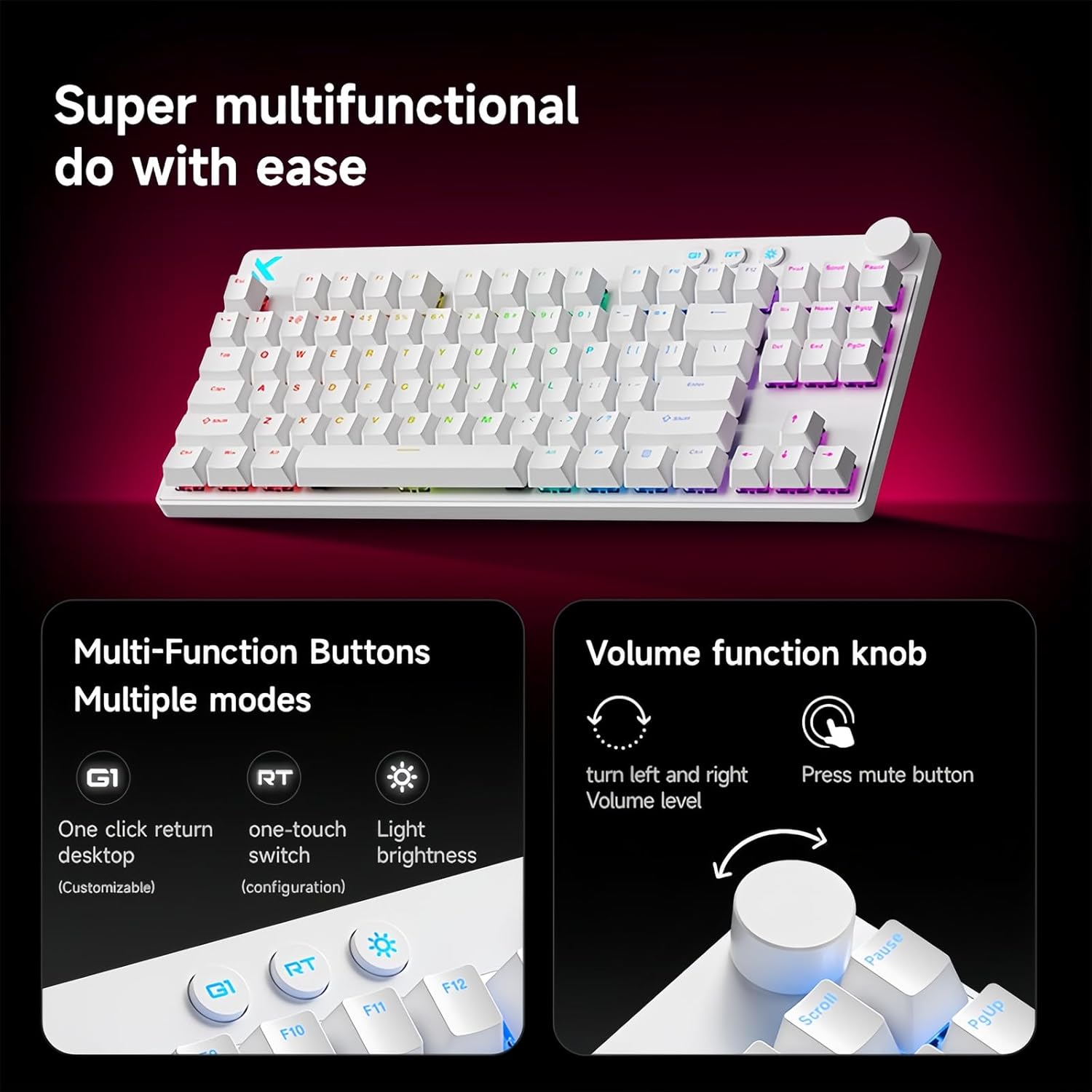
تصوير 5.1: Illustration of the multi-function buttons (G1, RT, Light) and the volume knob on the MCHOSE Mix 87 keyboard. The image details the functions of the knob for volume adjustment and muting, and the customizable nature of the G1 button.
5.3 ملٽي فنڪشن بٽڻ
Above the numeric row, there are three dedicated buttons:
- G1 Button: Customizable function, typically set to return to desktop.
- RT Button: Toggles or adjusts Rapid Trigger mode.
- هلڪو بٽڻ: Adjusts RGB lighting brightness or cycles through lighting modes.
5.4 Rapid Trigger (RT) Mode and Adjustable Actuation
The Mix 87 features Hall Effect magnetic switches that allow for precise control over actuation and de-actuation points.
- ترتيب ڏيڻ وارو عمل: The trigger point can be set from 0.01mm to 3.4mm, allowing you to customize key sensitivity. This is configured via the web ڊرائيور
- تيز رفتار ٽرگر (RT): This mode allows a key to register a new press as soon as it begins to move upwards, without needing to return to its reset point. This significantly reduces input delay for repeated key presses. The RT Smart Mode offers 1-15 adjustable levels for fine-tuning responsiveness.
- ترقي يافته افعال: Supports SOCD (Simultaneous Opposite Cardinal Directions), DKS (Dynamic Keystrokes), MT (Macro Toggle), and TGL (Toggle) functions for advanced control.

تصوير 5.2: Visual representation of the MCHOSE Mix 87's performance capabilities, including 0.001mm precision, 256K ultra-high scanning rate, 0.08ms ultra-low latency, and 8K ultra-high polling rate. It also highlights the magnetic axis Algorithm 3.0, 15-level adjustable RT Smart mode, and ADC Direct Link for WASD keys.
5.5 آر بي جي بائيٽ لائٽنگ
The keyboard features 16 million color RGB backlighting with various effects. Use the dedicated Light button or the software driver to customize lighting:
- Cycle through preset lighting effects.
- روشني جي سطح کي ترتيب ڏيو.
- انفرادي چاٻي جي روشني کي ترتيب ڏيو.
- Enable music rhythm synchronization.
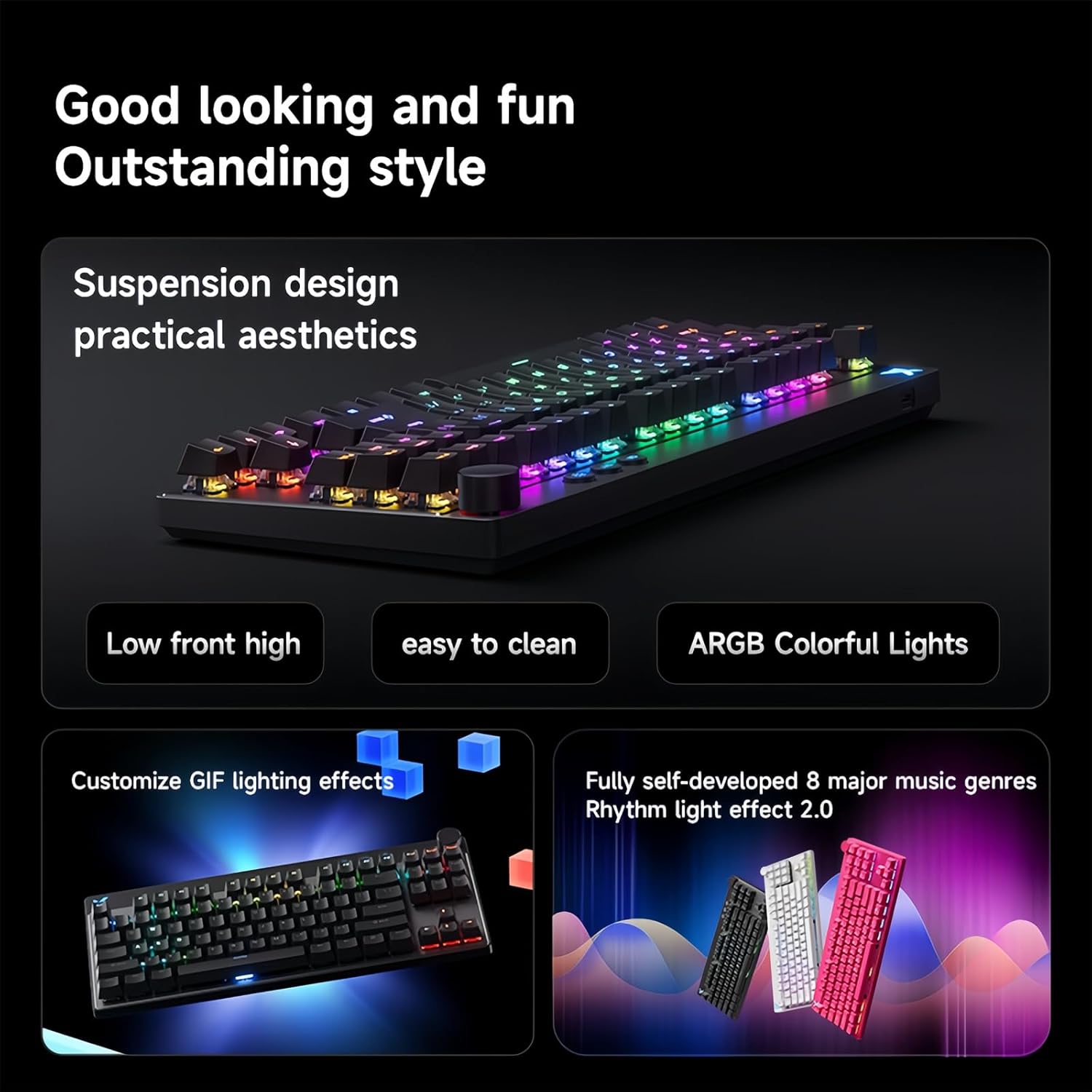
تصوير 5.3: The MCHOSE Mix 87 keyboard showcasing its suspension design and ARGB colorful lighting. The image highlights the aesthetic appeal and practical features like easy cleaning and customizable GIF lighting effects, along with music rhythm light effects.
6. Software Driver
The MCHOSE Mix 87 supports a customizable web-based driver, eliminating the need for software downloads and installations. This driver provides access to advanced settings and customization options.
6.1 تائين رسائي Web ڊرائيور
تائين رسائي حاصل ڪرڻ لاء web driver, open your web browser and navigate to one of the following URLs:
- سرڪاري MCHOSE Web ڊرائيور: https://www.mchose.com.cn
- Alternative M HUB Client Driver: https://www.maicong.cn
جي web ڊرائيور توهان کي اجازت ڏئي ٿو:
- Adjust key actuation points.
- Configure Rapid Trigger (RT) levels.
- آر جي بي لائٽنگ اثرات ۽ رنگن کي ترتيب ڏيو.
- Program macros and reassign key functions.
- Update firmware (if available).

تصوير 6.1: Screenshot illustrating the MCHOSE web-based driver interface. This driver allows users to customize keyboard settings without installing dedicated software, offering cross-platform compatibility.
7. سار سنڀال
7.1 ڪي بورڊ صاف ڪرڻ
پنهنجي ڪيبورڊ جي ظاهر ۽ ڪارڪردگي کي برقرار رکڻ لاءِ:
- صفائي ڪرڻ کان اڳ ڪيبورڊ کي ڪمپيوٽر کان ڌار ڪريو.
- نرم، لِنٽ کان خالي ڪپڙو استعمال ڪريو ٿورڙو ڊيampڪي ڪيپس ۽ چيسس کي صاف ڪرڻ لاءِ پاڻي يا هلڪي صفائي واري محلول سان صاف ڪريو.
- For dust and debris between keycaps, use compressed air or the provided keycap puller to remove keycaps and clean underneath.
- Avoid using harsh chemicals, abrasives, or solvents, as these can damage the keyboard's finish.
7.2 اسٽوريج
When not in use, store the keyboard in a dry, cool place away from direct sunlight and extreme temperatures.
8. مسئلا حل ڪرڻ
8.1 ڪي بورڊ جواب نه ڏئي رهيو آهي
- پڪ ڪريو ته USB-C ڪيبل ڪيبورڊ ۽ ڪمپيوٽر ٻنهي سان محفوظ طور تي ڳنڍيل آهي.
- ڪيبورڊ کي پنهنجي ڪمپيوٽر تي ڪنهن ٻئي USB پورٽ سان ڳنڍڻ جي ڪوشش ڪريو.
- سسٽم جي مخصوص مسئلن کي رد ڪرڻ لاءِ ٻئي ڪمپيوٽر تي ڪيبورڊ آزمايو.
- پنهنجي ڪمپيوٽر کي ٻيهر شروع ڪريو.
8.2 RGB Lighting Not Working or Incorrect
- Check the brightness settings using the dedicated Light button or the web ڊرائيور
- Ensure no software conflicts are present (e.g., other RGB control software).
- Reset the keyboard settings via the web driver if customization issues persist.
8.3 Actuation Issues or Inconsistent Key Presses
- Verify your actuation point settings in the web ڊرائيور
- Ensure Rapid Trigger (RT) mode is configured to your preference.
- متاثر ٿيل سوئچ جي چوڌاري صاف ڪريو ته جيئن ڪو به ملبو هٽايو وڃي.
- If an extra switch is available, consider replacing the problematic switch.
9. وضاحتون
| ماڊل نالو | مِڪس 87 ڪي بورڊ |
| ڪنيڪشن جو قسم | USB-C وائرڊ |
| ڪنجي جو تعداد | 87 keys (TKL Layout) |
| سوئچ جو قسم | Hall Effect Magnetic Switches (Apollo) |
| Adjustable Actuation | 0.01mm - 3.4mm |
| Rapid Trigger (RT) Mode | Supported, 1-15 Level Adjustable |
| پولنگ جي شرح | 8 ڪز |
| اسڪين جي شرح | 256K |
| دير | 0.08ms |
| پٺاڻ | 16 Million Color RGB |
| ساخت | Gasket جبل |
| ڪي ڪيپ مواد | شفاف |
| پيداوار جي ماپ | 14.1 x 6 x 1.4 انچ (35.8 x 15.2 x 3.6 سينٽي) |
| شيءِ جو وزن | 2 پائونڊ (0.91 ڪلوگرام) |
| سسٽم مطابقت | ونڊوز، MacOS، iOS، Android |
10. وارنٽي ۽ سپورٽ
For warranty information and technical support, please refer to the official MCHOSE webسائيٽ تي وڃو يا پنهنجي پرچون ڪندڙ سان رابطو ڪريو. وارنٽي دعوائن لاءِ خريداري جو ثبوت رکو.


