1. تعارف
This manual provides essential instructions for the setup, operation, and maintenance of your Samsung QN83S95FAEXZA 83-inch OLED HDR Pro 4K Smart TV, Walts TILT-MOUNT-43-90 Large/XL Tilt Mount, and Amber Protection 3-Outlet Surge Protector. Please read this manual thoroughly before using your products to ensure safe and optimal performance.
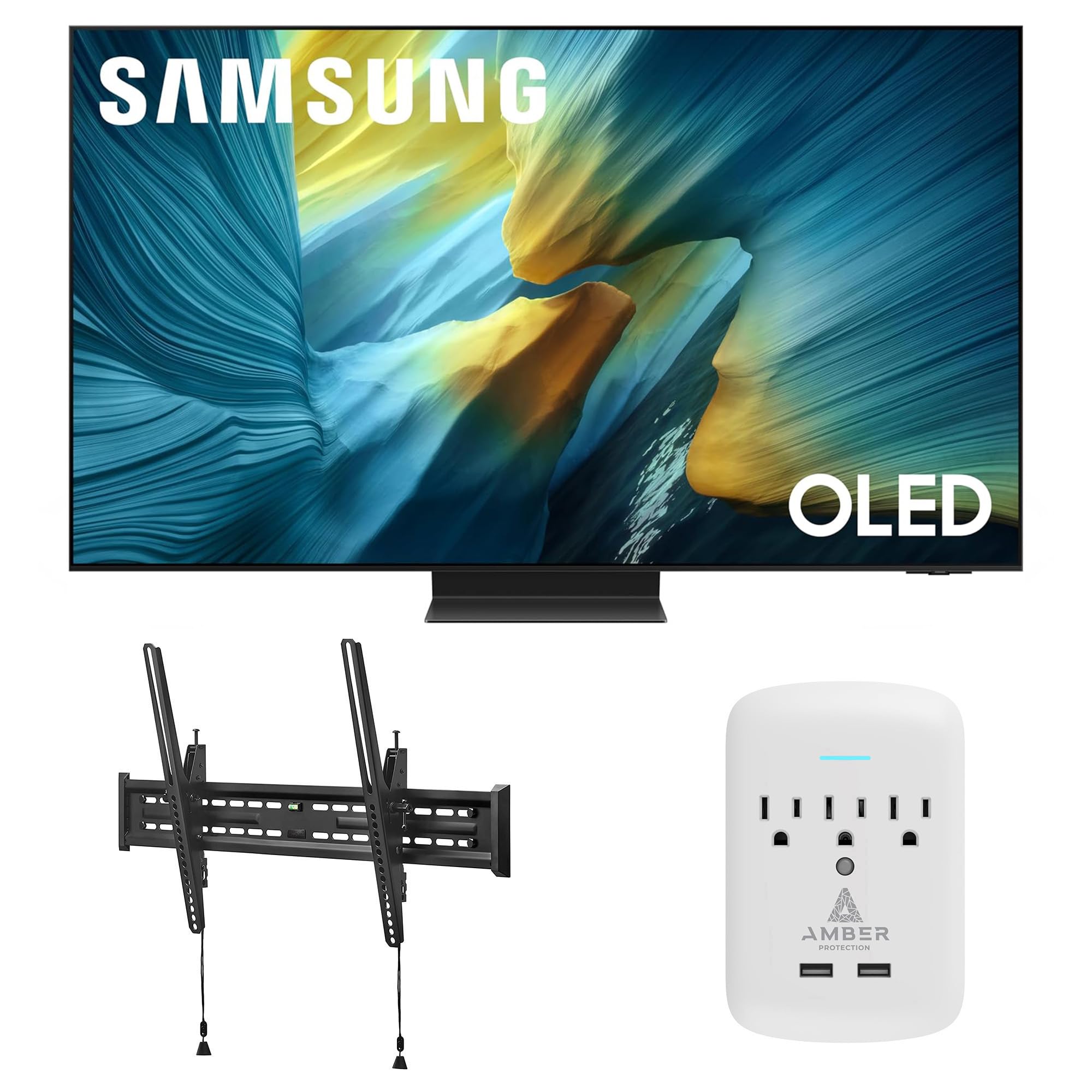
Image 1.1: Samsung QN83S95FAEXZA 83-inch OLED HDR Pro 4K Smart TV. This image shows the front view of the Samsung OLED TV with a vibrant display.

Image 1.2: The complete product bundle, including the Samsung 83-inch OLED TV, Walts Tilt Mount, and Amber Protection 3-Outlet Surge Protector.
2. سيٽ اپ
2.1 Samsung QN83S95FAEXZA 83-inch OLED TV
- پيڪنگ کولڻ: Carefully remove the TV from its packaging. It is recommended to have at least two people for this process due to the size and weight of the 83-inch TV.
- اسٽينڊ جي انسٽاليشن (اختياري): If not wall-mounting, attach the TV stand according to the separate stand instructions provided with your TV. Ensure all screws are securely fastened.
- ڪنيڪشن: Connect all necessary cables (power, HDMI, antenna, etc.) to the appropriate ports on the TV. Refer to the diagram below for port locations.

تصوير 2.1: ريئر view of the Samsung QN83S95FAEXZA TV, displaying connection ports including LAN, Optical, Antenna, USB, and HDMI inputs.
- پاور آن: Plug the TV into the Amber Protection Surge Protector. Press the power button on the remote control or TV.
- شروعاتي سيٽ اپ: Follow the on-screen prompts to complete the initial setup, including language selection, network connection (Wi-Fi or Ethernet), and channel scanning.
2.2 Walts TILT-MOUNT-43-90 Large/XL Tilt Mount Installation
The Walts TILT-MOUNT-43-90 is designed for 43"-98" TVs and supports VESA patterns up to 700mm x 400mm. Always ensure your wall structure can support the combined weight of the TV and mount.
- چڙهڻ جي جڳھ جي سڃاڻپ ڪريو: Choose a suitable wall location, ensuring it has adequate structural support (e.g., wood studs, concrete).
- ٽي وي سان بريڪٽس لڳايو: Secure the vertical mounting brackets to the back of your Samsung TV using the appropriate screws and spacers. Ensure the brackets are level and centered.

Image 2.2: Close-up of the Walts TILT-MOUNT-43-90 mounting brackets attached to the rear of a television, showing the secure screw points.
- وال پليٽ انسٽال ڪريو: Mark and drill pilot holes for the wall plate. Secure the wall plate to the wall using the provided lag bolts. Use a level to ensure the wall plate is perfectly horizontal.

Image 2.3: The Walts TILT-MOUNT-43-90 wall plate, featuring multiple mounting holes and an integrated bubble level for accurate installation.
- ماؤنٽ ٽي وي: Carefully lift the TV and hook the vertical brackets onto the wall plate. Ensure the TV is securely seated.
- محفوظ ٽي وي: Engage the safety locks on the bottom of the vertical brackets to prevent the TV from accidentally disengaging from the wall plate.
- جھڪاءُ کي ترتيب ڏيو: The mount allows for tilting. Adjust the tilt angle to your preferred viewing position and tighten any locking mechanisms.

تصوير 2.4: سائڊ پروfile of the Walts TILT-MOUNT-43-90 mount, illustrating its low-profile design and the mechanism for adjusting the TV's tilt angle.
2.3 Amber Protection 3-Outlet Surge Protector
- پلگ ان: Insert the surge protector directly into a standard wall outlet.
- ڪنيڪٽ ڊوائيسز: Plug your TV and other sensitive electronics into the surge protector's outlets.
- LED اشارو: The LED indicator on the surge protector will glow blue when it is working correctly and providing protection.
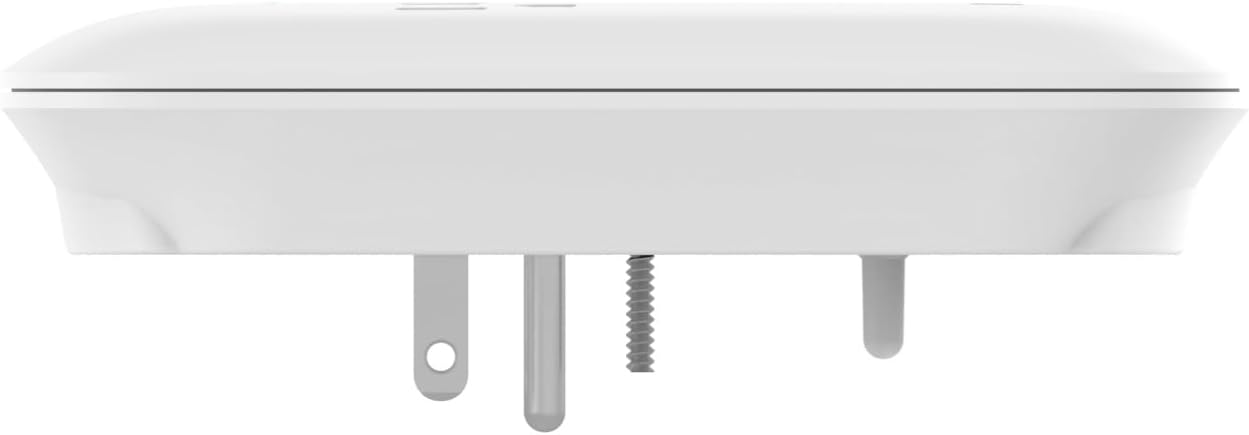
Image 2.5: The Amber Protection 3-Outlet Surge Protector, showing its compact design and three power outlets.
3. Operating Your Samsung OLED TV
3.1 اهم خاصيتون
- NQ4 AI Gen3 پروسيسر: This advanced processor utilizes 128 neural networks to enhance picture and sound, delivering an exceptional 4K experience for all content.

Image 3.1: A visual representation of the NQ4 AI Gen3 Processor chip, highlighting its advanced technology for picture and sound enhancement.
- Glare Free Display: Enjoy content without distracting reflections, even in brightly lit rooms. The innovative screen redirects light to minimize glare.
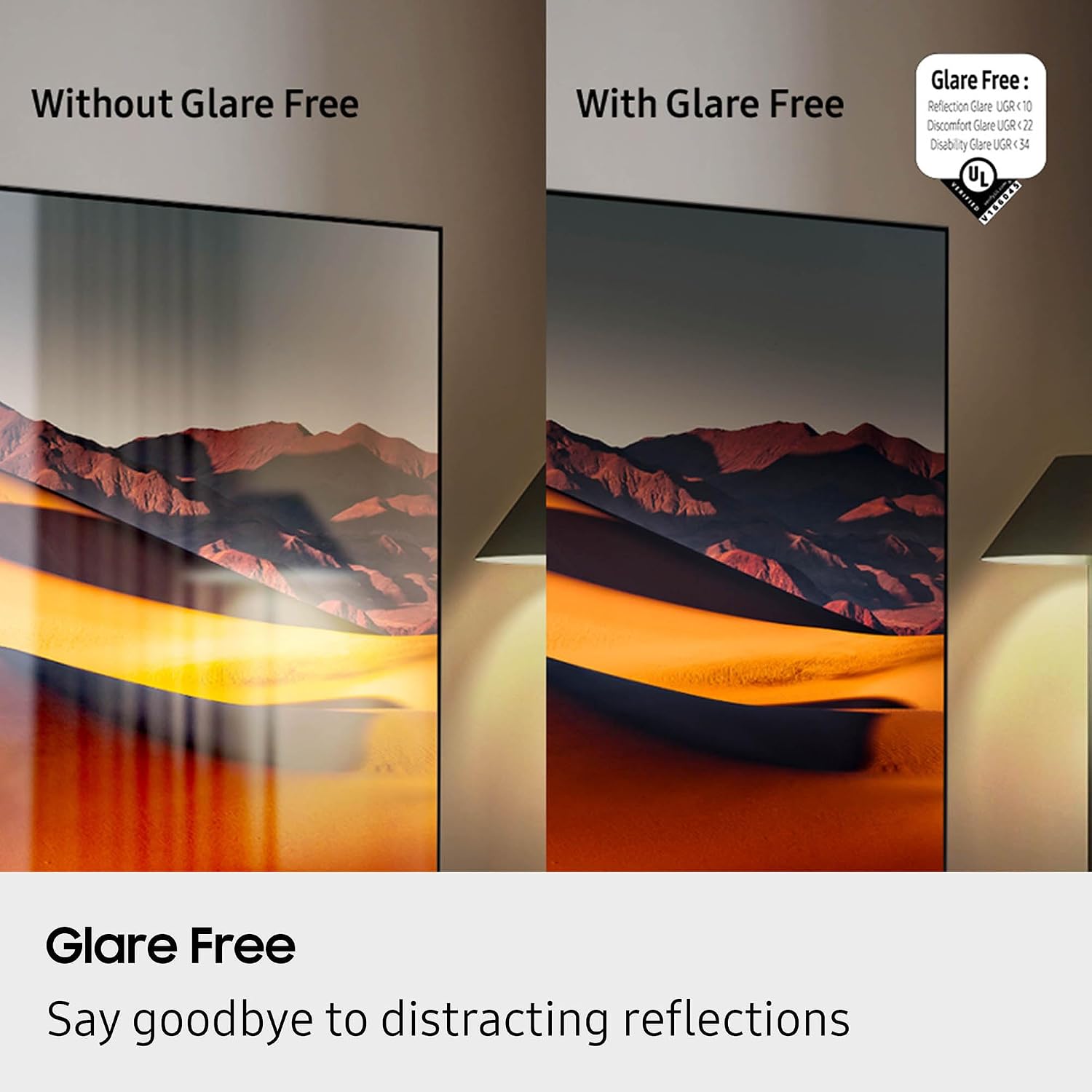
Image 3.2: A side-by-side comparison demonstrating the effectiveness of Glare Free technology, showing a clear image on the right and a reflective image on the left.
- OLED HDR پرو: Experience more powerful brightness and richer contrast compared to standard dynamic range, thanks to 8.3 million self-lit pixels.

Image 3.3: A visual comparison illustrating the enhanced colors and contrast provided by OLED HDR Pro compared to SDR (Standard Dynamic Range).
- Motion Xcelerator Turbo Ultra: Delivers a picture with virtually no lag or blur at high refresh rates (up to 165Hz), ideal for gaming and fast-paced sports.
3.2 سمارٽ ٽي وي جا ڪم
- ڳولا لاءِ ڪلڪ ڪريو: Use your remote to quickly find more information about shows, actors, or other content displayed on your screen.
- لائيو ترجمو: For supported content, enable Live Translate to view subtitles in your preferred language.
3.3 سرڪاري پراڊڪٽ وڊيو
وڊيو 3.1: سامسنگ ايس 95 ايف سيريز ٽي وي پراڊڪٽ ريview. هي وڊيو هڪ اوور مهيا ڪري ٿوview of the key features and benefits of the Samsung S95F OLED TV series, including its Glare Free display, OLED HDR Pro, and AI processor.
4. سار سنڀال
4.1 Samsung OLED TV
- اسڪرين جي صفائي: نرم، سڪل مائڪروفائيبر ڪپڙي سان اسڪرين کي نرميءَ سان صاف ڪريو. ضدي نشانن لاءِ، هلڪو ڊيampڪپڙو ڊسٽل ٿيل پاڻي سان. سخت ڪيميڪلز يا رگڙيندڙ مواد کان پاسو ڪريو.
- گندگي: Regularly dust the TV's frame and back panel with a soft, dry cloth.
- سافٽ ويئر اپڊيٽ: Ensure your TV's software is up to date for optimal performance and security. Check for updates via the TV's settings menu.
4.2 Walts Tilt Mount
- وقتي معائنو: Periodically check all mounting screws and bolts to ensure they remain tight and secure.
- صفائي: Wipe the mount with a dry cloth to remove dust. Do not use liquid cleaners directly on the mount.
4.3 Amber Protection Surge Protector
- اشارو چيڪ: Regularly verify that the blue LED indicator is illuminated, confirming active surge protection.
- اوور لوڊ: If the surge protector trips (power cuts off), reduce the number of connected devices and reset it.
5. مسئلا حل ڪرڻ
5.1 Samsung OLED TV
- طاقت ناهي: Ensure the power cable is securely connected to both the TV and the surge protector/wall outlet. Check if the surge protector's LED is on. Try a different outlet.
- ڪابه تصوير/آواز ناهي: Verify the correct input source is selected. Check all HDMI or other video/audio cables for secure connections.
- ريموٽ ڪم نه ڪري رهيو آهي: Replace the remote control batteries. Ensure there are no obstructions between the remote and the TV's IR receiver.
- نيٽ ورڪ ڪنيڪشن جا مسئلا: پنهنجو روٽر ۽ موڊيم ٻيهر شروع ڪريو. ٽي وي جي نيٽ ورڪ سيٽنگز ۾ پنهنجو وائي فائي پاسورڊ ٻيهر داخل ڪريو.
5.2 Walts Tilt Mount
- ٽي وي سطح نه: Re-check the wall plate installation with a level. Minor adjustments can sometimes be made by slightly loosening and re-tightening the TV brackets.
- جهڪڻ ۾ ڏکيائي: Ensure no cables are obstructing the tilt mechanism. Loosen the tilt adjustment knobs slightly before attempting to adjust.
5.3 Amber Protection Surge Protector
- ڊوائيسز کي طاقت نه آهي: Check if the surge protector's LED indicator is off. If so, it may have absorbed a surge and needs replacement, or it may be overloaded. Unplug devices and press the reset button if available.
6. وضاحتون
6.1 Samsung QN83S95FAEXZA 83-inch OLED TV
| خاصيت | تفصيل |
|---|---|
| برانڊ | سامسنگ |
| ماڊل نالو | QN83S95FAEXZA |
| اسڪرين جي ماپ | 83 انچ |
| ڊسپلي ٽيڪنالاجي | OLED |
| قرارداد | 4K |
| ريفريش جي شرح | 120 هرٽز (165 هرٽز تائين) |
| پروسيسر | NQ4 AI Gen3 پروسيسر |
| خاص خاصيتون | Glare Free, OLED HDR Pro, Motion Xcelerator 165Hz, Tizen Smart TV |
| رابطي | Wi-Fi 5, HDMI 4, 3 x USB-A, 1 x USB-C |
| پيداوار جي ماپ | 12"ڊي x 72.6"ڊي x 44.2"ايڇ |
| شيءِ جو وزن | 114.4 پائونڊ |
6.2 Walts TILT-MOUNT-43-90 Large/XL Tilt Mount
| خاصيت | تفصيل |
|---|---|
| برانڊ | Walts TV |
| ماڊل | TILT-MOUNT-43-90 |
| مطابقت رکندڙ ٽي وي سائيز | 43"-98" |
| VESA مطابقت | Up to 700mm x 400mm |
| جبل جو قسم | ٽڪر جبل |
6.3 Amber Protection 3-Outlet Surge Protector
| خاصيت | تفصيل |
|---|---|
| برانڊ | Amber Protection |
| آئوٽليٽ | 3 |
| Joules Protection | 1225 جولس |
| اشارو | LED (Blue when working) |
7. وارنٽي ۽ سپورٽ
7.1 وارنٽي ڄاڻ
For specific warranty details regarding your Samsung QN83S95FAEXZA TV, Walts TILT-MOUNT-43-90, and Amber Protection 3-Outlet Surge Protector, please refer to the warranty cards included with each product or visit the respective manufacturer's official websites. Warranty periods and coverage may vary by product.
7.2 ڪسٽمر سپورٽ
If you require further assistance or have questions not covered in this manual, please contact the manufacturer's customer support:
- سامسنگ سپورٽ: سرڪاري سامسنگ جو دورو ڪريو webسپورٽ وسيلن، اڪثر پڇيا ويندڙ سوالن، ۽ رابطي جي معلومات لاءِ سائيٽ.
- Walts TV Support: For assistance with the tilt mount, refer to the Walts TV documentation or their customer service channels.
- Amber Protection Support: Contact Amber Protection for inquiries regarding the surge protector.
توهان خريد ڪرڻ تي پڻ غور ڪري سگهو ٿاasing an extended protection plan for additional coverage, such as the 4 سالن جو تحفظ وارو منصوبو available for this product bundle.