1. تعارف
This manual provides comprehensive instructions for the KOSPET Magic R10 GPS Smart Watch. It covers device setup, operational procedures, maintenance guidelines, and troubleshooting tips to ensure optimal performance and user experience. Please read this manual thoroughly before using your device.

Image 1.1: KOSPET Magic R10 Smart Watch displaying time, date, battery, steps, and calories.
2. دٻي ۾ ڇا آهي
پيڪيج کولڻ تي، پڪ ڪريو ته سڀئي شيون موجود آهن:
- 1 x KOSPET Magic R10 Stainless Steel Smart Watch
- 1 x چارجر ڪيبل
- 1 x استعمال ڪندڙ دستياب (هي دستاويز)
3. سيٽ اپ
3.1 شروعاتي چارجنگ
Before first use, fully charge your KOSPET Magic R10 Smart Watch. Connect the provided charger cable to the watch's charging port and a USB power source. The watch display will indicate charging status.
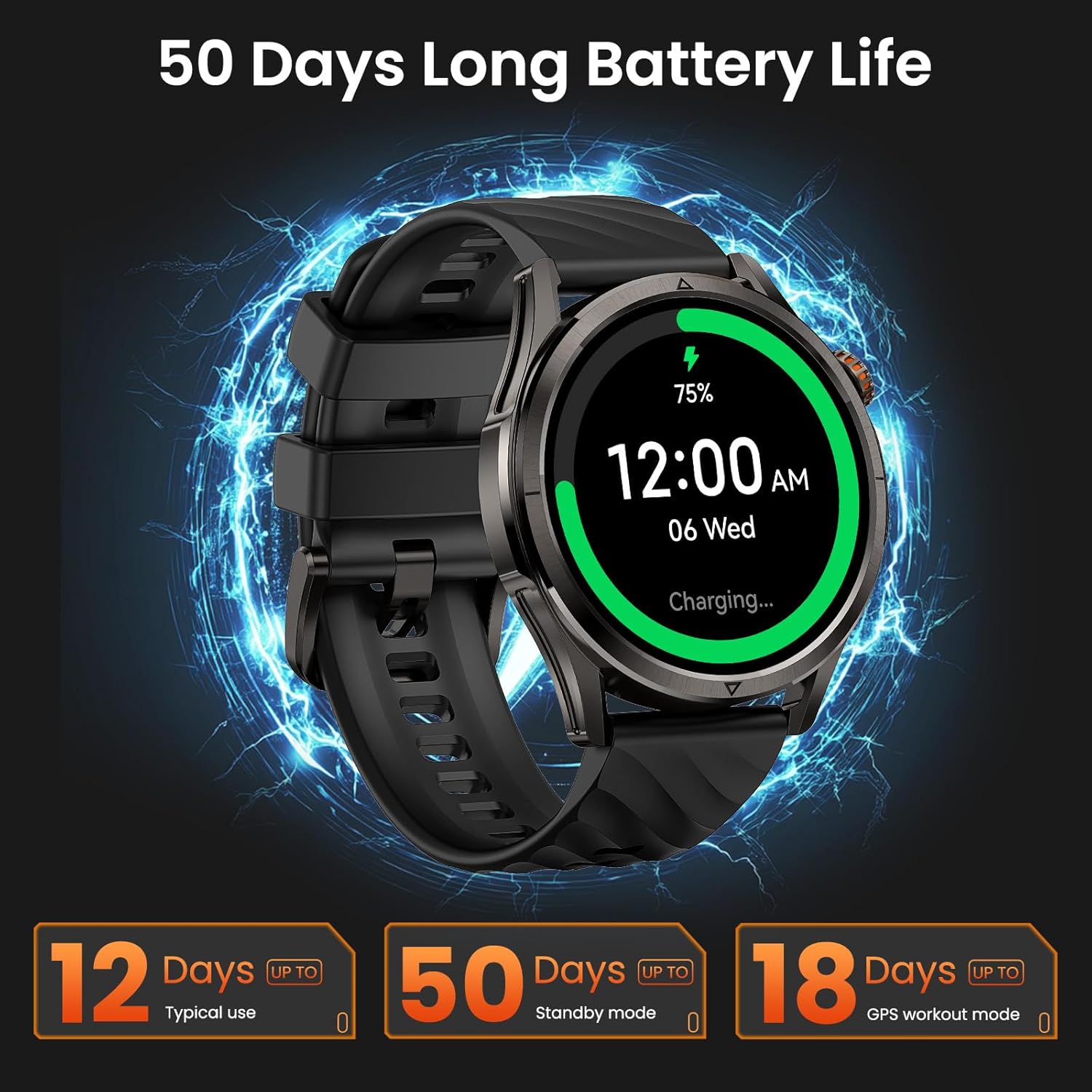
Image 3.1: KOSPET Magic R10 Smart Watch on a charger, indicating 75% battery and displaying battery life estimates.
3.2 App Installation (Apexmove)
The KOSPET Magic R10 Smart Watch requires the Apexmove application for full functionality. The app is compatible with iOS 10.0+ and Android 5.1+ devices.
- Download the 'Apexmove' app from the Apple App Store (for iOS) or Google Play Store (for Android).

Image 3.2: Download the Apexmove app from your device's app store.
3.3 Pairing with Phone
To connect your watch to your smartphone:
- پڪ ڪريو ته توهان جي فون جو بلوٽوٿ فعال آهي.
- Open the Apexmove app. Navigate to 'Device' and select 'Add a new device'.
- The app will search for your watch. Select 'KOSPET Magic R10' from the list.
- پنهنجي فون ۽ واچ ٻنهي تي جوڙي جي درخواست جي تصديق ڪريو.

Image 3.3: Connection steps for iOS devices.
3.4 Notification Setup
To receive messages and app notifications on your watch, follow these steps:
به iOS ڊوائيسز لاءِ:
- Ensure the Apexmove app remains active in the background.
- In the Apexmove app, go to 'Device' and open 'SMS Reminder' to enable SMS notifications.
- Still in 'Device', click 'App Notification' and enable notifications for desired applications.
- Go to your iPhone's 'Settings' > 'Notifications' > 'Apexmove' and allow notifications.

Image 3.4: iOS message and app notification setup.
Android ڊوائيسز لاء:
- Keep the Apexmove app active (add to whitelist in settings if necessary).
- Turn off 'Do Not Disturb' and 'Low Power Mode' on your phone.
- In the Apexmove app, go to 'Device' and open 'SMS Reminder' to enable SMS notifications.
- Still in 'Device', click 'App Notification' and enable notifications for desired applications.
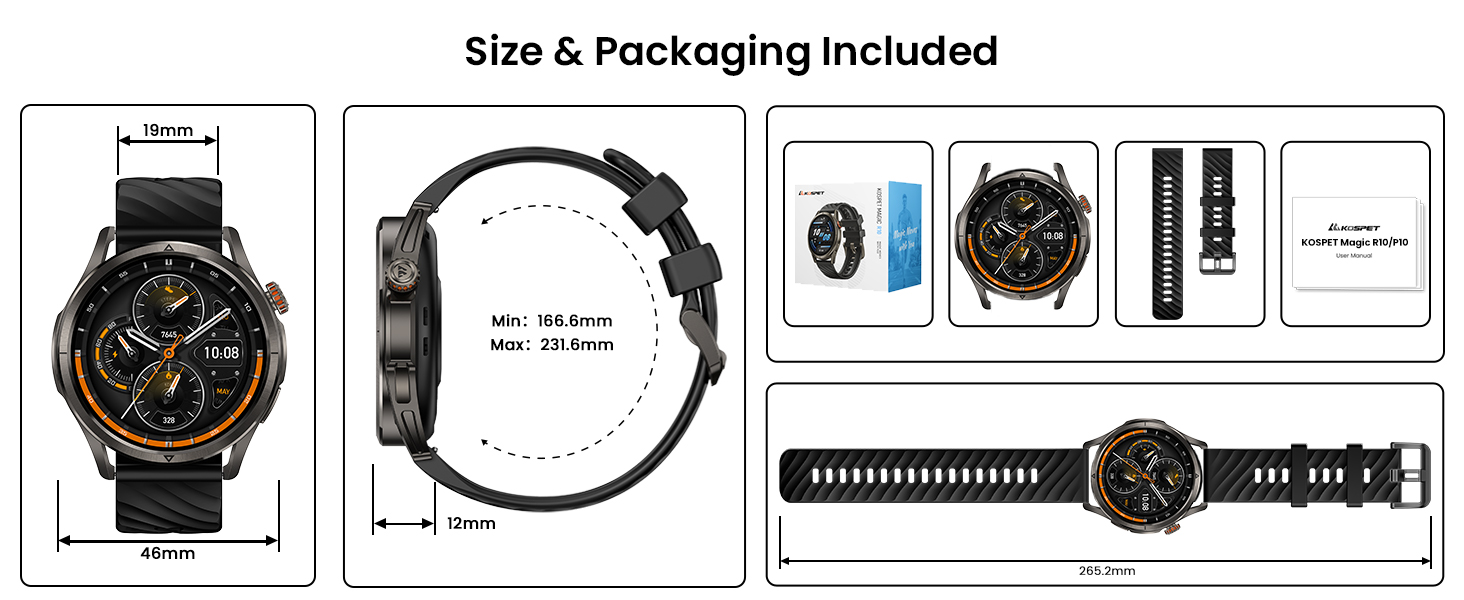
Image 3.5: Android message and app notification setup.
4. آپريٽنگ هدايتون
4.1 ڊسپلي ۽ نيويگيشن
The Magic R10 features a 1.43" AMOLED display with Corning Gorilla Glass for durability and clear visibility. Navigate the watch interface using touch gestures and the physical buttons.
4.2 جي پي ايس جي ڪارڪردگي
The watch includes built-in GPS that connects to 6 satellite systems, providing accurate location tracking. Dual-band GNSS ensures reliable signal strength, even in challenging environments. An integrated Altitude Pressure Compass provides elevation data and directional guidance.

Image 4.1: Multi-GNSS positioning and route tracking.
4.3 راندين جا طريقا
The Magic R10 supports 180 sport modes. It also features 6 smart recognition sports (walking, cycling, elliptical, etc.) that automatically detect and begin monitoring your activity without manual input.

Image 4.2: Apexmove app interface displaying activity data for various sports.
4.4 صحت جي نگراني
The watch is equipped with a 4PD sensor for comprehensive health tracking, including:
- دل جي شرح: Continuous 24/7 heart rate monitoring.
- SpO2: Blood oxygen saturation tracking.
- سمهڻ جي نگراني: ننڊ جا ٽريڪtages ۽ مدت.
- Stress and Emotions: Monitors stress levels.
- حيض جا چڪر: Provides tracking for women's health.
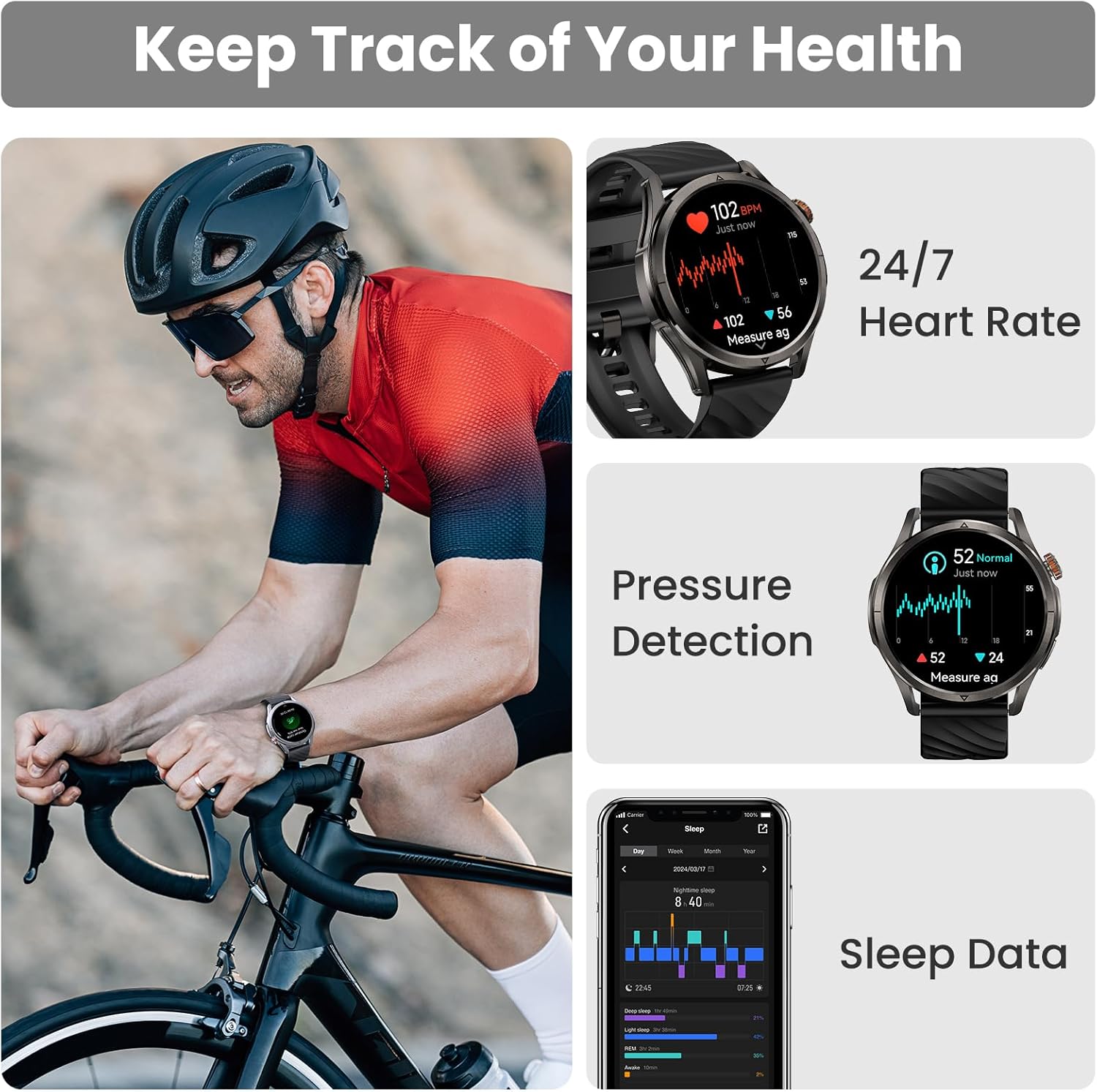
Image 4.3: Health monitoring features including heart rate, pressure, and sleep data.

Image 4.4: Menstrual cycle tracking interface.

Image 4.5: Heart rate monitoring during exercise.

Image 4.6: Sleep monitoring data display.
4.5 Calling and Notifications
The watch allows you to answer and make calls directly from your wrist when connected to your phone. It also displays message reminders and notifications from various applications.

Image 4.7: Call management, voice assistant, and message reminders.
4.6 وائس اسسٽنٽ
Utilize the built-in voice assistant for hands-free task execution, such as checking weather or initiating calls.
5. سار سنڀال
5.1 پاڻي جي مزاحمت
The Magic R10 has a 5ATM water resistance rating, making it suitable for swimming and daily exposure to water (rain, sweat). It is not recommended for diving or high-pressure water activities.

Image 5.1: Watch being used for swimming, demonstrating 5ATM water resistance.
5.2 صفائي
باقاعدي طور تي پنهنجي گھڙي ۽ پٽي کي نرم، ڊي سان صاف ڪريو.amp ڪپڙو. سخت ڪيميڪل يا رگڙيندڙ مواد استعمال ڪرڻ کان پاسو ڪريو. چارج ڪرڻ کان اڳ پڪ ڪريو ته چارجنگ رابطا صاف ۽ سڪل آهن.
5.3 بيٽري جي سنڀال
بيٽري جي زندگي کي وڌائڻ لاء:
- انتهائي گرمي پد کان بچاء.
- Charge the watch fully before prolonged storage.
- Do not allow the battery to completely drain frequently.
6. مسئلا حل ڪرڻ
6.1 بلوٽوٿ ڪنيڪشن جا مسئلا
If your watch fails to connect or maintain a Bluetooth connection:
- پڪ ڪريو ته توهان جي فون ۽ واچ تي بلوٽوٿ فعال آهي.
- پنهنجو فون ۽ واچ ٻئي ري اسٽارٽ ڪريو.
- Ensure the Apexmove app is updated to the latest version.
- Try unpairing the watch from your phone's Bluetooth settings and then re-pairing through the Apexmove app.
- Check if other Bluetooth devices are causing interference. Temporarily disconnect other devices if necessary.
6.2 مختصر بيٽري جي زندگي
جيڪڏهن بيٽري جي زندگي توقع کان ننڍو آهي:
- اسڪرين جي روشني کي گھٽايو.
- Disable 'Always On Display' if enabled.
- Limit frequent GPS usage or long GPS tracking sessions.
- غير ضروري اطلاعن کي بند ڪريو.
- Ensure the watch is fully charged using the provided cable.
6.3 غلط صحت ڊيٽا
For accurate health monitoring:
- پڪ ڪريو ته گھڙي توهان جي کلائي تي مضبوطيءَ سان پائڻي آهي، نه ته تمام گهڻي تنگ ۽ نه ئي گهڻي ڍلي.
- سينسر واري علائقي کي صاف رکو.
- ماپ دوران گهڻي حرڪت کان پاسو ڪريو (مثال طور، SpO2).
7. وضاحتون
| خاصيت | تفصيل |
|---|---|
| ماڊل نمبر | Magic R10 |
| اسڪرين جي ماپ | 1.43 انچ |
| ڊسپلي جو قسم | AMOLED |
| جسماني مواد | بي داغ لوه |
| پاڻي جي مزاحمت | 5ATM |
| جي پي ايس | Built-in GPS (6 satellite systems, Dual-band GNSS) |
| بيٽري جي گنجائش | 450 مليamp ڪلاڪ |
| بيٽري جي زندگي (عام استعمال) | 12 ڏينهن تائين |
| Battery Life (GPS Workout Mode) | 18 ڪلاڪ تائين |
| Battery Life (Standby Mode) | 50 ڏينهن تائين |
| ميموري رکڻ جي صلاحيت | 128 ايم بي |
| آپريٽنگ سسٽم مطابقت | Android 5.1+ ۽ آئي او ايس 10.0+ |
| رابطي | بلوٽوٿ |
| خاص خاصيتون | Activity Tracker, Always On Display, GPS, Notifications, Voice Assistant, Phone Call |
| شيءِ جو وزن | 9.6 اونس |

Image 7.1: Watch dimensions and package contents.
8. وارنٽي ۽ سپورٽ
For warranty information and customer support, please refer to the official KOSPET website or contact the retailer from whom you purchased the device. Keep your proof of purchase for warranty claims.


