1. تعارف
This manual provides essential information for setting up, operating, and maintaining your OnePlus Nord 5 smartphone. Please read this guide thoroughly to ensure optimal performance and longevity of your device.

شڪل 1: اڳيان ۽ پوئتي view of the OnePlus Nord 5 smartphone.
2. باڪس جا حصا
Upon unboxing your OnePlus Nord 5, verify that all the following items are included:
- OnePlus Nord 5 Smartphone
- پاور اڊاپٽر (80W)
- USB ڪيبل (قسم-سي)
- سم ٽري Ejector
- اسڪرين پروٽيڪٽر (اڳ ۾ لاڳو ٿيل يا دٻي ۾)
- فون ڪيس
- تڪڙو شروع ھدايت
- وارنٽي ڪارڊ
Video 1: Unboxing the OnePlus Nord 5 and reviewing its contents.

شڪل 2: سامهون view of the OnePlus Nord 5.

شڪل 3: پوئتي view of the OnePlus Nord 5.
3. سيٽ اپ
3.1 سم ڪارڊ لalائڻ
- ڊوائيس جي پاسي تي سم ٽري ڳوليو.
- سم ايجيڪٽر ٽول کي ٽري جي ڀرسان ننڍڙي سوراخ ۾ داخل ڪريو ۽ مضبوطيءَ سان دٻايو جيستائين ٽري ٻاهر نه اچي.
- پنهنجا نانو-سم ڪارڊ (ن) ٽري تي مقرر ڪيل سلاٽ ۾ رکو. پڪ ڪريو ته سون جا رابطا هيٺئين طرف هجن.
- سم ٽري کي احتياط سان فون ۾ ٻيهر داخل ڪريو جيستائين اهو پنهنجي جاءِ تي ڪلڪ نه ڪري.
3.2 شروعاتي پاور آن
Press and hold the Power button on the side of the device until the OnePlus logo appears. Follow the on-screen instructions to complete the initial setup, including language selection, Wi-Fi connection, and Google account setup.
4. توهان جي ڊوائيس کي هلائڻ
4.1 ڪارڪردگي
The OnePlus Nord 5 is equipped with the Snapdragon 8s Gen 3 processor and LPDDR5X RAM, designed for demanding applications and gaming. The device features a 7300mm² VC cooling system to maintain optimal temperatures during extended use.
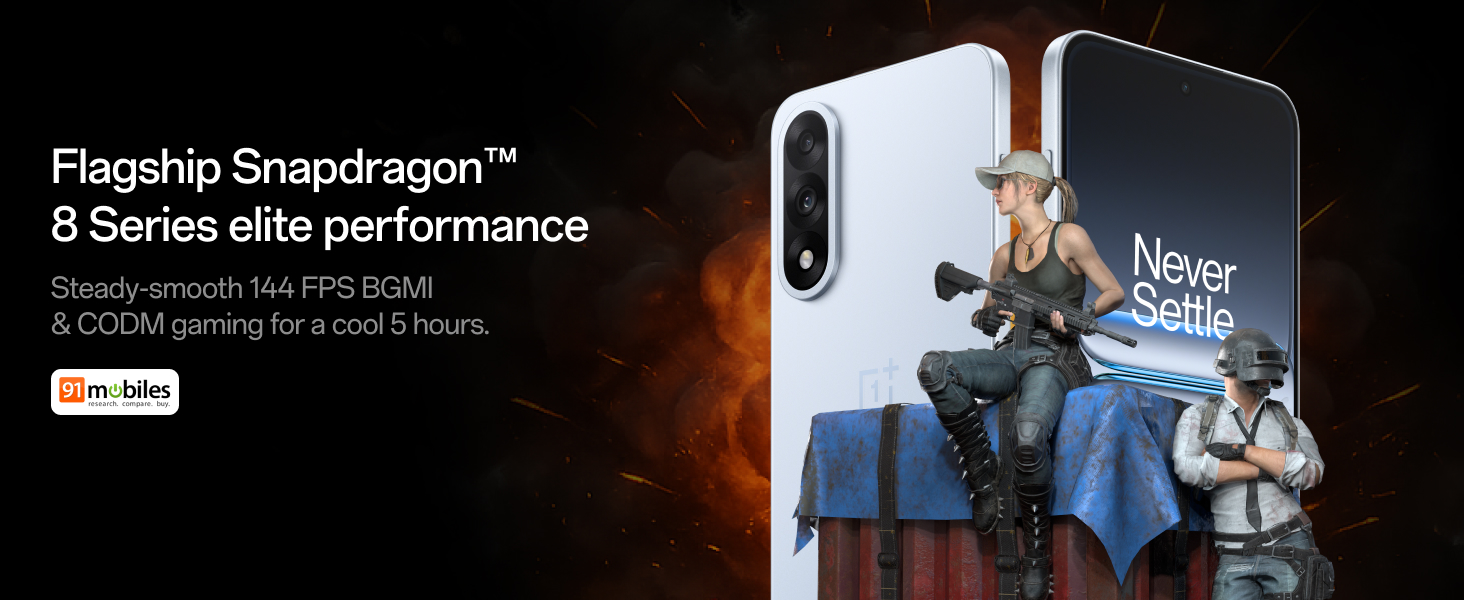
Figure 4: Snapdragon 8s Gen 3 processor for elite performance.
Video 2: Demonstration of gaming performance on the OnePlus Nord 5.
4.2 ڪيمرا جون خاصيتون
The device features a dual 50MP camera system, including a 50MP front camera (ISOCELL JN5 with hardware autofocus) and a 50MP Sony LYT-700 back camera with Optical Image Stabilization (OIS). It supports 4K 60 FPS video capture.
AI Camera Enhancements:
- اي آءِ ايريزر: Removes unwanted objects or people from photos.
- AI Detail Boost: Enhances image clarity and detail.
- AI Unblur: Corrects blurry images.
- AI Reframe: Suggests improved compositions for photos.
- AI Perfect Shot: Adjusts facial expressions and corrects blinked eyes in group photos.

Figure 5: Dual 50MP camera system overview.

Figure 6: AI features for photo enhancement.
4.3 بيٽري ۽ چارج ڪرڻ
The OnePlus Nord 5 features a 6800 mAh battery and supports 80W ultra-fast charging. It also includes an all-new Bypass Charging feature, which powers the phone directly from the charger during gaming to reduce heat and maintain performance.

Figure 7: Illustration of Bypass Charging technology.
4.4 ڏيکاريو
Experience visuals on a 144Hz 1.5K AMOLED display with Aqua Touch 2.0 technology, offering a resolution of 2800 x 1272 pixels and up to 1400 nits brightness. Aqua Touch 2.0 improves touch responsiveness, even with wet or oily fingers.

Figure 8: Details of the 144Hz AMOLED display.
4.5 AI خاصيتون
The OnePlus Nord 5 integrates various AI functionalities to enhance user experience:
- AI Voice Scribe: Transcribe, translate, and summarize meetings or content.
- ڳولا جو دائرو: Quickly search for information by circling content on your screen.
- جيمنائي لائيو: An AI assistant for queries and information.
- AI ڳولا: Intuitively understands natural language prompts for searching device content.

Figure 9: AI VoiceScribe interface.
4.6 Multitasking with Open Canvas
The Open Canvas feature allows for enhanced split-screen multitasking, enabling flexible resizing of applications and drag-and-drop functionality between apps. This improves productivity by extending split-screen capabilities beyond physical display limits.
Video 3: Demonstration of multitasking features on the OnePlus Nord 5.

Figure 10: Open Canvas for advanced multitasking.
4.7 ڪنيڪشن
The Nord 5 supports 5G-Advanced networking, offering faster internet speeds and improved signal stability, particularly in congested areas.

Figure 11: 5G-Advanced network features.
4.8 سافٽ ويئر
The device runs on OxygenOS 15, based on Android 15. It is guaranteed to receive 4 Android version upgrades and 6 years of security updates, ensuring long-term software support and system smoothness.
5. سار سنڀال
- سافٽ ويئر اپڊيٽ: Regularly install system updates to ensure optimal performance, security, and access to new features.
- بيٽري جي سنڀال: To prolong battery life, avoid extreme temperatures and frequent full discharges. The device includes a 4-year healthy battery promise.
- صفائي: اسڪرين ۽ جسم کي صاف ڪرڻ لاءِ نرم، لِنٽ کان پاڪ ڪپڙو استعمال ڪريو. رگڙيندڙ مواد يا سخت ڪيميڪلز کان پاسو ڪريو.
- اسٽوريج جو انتظام: وقتي طور تي غير ضروري صاف ڪريو fileڊوائيس جي رفتار برقرار رکڻ ۽ اسٽوريج جي جاءِ خالي ڪرڻ لاءِ.
6. مسئلا حل ڪرڻ
If you encounter issues with your OnePlus Nord 5, consider the following general troubleshooting steps:
- ڊوائيس ٻيهر شروع ڪريو: هڪ سادي ٻيهر شروع ڪرڻ سان ڪيتريون ئي ننڍيون سافٽ ويئر خرابيون حل ٿي سگهن ٿيون.
- اپڊيٽ لاء چيڪ ڪريو: پڪ ڪريو ته توهان جي ڊوائيس جو سافٽ ويئر جديد آهي.
- ڪيش صاف ڪريو: For app-specific issues, try clearing the app's cache in Settings.
- فيڪٽري ريسٽ: آخري حل جي طور تي، فيڪٽري ري سيٽ مسلسل سافٽ ويئر مسئلن کي حل ڪري سگهي ٿو. خبردار: اهو توهان جي ڊوائس تي سڀ ڊيٽا ختم ڪري ڇڏيندو. اڳتي وڌڻ کان اڳ اهم معلومات جو بيڪ اپ وٺو.
- رابطي جي حمايت: If the issue persists, refer to the support section for contact information.
7. وضاحتون
| خاصيت | تفصيل |
|---|---|
| آپريٽنگ سسٽم | Android 15, OxygenOS 15 |
| پروسيسر | Snapdragon 8s Gen 3 (CPU Speed: 2, 2.8, 3 GHz) |
| رام | 12 GB (موجوده ماڊل موجب) |
| ڏيکاريو | 144Hz 1.5K AMOLED, 2800 x 1272 Resolution |
| پوئين ڪئميرا | 50MP Sony LYT-700 with OIS |
| سامهون ڪئميرا | 50MP ISOCELL JN5 with Autofocus |
| بيٽري | 6800 mAh, 80W Fast Charging |
| رابطي | 5G-Advanced, Bluetooth, NFC, USB, Wi-Fi |
| طول و عرض | 16.41 x 7.7 x 0.81 سينٽي |
| وزن | 211 جي |
| ماڊل نمبر | سي پي ايڇ 2707 |
| ٺاهيندڙ | اوپو موبائيل انڊيا پرائيويٽ لميٽيڊ |
8. وارنٽي ۽ سپورٽ
The OnePlus Nord 5 comes with a Lifetime Display Warranty, covering green line issues. For detailed terms and conditions, please refer to the official OnePlus website or the warranty card included in the box.

Figure 12: Lifetime Display Warranty information.
For customer service and technical support, you can contact OnePlus using the following information:
- Customer Service Contact Number: 1800 102 8411
- WhatsApp سپورٽ: +91-9289606888
- ٺاهيندڙ ائڊريس: PLOT-NO.1, SECTOR ECOTECH-VII, GREATER, NOIDA, UTTAR PRADESH, India-201306


