1. تعارف
Thank you for choosing the GOBOULT Crown Smart Watch. This manual provides essential information for setting up, operating, and maintaining your device. The GOBOULT Crown Smart Watch features a 1.95-inch HD display, Bluetooth calling, a functional rotating crown, and comprehensive health monitoring capabilities.
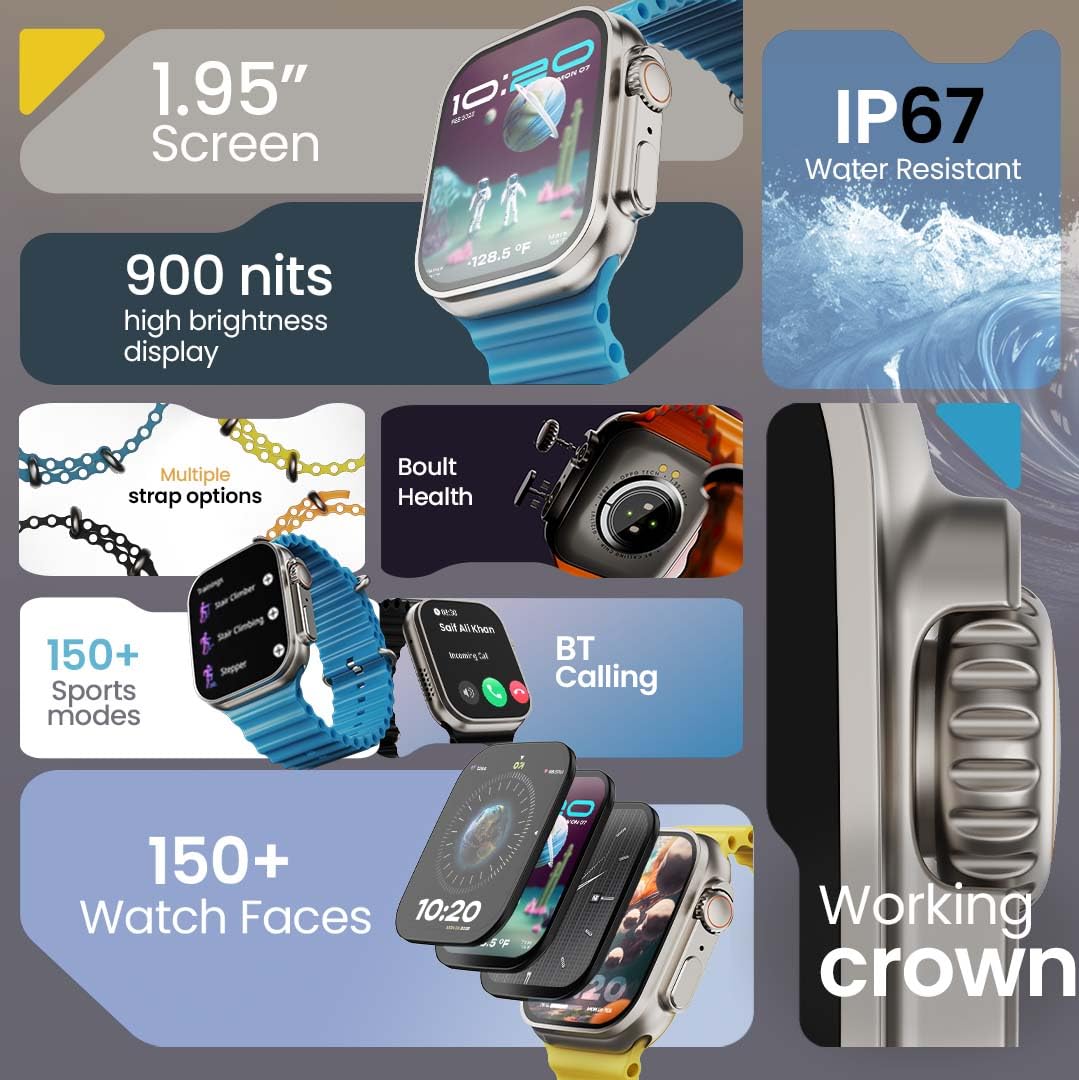
تصوير 1.1: مٿيview of the GOBOULT Crown Smart Watch highlighting its 1.95-inch screen, 900 nits brightness, IP67 rating, multiple strap options, Boult Health features, Bluetooth calling, 150+ sports modes, 150+ watch faces, and working crown.
2. دٻي ۾ ڇا آهي
Ensure all the following items are present in your product packaging:
- GOBOULT Crown Smart Watch
- چارج ڪيبل
- استعمال ڪندڙ دستي
- وارنٽي ڪارڊ
3. پراڊڪٽ ختمview
The GOBOULT Crown Smart Watch is designed with a premium zinc alloy frame and a vibrant 1.95-inch HD display. It features a functional rotating crown for intuitive navigation and a dedicated button for sports modes.
3.1 اهم اجزاء
- 1.95 انچ ايڇ ڊي ڊسپلي: Offers clear visuals with up to 900 nits brightness for excellent outdoor visibility.
- Working Rotating Crown: Used for scrolling, zooming, and navigating menus.
- پاسي واري بٽڻ: Often dedicated for quick access to sports modes or other functions.
- Zinc Alloy Frame: Provides durability and a premium feel.
- سينسر: Located on the back for heart rate, SpO2, and other health monitoring.
- مائڪروفون ۽ اسپيڪر: Integrated for Bluetooth calling and voice assistant functions.
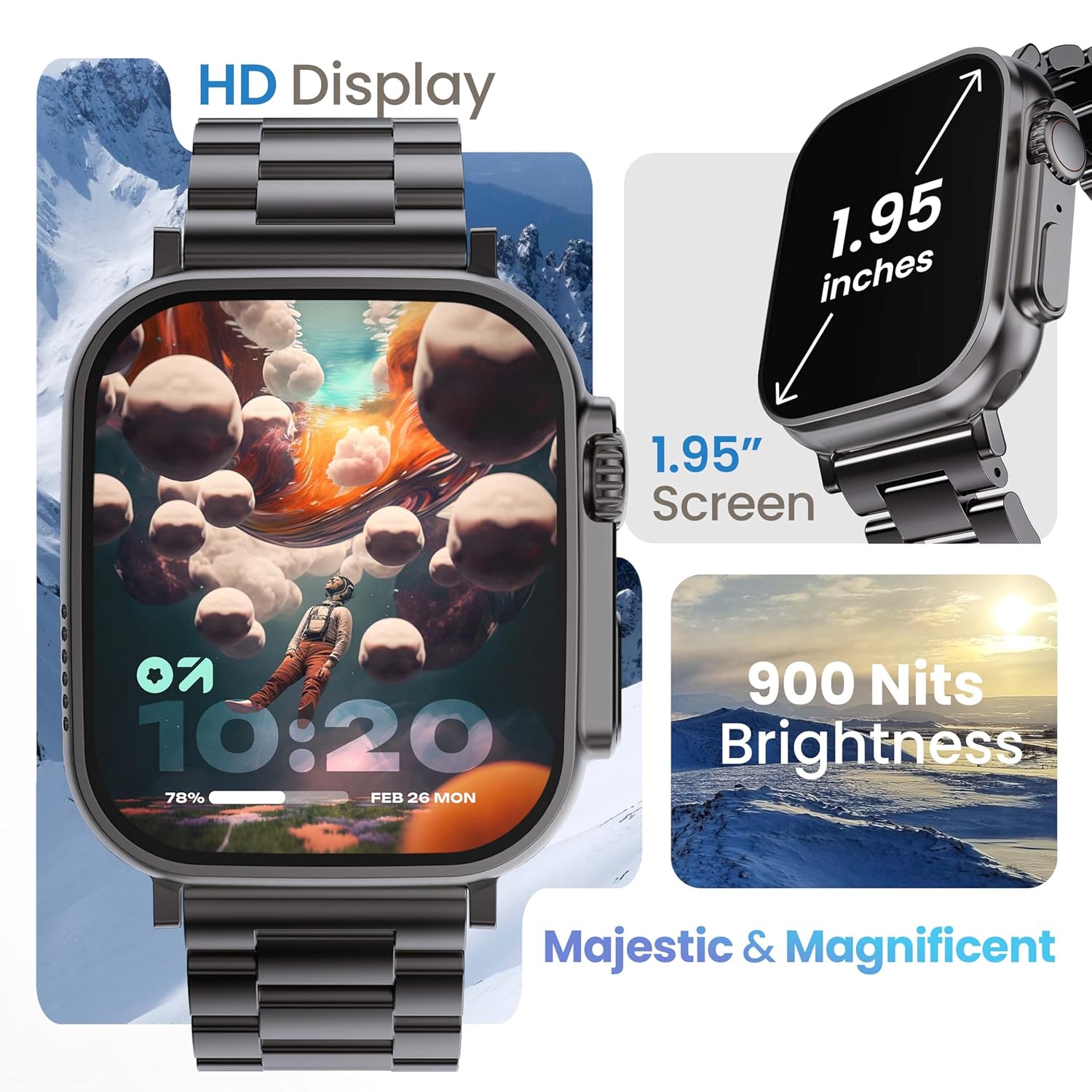
Image 3.1: The 1.95-inch HD display of the GOBOULT Crown Smart Watch, emphasizing its size and 900 Nits brightness for clear visibility.
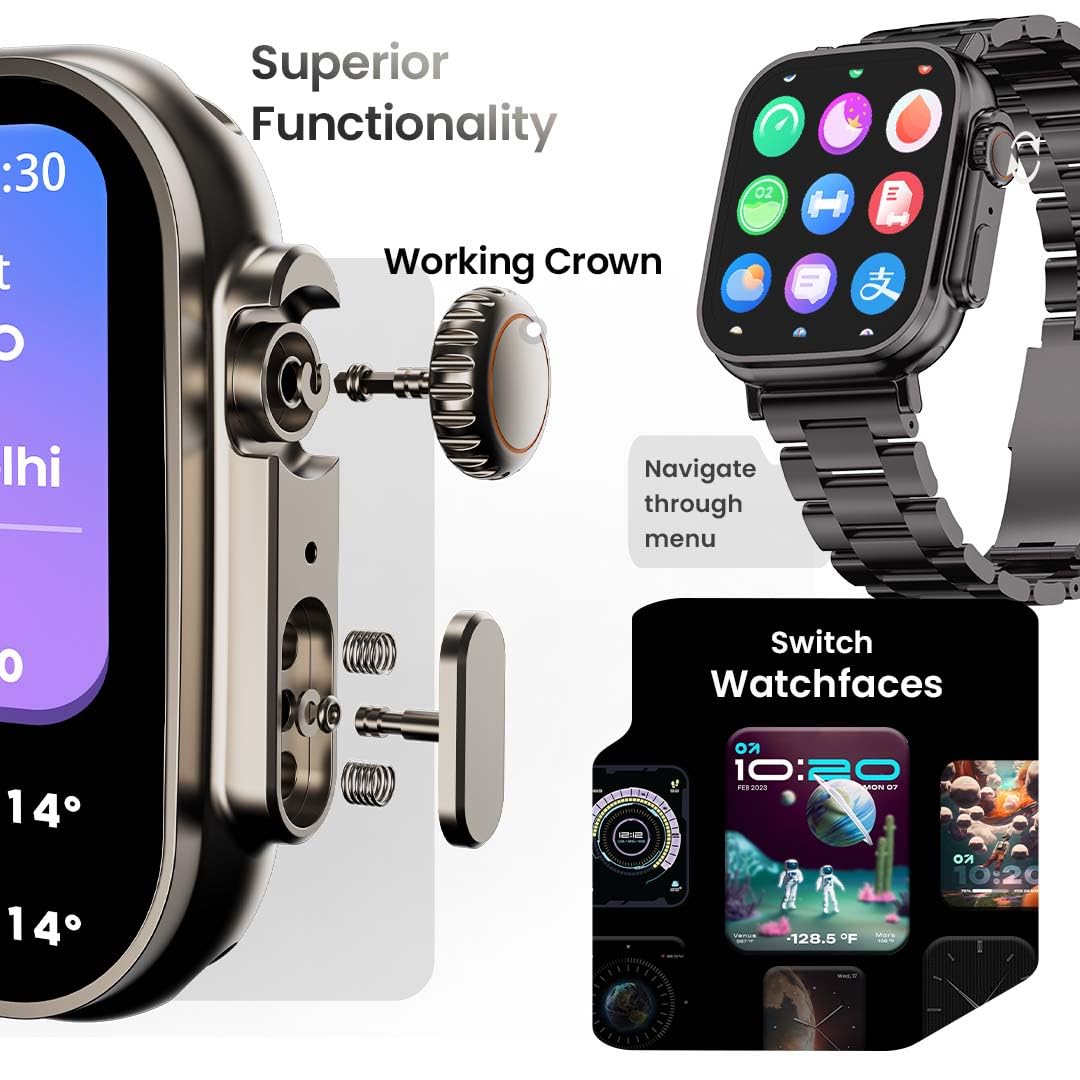
تصوير 3.2: تفصيلي view of the working crown on the GOBOULT Crown Smart Watch, illustrating its use for navigating menus and switching watch faces.
4. سيٽ اپ
4.1 سمارٽ واچ کي چارج ڪرڻ
- مقناطيسي چارجنگ ڪيبل کي واچ جي پوئين پاسي واري چارجنگ پنن سان ڳنڍيو.
- ڪيبل جي USB پڇاڙي کي معياري USB پاور اڊاپٽر (شامل نه آهي) يا ڪمپيوٽر جي USB پورٽ ۾ لڳايو.
- واچ ڊسپلي چارجنگ جي حالت ڏيکاريندو. مڪمل چارج ٿيڻ ۾ لڳ ڀڳ 150 منٽ لڳن ٿا.
نوٽ: Ensure the charging pins are clean and dry before charging to prevent corrosion.
4.2 توهان جي اسمارٽ فون سان جوڙڻ
To unlock all features, pair your GOBOULT Crown Smart Watch with the companion app on your smartphone.
- Download the official GOBOULT companion app from your smartphone's app store (compatible with iOS and Android devices).
- پڪ ڪريو ته توهان جي اسمارٽ فون تي بلوٽوت فعال آهي.
- GOBOULT ايپ کوليو ۽ اڪائونٽ ٺاهڻ يا لاگ ان ڪرڻ لاءِ اسڪرين تي ڏنل هدايتن تي عمل ڪريو.
- ايپ اندر 'ڊيوائس شامل ڪريو' يا 'نئون ڊيوائس جوڙيو' چونڊيو.
- The app will search for available devices. Select 'GOBOULT Crown' from the list.
- پنهنجي واچ ۽ اسمارٽ فون ٻنهي تي جوڙي جي درخواست جي تصديق ڪريو.
هڪ ڀيرو جوڙيو ويندو، واچ توهان جي فون سان ڊيٽا کي هم وقت سازي ڪندي، ۽ توهان ايپ ذريعي سيٽنگون ترتيب ڏئي سگهو ٿا.
5. آپريٽنگ هدايتون
5.1 بنيادي نيويگيشن
- ٽچ اسڪرين: مينيو ۽ اطلاعن ذريعي نيويگيٽ ڪرڻ لاءِ کاٻي، ساڄي، مٿي، يا هيٺ سوائپ ڪريو. شيون چونڊڻ لاءِ ٽيپ ڪريو.
- ڪم ڪندڙ تاج: Rotate the crown to scroll through lists, zoom in/out, or switch watch faces. Press the crown to return to the home screen or access the app menu.
- پاسي واري بٽڻ: Press to quickly access the sports mode menu.
5.2 بلوٽوت ڪالنگ
The GOBOULT Crown Smart Watch supports Bluetooth calling (BT 5.2) with a built-in speaker and microphone.
- Ensure your watch is paired with your smartphone via Bluetooth.
- To make a call, access the dial pad on your watch or select a contact from your synchronized phonebook.
- To answer an incoming call, tap the green icon on the watch screen. To reject, tap the red icon.
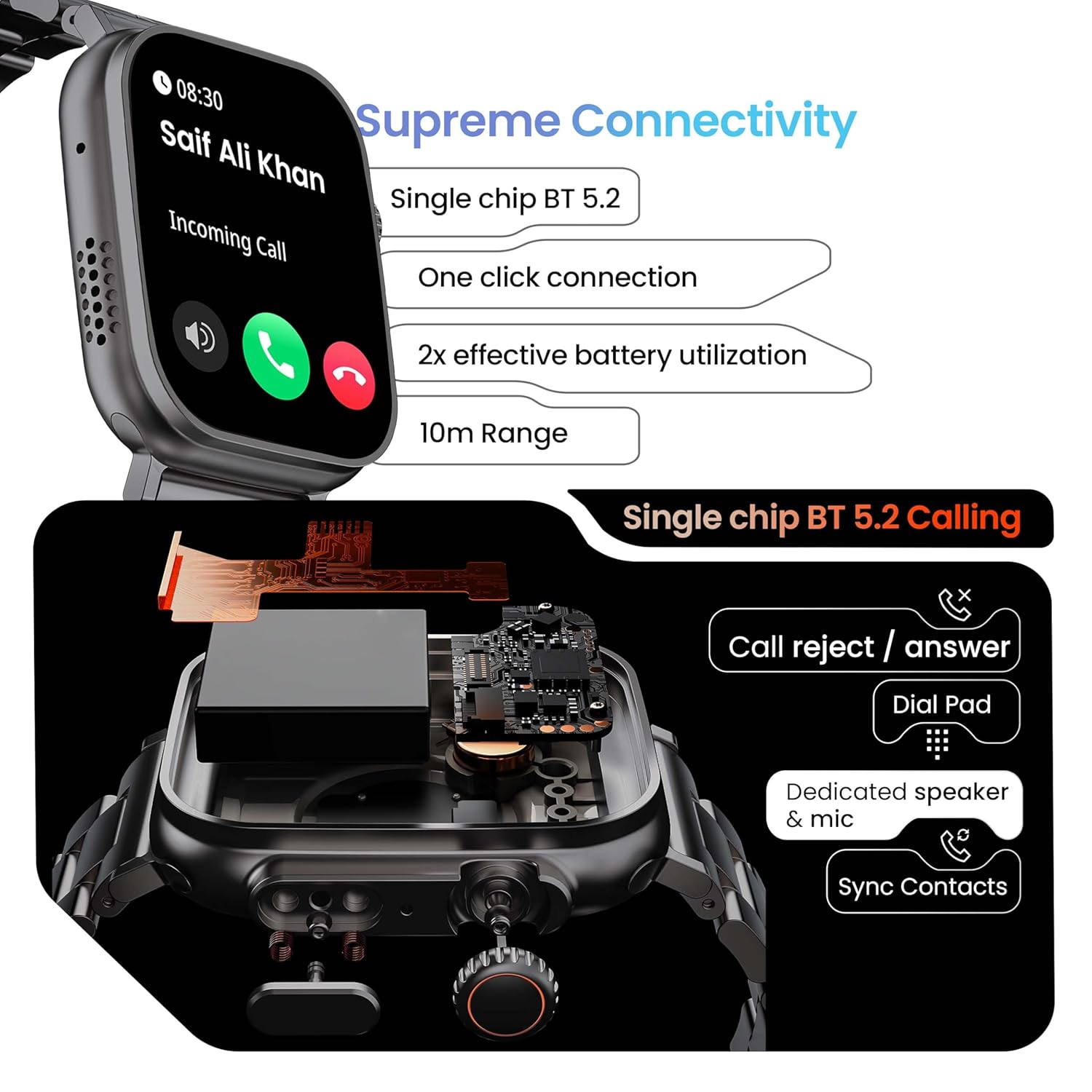
Image 5.1: Illustration of the Bluetooth 5.2 calling functionality on the GOBOULT Crown Smart Watch, including call reject/answer, dial pad, dedicated speaker & mic, and contact synchronization.
5.3 راندين جا طريقا
The watch offers over 120 sports modes to track various physical activities.
- Press the dedicated side button or navigate through the app menu to access 'Sports Modes'.
- Select your desired activity (e.g., Running, Cycling, Yoga, HIIT).
- The watch will begin tracking metrics such as duration, heart rate, calories burned, and steps.
- End the workout by following the on-screen prompts. Data will be synchronized with the app.

Image 5.2: The GOBOULT Crown Smart Watch actively tracking a workout, showing real-time data for heart rate, calories, and steps, with a dedicated button for sports modes.
5.4 صحت جي نگراني
The watch provides continuous health tracking features.
- دل جي شرح جي نگراني: توهان جي دل جي شرح کي 24/7 ٽريڪ ڪري ٿو.
- SpO2 مانيٽرنگ: رت ۾ آڪسيجن جي سنترپتي جي سطح کي ماپي ٿو.
- ننڊ جو تجزيو: ننڊ جي نمونن ۽ معيار جي نگراني ڪري ٿو.
- سرگرمي ٽريڪٽر: Records steps, distance, and calories burned throughout the day.
- بيڪار الرٽ: توهان کي غير فعال ٿيڻ کان پوءِ منتقل ٿيڻ جي ياد ڏياري ٿو.
- عورتن جي حيض جي چڪر جي ٽريڪنگ: Available through the companion app.
- سانس جي تربيت: آرام لاءِ هدايت ڪيل سانس جون مشقون.
Access detailed health data and trends in the GOBOULT companion app.
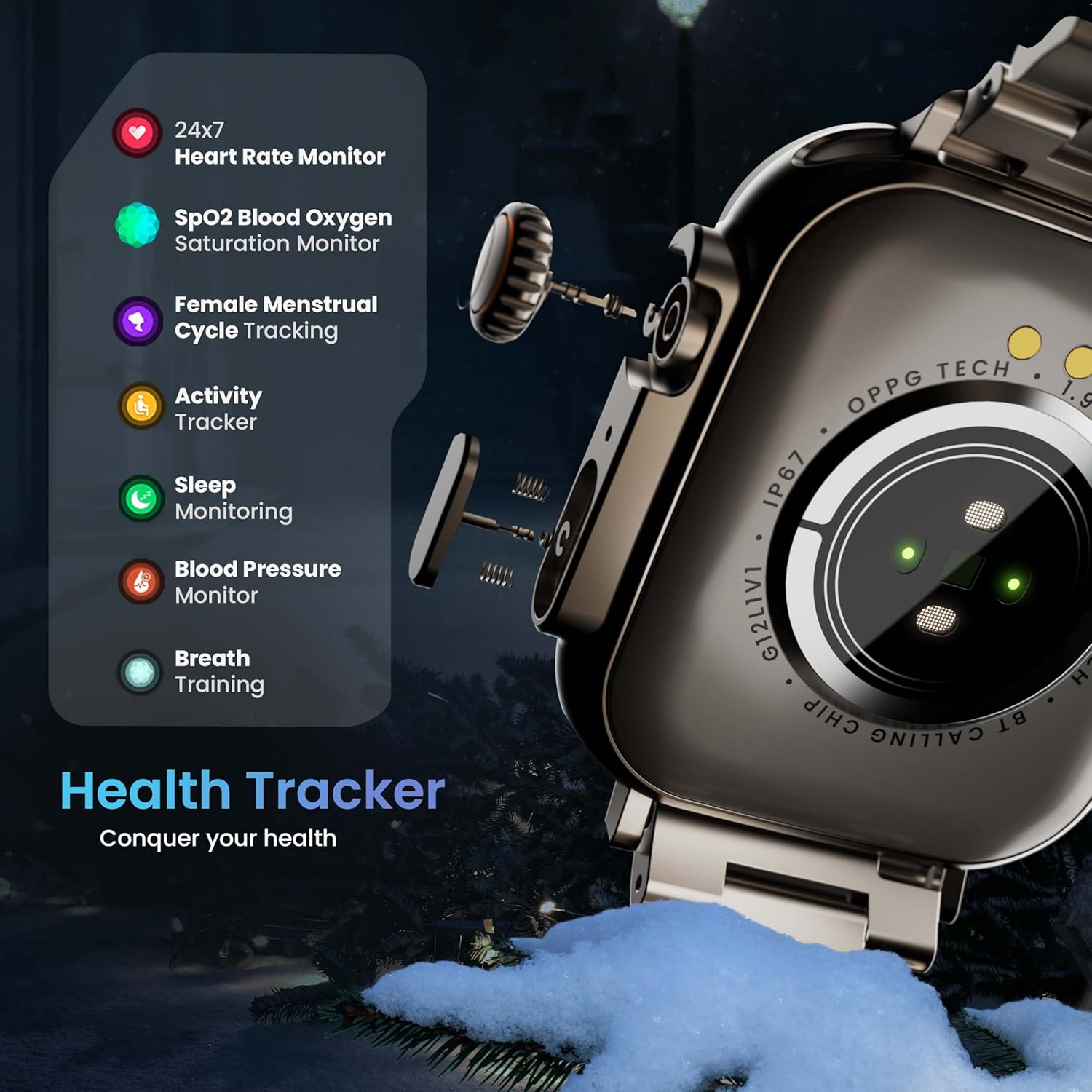
Image 5.3: The GOBOULT Crown Smart Watch highlighting its comprehensive health tracker capabilities, including 24x7 Heart Rate Monitor, SpO2 Blood Oxygen Saturation Monitor, Female Menstrual Cycle Tracking, Activity Tracker, Sleep Monitoring, Blood Pressure Monitor, and Breath Training.
5.5 AI وائيس اسسٽنٽ
Interact with your watch using voice commands for quick tasks.
- Activate the AI Voice Assistant by a specific gesture or button press (refer to in-app settings for configuration).
- Speak your command clearly, such as "Hey Siri" or "Ok Google" (if connected to a compatible phone).
- The watch will process your request, allowing you to set reminders, check weather, or control smart home devices.
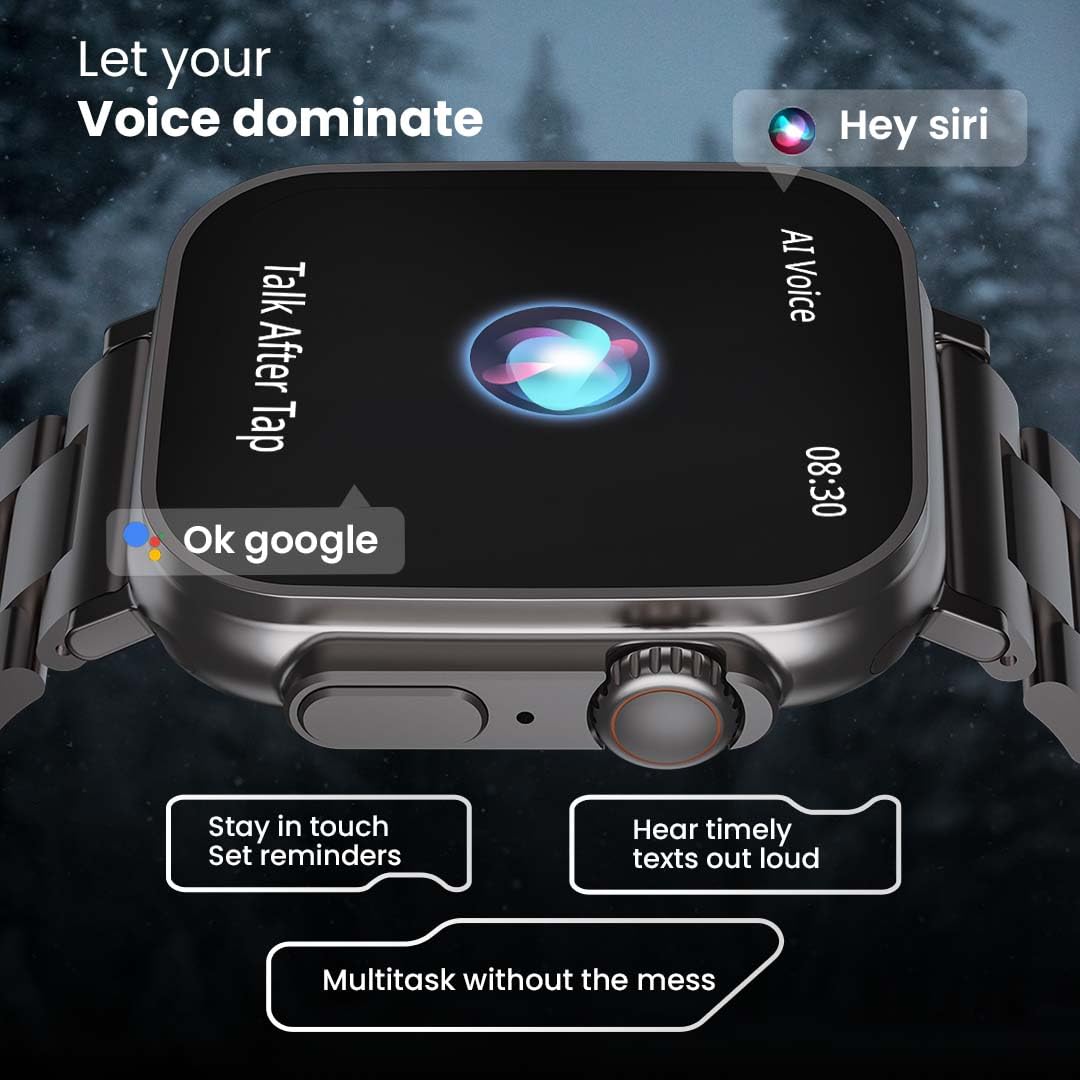
Image 5.4: The GOBOULT Crown Smart Watch interacting with AI Voice Assistants like Hey Siri and Ok Google, enabling users to stay in touch, set reminders, and hear timely texts aloud.
5.6 واچ فيس ۽ ڪسٽمائيزيشن
Personalize your watch with over 100 cloud-based watch faces.
- Long-press the watch face on the home screen to quickly switch between pre-loaded faces.
- For more options, open the GOBOULT app and browse the 'Watch Faces' library.
- Download and apply new watch faces directly from the app.
5.7 ننڍيون رانديون
The watch includes several mini-games for entertainment.
- Navigate to the 'Games' section in the app menu.
- Select a game (e.g., Young Bird, Hamster, Battleships, 2048) and follow the on-screen instructions to play.
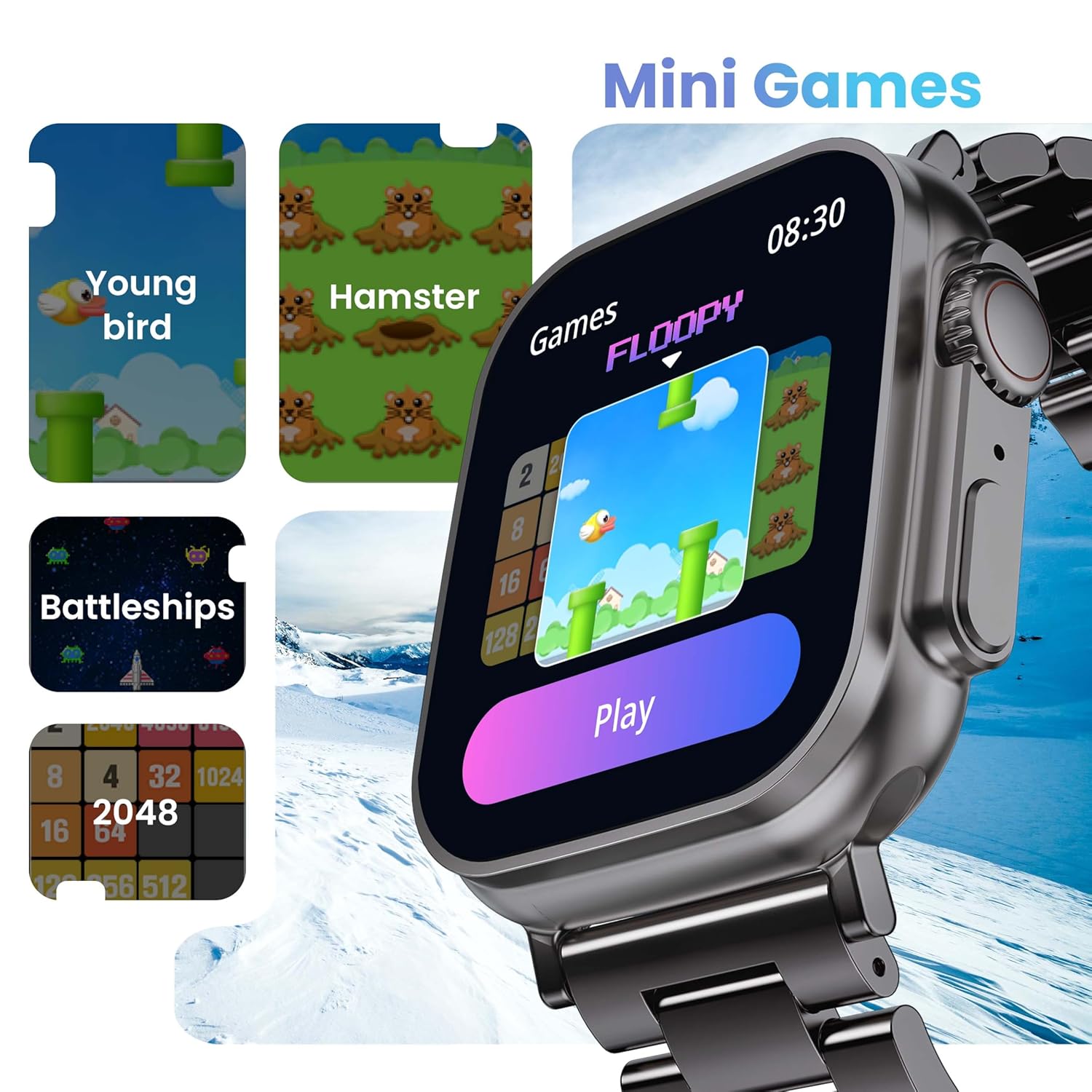
Image 5.5: The GOBOULT Crown Smart Watch showcasing its mini-games feature, including 'Young bird', 'Hamster', 'Battleships', and '2048'.
5.8 منهنجو فون ڳوليو
واچ استعمال ڪندي پنهنجي جوڙيل اسمارٽ فون کي ڳوليو.
- Go to the watch menu.
- Select the "Find Phone" option.
- The connected phone will ring or vibrate, helping you locate it.
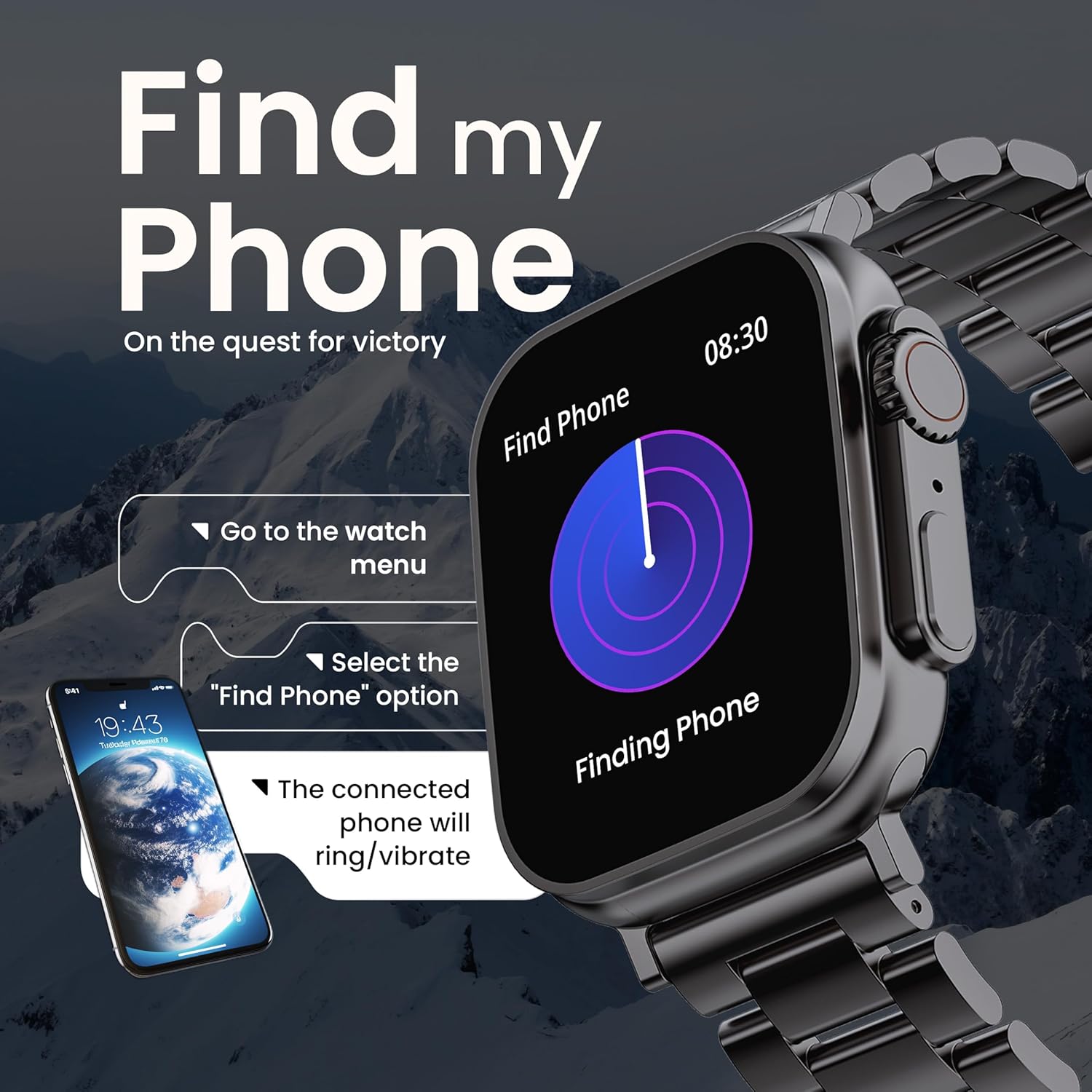
Image 5.6: The GOBOULT Crown Smart Watch illustrating the 'Find my Phone' feature, showing the steps to activate it and how the connected phone will respond.
6. سار سنڀال
6.1 پنهنجي سمارٽ واچ کي صاف ڪرڻ
- واچ اسڪرين ۽ باڊي کي نرم، لِنٽ فري ڪپڙي سان صاف ڪريو.
- ضدي داغ لاءِ، ڊيampڪپڙي کي پاڻيءَ سان ٿورو ڇڪيو. سخت ڪيميڪل يا رگڙيندڙ مواد استعمال ڪرڻ کان پاسو ڪريو.
- Clean the charging pins regularly to ensure proper connection.
- If your watch has a stainless steel band, use the provided strap adjustment tool for any modifications.
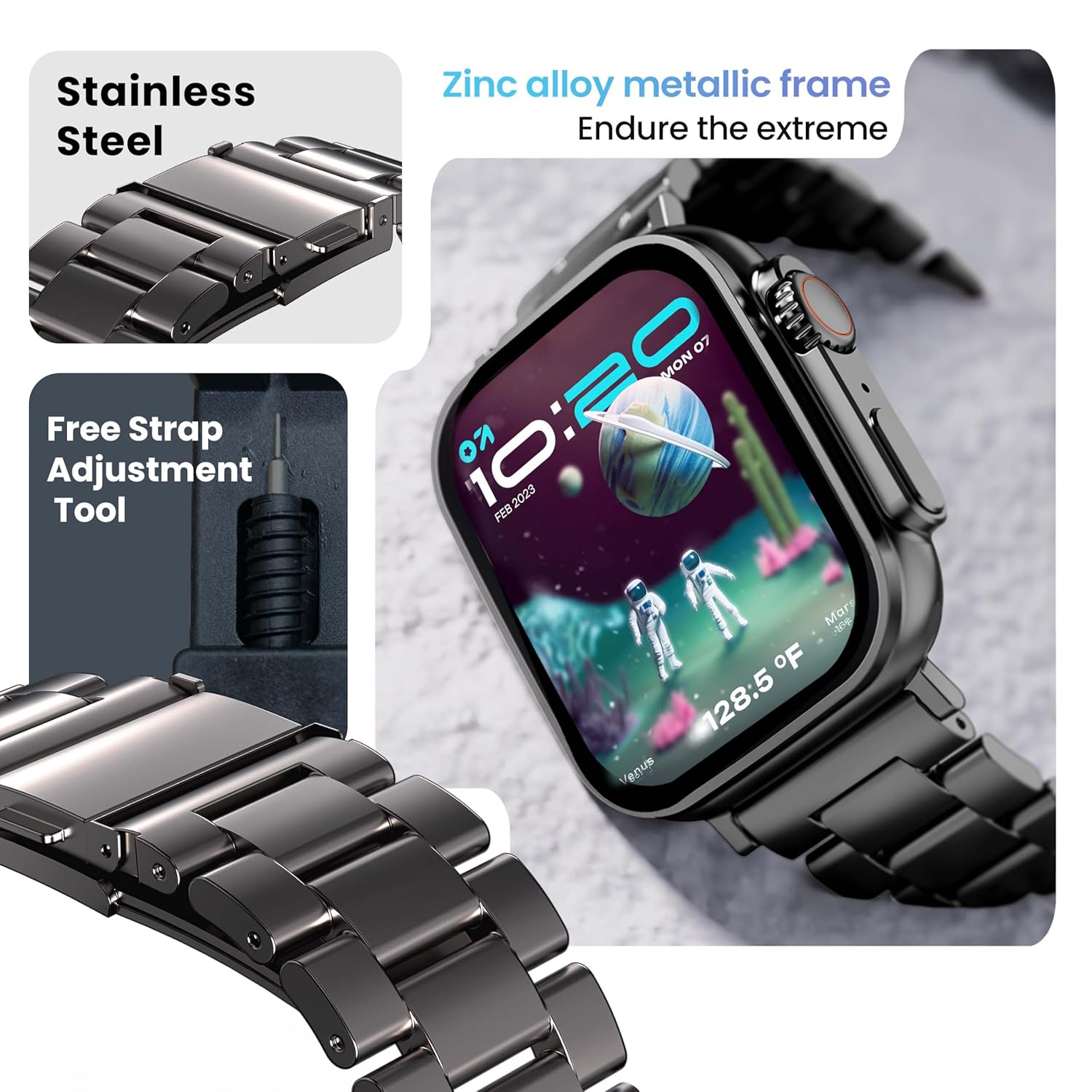
Image 6.1: The GOBOULT Crown Smart Watch featuring its stainless steel band and the included free strap adjustment tool for maintenance.
6.2 پاڻي جي مزاحمت
The GOBOULT Crown Smart Watch has an IP67 waterproof rating.
- IP67 درجه بندي: This means the watch is dust-proof and can withstand submersion in water up to 1.5 meters for 30 minutes.
- اهو روزاني استعمال لاءِ موزون آهي، جهڙوڪ هٿ ڌوئڻ يا هلڪي مينهن ۾.
- Avoid using the watch during swimming, diving, or in hot water (e.g., showers, saunas) as steam and high pressure can compromise the seal.
- پاڻيءَ هيٺ بٽڻ نه دٻايو.
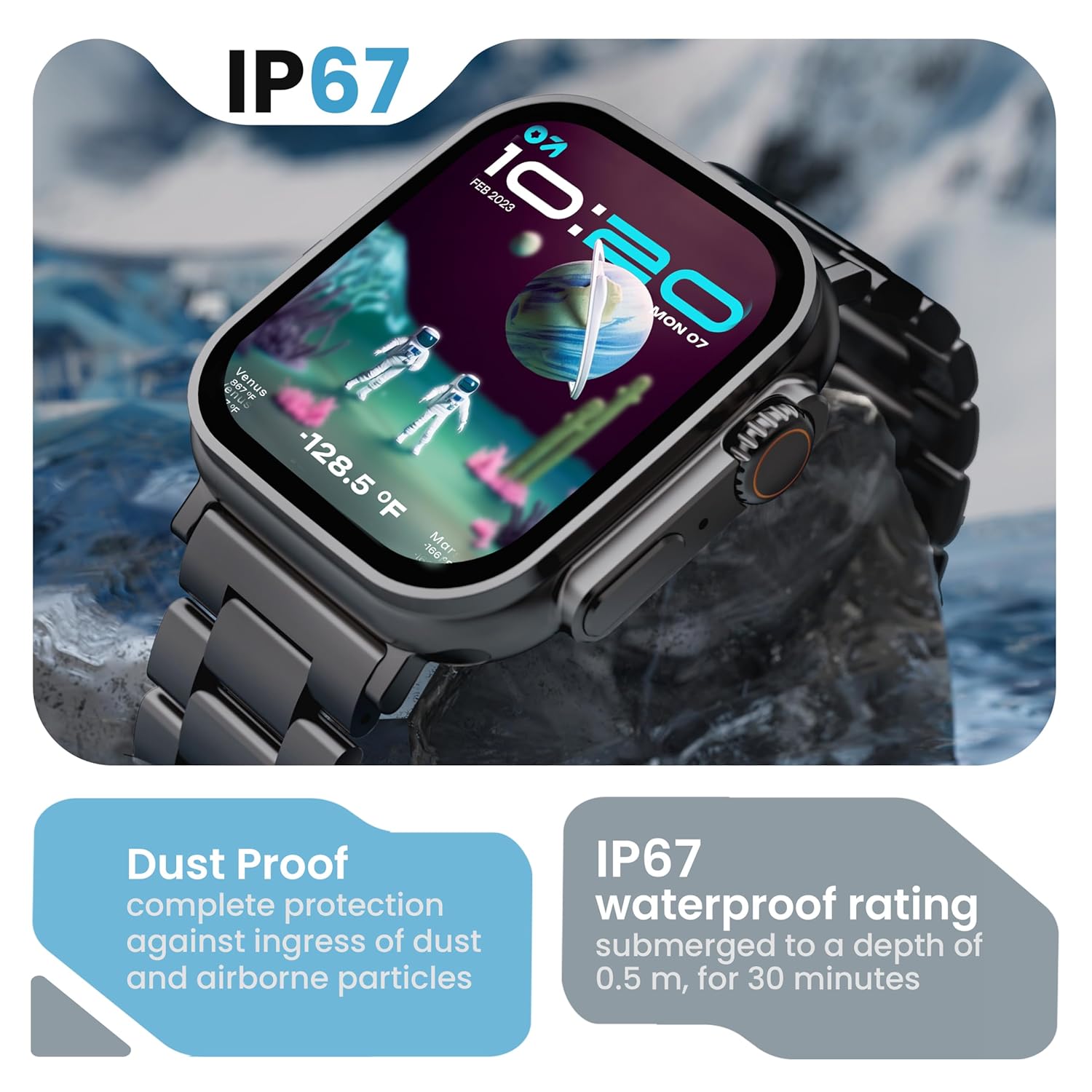
Image 6.2: The GOBOULT Crown Smart Watch emphasizing its IP67 rating, indicating complete protection against dust ingress and water submersion up to 0.5 meters for 30 minutes.
7. مسئلا حل ڪرڻ
If you encounter issues with your GOBOULT Crown Smart Watch, refer to the following common solutions:
| مسئلو | ممڪن حل |
|---|---|
| واچ آن نٿي ٿئي | پڪ ڪريو ته گھڙي مڪمل طور تي چارج ٿيل آهي. ان کي گهٽ ۾ گهٽ 30 منٽن لاءِ چارجر سان ڳنڍيو. |
| اسمارٽ فون سان جوڙو نه ٿو ٺاهي سگهجي | Ensure Bluetooth is enabled on your phone. Restart both the watch and phone. Make sure the watch is within Bluetooth range. Check the app for pairing instructions. |
| صحت جي ڊيٽا جي غلط معلومات | پڪ ڪريو ته گھڙي توهان جي کلائي تي مضبوطيءَ سان پائڻي آهي، نه ته تمام گهڻو تنگ يا تمام گهڻو ڍلو. گھڙي جي پوئين پاسي سينسر واري علائقي کي صاف ڪريو. |
| بلوٽوٿ ڪالنگ جا مسئلا | Verify the watch is connected for both data and call audio in your phone's Bluetooth settings. Ensure microphone and speaker are not obstructed. |
| اسڪرين جواب نه ڏئي رهيو آهي | واچ کي ٻيهر شروع ڪريو. جيڪڏهن مسئلو برقرار رهي، پڪ ڪريو ته اسڪرين صاف ۽ سڪل آهي. |
| مختصر بيٽري جي زندگي | Reduce screen brightness, disable unnecessary notifications, and limit continuous heart rate monitoring if not needed. |
جيڪڏهن انهن حلن جي ڪوشش ڪرڻ کان پوءِ به مسئلو برقرار رهي، مهرباني ڪري ڪسٽمر سپورٽ سان رابطو ڪريو.
8. وضاحتون
Below are the technical specifications for the GOBOULT Crown Smart Watch (Model: B0FCSBLK42):
| خاصيت | تفصيل |
|---|---|
| ماڊل نمبر | B0FCSBLK42 |
| ڊسپلي سائيز | 1.95 انچ |
| ڊسپلي جو قسم | ٽي ايف ٽي |
| Maximum Display Brightness | 900 نٽس |
| رابطي ٽيڪنالاجي | بلوٽوٿ 5.2 |
| آپريٽنگ سسٽم مطابقت | Android Wear 1.0, iOS |
| بيٽري جي گنجائش | 300 مليamp ڪلاڪ (ليٿيم پوليمر) |
| بيٽري جي سراسري زندگي | 7 ڏينهن تائين |
| بيٽري چارج وقت | 150 منٽ |
| پاڻي جي مزاحمت جي درجه بندي | IP67 (Water Resistant up to 1.5 meters depth) |
| بينڊ مواد جو قسم | بي داغ لوه |
| شيءِ جو وزن | 40 گرام |
| شيون طول و عرض (D x W x H) | 40D x 38W x 6H ملي ميٽر |
| ماپيل ميٽرڪ | Blood Oxygen (SpO2), Distance, Heart Rate, Step Count |
| سپورٽ ٿيل ايپليڪيشنون | Voice Assistant, Communication, Notifications |
| ڪنٽرولر جو قسم | گوگل اسسٽنٽ، سري |
9. وارنٽي ۽ سپورٽ
9.1 وارنٽي ڄاڻ
The GOBOULT Crown Smart Watch comes with a 1 سال ٺاهيندڙ وارنٽي خريداري جي تاريخ کان. هي وارنٽي پيداوار جي خرابين کي ڍڪيندي آهي. مھرباني ڪري وارنٽي دعوائن لاءِ پنھنجي خريداري جي رسيد رکو.
9.2 ڪسٽمر سپورٽ
For technical assistance, warranty claims, or any other inquiries, please contact:
- ٺاهيندڙ: بولٽ آڊيو
- درآمد ڪندڙ: ايگزوٽڪ مائل پرائيويٽ لميٽيڊ
- درآمد ڪندڙ رابطي جي معلومات: بي 67 وزير پور انڊسٽريل ايريا، نئين دهلي 110052
Please refer to the warranty card included in your box for specific terms and conditions.


