تعارف
This manual provides essential information for the setup, operation, maintenance, and troubleshooting of your Lenovo V15 (83CC0053IN) laptop. Please read this document thoroughly to ensure proper use and to maximize the lifespan of your device.
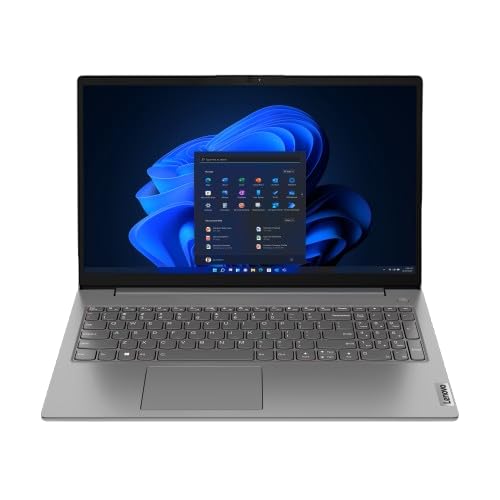
Image: The Lenovo V15 laptop, showcasing its full display and keyboard. The screen displays a graphical user interface, indicating a functional system.
سيٽ اپ ڪريو
1. Unpacking
پيڪنگ مان سڀني حصن کي احتياط سان هٽايو. تصديق ڪريو ته هيٺيون شيون موجود آهن:
- Lenovo V15 Laptop
- پاور اڊاپٽر
- استعمال ڪندڙ جو دستياب (ھي دستاويز)
2. پاور سان ڳنڍڻ
Connect the power adapter to the laptop's power input port and then plug the adapter into a grounded electrical outlet. The battery will begin charging automatically.
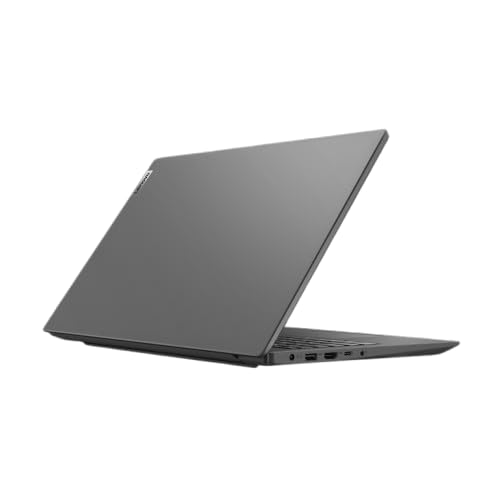
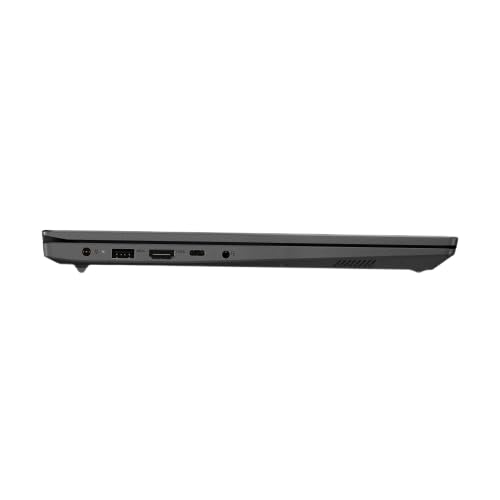
تصوير: هڪ پاسي وارو پروfile of the Lenovo V15 laptop, highlighting the various ports available for connectivity, including the power input.
3. Initial Boot
Press the power button located on the keyboard deck to turn on the laptop. Since the laptop comes with DOS, you will need to install an operating system (e.g., Windows, Linux) to utilize its full functionality. Follow the on-screen prompts or your chosen operating system's installation guide.
ليپ ٽاپ هلائڻ
پاور آن / آف
- پاور آن: پاور بٽڻ کي دٻايو.
- بجلي بند: From your operating system, select the shutdown option. Alternatively, press and hold the power button for several seconds for a forced shutdown (use only when necessary).
ڪي بورڊ ۽ ٽچ پيڊ
The laptop features a 6-row, spill-resistant keyboard with multimedia Fn keys and a numeric keypad. The buttonless Mylar surface multi-touch touchpad supports Precision TouchPad gestures.
تصوير: هڪ صاف مٿي کان هيٺ تائين view of the Lenovo V15 laptop's keyboard, including the numeric keypad, and the integrated touchpad below.
ٻاهرين ڊوائيسز کي ڳنڍڻ
The Lenovo V15 offers various ports for connecting peripherals:
- USB بندرگاهن: 1x USB 2.0, 1x USB 3.2 Gen 1, 1x USB-C 3.2 Gen 1 (supports data transfer, Power Delivery (20V only), and DisplayPort 1.2).
- HDMI: 1x HDMI 1.4b for connecting to external displays.
- Ethernet: 1x RJ-45 port for wired network connection.
- آڊيو: 1x Headphone/microphone combo jack (3.5mm).
سار سنڀال
ليپ ٽاپ کي صاف ڪرڻ
- نرم، لِنٽ کان خالي ڪپڙو استعمال ڪريو ٿورڙو ڊيampڊسپلي کي صاف ڪرڻ لاءِ پاڻي يا اسڪرين ڪلينر سان ٻوڙيو وڃي.
- ڪيبورڊ ۽ چيسس لاءِ، نرم ڪپڙو استعمال ڪريو. سخت ڪيميڪلز يا رگڙيندڙ مواد کان پاسو ڪريو.
- صفائي ڪرڻ کان اڳ پڪ ڪريو ته ليپ ٽاپ بند آهي ۽ ان پلگ ٿيل آهي.
بيٽري جي سنڀال
- بيٽري کي بار بار مڪمل طور تي چارج ڪرڻ کان پاسو ڪريو.
- جيڪڏهن ليپ ٽاپ کي گهڻي عرصي تائين استعمال نه ڪيو وڃي ته ان کي ٿڌي، سڪل جاءِ تي رکو.
- بيٽري کي بي نقاب نه ڪريو انتهائي گرمي پد تي.
ذخيرو
When storing the laptop, especially for long durations, ensure it is turned off and disconnected from power. Protect it from dust and extreme environmental conditions.
مشڪلاتون
This section addresses common issues you might encounter with your Lenovo V15 laptop.
ڪابه طاقت
- پڪ ڪريو ته پاور اڊاپٽر ليپ ٽاپ ۽ ڪم ڪندڙ بجلي جي آئوٽليٽ ٻنهي سان محفوظ طور تي ڳنڍيل آهي.
- ٻئي ڊوائيس ۾ پلگ ان ڪندي پڪ ڪريو ته پاور آئوٽليٽ ڪم ڪري رهيو آهي.
- جيڪڏهن بيٽري مڪمل طور تي ختم ٿي وئي آهي، ته ان کي پاور آن ڪرڻ جي ڪوشش ڪرڻ کان پهريان ڪجهه منٽن لاءِ چارج ٿيڻ ڏيو.
ڊسپلي مسئلا
- If the screen is blank, try adjusting the display brightness using the keyboard function keys.
- If an external monitor is connected, ensure the display output is correctly configured (e.g., duplicate, extend).
- ليپ ٽاپ کي ٻيهر شروع ڪريو.
پردي جي سڃاڻپ نه ٿي
- Ensure the peripheral is correctly plugged into the appropriate port.
- Try connecting the peripheral to a different port or another device to confirm its functionality.
- ليپ ٽاپ کي ٻيهر شروع ڪريو.
وضاحتون
| خاصيت | تفصيل |
|---|---|
| ماڊل | Lenovo V15 (83CC0053IN) |
| پروسيسر | اٺين نسل جو انٽيل ڪور i7-13620H (10 ڪور، 4.9 GHz تائين) |
| ياداشت (رام) | 16GB DDR4 3200 MHz (upgradable up to 16GB) |
| ذخيرو | 512GB SSD M.2 (upgradable up to 1TB) |
| آپريٽنگ سسٽم | ڊاس |
| ڏيکاريو | 15.6" FHD (1920x1080) Antiglare, 250 nits |
| گرافڪس | Intel UHD Graphics (DirectX 12.1) |
| بندرگاهن | 1x USB 2.0, 1x USB 3.2 Gen 1, 1x USB-C 3.2 Gen 1 (data/PD/DP), 1x HDMI 1.4b, 1x Ethernet (RJ-45), 1x Headphone/mic combo, 1x Power Connector |
| ڪي بورڊ | 6-قطار، اسپل-مزاحمتي، ملٽي ميڊيا Fn ڪي، عددي ڪي پيڊ |
| ٽچ پيڊ | Buttonless Mylar surface multi-touch, Precision TouchPad support |
| وزن | 1.65 ڪلو |
| بيٽريون | 1 AAA battery required (included) - 38 Wh Lithium-Ion (2 cells) |
وارنٽي ۽ سپورٽ
Your Lenovo V15 laptop comes with a 1-year Carry-in Warranty. To avail of service, visit your nearest authorized service center.
It is recommended to register your laptop's warranty, starting from the date of your Amazon invoice. You can do this by visiting the official Lenovo support portal:
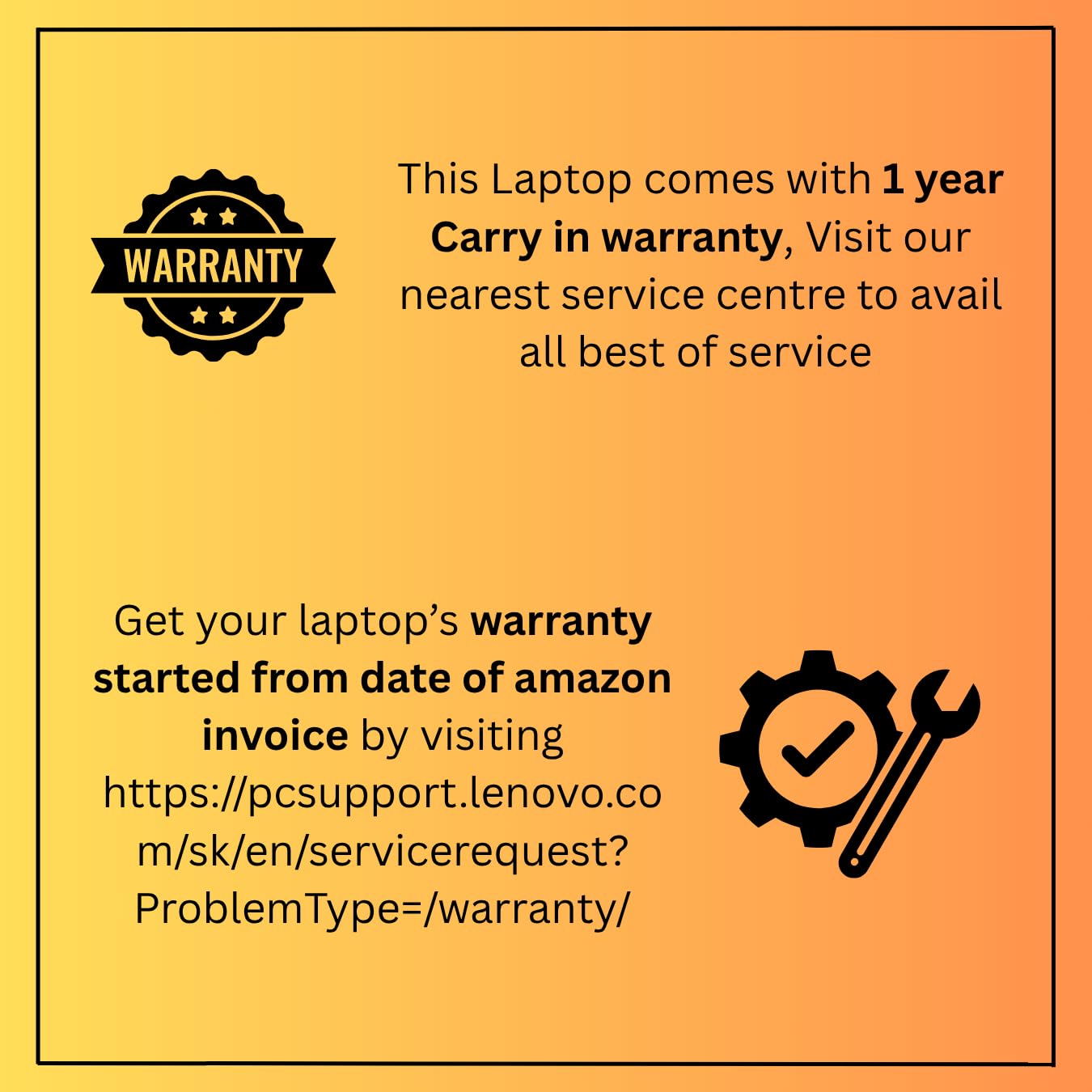
Image: A graphic detailing the 1-year carry-in warranty and providing instructions and a link for warranty registration via the Lenovo support webسائيٽ.


