1. تعارف
This manual provides detailed instructions for the setup, operation, maintenance, and troubleshooting of your MOFII 2.4GHz Wireless Keyboard and Mouse Combo. This combo features a gradient color design with retro typewriter-style round keycaps, an ergonomic design with foldable stands, and anti-slip pads for comfortable use. It utilizes 2.4GHz wireless technology for a stable connection.
2. پيڪيج مواد
- MOFII Wireless Keyboard
- MOFII Wireless Mouse
- USB Receiver (located inside the mouse battery compartment)
- استعمال ڪندڙ دستي
- Cleaning Brush (for detachable keycaps)
3. سيٽ اپ جون هدايتون
شروعاتي سيٽ اپ لاءِ ھنن قدمن تي عمل ڪريو:
- بيٽرين کي انسٽال ڪريو. The keyboard and mouse each require one AA battery (not included). Open the battery compartment on the underside of both the keyboard and mouse and insert the batteries, ensuring correct polarity.
- USB رسيور ڳوليو: The USB receiver is stored in the battery compartment of the mouse. Carefully remove it.
- رسيور ڳنڍيو: Plug the USB receiver into an available USB port on your computer (PC, laptop, desktop, etc.).
- پاور آن: ڪيبورڊ ۽ مائوس کي انهن جي لاڳاپيل پاور سوئچز (عام طور تي هيٺئين پاسي تي واقع) استعمال ڪندي آن ڪريو.
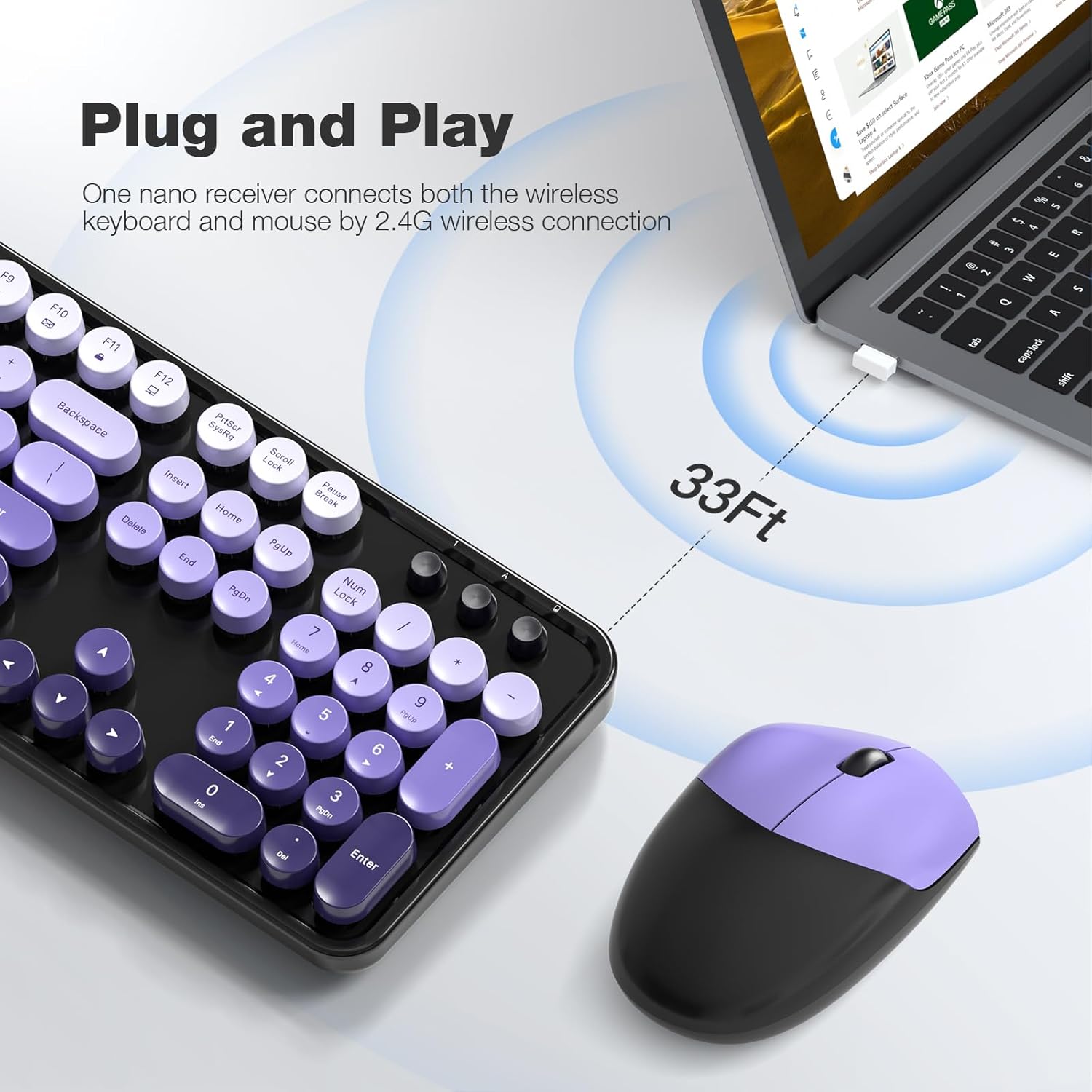
- خودڪار ڪنيڪشن: The keyboard and mouse will automatically connect to your computer. No additional drivers are required for most operating systems.

The 2.4GHz wireless technology provides a stable and reliable connection up to 33 feet (10 meters) without latency.
4. آپريٽنگ هدايتون
4.1 ڪي بورڊ جون خاصيتون
- مڪمل-سائيز ترتيب: The 104-key layout includes a number pad for efficient data entry.
- ملٽي ميڊيا شارٽ ڪٽ: Utilize the 13 multimedia shortcuts (Fn + F1-F12) to control audio/video playback, volume, web برائوزنگ، ۽ اي ميل.
- Ergonomic ڊيزائن: The keyboard features foldable stands on the underside to adjust the typing angle for improved comfort. Anti-slip pads prevent movement during use.

4.2 خودڪار ننڊ موڊ
To conserve battery life, both the keyboard and mouse are equipped with a smart auto-sleep function. If inactive for 5 minutes, they will automatically enter sleep mode. To wake them up, simply click any key on the keyboard or move the mouse.

5. سار سنڀال
5.1 صفائي
The keyboard features detachable round keycaps, allowing for easy cleaning. Use the included cleaning brush to remove dust and debris from between the keys. For deeper cleaning, carefully remove the keycaps and clean the keyboard base and keycaps separately with a soft, damp ڪپڙو. پڪ ڪريو ته سڀئي حصا مڪمل طور تي سڪل آهن ٻيهر گڏ ڪرڻ کان اڳ.

5.2 بيٽري مٽائڻ
When the keyboard or mouse stops responding or experiences intermittent connectivity, it may be time to replace the AA batteries. Open the battery compartment on the underside of the device, remove the old battery, and insert a new AA battery, observing the correct polarity. Close the compartment securely.
6. مسئلا حل ڪرڻ
- ڪي بورڊ/ماؤس کان ڪو به جواب نه مليو:
- پڪ ڪريو ته بيٽريون صحيح طرح سان نصب ٿيل آهن ۽ ختم نه ٿيون ٿين. جيڪڏهن ضروري هجي ته تبديل ڪريو.
- Check if the power switch on both devices is in the 'ON' position.
- پڪ ڪريو ته USB رسيور توهان جي ڪمپيوٽر تي ڪم ڪندڙ USB پورٽ ۾ محفوظ طور تي پلگ ان ٿيل آهي. هڪ مختلف USB پورٽ آزمايو.
- رينج جي مسئلن کي رد ڪرڻ لاءِ ڪيبورڊ ۽ مائوس کي USB رسيور جي ويجهو منتقل ڪريو.
- دير يا وقفي وقفي سان ڪنيڪشن:
- Reduce interference by moving other wireless devices away from the receiver.
- پڪ ڪريو ته ڊوائيسز ۽ رسيور جي وچ ۾ ڪا به وڏي ڌاتوءَ جي شيءِ نه آهي.
- جيڪڏهن بيٽريون گهٽ آهن ته انهن کي تبديل ڪريو.
- ملٽي ميڊيا ڪيز ڪم نه ڪري رهيون آهن:
- Ensure you are pressing the 'Fn' key simultaneously with the desired function key (F1-F12).
- Check your operating system settings for any conflicting hotkey configurations.
- Mouse Cursor Jumps or is Inaccurate:
- Ensure the mouse sensor is clean and free from dust or debris.
- Use the mouse on a suitable surface (e.g., a mouse pad) for optimal tracking.
7. وضاحتون
| برانڊ | MOFII |
| ماڊل | 2.4GHz Retro Typewriter Keyboard and Mouse Combo |
| رنگ | Black Purple Gradient Color |
| رابطي ٽيڪنالاجي | 2.4GHz وائرليس (USB رسيور) |
| ڪي بورڊ لي آئوٽ | 104-Key Full-Size |
| خاص خصوصيت | Round Keycaps, Ergonomic Design, Auto-Sleep Mode, Multimedia Shortcuts |
| مطابقت رکندڙ ڊوائيسز | Laptop, Personal Computer, Desktop, Notebook, Smart TV |
| مطابقت رکندڙ آپريٽنگ سسٽم | Windows 7/8/10/11/XP/Vista, Linux, Chrome |
| طاقت جو ذريعو | 1x AA Battery (Keyboard), 1x AA Battery (Mouse) - بيٽري شامل نه آهي |
| شيءِ جو وزن | 3.2 اونس |
| پيڪيج جي ماپ | 17.76 x 5.43 x 3.03 انچ |
8. وارنٽي ۽ سپورٽ
For warranty information and technical support, please refer to the product packaging or contact MOFII customer service directly. Keep your purchase receipt for warranty claims.


