تعارف
The SmallRig RM 25C Mini LED RGB Video Light is a compact and versatile lighting solution designed for various content creation needs. This manual provides detailed instructions for the proper use, setup, and maintenance of your device to ensure optimal performance and longevity.
پيڪيج مواد
پڪ ڪريو ته هيٺ ڏنل سڀئي شيون توهان جي پيڪيج ۾ موجود آهن:
- RM 25C Video Light ×1
- Attachable Diffuser ×1
- USB-C چارجنگ ڪيبل ×1
- Operating Instruction ×1
پيداوار ختمview

Image: The SmallRig RM 25C Mini LED RGB Video Light shown with its magnetic diffuser and examples of camera and stand mounting.
اهم خاصيتون
- ڪمپيڪٽ ۽ پورٽبل ڊيزائن: The RM 25C is designed to be pocket-sized, measuring 4.4"x2.9"x1.1" and weighing 7.9oz, making it suitable for on-the-go content creation. It features a 1/4"-20 threaded hole for mounting.
- PD فاسٽ چارجنگ: Equipped with a 3100mAh battery, the light offers approximately 50 minutes of runtime at full brightness. USB Type-C PD fast charging allows it to reach 80% charge in 45 minutes and can be used continuously while charging.
- Professional-Grade Brightness and Color: Features 145 premium LED beads with CRI≥96 and TLCI≥99. It provides 36,000+ colors and adjustable color temperature from 2500K to 10000K. The 25W high power delivers up to 3070 Lux at 0.5m in Boost Mode. Includes 14 cinematic lighting effects.
- وجداني ڪنٽرول: An HD LCD display and precision knob allow for effortless adjustment of settings. The side screen remains visible even when magnetically attached to metal surfaces.
- Magnetic Diffuser: An attachable magnetic diffuser is included to soften light, ideal for portraits and enhancing details. It can be attached or detached quickly.
سيٽ اپ ڪريو
1. شروعاتي چارجنگ
Before first use, fully charge the RM 25C using the provided USB-C cable.
- Connect the USB-C cable to the charging port on the light and to a compatible USB power adapter (not included).
- The LCD display will indicate charging status. A full charge takes approximately 1.5 hours with PD fast charging.
- The light can be used while charging.
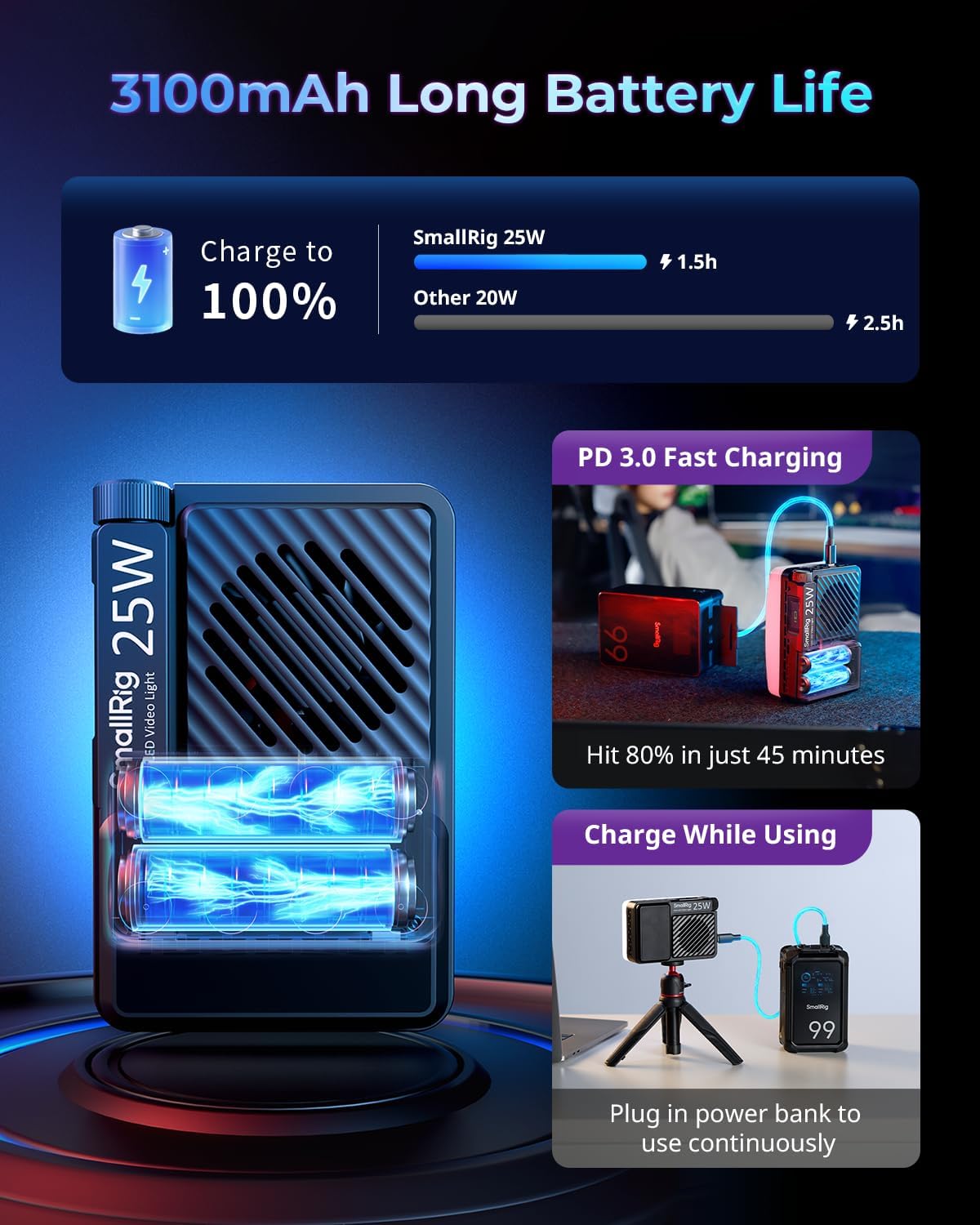
Image: The RM 25C light connected to a power bank via USB-C for charging, illustrating its ability to operate while charging.
2. Attaching the Diffuser
The magnetic diffuser can be easily attached or removed to modify light quality.
- Align the diffuser with the front panel of the light.
- The magnets will secure the diffuser in place.
Image: A hand demonstrating the magnetic attachment of the diffuser to the RM 25C light.
3. چڙهڻ جا اختيار
The RM 25C offers flexible mounting:
- 1/4"-20 ڌاڳو وارو سوراخ: Use the threaded hole at the bottom to attach the light to cameras, cages, tripods, or light stands.
- مقناطيسي چڙهڻ: The light can be directly attached to any metal surface for quick and convenient placement.
آپريٽنگ هدايتون
1. پاور آن/آف
Locate the power switch on the side of the unit. Slide it to the 'ON' position to power on the light. Slide it to 'OFF' to power off.
2. Adjusting Settings via LCD Display and Knob
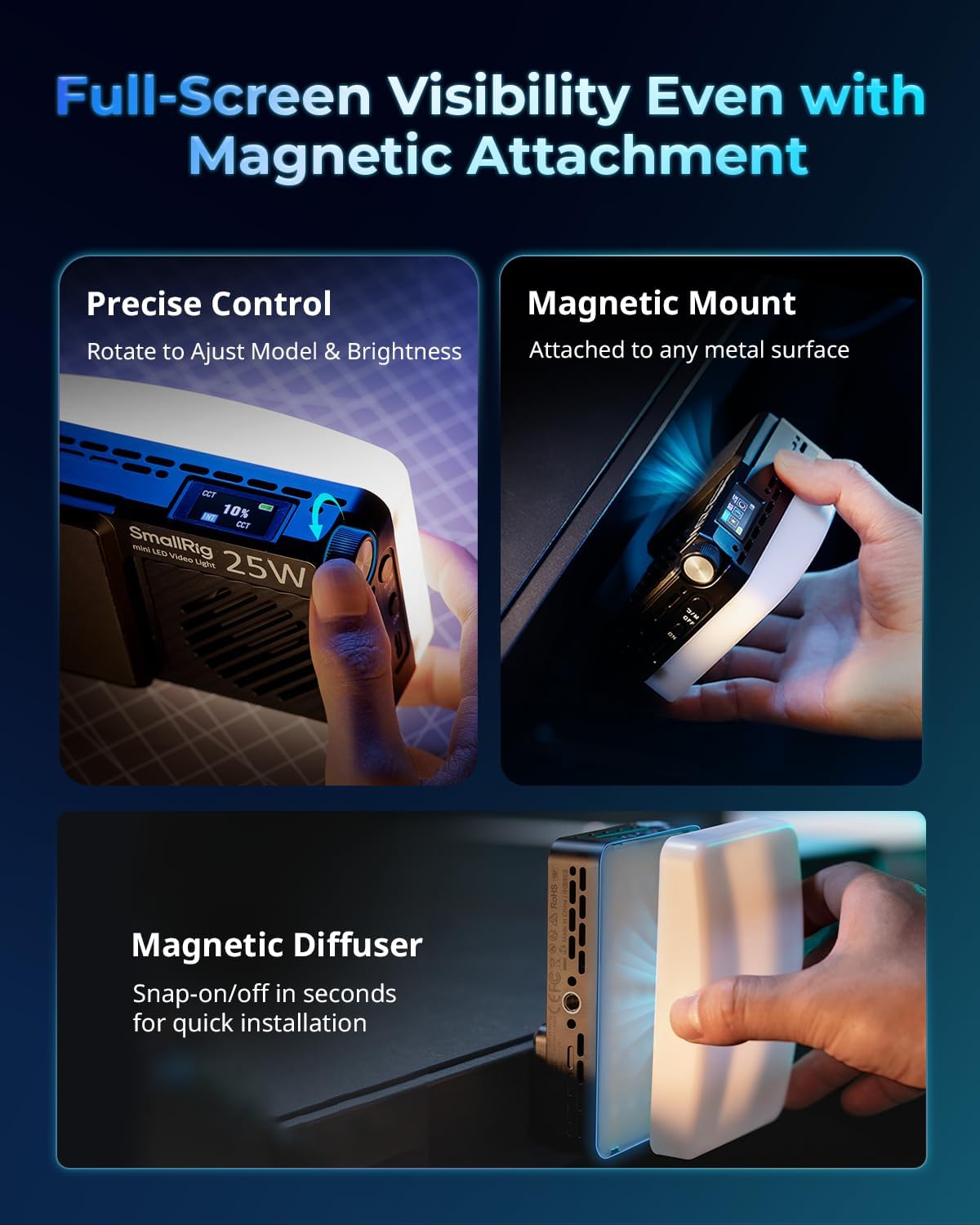
Image: A close-up of the RM 25C light, highlighting the control knob and the clear HD LCD display for precise adjustments.
The HD LCD display provides real-time information on current settings. Use the precision knob to navigate and adjust parameters.
- موڊ جي چونڊ: Press the knob to cycle through different lighting modes (CCT, HSI, FX).
- روشني جي ترتيب: In any mode, rotate the knob to adjust the brightness level from 0% to 100%.
- Color Temperature (CCT Mode): In CCT mode, rotate the knob to change the color temperature from 2500K (warm) to 10000K (cool).
- Hue, Saturation, Intensity (HSI Mode): In HSI mode, press the knob to switch between adjusting Hue (0-360°), Saturation (0-100%), and Intensity (0-100%). Rotate the knob to change values.
- Special Effects (FX Mode): In FX mode, rotate the knob to select from 14 built-in cinematic lighting effects. Press the knob to confirm selection or adjust effect parameters if available.
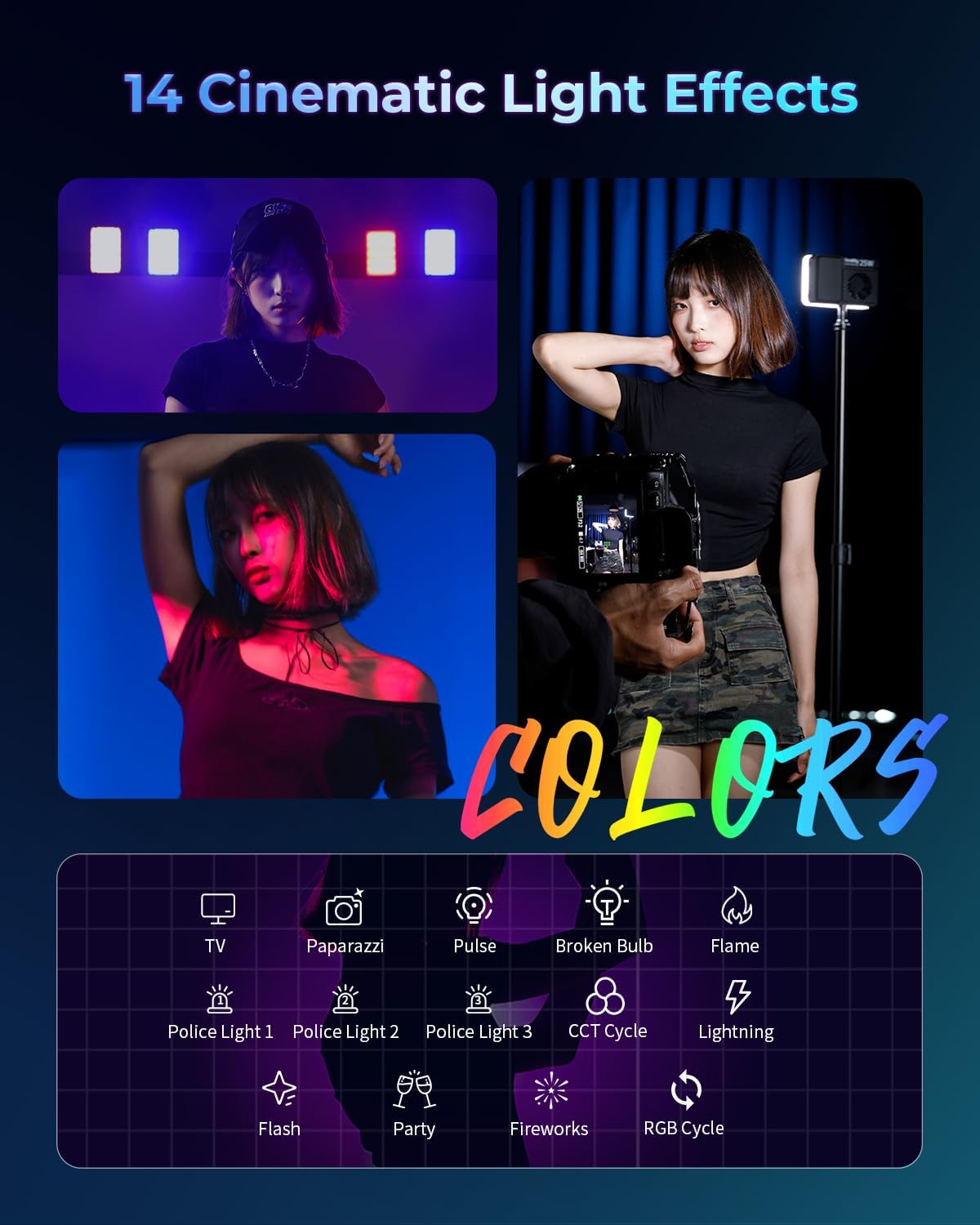
تصوير: Examples of the 14 cinematic lighting effects available on the RM 25C, including TV, Paparazzi, Pulse, Broken Bulb, Flame, Police Light, CCT Cycle, Lightning, Flash, Party, Fireworks, and RGB Cycle.
سار سنڀال
- صفائي: Use a soft, dry cloth to clean the light. Do not use abrasive cleaners or solvents.
- اسٽوريج: روشني کي ٿڌي، سڪل جاءِ تي سڌو سج جي روشني ۽ انتهائي گرمي پد کان پري رکو.
- بيٽري جي سنڀال: For optimal battery life, avoid fully discharging the battery frequently. Charge the device regularly, even if not in use, to maintain battery health.
- پاڻي کان بچاء: هي ڊوائيس پاڻي کان محفوظ نه آهي. ان کي پاڻي ۽ تيز نمي کان پري رکو.
مشڪلاتون
- روشني نه ايندي آهي:
- Ensure the battery is charged. Connect the light to a power source using the USB-C cable and attempt to power on.
- Light is not charging:
- Verify that the USB-C cable is securely connected to both the light and the power adapter. Try a different USB-C cable or power adapter to rule out faulty accessories.
- Fan noise is noticeable:
- The RM 25C includes an internal fan for cooling, especially at higher brightness settings. This is normal operation. If the noise is excessively loud or unusual, contact customer support.
- Inconsistent brightness or color output:
- Ensure the light is fully charged. Reset the light by powering it off and on. If the issue persists, contact customer support.
وضاحتون
| خاصيت | تفصيل |
|---|---|
| پيداوار جي ماپ | 4.4 x 1.11 x 2.9 انچ (11.18 x 2.82 x 7.37 سينٽي) |
| شيءِ جو وزن | 7.9 آونس (225 گرام) |
| ماڊل نمبر | 5357 |
| بيٽري جو قسم | 1 غير معياري بيٽري (شامل) |
| بيٽري جي گنجائش | 3100mAh |
| بيٽري جي زندگي (100٪ روشني) | لڳ ڀڳ 50 منٽ |
| رنگ جي درجه حرارت جي حد | 2500 ڪلو - 10000 ڪلو |
| CRI | ≥96 |
| TLCI | ≥99 |
| وڌ ۾ وڌ پاور آئوٽ | 25W |
| رابطي ٽيڪنالاجي | USB (Type-C for charging) |
| ٺاهيندڙ | ننRي ريگ |
وارنٽي ۽ سپورٽ
SmallRig provides after-sales service for its products. If you encounter any issues with your RM 25C Mini LED RGB Video Light, please contact our customer service team. A representative will respond within 24 hours to assist you.
For further assistance, please visit the official SmallRig webسائيٽ تي وڃو يا پنهنجي پراڊڪٽ پيڪنگنگ سان مهيا ڪيل رابطي جي معلومات جو حوالو ڏيو.


