1. تعارف
This manual provides detailed instructions for the setup, operation, and maintenance of your ALCATEL Epure Premium DECT Cordless Phone with Answering Machine. Please read this manual thoroughly before using your new phone to ensure proper functionality and to familiarize yourself with all its features.

Figure 1: ALCATEL Epure Premium DECT Cordless Phone (Black)
2. پيڪيج مواد
پڪ ڪريو ته سڀئي شيون توهان جي پيڪيج ۾ موجود آهن:
- هينڊ سيٽ
- بنيادي يونٽ
- پاور اڊاپٽر
- ٽيليفون لائن ڪنڊ
- Rechargeable Battery (9V, included)
- استعمال ڪندڙ جو دستياب (ھي دستاويز)
3. سيٽ اپ
3.1. بيٽري لڳائڻ
- هينڊسيٽ جي پٺيءَ تي بيٽري جي خاني کي ڳولھيو.
- بيٽري جي ڪمري واري ڍڪ کي کوليو.
- Insert the provided 9V rechargeable battery, ensuring correct polarity.
- بيٽري جي ڪمري واري ڍڪ کي محفوظ طور تي بند ڪريو.
3.2. بيس يونٽ کي ڳنڍڻ
- Connect the power adapter to the DC IN port on the base unit and then plug it into a wall outlet.
- Connect one end of the telephone line cord to the LINE port on the base unit and the other end to your telephone wall jack.
- Place the handset on the base unit to charge. Allow at least 15 hours for the initial charge.
3.3. هينڊ سيٽ رجسٽريشن
Your handset is typically pre-registered to the base unit. If the handset displays "Unregistered" or you are adding an additional handset, follow these steps:
- بنيادي يونٽ تي، دٻايو ۽ رکو صفحو button (or registration button, refer to base unit diagram) for approximately 5 seconds until the registration indicator light flashes.
- On the handset, navigate to the مينيو، پوء چونڊيو رجسٽريشن.
- سسٽم پن داخل ڪريو (ڊفالٽ عام طور تي 0000 هوندو آهي).
- ڪامياب مڪمل ٿيڻ تي هينڊ سيٽ "رجسٽرنگ..." ۽ پوءِ "هينڊ سيٽ رجسٽرڊ" ڏيکاريندو.
4. آپريٽنگ هدايتون
4.1. ڪالون ڪرڻ ۽ وصول ڪرڻ
- ڪال ڪرڻ لاءِ: هينڊ سيٽ کڻڻ يا دٻايو ڪال بٽڻ دٻايو، پوءِ نمبر ڊائل ڪريو.
- ڪال وصول ڪرڻ لاءِ: هينڊ سيٽ کڻڻ يا دٻايو ڪال جڏهن فون جي گھنٽي وڄي ته بٽڻ دٻايو.
- هٿ-مفت فنڪشن: ڪال دوران ، پريس کي اسپيڪر button to activate the hands-free mode. Press again to deactivate.

Figure 2: Hands-free Function on Handset
4.2. جواب ڏيڻ واري مشين
The integrated answering machine offers up to 30 minutes of recording time. You can manage messages directly from the base unit or the handset.
- Playing Messages (Base Unit): کي دٻايو راند ڪريو button on the base unit to listen to new messages. Use the SKIP ۽ حذف ڪريو buttons to manage messages.
- Playing Messages (Handset): ڏانهن وڃو مينيو، پوء چونڊيو جواب ڏيڻ جي مشين to access options for playing, deleting, or recording your outgoing message.

Figure 3: Answering Machine Display on Base Unit
4.3. Call Barring (Call Blocking)
Block up to 100 unwanted numbers. This feature can be managed via a dedicated button or through the handset menu.
- Blocking a Number (Dedicated Key): During an incoming call or from the call log, press the CALL BAR button on the base unit or handset to add the number to the block list.
- Managing Block List: تائين رسائي CALL BAR menu via the handset to add, remove, or review blocked numbers.
- خودڪار بلاڪنگ: Configure the phone to only accept calls from numbers stored in your phonebook.
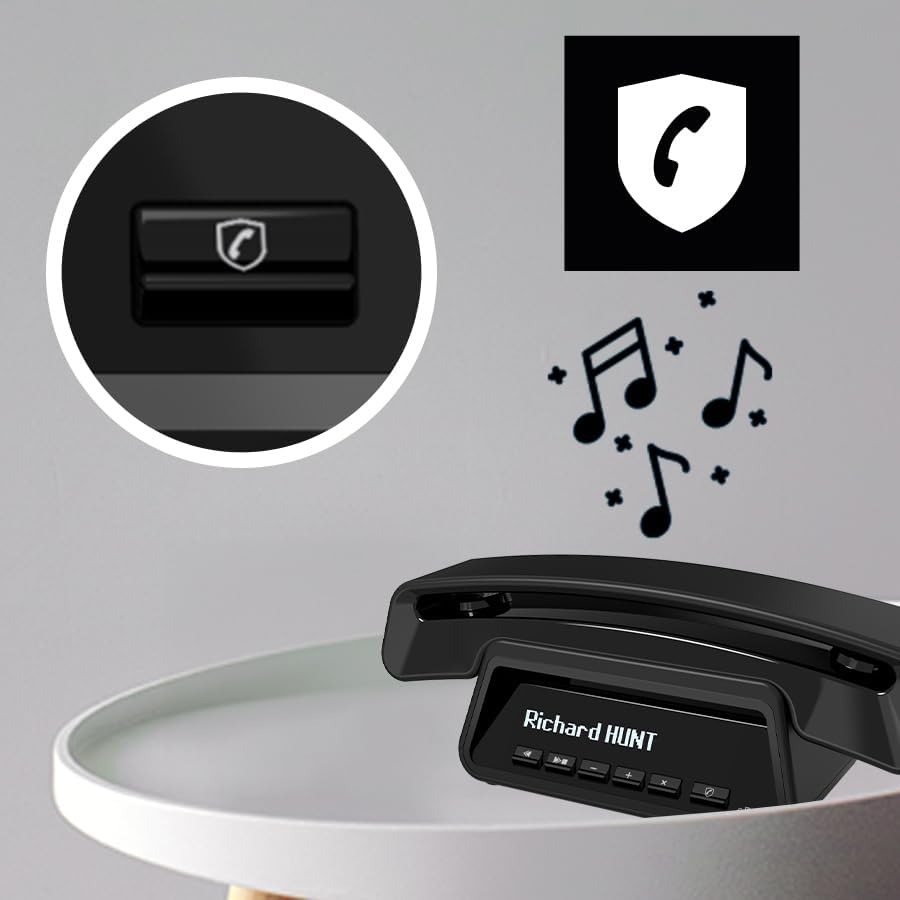
Figure 4: Call Barring Button on Base Unit
4.4. فون بڪ
Store up to 100 contacts in the phonebook. Contacts can be synchronized across multiple handsets (up to 4 per base).
- رابطو شامل ڪرڻ: ڏانهن وڃو مينيو > فون بڪ > نئون شامل ڪريو. Enter the name and number.
- VIP Ring Tones: Assign specific ring tones to VIP contacts for easy identification.

Figure 5: Handset Display with Contact List
4.5. Display and ECO Mode
- Large Graphic Display: The handset features a clear, white graphic display with large characters for optimal legibility. The base unit also has a smart display for time, date, and caller ID.
- ايڪو موڊ: This mode reduces power consumption and transmission power, extending battery life and promoting energy efficiency. The phone offers approximately 10 hours of talk time.

Figure 6: Talk Time and ECO Mode Indication
5. سار سنڀال
- صفائي: نرم استعمال ڪريو، ڊيamp cloth to clean the handset and base unit. Do not use abrasive cleaners or solvents.
- بيٽري جي سنڀال: To maintain optimal battery performance, fully charge the handset regularly. If the phone will not be used for an extended period, remove the battery.
- ماحول: فون کي گرمي جي ذريعن، سڌي سج جي روشني ۽ نمي کان پري رکو.
6. مسئلا حل ڪرڻ
| مسئلو | حل |
|---|---|
| ڪوبه ڊائل ٽون. | پڪ ڪريو ته ٽيليفون لائن جي ڪنڊ بيس يونٽ ۽ وال جيڪ ٻنهي سان محفوظ طور تي ڳنڍيل آهي. چيڪ ڪريو ته پاور اڊاپٽر صحيح طرح سان ڳنڍيل آهي. |
| ڪالون نه ٿو ڪري سگھجي ۽ نه ئي وصول ڪري سگھجي ٿو. | Check if the handset is registered to the base unit. Ensure the battery is charged. Verify that call barring is not preventing the call. |
| خراب آواز جو معيار. | بيس يونٽ جي ويجهو وڃو. ٻين اليڪٽرانڪ ڊوائيسز جي مداخلت جي جانچ ڪريو. پڪ ڪريو ته ٽيليفون لائن جي تار خراب نه ٿي آهي. |
| جواب ڏيڻ واري مشين پيغامن کي رڪارڊ نه ڪري رهي آهي. | Check if the answering machine is turned on. Verify that there is sufficient recording time available (max 30 minutes). |
| هينڊسيٽ ڊسپلي خالي آهي. | Place the handset on the base unit to charge. The battery may be depleted. |
7. وضاحتون
- پيداوار جي ماپ: 18.43 x 8.9 x 4.96 انچ
- شيء جو وزن: 1.1 پائونڊ
- بيٽريون: 1 x 9V rechargeable battery (included)
- برانڊ: Alcatel
- ٽيليفون جو قسم: DECT Cordless
- مواد: پلاسٽڪ
- طاقت جو ذريعو: بيٽري سان هلندڙ
- ڊائلر جو قسم: ڊجيٽل
- جوابي نظام جو قسم: ڊجيٽل
- جواب ڏيڻ واري مشين جي رڪارڊنگ جو وقت: 30 منٽن تائين
- فون بڪ ظرفيت: 100 رابطا
- Call Barring Capacity: 100 نمبر تائين
- ڳالهائڻ جو وقت: لڳ ڀڳ 10 ڪلاڪ
8. وارنٽي ۽ سپورٽ
For warranty information and technical support, please refer to the documentation provided with your purchase or visit the official Alcatel support webسائيٽ. وارنٽي دعوائن لاءِ خريداري جو ثبوت رکو.


