1. تعارف
Welcome to the ASprink A64M Bluetooth Shipping Label Printer instruction manual. This guide provides comprehensive information to help you set up, operate, and maintain your new thermal label printer. The A64M is designed for compact efficiency and versatile connectivity, making your label printing tasks streamlined and convenient.
اهم خاصيتون:
- خلائي بچت ڊيزائن: Ultra-compact at 7.2 x 6.3 x 5.3 inches, occupying 50% less space than traditional models. Features an innovative built-in label bin that accommodates 250 4x6 labels internally or allows for folded paper via rear loading, eliminating external holders.
- وائرليس آزادي: Advanced 5.0 Bluetooth technology supports direct connection with Android/iOS devices and Windows/macOS computers for true wireless office printing.
- USB مطابقت: Also compatible with all major computer systems via USB connection.
- ورسٽائل ليبل سپورٽ: Supports various label sizes including 4x6 shipping labels, 2x2 and 2.25x1.25 roll labels, and round thermal stickers.
- پائيدار ليبل: Labels are waterproof, oil-proof, and scratch-resistant.

Figure 1: The ASprink A64M printer showcasing its compact and space-saving design.
2. دٻي ۾ ڇا آهي
مھرباني ڪري تصديق ڪريو ته سڀ شيون توھان جي پيڪيج ۾ موجود آھن:
- ASprink A64M Bluetooth Shipping Label Printer
- پاور اڊاپٽر
- پاور ڪنڊ
- USB ڪيبل
- Sample 2x2 Pink Round Thermal Labels (750pcs)
- تڪڙو شروع ھدايت
3. سيٽ اپ
3.1 ڳنڍڻ واري طاقت
- پاور ڪنڊ کي پاور اڊاپٽر سان ڳنڍيو.
- Plug the power adapter into the printer's power interface.
- پاور ڪنڊ کي وال آئوٽليٽ ۾ لڳايو.
- Flip the power switch on the back of the printer to the 'ON' position. The indicator light on top of the printer will illuminate.
3.2 شروعاتي خود آزمائش
After powering on, the printer will perform a brief self-test. The indicator light will turn blue when the printer is ready for use.
4. ليبل لوڊ ڪرڻ
The A64M printer supports both internal roll labels and rear-fed fanfold labels.
4.1 Loading Internal Roll Labels
- Press the cover open button located at the back of the printer to open the top cover to a 90-degree angle.
- Remove any protective paper or packaging from the label compartment.
- Place the roll of thermal labels into the internal label bin. Ensure the printing side of the labels (the adhesive side) is facing upwards.
- Adjust the adjustable baffle and guide rail to securely hold the label roll in place, ensuring it aligns with the paper outlet.
- Feed the leading edge of the labels into the paper guide slot until it is aligned with the paper outlet.
- Close the printer's top cover until you hear a "click" sound, indicating it is securely closed.

شڪل 2: اندروني view of the label bin with adjustable components for label loading.
4.2 Loading Rear-Fed Fanfold Labels
For fanfold labels, feed them directly into the rear loading slot. Ensure the labels are properly aligned and the printing side is facing up.
5. ڪنيڪشن
The A64M printer offers flexible connectivity options.
5.1 بلوٽوٿ ڪنيڪشن
The printer supports advanced 5.0 Bluetooth for wireless printing from various devices.
- Ensure your printer is powered on and ready (blue indicator light).
- On your Android/iOS device or Windows/macOS computer, enable Bluetooth.
- ڳولھيو available Bluetooth devices and select the ASprink A64M printer to pair.
- جوڙڻ جي عمل کي مڪمل ڪرڻ لاءِ ڪنهن به آن-اسڪرين اشارن تي عمل ڪريو.
5.2 USB ڪنيڪشن
For a wired connection, use the provided USB cable.
- USB ڪيبل جي هڪ پڇاڙي کي پرنٽر جي USB پورٽ سان ڳنڍيو.
- USB ڪيبل جي ٻئي پڇاڙيءَ کي پنهنجي ڪمپيوٽر سان ڳنڍيو.
- Your computer should automatically detect the printer. If necessary, install the appropriate drivers (usually available on the ASprink support webسائيٽ).

Figure 3: ASprink A64M printer demonstrating Bluetooth connectivity with various devices.
6. آپريٽنگ هدايتون
6.1 Printing from Mobile Devices (Android/iOS)
- Download the official ASprink printing application from your device's app store.
- Open the app and ensure your printer is connected via Bluetooth.
- Select the label you wish to print from your device's files or create a new one within the app.
- Adjust print settings (e.g., quantity, density) as needed.
- Tap the 'Print' button to send the label to the printer.
6.2 Printing from Computers (Windows/macOS)
- Ensure your printer is connected via Bluetooth or USB.
- دستاويز يا ليبل کوليو file توهان پرنٽ ڪرڻ چاهيو ٿا.
- Select the ASprink A64M printer from your printer options.
- Adjust print settings (e.g., paper size, orientation, quantity) as needed.
- Click 'Print' to send the label to the printer.
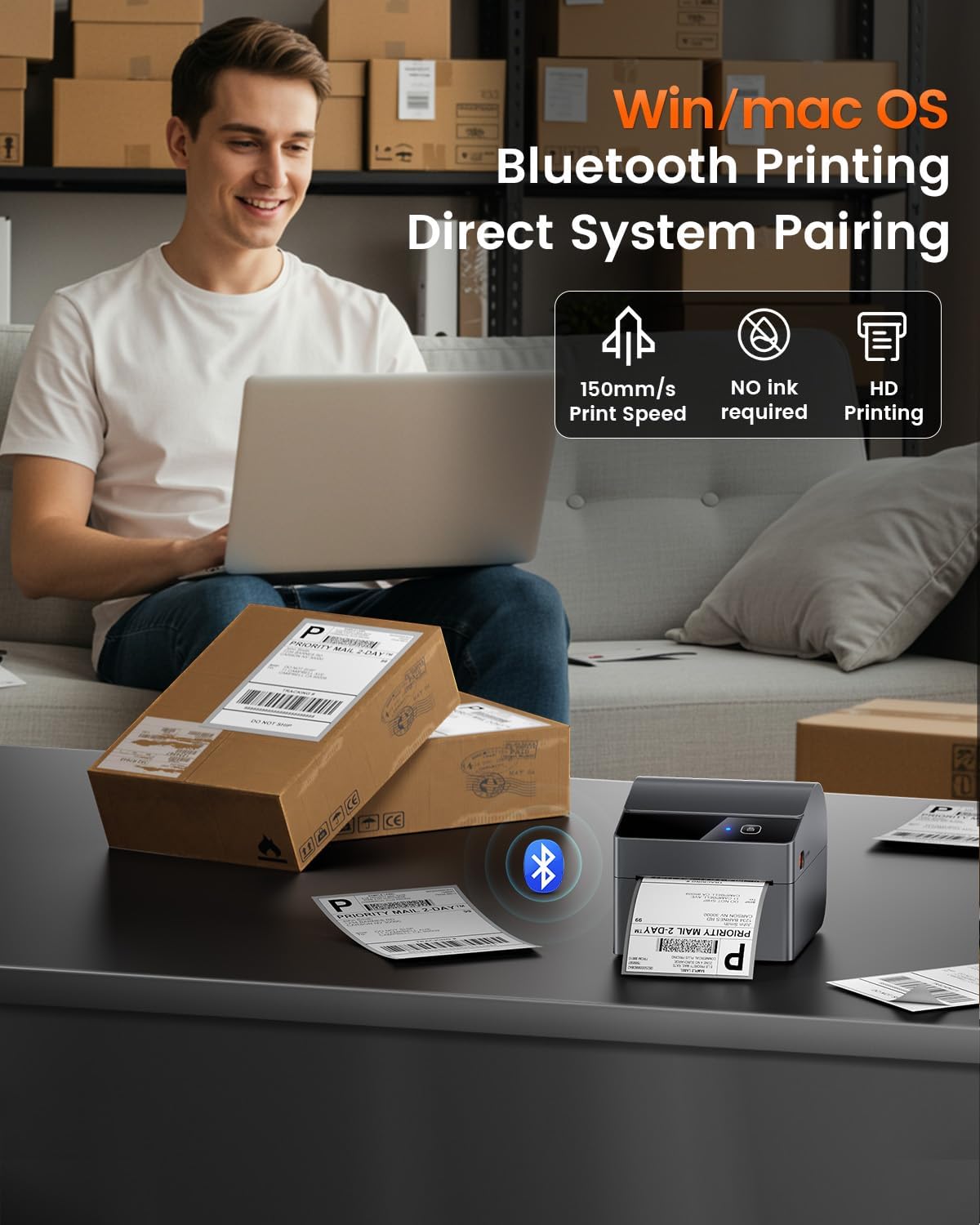
Figure 4: Efficient label printing from a computer using the ASprink A64M printer.
وڊيو 1: هڪ مختصر جائزوview of the ASprink A64M Label Printer in action, highlighting its use for small businesses.
7. Supported Label Types
The ASprink A64M printer is compatible with a wide range of thermal labels, including:
- Shipping Labels: Standard 4x6 inch shipping labels.
- Roll Labels: 2x2 inch and 2.25x1.25 inch roll labels.
- Round Thermal Stickers: 2x2 inch (50.8mm) circle round thermal printer labels, typically 750 labels per roll.
- Specialty Labels: Suitable for gift wrapping, greeting cards, seal stickers, address stickers, color coding, food labels, storage boxes, storage jars, chalkboard labels, office supply labels, DIY designs, and numbered stickers.
7.1 Label Durability
ASprink labels are designed for durability and resistance:
- پنروڪ: Resists moisture and spills.
- Oil-Proof: Protected against oil and grease.
- ڇڪڻ جي مزاحمتي: Maintains legibility even with minor abrasions.

Figure 5: The printer's versatility in handling different label sizes and shapes.

شڪل 6: مثالample of 2x2 inch pink round thermal labels.
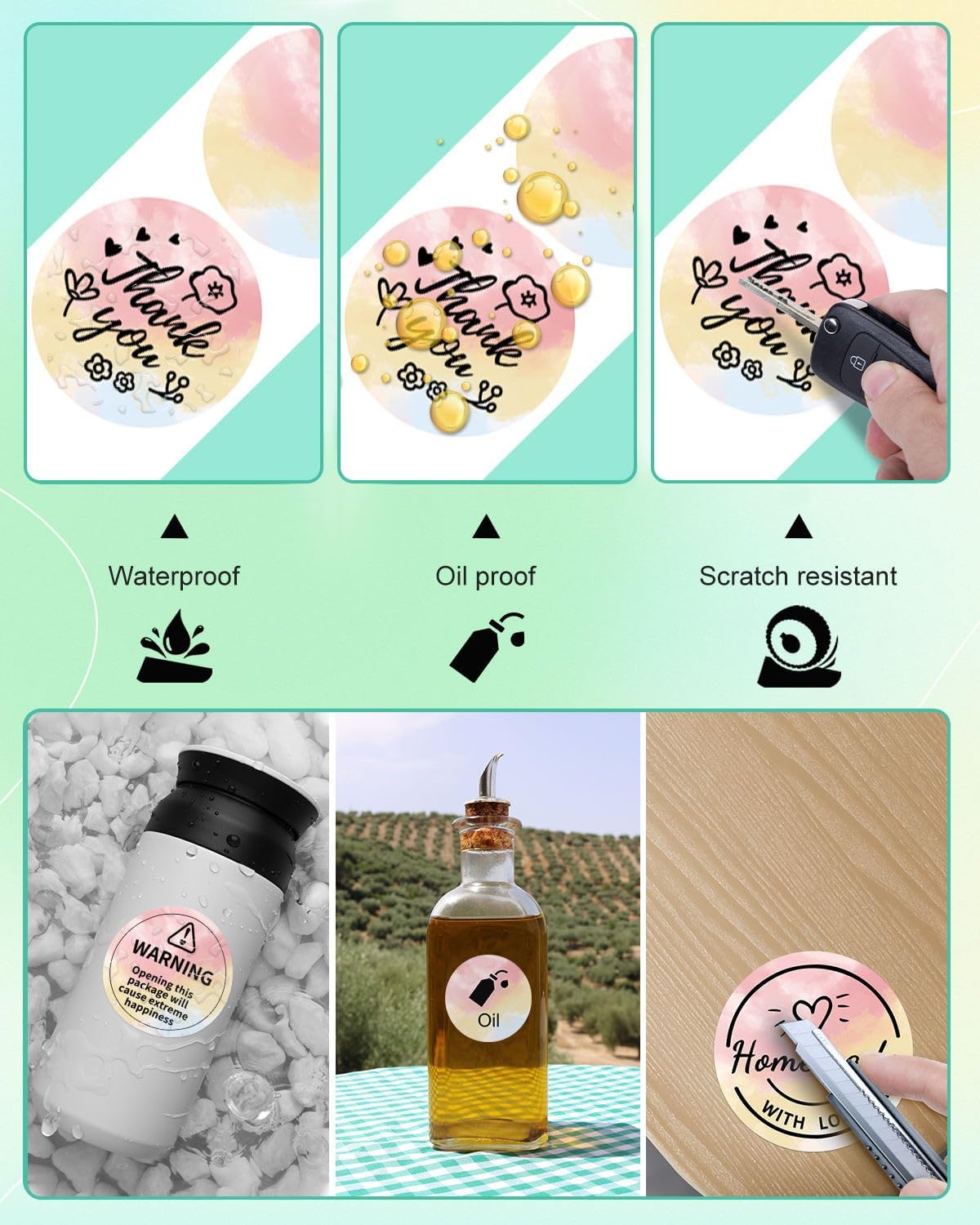
Figure 7: Durability features of ASprink thermal labels.

Figure 8: Diverse uses for ASprink thermal labels.
8. سار سنڀال
باقاعده سار سنڀال بهترين ڪارڪردگي کي يقيني بڻائي ٿي ۽ توهان جي پرنٽر جي عمر وڌائي ٿي.
8.1 پرنٽ هيڊ کي صاف ڪرڻ
If print quality degrades, clean the print head using an alcohol wipe. Ensure the printer is off and cooled down before cleaning.
8.2 صفائي رولر
وقتي طور تي پيپر فيڊ رولرز کي لِنٽ فري ڪپڙي سان صاف ڪريوampened with isopropyl alcohol to prevent paper jams and ensure smooth feeding.
9. مسئلا حل ڪرڻ
هتي عام مسئلن جا حل آهن جيڪي توهان کي منهن ڏئي سگهن ٿا:
- پرنٽر جواب نه ڏئي رهيو آهي: Check power connection, ensure printer is on, and verify Bluetooth/USB connection. Restart both printer and device.
- خراب پرنٽ معيار: Clean the print head. Ensure labels are loaded correctly with the printing side up. Adjust print density settings in your application.
- پيپر جام: Open the cover, carefully remove any jammed labels. Ensure labels are properly aligned and the guide rails are adjusted correctly.
- رابطي جا مسئلا: Ensure Bluetooth is enabled on your device/computer and the printer is discoverable. For USB, check cable connections and driver installation.
10. وضاحتون
- ماڊل: A64M
- رابطي: بلوٽوٿ 5.0، يو ايس بي
- طول و عرض: تقريبن 7.2 x 6.3 x 5.3 انچ
- Internal Label Bin Capacity: Up to 250 4x6 inch labels
- Supported Label Width: 1 inch to 4.6 inches (approximate, based on image)
- ASIN: B0FG89TGG2
- تاريخ پهرين دستياب: مئي 13، 2025
11. وارنٽي ۽ سپورٽ
For warranty information, technical support, or further assistance, please refer to the documentation included with your product or visit the official ASprink website. Contact details for customer service are typically provided in the Quick Start Guide.


