تعارف
The KONNWEI KW206 is an advanced automotive tool designed to provide real-time vehicle data and diagnostic capabilities. It functions as both a Head-Up Display (HUD) for critical driving information and a comprehensive OBD2 diagnostic scanner. This manual provides instructions for the proper setup, operation, and maintenance of your KW206 device.
پيداوار ختمview
The KW206 integrates a 3.5-inch full-color LCD screen to display over 100 key vehicle parameters. It is compatible with OBDII/EOBD-compliant gasoline, diesel, and hybrid vehicles manufactured from 2003 onwards. Key features include:
- ريئل ٽائيم ڊيٽا ڊسپلي: Speed, RPM, coolant temperature, fuel consumption, voltage, throttle position, intake pressure, and more.
- تشخيصي ڪم: Read and clear Diagnostic Trouble Codes (DTCs), reset Check Engine Light, I/M readiness status, freeze frame data, O2 sensor test, EVAP system test.
- حفاظتي خبرداري: Customizable warnings for overspeed, high engine temperature, low voltage, and RPM limits.
- ڪارڪردگي جاچ: 0-100 km/h acceleration test.
- استعمال ڪندڙ-دوست انٽرفيس: Auto-adjusting brightness, multiple display themes, metric/imperial unit switching.

Image: The KONNWEI KW206 device showing its main display and various data points.
پيڪيج مواد
پڪ ڪريو ته سڀئي شيون توهان جي پيڪيج ۾ موجود آهن:
- KONNWEI KW206 Auto Diagnostic Scanner Unit
- OBDII Connection Cable
- استعمال ڪندڙ جو دستياب (ھي دستاويز)
- USB Cable (for software updates)
- Mounting Accessories (e.g., anti-slip mat, stand)

Image: The KONNWEI KW206 package contents, showing the main unit, OBDII cable, and other accessories.
سيٽ اپ ۽ تنصيب
The KW206 is designed for plug-and-play installation. No complex setup or external power source is required.
- OBDII پورٽ ڳوليو: OBDII پورٽ عام طور تي گاڏي جي ڊرائيور جي پاسي ڊيش بورڊ جي هيٺان واقع هوندو آهي. جيڪڏهن توهان ان کي نه ڳولي سگهو ته پنهنجي گاڏي جي مالڪ جي مينوئل جو حوالو ڏيو.
- ڊوائيس ڳنڍيو: Plug the provided OBDII connection cable into your vehicle's OBDII port. Ensure a secure connection.
- ڊوائيس جي پوزيشن: Place the KW206 unit on your dashboard using the provided anti-slip mat or stand. Ensure it does not obstruct your view رستي جو.
- پاور آن: Once connected, the device will automatically power on when the vehicle's ignition is turned to the ON position (or engine started).
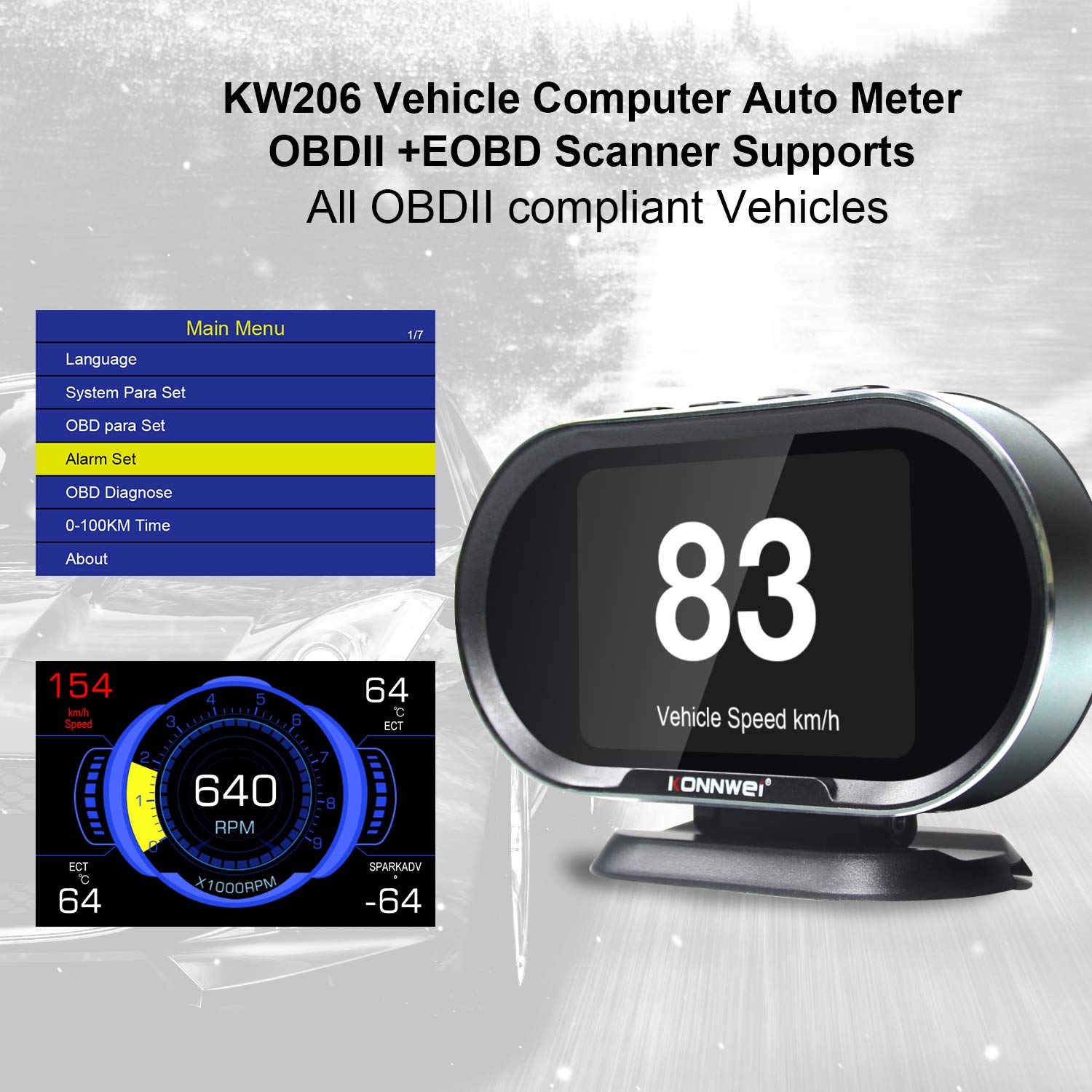
Image: The main menu of the KW206, accessible after initial setup, allowing configuration of various parameters.
آپريٽنگ هدايتون
The KW206 features an intuitive four-button interface for navigation and selection.
بنيادي نيويگيشن
- استعمال ڪريو UP ۽ هيٺ buttons to scroll through menu options or data parameters.
- کي دٻايو OK button to confirm a selection or enter a submenu.
- کي دٻايو اي ايس سي button to return to the previous screen or exit a function.
Display Modes and Parameters
The KW206 offers multiple display modes and can show up to 95 different parameters. You can cycle through these modes and select specific data streams to monitor.
- Real-time Data Stream: View live sensor data such as engine RPM, vehicle speed, coolant temperature, fuel system status, calculated load value, and more.
- Customizable Displays: The device allows you to configure which parameters are displayed on the main screen.
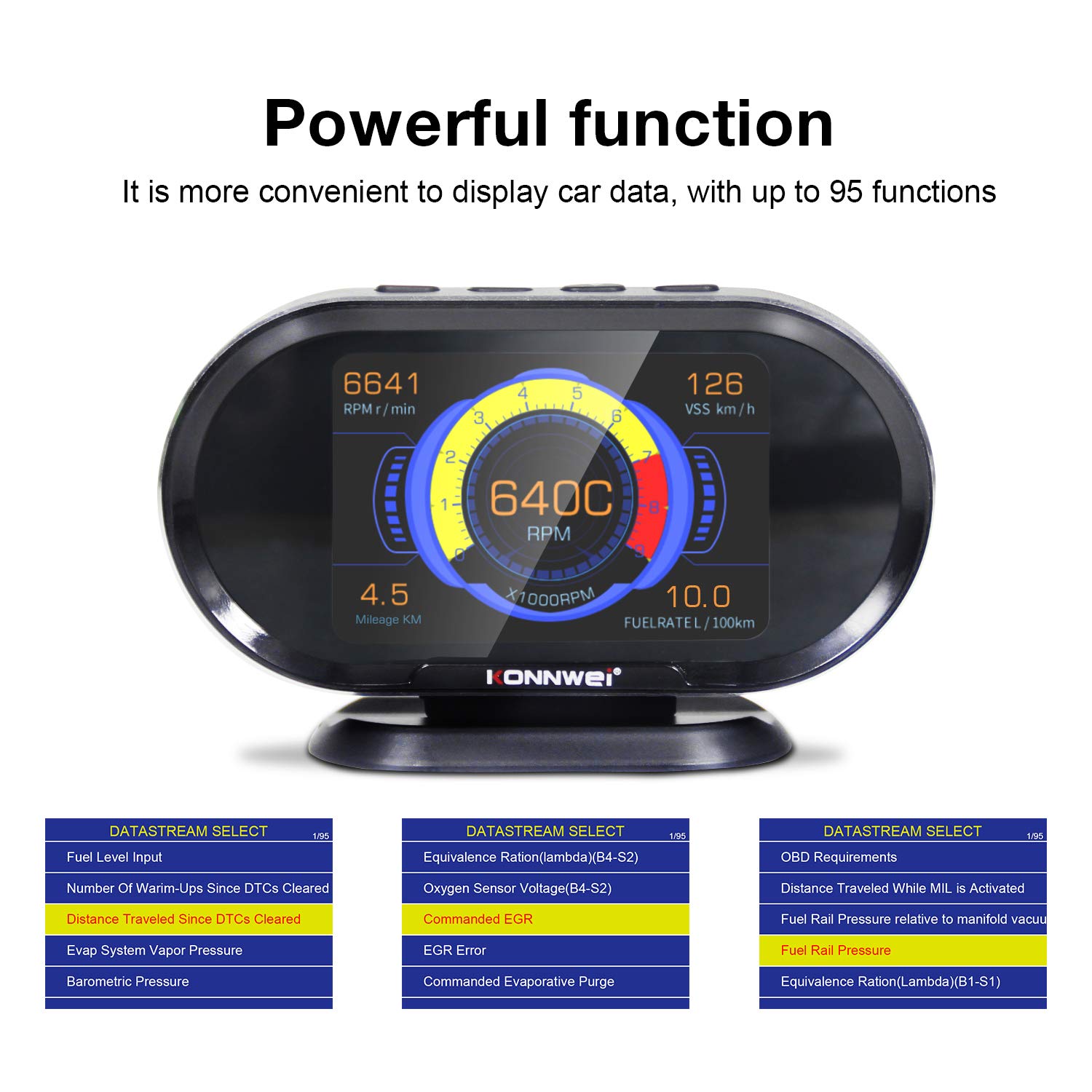
Image: The KW206 displaying various vehicle data points simultaneously, demonstrating its multi-functionality.

Image: A visual representation of the numerous functions and parameters available on the KW206, including diagnostic tools and alert settings.
تشخيصي ڪم
- ڪوڊ پڙهو: Retrieve generic (P0, P2), manufacturer-specific (P1), and pending Diagnostic Trouble Codes (DTCs).
- صاف ڪوڊ: Erase DTCs and reset the Check Engine Light (MIL). This also clears I/M readiness monitor status.
- I/M تياري: Check the status of emission-related monitors to determine if the vehicle is ready for an emissions test.
- فريم ڊيٽا منجمد ڪريو: View جڏهن فالٽ ڪوڊ مقرر ڪيو ويو هو ته گاڏي جي آپريٽنگ حالتن جو هڪ سنيپ شاٽ.
- O2 سينسر ٽيسٽ: O2 سينسر مانيٽر ٽيسٽ جا نتيجا حاصل ڪريو.
- EVAP سسٽم ٽيسٽ: بخاراتي اخراج ڪنٽرول سسٽم جو امتحان شروع ڪريو.

Image: The KW206 displaying OBD stream data, including diagnostic trouble codes and real-time sensor readings.
الرٽ سيٽنگون
Configure various alerts to enhance driving safety and monitor vehicle health.
- Overspeed Warning: Set a maximum speed limit, and the device will alert you if exceeded.
- High Engine Temperature Alert: Receive a warning if the engine coolant temperature reaches a predefined threshold.
- گھٽ وولٽtage خبردار: Alerts you to potential battery or charging system issues.
- RPM Limit Reminder: Set an RPM limit to prevent over-revving the engine.

Image: The KW206 indicating an alarm condition with a red display, contrasting with a normal white display.
سار سنڀال
To ensure the longevity and optimal performance of your KW206 device, follow these maintenance guidelines:
- صفائي: ڊوائيس کي صاف ڪرڻ لاءِ نرم، سڪل ڪپڙو استعمال ڪريو. رگڙيندڙ صاف ڪندڙ يا محلولن کان پاسو ڪريو.
- اسٽوريج: جڏهن استعمال ۾ نه هجي ته ڊوائيس کي ٿڌي، سڪل جاءِ تي رکو. انتهائي گرمي پد کان پاسو ڪريو.
- سافٽ ويئر اپڊيٽ: The KW206 supports lifetime free software updates. Regularly check the KONNWEI official website for the latest firmware to ensure compatibility with new vehicle models and improved functionality. Connect the device to a computer via the provided USB cable for updates.
- ڪيبل جي سنڀال: Inspect the OBDII cable periodically for any signs of damage. Do not use a damaged cable.
مشڪلاتون
If you encounter issues with your KW206, refer to the following common problems and solutions:
| مسئلو | ممڪن سبب | حل |
|---|---|---|
| ڊوائيس تي طاقت نه آهي. |
|
|
| No data displayed or incorrect readings. |
|
|
| Check Engine Light remains on after clearing codes. |
|
|
وضاحتون
| خاصيت | تفصيل |
|---|---|
| ماڊل | KW206 |
| ڏيکاريو | 3.5 انچ رنگين LCD |
| طول و عرض (L x W x H) | 5.4 x 3.3 x 2.1 انچ (13.7 x 8.4 x 5.3 سينٽي) |
| وزن | 10.2 آونس (0.29 ڪلوگرام) |
| آپريٽنگ جلدtage | 9-16V (via OBDII port) |
| آپريٽنگ جي درجه حرارت | 0°C کان 60°C (32°F کان 140°F) |
| اسٽوريج جي درجه حرارت | -20 ° C کان 70 ° C (-4 ° F کان 158 ° F) |
| سپورٽ پروٽوڪول | J1850, CAN, ISO9141, EOBD |
| مواد | ABS پلاسٽڪ |
وارنٽي ۽ سپورٽ
KONNWEI provides lifetime customer support and free software updates for the KW206 device. For technical assistance, warranty claims, or further inquiries, please refer to the contact information provided on the official KONNWEI webسائيٽ يا پراڊڪٽ پيڪنگنگ.
Regularly check the official KONNWEI website for the latest software updates to ensure optimal performance and compatibility.


