تعارف
Thank you for choosing the pTron Bassbuds Senz Open Ear Wireless Earbuds. These earbuds are designed to provide a comfortable and pressure-free listening experience while keeping you aware of your surroundings. Featuring 13mm dynamic drivers, dual HD microphones with AI-ENC for clear calls, Bluetooth v6.0 connectivity, and IPX5 water resistance, the Bassbuds Senz are ideal for various activities. This manual provides detailed instructions for setup, operation, maintenance, and troubleshooting to ensure optimal performance.
دٻي ۾ ڇا آهي
- pTron Bassbuds Senz Wireless Earbuds
- چارج ڪيس
- USB قسم-سي چارجنگ ڪيبل
- استعمال ڪندڙ دستي
پيداوار ختمview
The pTron Bassbuds Senz feature an open-ear design for comfort and situational awareness, along with a compact charging case.

Image: pTron Bassbuds Senz Open Ear Wireless Earbuds and Charging Case. This image displays the two earbuds and their oval-shaped charging case.

Image: Key features of pTron Bassbuds Senz. This collage highlights SafeBeats Design, Dual HD Mics, 50 Hours Playtime, 13mm Dynamic Drivers, Bluetooth 6.0, LED Battery Indicator, Type-C Charging, and IPX5 Water & Sweat Resistant.

Image: Diagram showing the 13mm dynamic drivers of pTron Bassbuds Senz. This close-up view illustrates the internal components of the earbud's audio driver.

Image: User wearing pTron Bassbuds Senz, highlighting Dual HD Mics for clear calls. A person is shown wearing one earbud, emphasizing its ergonomic fit and microphone placement.

Image: Close-up of pTron Bassbuds Senz charging case with digital LED display and Type-C charging port. This image shows the charging case with its lid open, revealing the earbuds inside and the battery percentage ڊسپلي.
سيٽ اپ جون هدايتون
1. ائربڊس ۽ ڪيس کي چارج ڪرڻ
Before first use, fully charge the earbuds and charging case. Use the provided USB Type-C cable to connect the charging case to a power source.
- The digital LED display on the charging case will show the battery percentage.
- ڪيس اندر رکڻ تي ائربڊس پاڻمرادو چارج ٿي ويندا.
- مڪمل چارج ٿيڻ ۾ عام طور تي 1.5-2 ڪلاڪ لڳن ٿا.
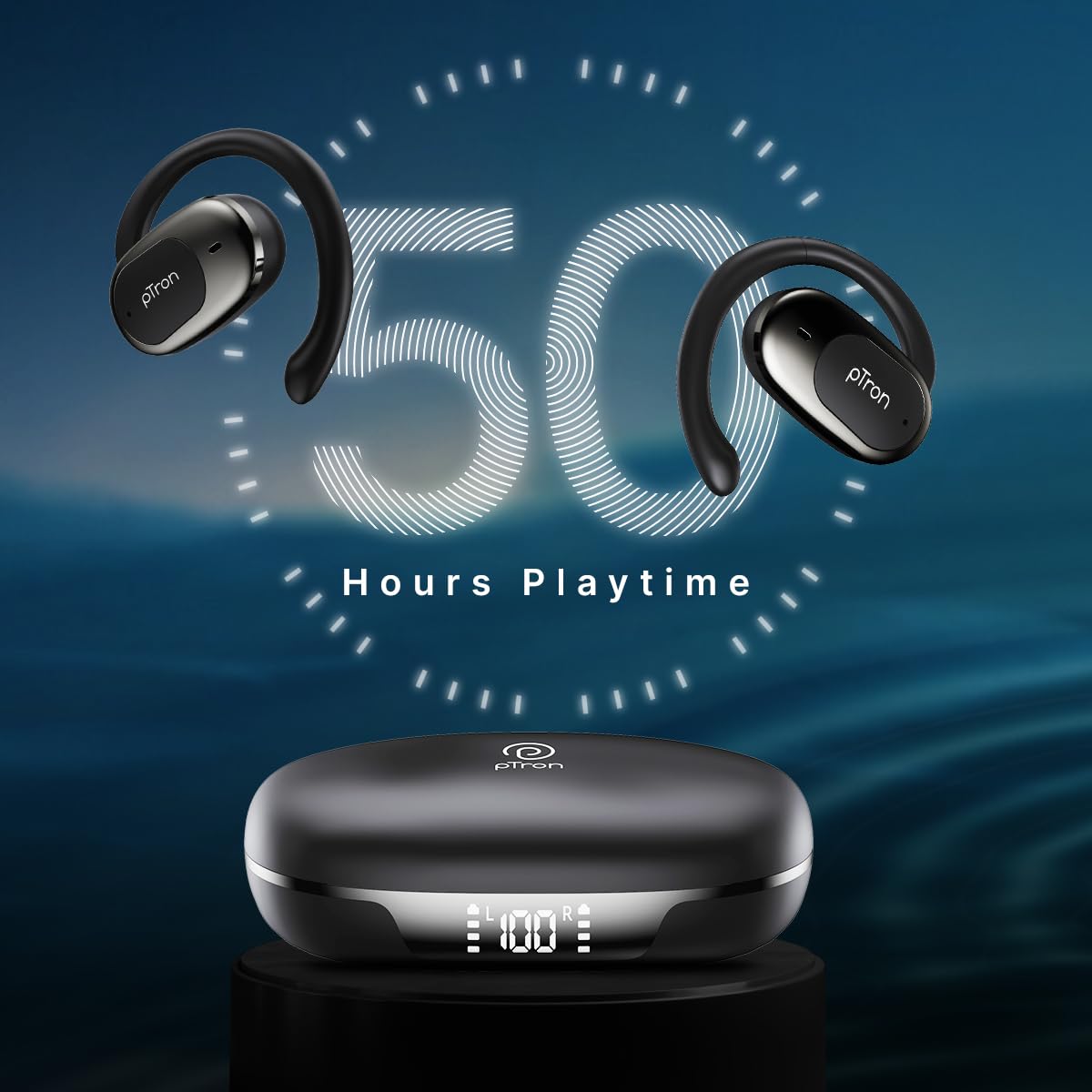
Image: pTron Bassbuds Senz earbuds and charging case, illustrating 50 hours combined playtime. This image visually represents the extended battery life of the product.
2. بلوٽوٽ جوئر
- پاور آن: Open the charging case. The earbuds will automatically power on and enter pairing mode. You may hear a voice prompt indicating they are ready to pair.
- بلوٽوت کي فعال ڪريو: On your smartphone or device, go to the Bluetooth settings and turn Bluetooth on.
- ڊوائيس چونڊيو: Look for "pTron OWS" (or similar name) in the list of available devices and select it to connect.
- تصديق: هڪ دفعو ڳنڍڻ بعد، توهان هڪ آواز جي تڪڙي ٻڌي سگھو ٿا جيڪو ڪامياب جوڙي جي تصديق ڪري ٿو.
- خودڪار ٻيهر ڪنيڪشن: شروعاتي جوڙڻ کان پوءِ، ائربڊس ڪيس مان ڪڍڻ تي پاڻمرادو آخري جوڙو ٿيل ڊوائيس سان ڳنڍجي ويندا، بشرطيڪ ڊوائيس تي بلوٽوٿ فعال هجي.

Image: Smartphone screen showing Bluetooth pairing with pTron OWS, next to the earbuds and charging case. This image demonstrates the process of connecting the earbuds to a mobile device via Bluetooth.
آپريٽنگ هدايتون
The pTron Bassbuds Senz feature touch controls for easy management of music and calls.
ٽچ ڪنٽرول
| فنڪشن | عمل |
|---|---|
| پاور آن | کليل چارج وارو ڪيس |
| بجلي بند | ائربڊس کي واپس چارجنگ ڪيس ۾ رکو ۽ ڍڪ بند ڪريو |
| موسيقي کي هلايو / روڪيو | ڪنهن به ائربڊ تي اڪيلو ٽيپ ڪريو |
| ايندڙ ٽريڪ | ساڄي ائربڊ تي ٻٽي ٽيپ ڪريو |
| اڳيون ٽريڪ | کاٻي ائربڊ تي ٻٽي ٽيپ ڪريو |
| جواب ڏيو / ڪال ختم ڪريو | Single tap on either earbud during an incoming call |
| ڪال رد ڪريو | Long press on either earbud during an incoming call |
| وائيس اسسٽنٽ کي فعال ڪريو | ٻنهي مان ڪنهن به ائربڊ تي ٽي ڀيرا ٽيپ ڪريو |
| حجم مٿي | Long press on the Right earbud |
| حجم ھيٺ | Long press on the Left earbud |
سار سنڀال
صفائي
- ائربڊس ۽ چارجنگ ڪيس کي باقاعدي طور تي نرم، سڪل، لِنٽ فري ڪپڙي سان صاف ڪريو.
- استعمال نه ڪريو سخت ڪيميائي، صفائي سولوينٽس، يا مضبوط صابن.
- پڪ ڪريو ته ٻنهي ائربڊس ۽ ڪيس تي چارجنگ ڪانٽيڪٽس صاف ۽ ملبي کان پاڪ آهن.
ذخيرو
- ائربڊس کي انهن جي چارجنگ ڪيس ۾ محفوظ ڪريو جڏهن استعمال ۾ نه هجي ته انهن کي محفوظ رکڻ ۽ چارج رکڻ لاءِ.
- سخت گرمي پد (گرم يا ٿڌو) يا مٽيءَ واري/ نم ماحول ۾ ذخيرو ڪرڻ کان پاسو ڪريو.
بيٽري جي سنڀال
- بيٽري جي زندگي کي وڌائڻ لاءِ، ائربڊس کي مڪمل طور تي ڊسچارج ڪرڻ ۽ ڪيس کي بار بار چارج ڪرڻ کان پاسو ڪريو.
- ڊوائيس کي باقاعدي چارج ڪريو، جيتوڻيڪ بار بار استعمال ۾ نه هجي.

Image: User exercising with pTron Bassbuds Senz, demonstrating IPX5 water and sweat resistance. This image shows the earbuds being used during a workout, highlighting their durability against sweat and splashes.
مشڪلاتون
If you encounter issues with your pTron Bassbuds Senz, refer to the following common solutions:
- ائربڊس ڊوائيس سان نه جوڙي رهيا آهن:
Ensure both earbuds are charged. Turn off Bluetooth on your device, then turn it back on. Forget "pTron OWS" from your device's Bluetooth list and try pairing again. Make sure the earbuds are in pairing mode (out of the case). - صرف هڪ ائربڊ ڪم ڪري رهيو آهي:
Place both earbuds back into the charging case, close the lid, wait a few seconds, then open the lid and take them out. This often resets the connection between the two earbuds. If the issue persists, try re-pairing them with your device. - ائربڊس چارج نه ٿي رهيا آهن:
Check if the charging cable is securely connected to both the case and the power source. Ensure the charging contacts on the earbuds and inside the case are clean and free of obstructions. Verify the charging case has sufficient battery. - گهٽ آواز يا خراب آواز جي معيار:
Adjust the volume on both your device and the earbuds. Ensure the earbuds are properly seated in your ears. Clean any debris from the earbud speakers. - Connectivity issues (disconnections):
Ensure your device is within the 10-meter Bluetooth range. Avoid obstacles between your device and the earbuds. Minimize interference from other wireless devices.
وضاحتون
| خاصيت | تفصيل |
|---|---|
| ماڊل نالو | Bassbuds Senz |
| رابطي ٽيڪنالاجي | وائرليس (بلوٽوٿ v6.0) |
| بلوٽوٿ رينج | 10 ميٽر |
| آڊيو ڊرائيور جو قسم | 13mm متحرڪ ڊرائيور |
| بيٽري جي زندگي (گڏيل) | 50 ڪلاڪ تائين |
| چارجنگ پورٽ | USB قسم-سي |
| پاڻي جي مزاحمت | IPX5 (پاڻيءَ جي مزاحمتي) |
| مائڪروفون | Dual HD Mics with AI-ENC |
| ڪنٽرول جو طريقو | ڇڪڻ |
| ڪن جي جڳهه | کليل ڪن |
| مواد | Acrylonitrile Butadiene Styrene (ABS) |
| شيءِ جو وزن | 67 گرام |
| پيداوار جي ماپ | 9.1 x 5.9 x 3.1 سينٽي |
وارنٽي ۽ سپورٽ
The pTron Bassbuds Senz comes with a 1-year manufacturer warranty from the date of purchase, covering manufacturing defects only.
ڪسٽمر سپورٽ
For any queries, support, or warranty claims, please contact pTron customer care:
- فون: 040-67138888
- اي ميل: support@ptron.in
- ٺاهيندڙ: پالريڊ اليڪٽرانڪس پرائيويٽ لميٽيڊ، سينئر نمبر 56، پهرين منزل، گنڊلاپوچAMPاللي ڳوٺ، ٽيڪ پارڪ ايم ٽي پي، ٽي ايس آءِ سي-آئيلا ناچارم، حيدرآباد - 500076، تلنگانا، انڊيا


