GeekTale Fingerprint Door Lock K11 Instruction Manual
ماڊل: K11
1. پراڊڪٽ ختمview
The GeekTale K11 Fingerprint Door Lock is a smart biometric door knob designed for enhanced security and convenient access. It offers multiple unlocking methods including fingerprint, mobile application, passcode, and traditional backup keys. This manual provides detailed instructions for installation, operation, and maintenance.

شڪل 1: GeekTale K11 Fingerprint Door Lock, showing both the exterior knob with fingerprint sensor and the interior knob, alongside a smartphone displaying the lock's control application.
اهم خاصيتون:
- ڪيترائي ان لاڪ طريقا: Fingerprint, App, Passcode, Backup Keys.
- فنگر پرنٽ جي صلاحيت: Stores up to 20 unique fingerprints.
- پاس ڪوڊ تائين رسائي: Supports 20 access codes (4-8 digits) with anti-peep function.
- ائپ ڪنٽرول: Manage users, add/delete fingerprints, set passcodes, view access logs via Bluetooth.
- Remote Access (Optional): Requires a separately sold gateway for remote unlock and voice control integration (Alexa/Google Home via Smart Life app).
- Three Lock Modes: Auto Lock, Passage Mode, Privacy Mode.
- Rechargeable بيٽري: Built-in Lithium Ion battery with Type-C charging port and low battery warning.
2. سيٽ اپ ۽ تنصيب
2.1 قبل از انسٽاليشن چيڪ
Before installation, verify your door dimensions to ensure compatibility with the GeekTale K11 lock.
- دروازي جي ٿلهي: 1-3/8" کان 2-1/8" (35 ملي ميٽر کان 54 ملي ميٽر)
- پٺيون 2-3/4" يا 2-3/8" (70 ملي ميٽر يا 60 ملي ميٽر)
- دروازي جي سوراخ قطر: 2-1/8" (54 ملي ميٽر)

شڪل 2: Door measurement guidelines and lock dimensions for the K11.
2.2 جسماني تنصيب
Follow these steps to install the door lock. Ensure the door remains open until installation is complete.
- Install the exterior door knob: Position it vertically. Ensure the exterior knob keyhole and Type-C charge port face downward.
- Pull out the interior knob pin: Use the provided pin tool.
- ڪيبل ڳنڍيو: Carefully connect the cables between the exterior and interior components.
- Install the interior door knob: Secure it with screws. Ensure the 'UP' indicator is correctly oriented.
- Close the lid of the interior door knob: Once secured, attach the cover.

شڪل 3: Detailed installation steps for the GeekTale K11 door lock.
2.3 App Setup and User Management
Download the GeekTale app (or Smart Life app for gateway integration) from your device's app store. Follow the in-app instructions to pair your lock via Bluetooth and begin user management.
- آڱرين جا نشان شامل ڪريو: The lock supports up to 20 fingerprint users. Follow the app's prompts to register fingerprints.
- پاس ڪوڊ مقرر ڪريو: Create 4-8 digit passcodes. The anti-peep function allows you to enter random digits before or after your actual code for added security.
- استعمال ڪندڙن کي منظم ڪريو: Add or delete users, assign specific access methods, and view ايپ ذريعي لاگ تائين رسائي حاصل ڪريو.
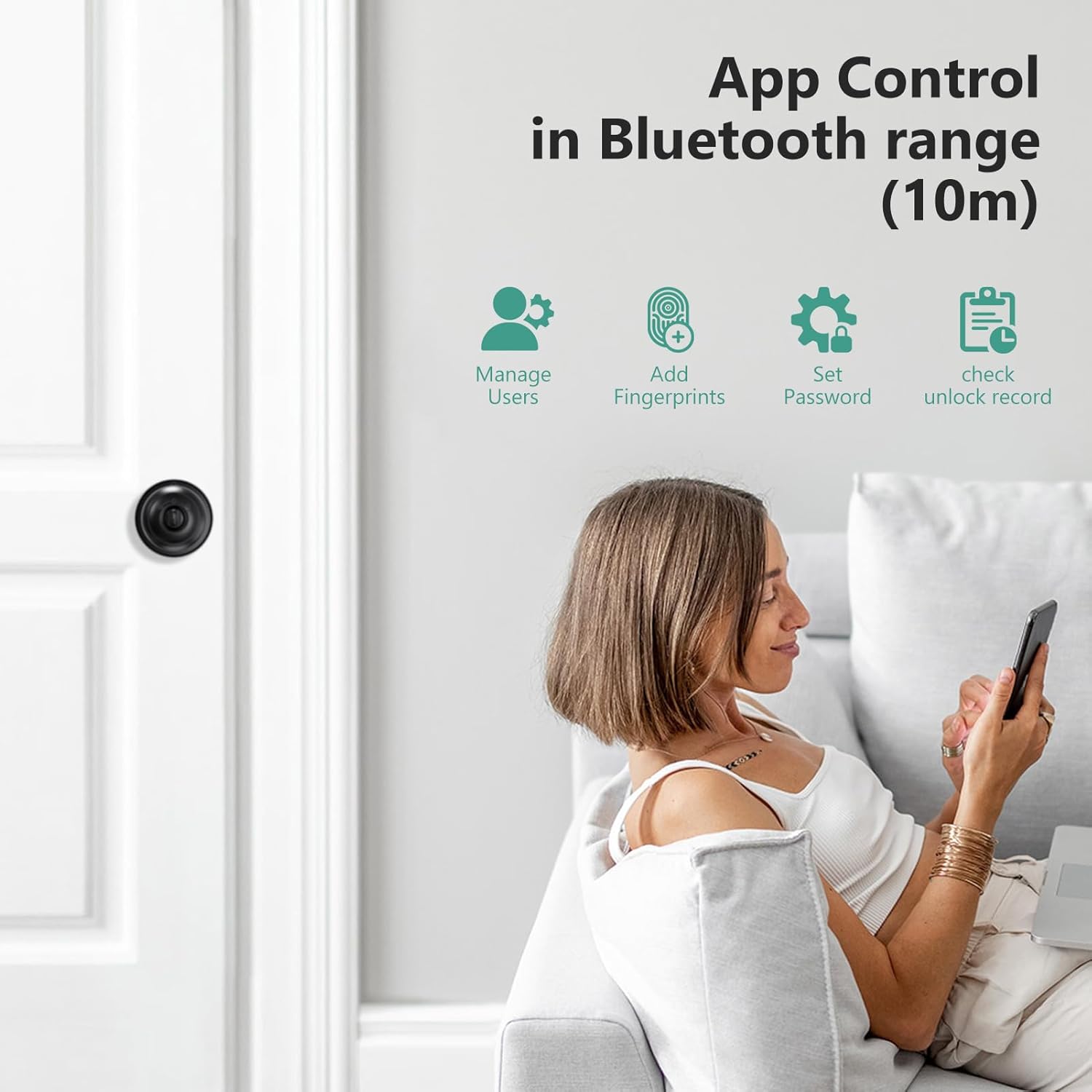
شڪل 4: App interface for managing lock functions and users.
3. تالا هلائڻ
3.1 ان لاڪ ڪرڻ جا طريقا
- فنگر پرنٽ: Place your registered finger on the sensor for instant unlock.
- ايپ: Open the GeekTale app on your smartphone and tap the unlock icon within Bluetooth range.
- پاسورڊ: Enter your 4-8 digit passcode on the keypad. You can include random digits before or after your actual code to prevent others from guessing it.
- بيڪ اپ ڪيز: In case of emergency or battery depletion, use the provided physical keys to unlock the door.

شڪل 5: مٿانview of the four available unlocking methods.
3.2 لاڪ موڊس
The lock offers three operational modes, adjustable via a button on the interior knob:
- خودڪار لاڪ: The door will automatically lock after 5 seconds of being closed.
- گذرڻ جو طريقو: The door remains unlocked on both sides. To activate, unlock with a fingerprint or the app, then turn the button on the interior knob to Passage Mode.
- سيڪيورٽي موڊ: Only the app or an administrator fingerprint can unlock the door.

شڪل 6: Explanation of the three lock modes and how to switch between them.
3.3 Remote Control and Voice Control (with Gateway)
To enable remote unlocking and voice control features, a GeekTale gateway (sold separately) is required. Connect the gateway to your home Wi-Fi network and link it with your lock via the Smart Life app. This allows you to:
- Unlock the door remotely from anywhere.
- Receive instant notifications regarding lock activity.
- Integrate with voice assistants like Amazon Alexa or Google Home using the "Smart Life" skill.

شڪل 7: Remote control and notification features enabled by a gateway.
4. سار سنڀال
4.1 بيٽري چارج ڪرڻ
The GeekTale K11 features a built-in rechargeable Lithium Ion battery. It is recommended to fully charge the lock before initial installation. A full charge typically lasts approximately 8 months.
- چارج پورٽ: Use the Type-C USB port located on the exterior knob for charging.
- گھٽ بيٽري جي خبرداري: The lock will provide a low battery warning when charging is required.
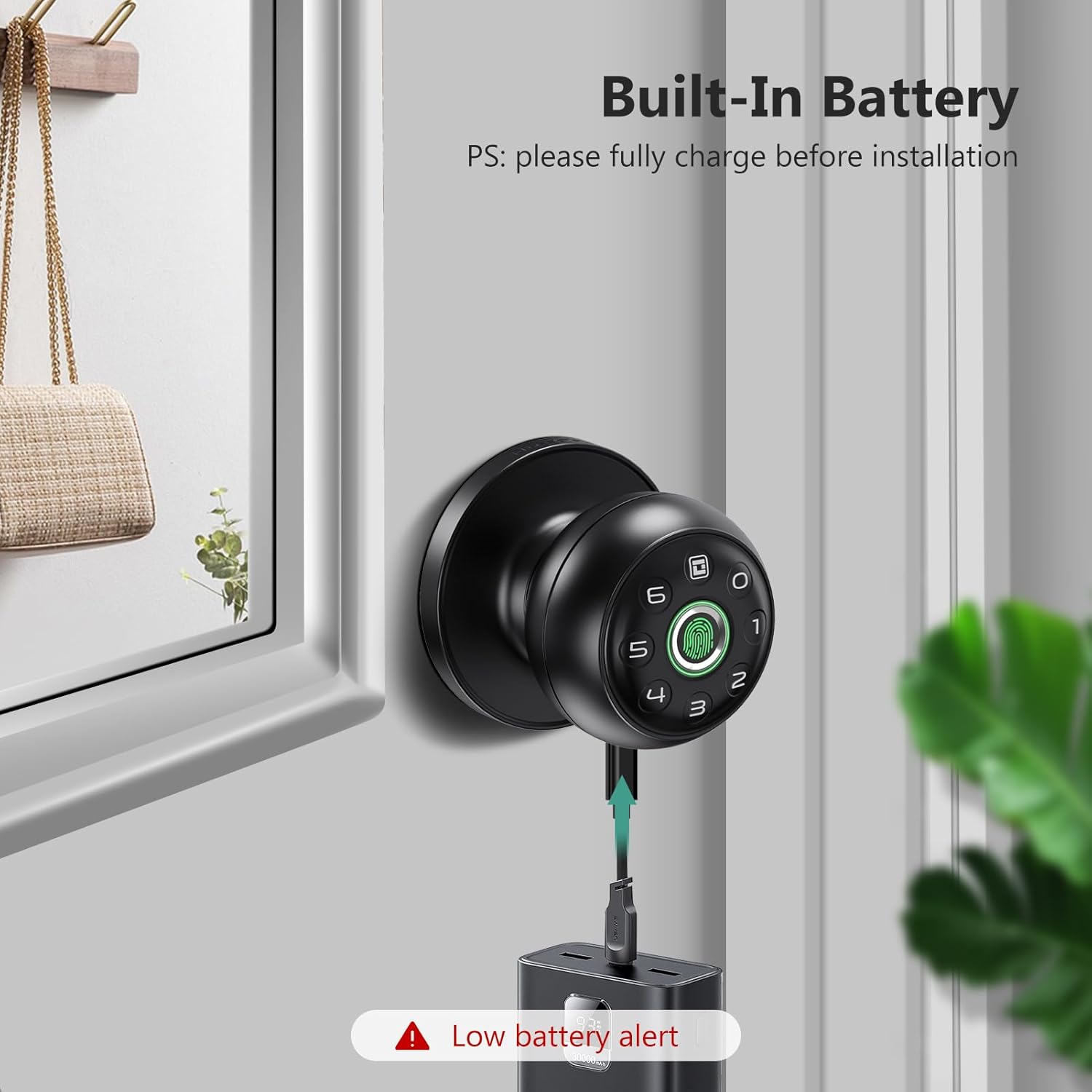
شڪل 8: Charging the GeekTale K11 lock via its Type-C port.
4.2 صفائي
Wipe the lock's surface and fingerprint sensor with a soft, dry cloth. Avoid using abrasive cleaners or solvents that could damage the finish or electronic components.
5. مسئلا حل ڪرڻ
If you encounter issues with your GeekTale K11 lock, refer to the following common problems and solutions:
- آڱرين جي نشان جي سڃاڻپ نه ٿي:
حل: Ensure your finger is clean and dry. Try re-registering your fingerprint in the app. Ensure proper placement on the sensor. - ايپ ڪنيڪشن جا مسئلا:
حل: Ensure Bluetooth is enabled on your smartphone and you are within range of the lock. Close and reopen the app. If prompted for a password repeatedly, verify your account credentials. - تالا جواب نه ڏئي رهيو آهي:
حل: Check the battery level. If the battery is low or depleted, charge the lock using the Type-C port. If the lock remains unresponsive after charging, contact customer support. - ريموٽ ان لاڪ ڪم نه ڪري رهيو آهي:
حل: Verify that your gateway is properly connected to your Wi-Fi network and paired with the lock. Ensure your smartphone has an active internet connection. - Passcode Entry Issues:
حل: Double-check the passcode. Ensure you are pressing the correct sequence.
6. وضاحتون
| برانڊ | GeekTale |
| ماڊل نالو | ڪي 11 |
| تالا جو قسم | بايوميٽرڪ |
| انداز | سمارٽ دروازي جي ڇت |
| رنگ | ڪارو |
| ٽڪرن جو تعداد | 1 |
| شامل اجزاء | Lock And Key |
| ڪنٽرولر جو قسم | بلوٽوٿ |
| ڪنٽرول جو طريقو | ائپ ، ٽچ |
| ڪنيڪشن پروٽوڪول | بلوٽوٿ |
| شيءِ جو وزن | 1.79 پائونڊ |
| پيڪيج جي ماپ | 8.86 x 5.16 x 4.09 انچ |
| بيٽريون | 1 ليتيم آئن بيٽري گھربل (شامل) |
| بيٽري سيل جو قسم | ليتيم آئن |
7. وارنٽي ۽ سپورٽ
For warranty information, technical support, or any inquiries regarding your GeekTale K11 Fingerprint Door Lock, please contact GeekTale customer service. Refer to the product packaging or the official GeekTale webرابطي جي تفصيل لاءِ سائيٽ.


