تعارف
Thank you for choosing the Baseus Bass BH1 NC Adaptive Active Noise Cancelling Headphones. These headphones are designed to provide an immersive audio experience with advanced noise cancellation, high-resolution sound, and exceptional comfort. This manual will guide you through the setup, operation, and maintenance of your new headphones.
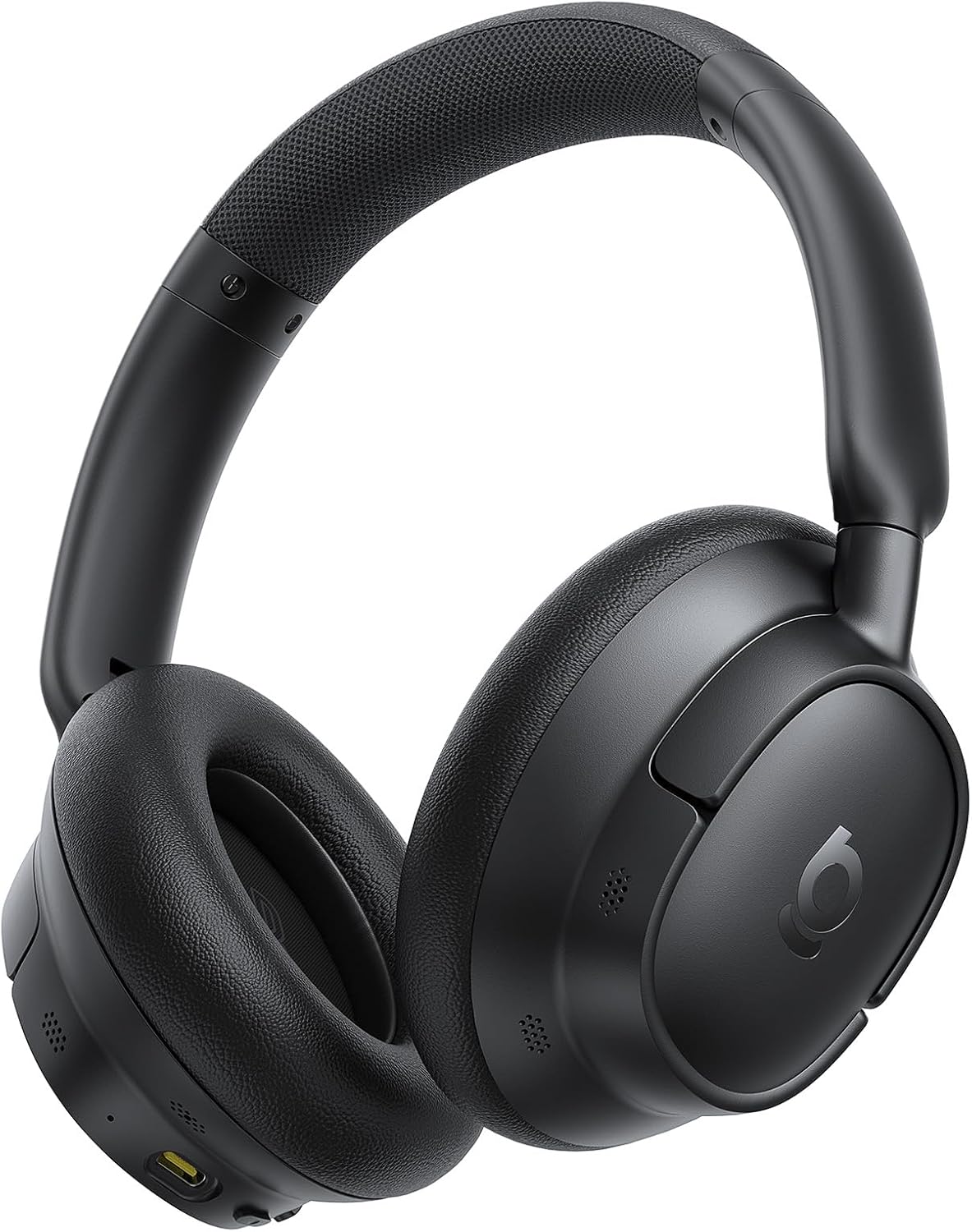
Image: The Baseus Bass BH1 NC headphones in Space Black, showcasinانهن جي سهڻي ڊيزائن.
دٻي ۾ ڇا آهي
مھرباني ڪري پيڪيج جي مواد کي چيڪ ڪريو ته جيئن پڪ ڪري سگھجي ته سڀئي شيون موجود آھن:
- Baseus Bass BH1 NC Noise Cancelling Headphones
- USB-C ڊيٽا ڪيبل
- استعمال ڪندڙ دستي
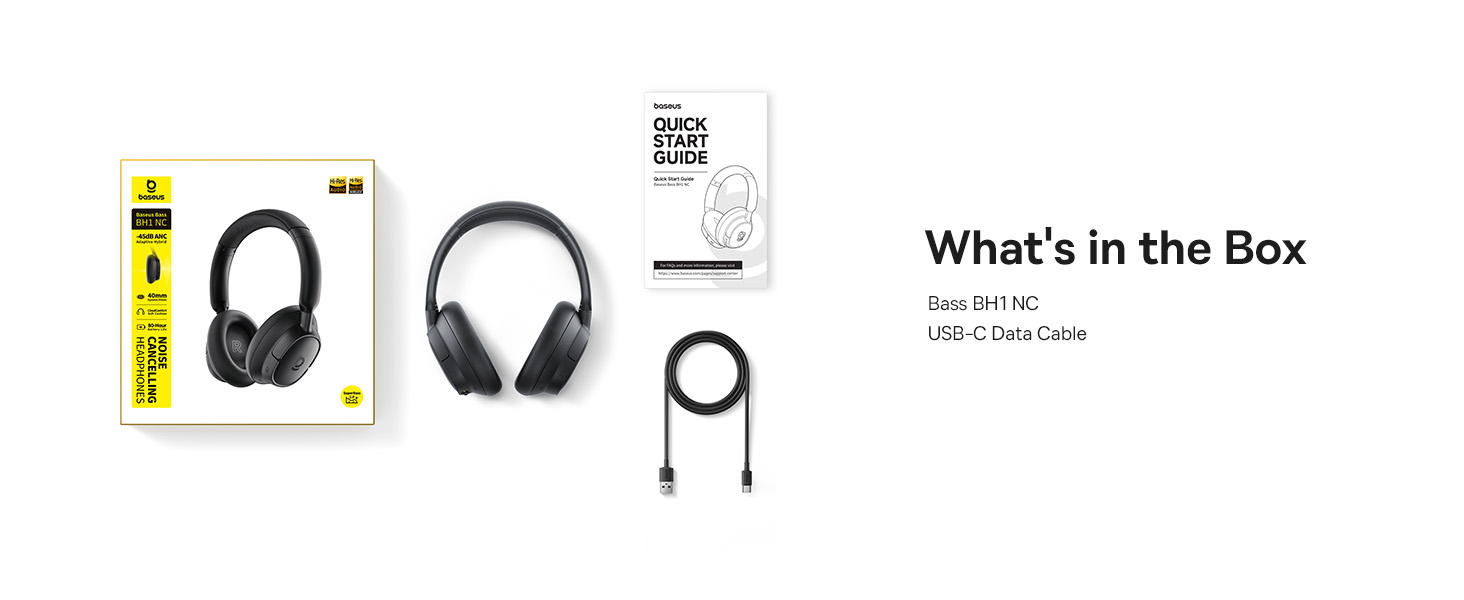
Image: A visual representation of the items included in the Baseus Bass BH1 NC headphone package.
پيداوار جون خاصيتون
The Baseus Bass BH1 NC headphones are equipped with a range of features designed for superior audio and user convenience:
- Real-Time Adaptive Hybrid ANC: Advanced 4-layer adaptive noise cancellation reduces up to -45dB of background noise, adapting to your surroundings for optimal quiet.
- Pristine Hi-Res Sound: Hi-Res and Hi-Res Wireless certifications with LDAC support deliver ultra-clear, lossless audio quality, transmitting 3X more data than standard Bluetooth codecs.
- سپر باس 2.0: Experience rich, punchy bass and detailed clarity with dynamic low-frequency enhancement and bio-cellulose diaphragms with dynamic drivers.
- Cloud-Like Comfort: Designed for all-day listening with feather-soft memory foam, contoured earcups, and a breathable headband lining for an ergonomic fit.
- Week-Long Playtime: Enjoy up to 80 hours of playtime with ANC off (55 hours with ANC on). A quick 10-minute charge provides 10 hours of listening.
- 5-مائڪ اي آءِ ڪليئر ڪالز: Five built-in sound sensors with AI-powered ENC and voice boost ensure crystal-clear voice capture for calls and meetings.
- بلوٽوٽ 6.0: Provides stable, lag-free, ultra-fast wireless connectivity.
- Instant Multipoint Connection: ٻن ڳنڍيل ڊوائيسز جي وچ ۾ بيحد سوئچ ڪريو.

Image: Illustration of the powerful -45dB Adaptive Hybrid ANC technology.

Image: Demonstrating the lossless Hi-Res audio capabilities with LDAC technology.

Image: Visualizing the impressive 80-hour battery life.
سيٽ اپ گائيڊ
1. شروعاتي چارجنگ
Before first use, fully charge your headphones. Connect the provided USB-C data cable to the charging port on the headphones and the other end to a USB power adapter (not included) or a computer's USB port. The charging indicator light will show the charging status.
2. پاور آن/آف
- پاور آن: پاور بٽڻ کي تقريباً 3 سيڪنڊن تائين دٻايو ۽ رکو جيستائين اشاري جي روشني چمڪي.
- بجلي بند: پاور بٽڻ کي تقريباً 3 سيڪنڊن تائين دٻايو ۽ رکو جيستائين اشاري جي روشني بند نه ٿئي.
3. بلوٽوٽ جوئر
- پڪ ڪريو ته هيڊفون بند ٿيل آهن.
- پاور بٽڻ کي 5 سيڪنڊن لاءِ دٻايو ۽ رکو جيستائين اشاري جي روشني نيري ۽ ڳاڙهي رنگ ۾ متبادل طور تي چمڪي، جيڪو جوڙڻ واري موڊ کي ظاهر ڪري ٿو.
- پنهنجي ڊوائيس (اسمارٽ فون، ٽيبليٽ، ليپ ٽاپ) تي، بلوٽوٿ کي فعال ڪريو ۽ موجود ڊوائيسز جي ڳولا ڪريو.
- Select "Baseus Bass BH1 NC" from the list of found devices.
- هڪ ڀيرو ڳنڍيل، اشاري جي روشني مضبوط نيري ٿي ويندي.
4. Installing the Baseus App
For enhanced features and customization, download the official Baseus app from your device's app store. The app allows you to adjust EQ settings, noise reduction modes, and more.

Image: The Baseus app interface for smart control and personalization.
آپريٽنگ هدايتون
بٽڻ ڪنٽرول
The headphones feature intuitive button controls for easy management of audio and calls:
| عمل | بٽڻ / اشارو | فنڪشن |
|---|---|---|
| پاور آن / آف | پاور بٽڻ (3 سيڪنڊن کي دٻايو ۽ رکو) | Turns headphones on or off. |
| پيرسن موڊ | Power Button (Press & Hold 5s from off) | Enters Bluetooth pairing mode. |
| راند/روڪ | Multi-function Button (1 click) | آڊيو هلائي ٿو يا روڪي ٿو. |
| ايندڙ ٽريڪ | Volume + Button (Press & Hold 2s) | ايندڙ گيت ڏانهن وڃو. |
| اڳيون ٽريڪ | Volume - Button (Press & Hold 2s) | پوئين گيت ڏانهن هليو وڃي ٿو. |
| حجم مٿي | Volume + Button (1 click) | حجم وڌائي ٿو. |
| حجم ھيٺ | Volume - Button (1 click) | حجم گھٽائي ٿو. |
| جواب ڏيو / ڪال ختم ڪريو | Multi-function Button (1 click) | Answers or ends an incoming/active call. |
| ڪال رد ڪريو | Multi-function Button (Press & Hold 2s) | اچڻ واري ڪال کي رد ڪري ٿو. |
| Toggle ANC/Transparency | ANC Button (1 click) | Cycles through ANC On, Transparency Mode, and ANC Off. |
| وائيس اسسٽنٽ کي فعال ڪريو | Multi-function Button (3 clicks) | توهان جي ڊوائيس جي وائس اسسٽنٽ کي چالو ڪري ٿو. |

Image: Detailed diagram of headphone button functions.
ملٽي پوائنٽ ڪنيڪشن
The Baseus Bass BH1 NC headphones support simultaneous connection to two Bluetooth devices. To use this feature:
- Connect the headphones to the first device as per the Bluetooth pairing instructions.
- پهرين ڊوائيس تي بلوٽوٿ کي بند ڪريو.
- هيڊفونز کي ٻئي ڊوائيس سان ڳنڍيو.
- پهرين ڊوائيس تي بلوٽوٿ کي ٻيهر فعال ڪريو. هيڊفون هاڻي ٻنهي ڊوائيسز سان ڳنڍيل هجڻ گهرجن.
- Audio will automatically switch between devices based on which one is actively playing sound or receiving a call.
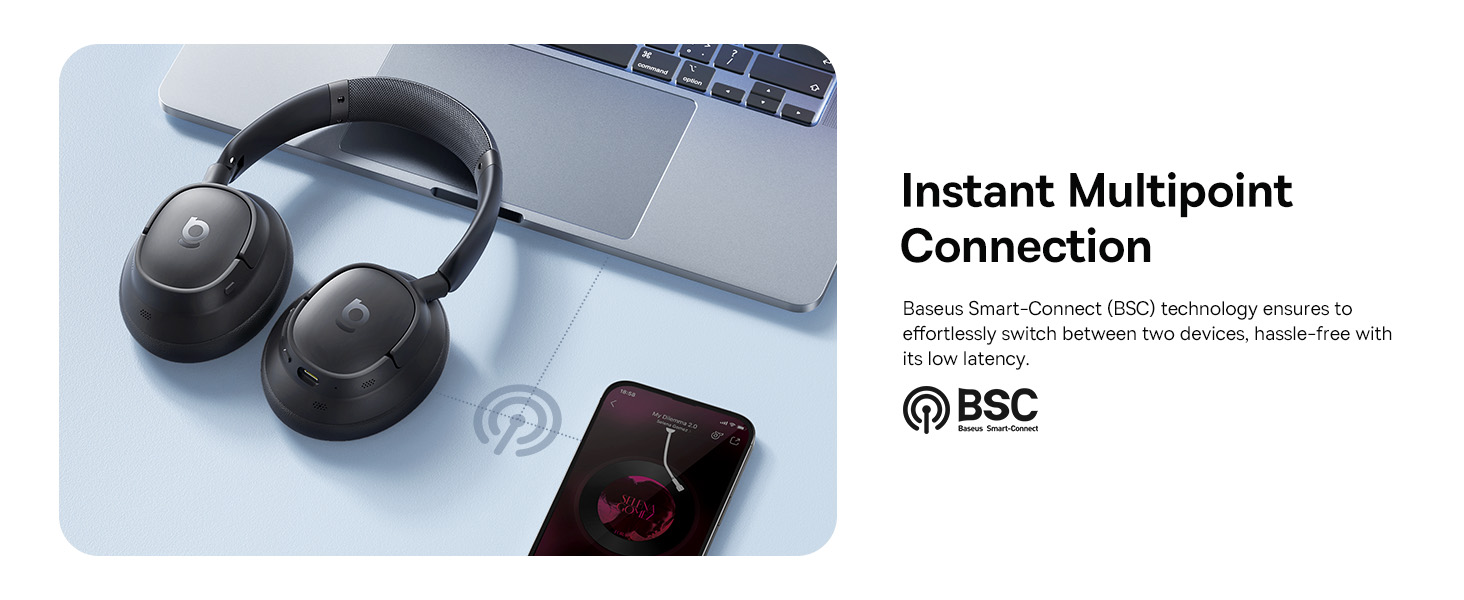
Image: Visual explanation of the instant multipoint connection feature.
سار سنڀال
Proper maintenance ensures the longevity and optimal performance of your headphones:
- صفائي: Use a soft, dry, lint-free cloth to clean the earcups and headband. Do not use abrasive cleaners, alcohol, or chemical solvents.
- اسٽوريج: When not in use, store the headphones in a cool, dry place, away from direct sunlight and extreme temperatures. It is recommended to use a protective case to prevent damage.
- بيٽري جي سنڀال: بيٽري جي زندگي بچائڻ لاءِ، هيڊفونز کي بار بار مڪمل طور تي چارج ڪرڻ کان پاسو ڪريو. انهن کي باقاعدي طور تي چارج ڪريو، جيتوڻيڪ مسلسل استعمال ۾ نه هجي.
- نمي کان بچڻ: هيڊفونز کي پاڻي يا گهڻي نمي جي سامهون نه رکو. جيڪڏهن اهي گلا ٿي وڃن ته استعمال يا اسٽوريج کان اڳ انهن کي چڱي طرح سڪايو.
مشڪلاتون
If you encounter any issues with your Baseus Bass BH1 NC headphones, refer to the following common solutions:
| مسئلو | ممڪن سبب | حل |
|---|---|---|
| هيڊفون آن نه ٿا ٿين. | گھٽ بيٽري. | مهيا ڪيل USB-C ڪيبل استعمال ڪندي هيڊفونز کي مڪمل طور تي چارج ڪريو. |
| ڊوائيس سان جوڙو نه ٿو ٺاهي سگهجي. | هيڊفون پيئرنگ موڊ ۾ نه آهن؛ ڊوائيس تي بلوٽوٿ بند آهي؛ ڊوائيس تمام پري آهي. | Ensure headphones are in pairing mode (flashing blue/red). Turn on Bluetooth on your device. Move headphones closer to the device. Try restarting both devices. |
| ڪابه آواز يا گهٽ آواز ناهي. | آواز تمام گهٽ آهي؛ غلط آڊيو آئوٽ پٽ چونڊيو ويو آهي؛ هيڊفون ڳنڍيل نه آهن. | Increase volume on both headphones and connected device. Ensure headphones are selected as the audio output. Reconnect Bluetooth. |
| ANC اثرائتي ڪم نه ڪري رهيو آهي. | ANC mode off; improper fit; very high-frequency noise. | Ensure ANC is activated. Adjust headphones for a snug fit. ANC is most effective on low-frequency sounds. |
| ڪال جو معيار خراب آهي. | Microphone obstructed; weak signal; environmental noise. | Ensure microphones are clear. Move closer to your device. Use the AI Clear Calls feature in noisy environments. |
وضاحتون
Detailed technical specifications for the Baseus Bass BH1 NC headphones:
| خاصيت | تفصيل |
|---|---|
| ماڊل نالو | Baseus Bass BH1 NC |
| رابطي ٽيڪنالاجي | بلوٽوٿ 6.0، وائرليس |
| وائرليس ڪميونيڪيشن ٽيڪنالاجي | بلوٽوٿ 6.0 |
| مواد | پلاسٽڪ |
| پيداوار لاءِ مخصوص استعمال | وندر، فٽنيس، سفر |
| مصنوعات لاءِ سفارش ڪيل استعمال | Calling, Cycling, Exercising, Music, Running, Travel, Work Out |
| مطابقت رکندڙ ڊوائيسز | سيل فون، بلوٽوٿ آڊيو صلاحيت وارا ڊوائيسز (iOS، Android، ونڊوز، Mac OS، سوئچ)، ليپ ٽاپ، ٽيبليٽ |
| ڪنٽرول قسم | بٽڻ ڪنٽرول |
| ڪنٽرول جو طريقو | دٻايو بٽڻ |
| شين جو تعداد | 1 |
| آڊيو ڊرائيور جو قسم | متحرڪ ڊرائيور |
| بلوٽوت ورزن | 6.0 |
| آڊيو ڊرائيور جي ماپ | 40 ملي ميٽر |
| يو پي سي | 810196181526 |
| ٺاهيندڙ | بيسس |
| پيڪيج جي ماپ | 9.25 x 8.94 x 2.48 انچ |
| شيءِ جو وزن | 14.9 اونس |
| ASIN | B0FHB7NBL5 |
| شيون ماڊل نمبر | Baseus Bass BH1 NC |
| بيٽريون | Nonstandard Battery batteries required. (included) |
| تاريخ پهرين دستياب | 20 جولاءِ 2025ع |
| برانڊ | بيسس |
| رنگ | خلائي ڪارو |
| ڪن جي جڳهه | ڪن مٿان |
| فارم فيڪٽر | ڪن مٿان |
| شور ڪنٽرول | موافقت وارو شور منسوخي |

Image: Product dimensions for the Baseus Bass BH1 NC headphones.
وارنٽي ۽ سپورٽ
Baseus products are designed with quality and reliability in mind. For warranty information and customer support, please refer to the official Baseus webسائيٽ تي وڃو يا سڌو سنئون انهن جي ڪسٽمر سروس سان رابطو ڪريو. ڪنهن به وارنٽي دعوائن لاءِ خريداري جي ثبوت طور پنهنجي خريداري جي رسيد رکو.
توھان پڻ دورو ڪري سگھو ٿا ايميزون تي بيسس اسٽور وڌيڪ معلومات ۽ سپورٽ وسيلن لاء.


