تعارف
This manual provides detailed instructions for the setup, operation, and maintenance of your HyperGear FIT X2 Smartwatch + Fitness Tracker. Please read this manual thoroughly before using the device to ensure proper function and to maximize your user experience.
دٻي ۾ ڇا آهي
- HyperGear FIT X2 Smartwatch
- مقناطيسي چارجنگ ڪيبل
- استعمال ڪندڙ جو دستياب (ھي دستاويز)
سيٽ اپ ڪريو
1. ڊوائيس کي چارج ڪرڻ
Before initial use, fully charge your HyperGear FIT X2 Smartwatch. Connect the magnetic charging cable to the charging contacts on the back of the watch and plug the USB end into a power source (e.g., computer USB port or a 5V/1A USB wall adapter). The watch display will indicate charging status.

Image: The HyperGear FIT X2 Smartwatch connected to its magnetic charging cable, showing a 'Fully Charged' notification on its screen.
A full charge typically takes approximately 2.5 hours. The watch offers up to 5+ days of typical use and up to 15 days of basic use on a single charge.
2. پاور آن/آف
- پاور آن: Press and hold the side button until the HyperGear logo appears on the screen.
- بجلي بند: From the watch face, swipe down to access the quick settings, then tap the power icon. Confirm power off. Alternatively, navigate to Settings > System > Power Off.
3. ايپ انسٽاليشن ۽ جوڙو ٺاهڻ
The HyperGear FIT X2 requires the 'Da Fit' companion app for full functionality and data synchronization. The app is compatible with iOS 9.0+ and Android 5.0+ devices.
- ايپ ڊائون لوڊ ڪريو: ڳولھيو 'Da Fit' in the Apple App Store (for iOS) or Google Play Store (for Android) and install it on your smartphone.
- بلوٽوت کي فعال ڪريو: پڪ ڪريو ته توهان جي اسمارٽ فون تي بلوٽوت فعال آهي.
- ڊا فٽ ايپ کوليو: Launch the 'Da Fit' app and follow the on-screen instructions to create an account or log in.
- ڊوائيس شامل ڪريو: In the app, navigate to the 'Device' section and tap 'Add Device'. The app will search for nearby devices. Select 'FIT X2' from the list to pair.
- جوڙي جي تصديق ڪريو: A pairing request may appear on your watch and phone. Confirm on both devices to complete the connection.

Image: A smartphone screen showing the 'Da Fit' app download options and the HyperGear FIT X2 Smartwatch, illustrating the companion app integration.
آپريٽنگ هدايتون
1. انٽرفيس کي نيويگيٽ ڪرڻ
The FIT X2 features a 2-inch ultra-large touchscreen LCD display and a side button for navigation.
- مٿي سوائپ ڪريو: اطلاعن تائين رسائي.
- هيٺ سوائپ ڪريو: تڪڙي سيٽنگن تائين رسائي ڪريو (مثال طور، چمڪ، ڊي اين ڊي، بيٽري سيور).
- کاٻي/ساڄي سوائپ ڪريو: Cycle through widgets (e.g., activity, heart rate, weather, music control).
- پاسي وارو بٽڻ دٻايو: Return to the watch face from any screen, or open the app menu from the watch face.
- ٽيپ ڪريو: ڪا شيءِ چونڊيو يا ايپليڪيشن کوليو.
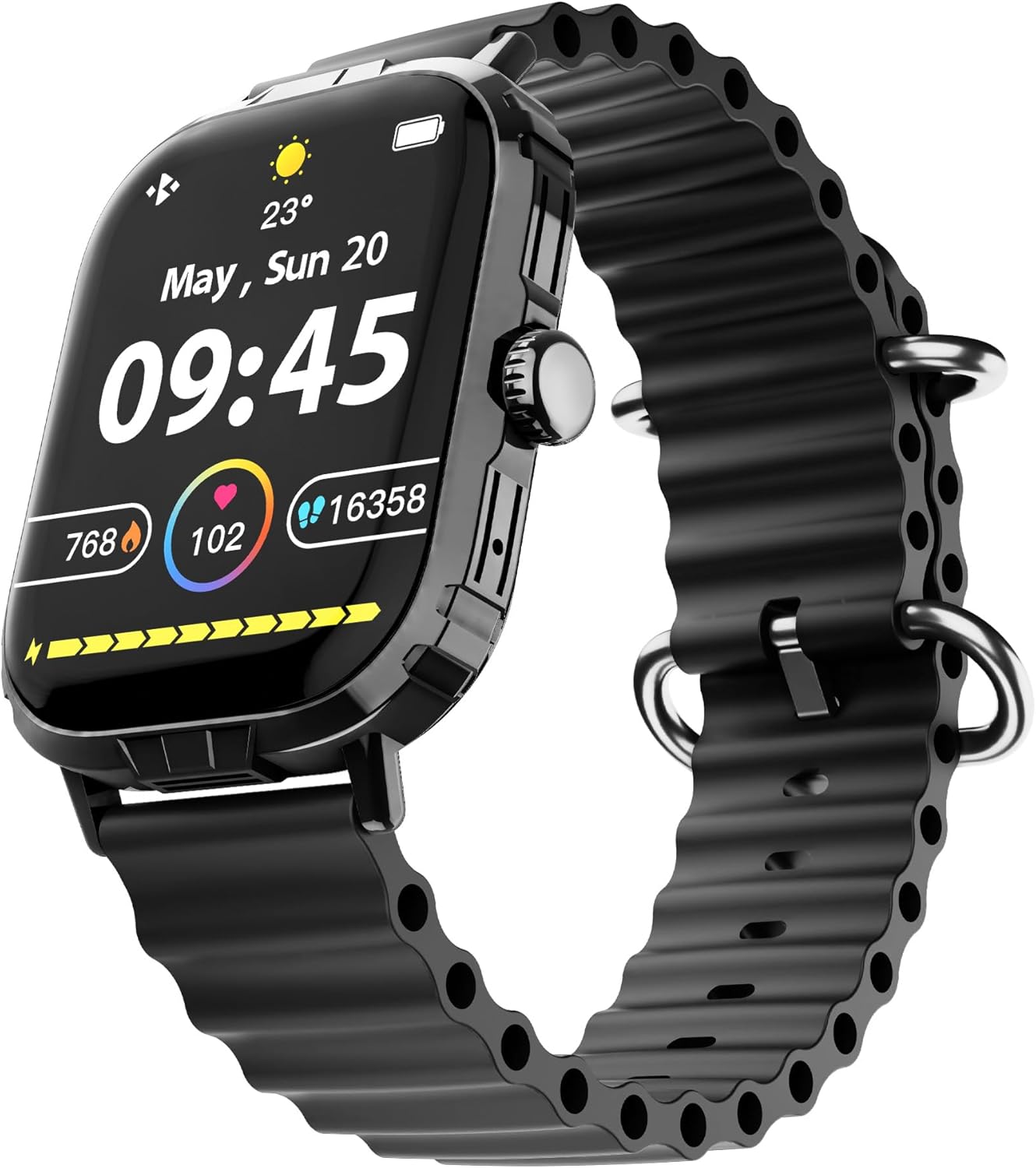
Image: The HyperGear FIT X2 Smartwatch showing its main watch face with current time, date, and various health metrics.
2. صحت جي نگراني جون خاصيتون
The FIT X2 provides 24-hour health monitoring capabilities.
- دل جي شرح: Access the Heart Rate app on the watch or swipe to the Heart Rate widget. The watch will automatically measure your heart rate. For continuous monitoring, enable it in the Da Fit app settings.
- رت جي آڪسيجن (SpO2): Open the SpO2 app on the watch. Keep your arm still during measurement.
- بلڊ پريشر: Open the Blood Pressure app on the watch. Follow on-screen instructions for accurate readings.
- دٻاءُ جي سطح: The watch can estimate stress levels. Access this feature via the dedicated app.
All health metrics can be viewed in detail and tracked over time within the Da Fit companion app.

Image: A visual representation of the HyperGear FIT X2's 24-hour health monitoring features, including heart rate, blood pressure, blood oxygen, and stress levels.
3. فٽنيس ٽريڪنگ
The FIT X2 supports over 100 exercise and sport modes.
- سرگرمي ٽريڪنگ: The watch automatically records daily step count, calories burned, and total minutes of moderate or high physical activity. View these metrics on the watch or in the Da Fit app.
- ورزش جا طريقا: From the app menu, select 'Exercise' to choose from various sport modes. The watch will track relevant data for your chosen activity.
- GPS Route Mapping: When connected to your smartphone, the Da Fit app can utilize your phone's GPS to map your outdoor exercise routes.

Image: The HyperGear FIT X2 Smartwatch displaying fitness tracking data, including step count, calories burned, and minutes exercised, with an individual engaged in physical activity.
4. سمهڻ جي ٽريڪنگ
Wear your FIT X2 to bed to monitor your sleep patterns.
- Sleep Time & Quality: The watch tracks your total sleep duration and analyzes sleep stages (Awake, REM, Light, Restful).
- Guided Breathing Sessions: Access guided breathing exercises on the watch to help improve relaxation before sleep.
Detailed sleep analysis and scores are available in the Da Fit app.

Image: The HyperGear FIT X2 Smartwatch showing sleep tracking features, including sleep duration, quality, and guided breathing, with a person sleeping in the background.
5. ڪميونيڪيشن جون خاصيتون
Stay connected with your smartphone via Bluetooth.
- On-Wrist Calls: With the built-in microphone and speaker, you can make and receive phone calls directly from your watch when connected to your phone.
- سمارٽ اطلاعن: Receive notifications for texts, social media apps, emails, and more directly on your watch. Manage notification settings in the Da Fit app.
- موسيقي ڪنٽرول: پنهنجي واچ تان پنهنجي اسمارٽ فون تي ميوزڪ پلے بیک ڪنٽرول ڪريو (کيڏو، روڪيو، ٽريڪ ڇڏي ڏيو).

Image: The HyperGear FIT X2 Smartwatch highlighting its connectivity features, including Bluetooth pairing, on-wrist call functionality, smart notifications, and music control.
6. ٻيون ايپليڪيشنون
The FIT X2 includes over 15 easy-to-use applications:
- اسٽاپ واچ
- ٽائمر
- الارم
- موسم
- حساب ڪندڙ
- ريموٽ ڪئميرا شٽر
- AI وائيس اسسٽنٽ
- فون ڳوليو
- ٽارچ
- And more, accessible via the app menu.
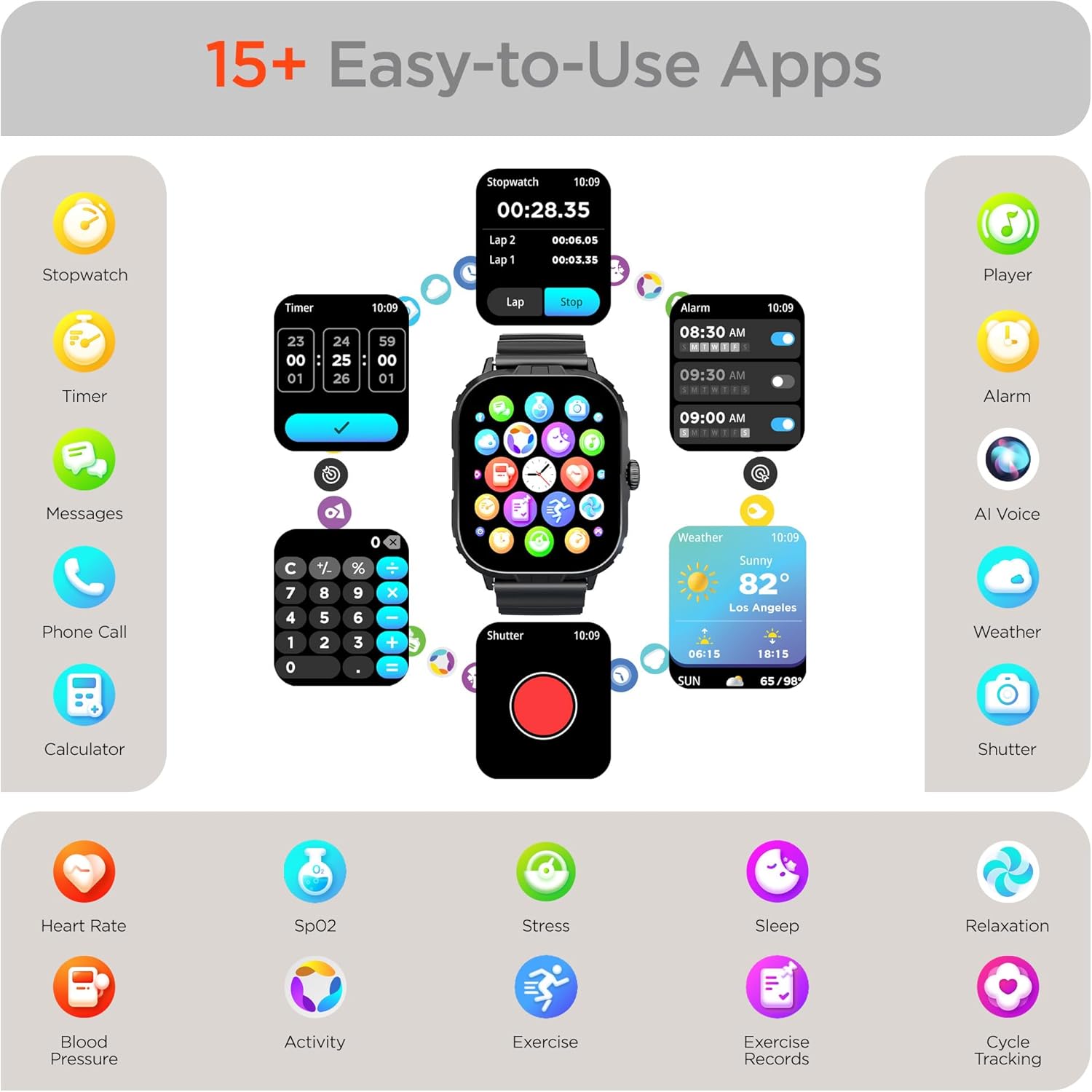
Image: The HyperGear FIT X2 Smartwatch showcasing its array of built-in applications, such as stopwatch, timer, alarm, weather, calculator, and various health monitoring tools.
سار سنڀال
1. صفائي
Regularly clean your smartwatch and strap to prevent skin irritation and maintain device performance.
- Wipe the screen and watch body with a soft, lint-free cloth. If necessary, slightly dampپاڻي سان ڪپڙو.
- For the silicone strap, wash with mild soap and water, then rinse thoroughly and dry completely before reattaching to your wrist.
- سخت ڪيميڪل، رگڙيندڙ صاف ڪندڙ، يا محلول استعمال ڪرڻ کان پاسو ڪريو، ڇاڪاڻ ته اهي ڊوائيس کي نقصان پهچائي سگهن ٿا.
2. پاڻي جي مزاحمت
The HyperGear FIT X2 is IP65 rated, meaning it is dustproof and water-resistant. It is certified sweatproof, splashproof, and rainproof. It is not recommended for swimming, showering, or submersion in water.
3. پٽي جي تبديلي
The FIT X2 uses universally compatible 22mm-wide watch straps with quick-release spring bars. To replace the strap:
- Locate the quick-release lever on the underside of the strap where it connects to the watch body.
- Pull the lever inward to release the spring bar and gently detach the strap.
- Align the new 22mm strap with the watch lugs, insert one end of the spring bar, then pull the quick-release lever to slide the other end into place. Release the lever to secure.
مشڪلاتون
- واچ پاور آن نه ٿي رهي آهي: پڪ ڪريو ته گھڙي مڪمل طور تي چارج ٿيل آهي. ان کي گهٽ ۾ گهٽ 10 منٽن لاءِ مقناطيسي چارجنگ ڪيبل ۽ پاور سورس سان ڳنڍيو.
- اسمارٽ فون سان جوڙڻ ۾ ناڪام:
- پڪ ڪريو ته توهان جي اسمارٽ فون ۽ واچ تي بلوٽوٿ فعال آهي.
- Make sure the watch is within Bluetooth range of your phone (typically 10 meters).
- پنهنجي واچ ۽ اسمارٽ فون ٻئي ٻيهر شروع ڪريو.
- Check if the 'Da Fit' app has necessary permissions enabled on your phone.
- If previously paired, try unpairing from your phone's Bluetooth settings and the Da Fit app, then re-pair.
- غلط صحت جي پڙهائي:
- پڪ ڪريو ته گھڙي توهان جي کلائي تي چستيءَ سان پائڻي آهي، توهان جي کلائي جي هڏي کان مٿي هڪ آڱر جي ويڪر.
- ماپ دوران پنھنجو ھٿ اڃا تائين رکو.
- گھڙي جي پوئين پاسي واري سينسر کي صاف ڪريو.
- نوٽيفڪيشن ظاهر نه ٿي رهيا آهن:
- Verify the watch is connected to your phone via Bluetooth.
- Check notification settings within the 'Da Fit' app to ensure desired apps are enabled.
- Ensure your phone's notification settings allow the 'Da Fit' app to display notifications.
- مختصر بيٽري جي زندگي:
- اسڪرين جي روشني کي گھٽايو.
- جيڪڏهن ضرورت نه هجي ته مسلسل دل جي شرح جي نگراني کي بند ڪريو.
- Limit frequent use of power-intensive features like calls or GPS tracking.
- پڪ ڪريو ته واچ هر ڀيري مڪمل چارج ٿيل آهي.
وضاحتون
| خاصيت | تفصيل |
|---|---|
| ماڊل | FIT X2 |
| ڊسپلي سائيز | 2 انچ آئي پي ايس ايل سي ڊي |
| رابطي | بلوٽوٿ 5.2 |
| بيٽري جي گنجائش | 250 مليamp ڪلاڪ |
| عام بيٽري جي زندگي | 5+ ڏينهن |
| Basic Battery Life | 15 ڏينهن تائين |
| ريچارج ٽائيم | 2.5 Hours (Rapid Recharge) |
| پاڻي جي مزاحمت | IP65 (Dustproof, Sweatproof, Splashproof, Rainproof) |
| آپريٽنگ سسٽم مطابقت | Android 5.0+ / iOS 9.0+ |
| ڪيس جو مواد | Zinc Alloy (11mm thick) |
| Strap Compatibility | 22mm Quick-Release |
| شيءِ جو وزن | 4.8 اونس |
وارنٽي ڄاڻ
HyperGear products are designed and manufactured to the highest quality standards. For specific warranty details, including coverage period and terms, please refer to the warranty card included with your product or visit the official HyperGear webسائيٽ. وارنٽي دعوائن لاءِ خريداري جو ثبوت رکو.
حمايت
If you encounter any issues or have questions not covered in this manual, please contact HyperGear customer support:
- آن لائن سپورٽ: Visit the official HyperGear webاڪثر پڇيا ويندڙ سوالن، مسئلن جي حل جي رهنمائي، ۽ رابطي جي فارمن لاءِ سائيٽ.
- اي ميل سپورٽ: Refer to your product packaging or the HyperGear webڪسٽمر سروس اي ميل ايڊريس لاءِ سائيٽ.


