تعارف
This manual provides detailed instructions for the New Bee M53 Bluetooth Headset. Please read this manual carefully before using the product to ensure proper operation and to maximize its performance and lifespan. Keep this manual for future reference.
پيڪيج مواد
پڪ ڪريو ته سڀئي شيون پيڪيج ۾ موجود آهن:
- Bluetooth Earpiece (1 unit)
- 500mAh Charging Case (1 unit)
- Ear Tips (3 sizes: S/M/L)
- Type-C Cable (1 unit, AC adapter not included)
- يوزر مينوئل (1 يونٽ)
پيداوار ختمview
The New Bee M53 Bluetooth Headset features an ergonomic design for comfortable wear and intuitive controls. Below is a general view of the headset and its charging case.
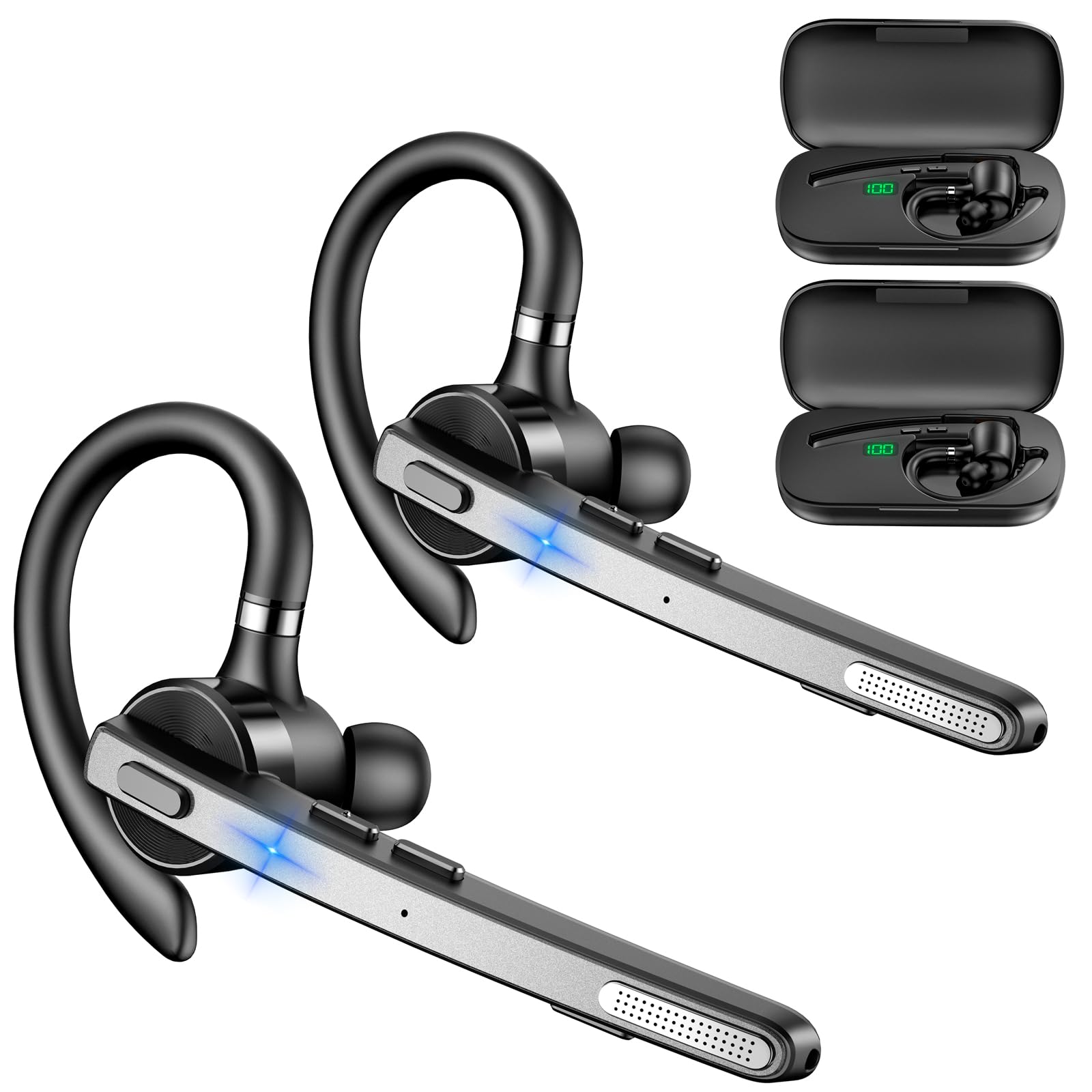
Image: New Bee M53 Bluetooth Headset with its charging case and included ear tips.

Image: Diagram illustrating the various buttons and their functions on the New Bee M53 Bluetooth Headset, including power, volume, call control, mute, and Type-C charging port.
سيٽ اپ ڪريو
1. هيڊ سيٽ ۽ ڪيس کي چارج ڪرڻ
Before first use, fully charge the headset and its charging case. The charging case has a digital display to indicate the remaining power.
- Connect the provided Type-C cable to the charging port on the case and to a USB power source (e.g., computer, wall adapter).
- Place the headset into the charging case.
- مڪمل چارج لڳ ڀڳ 2 ڪلاڪ لڳن ٿا.
- The 500mAh charging case provides approximately 72 hours of total playtime for the headset.
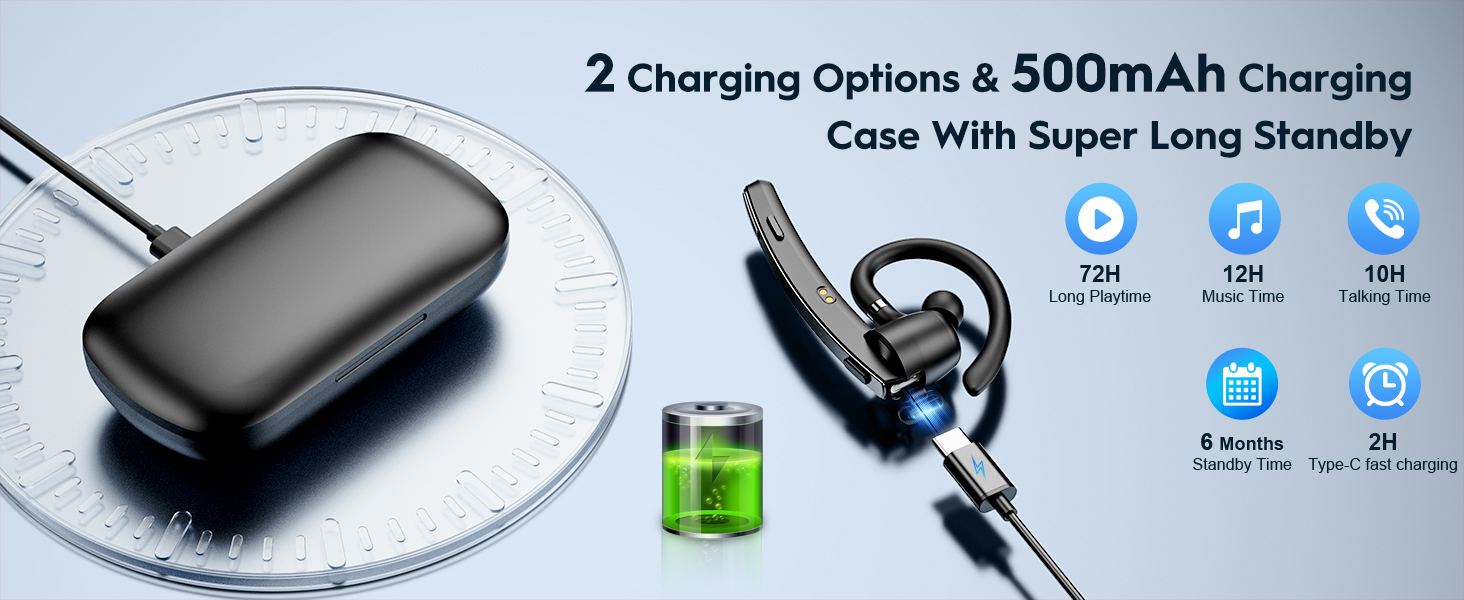
Image: The New Bee M53 charging case displaying battery level, with the headset inside, illustrating its long battery life capabilities.
2. هيڊ سيٽ پائڻ
The headset is designed for comfortable and secure fit. It can be worn on either the left or right ear.
- The flexible ear hook can be rotated 180° to fit either ear.
- The earphone arm can be rotated 270° to adjust the microphone position.
- Choose from the three included ear tip sizes (S, M, L) for the best fit and comfort.
- The headset weighs only 13.6 grams, ensuring comfort during extended wear.

Image: Illustration of the headset's adjustable ear hook for left/right ear use and the three available ear tip sizes (S, M, L).
3. بلوٽوٽ جوئر
The headset uses Bluetooth 5.1 technology for quick and stable connections.
- پڪ ڪريو ته هيڊ سيٽ چارج ٿيل آهي ۽ بند آهي.
- Press and hold the Power button for 3-5 seconds until the indicator light flashes blue and red, indicating pairing mode.
- پنهنجي ڊوائيس (اسمارٽ فون، ليپ ٽاپ، وغيره) تي، بلوٽوٿ کي فعال ڪريو ۽ موجود ڊوائيسز جي ڳولا ڪريو.
- Select "M53" from the list of devices.
- هڪ ڀيرو ڳنڍجي وڃڻ کان پوءِ، اشاري جي روشني آهستي آهستي نيري چمڪي ويندي.
The headset supports connecting to two devices simultaneously within a 15-meter (49 feet) range.

Image: The headset shown connecting to a mobile phone, demonstrating Bluetooth 5.1 quick connection and dual device capability.
آپريٽنگ هدايتون
بنيادي ڪم
- پاور آن / آف: Press and hold the Power button for 3 seconds to power on, 5 seconds to power off.
- راند/روڪ: دٻايو Play/Pause بٽڻ هڪ ڀيرو.
- حجم ڪنٽرول: Use the Volume +/- buttons to adjust the sound level.
- اڳيون/اڳيون گيت: Press and hold Volume + for next song, Volume - for previous song (3 seconds).
ڪال انتظام
- جواب ڏيو / ڪال بند ڪريو: Press the Answer/Hang Up button once.
- ڪال رد ڪريو: Press and hold the Answer/Hang Up button for 2 seconds.
- ريڊل آخري نمبر: Double-press the Answer/Hang Up button.
- مائڪ خاموش: Press the Mic Mute button once during a call to mute/unmute the microphone.
The headset features dual-mic noise reduction and CVC8.0 technology for clear calls by reducing ambient noise and echo.

Image: Illustration of the headset's one-button call answering and mute features for hands-free communication.

Image: Visual representation of the dual-mic noise cancelling technology, showing how external background noise is reduced for clear calls.
سار سنڀال
To ensure the longevity and optimal performance of your New Bee M53 Bluetooth Headset, follow these maintenance guidelines:
- صفائي: Use a soft, dry, lint-free cloth to clean the headset and charging case. Do not use abrasive cleaners, solvents, or aerosol sprays.
- اسٽوريج: Store the headset in its charging case when not in use to protect it from dust and damage. Avoid extreme temperatures.
- پاڻي جي نمائش: The headset is not waterproof. Avoid exposure to water, moisture, or excessive humidity.
- چارج ڪرڻ: Always use the provided Type-C cable for charging. Do not attempt to disassemble or modify the device.
مشڪلاتون
جيڪڏهن توهان کي پنهنجي هيڊ سيٽ سان مسئلا درپيش اچن ٿا، ته هيٺ ڏنل عام حلن جو حوالو ڏيو:
| مسئلو | حل |
|---|---|
| هيڊ سيٽ آن نٿو ٿئي. | Ensure the headset is fully charged. Place it in the charging case and connect the case to a power source. |
| ڊوائيس سان جوڙو نه ٿو ٺاهي سگهجي. |
|
| ڪابه آواز يا گهٽ آواز ناهي. |
|
| ڪال جو معيار خراب آهي. |
|
وضاحتون
| خاصيت | تفصيل |
|---|---|
| ماڊل نالو | M53 |
| بلوٽوت ورزن | 5.1 |
| بلوٽوٿ رينج | 15 ميٽر (49 فوٽ) تائين |
| Battery Life (Talktime/Music) | في چارج تقريباً 12 ڪلاڪ |
| چارجنگ ڪيس سان ڪل راند جو وقت | 72 ڪلاڪ تائين |
| چارج ڪيس جي گنجائش | 500mAh |
| چارج ڪرڻ وقت | Approximately 2 hours (Type-C) |
| وزن | 13.6 grams (earpiece) |
| شور ڪنٽرول | Dual-Mic Noise Reduction, CVC8.0 |
| مطابقت | iOS, Android, Windows (Cellphones, Laptops, Desktops) |
| ڪنٽرول قسم | بٽڻ ڪنٽرول |

Image: The headset demonstrating its wide compatibility with devices such as tablets, cellphones, laptops, PCs, and Kindles.
وارنٽي ۽ سپورٽ
New Bee provides a 3-year customer support service for this product. If you encounter any issues or have questions, please contact our customer support team. Refer to the contact information provided with your purchase or visit the official New Bee webمدد لاء سائيٽ.
For warranty claims, please retain your proof of purchase.


