1. پراڊڪٽ ختمview
The NETUM Q900 is a robust handheld mobile computer designed for demanding environments such as warehousing, logistics, and asset tracking. It integrates an Android 14 operating system with a high-performance barcode scanning engine, offering reliable data capture and processing capabilities.

شڪل 1.1: اڳيان ۽ پوئتي view of the NETUM Q900 device, showcasing its ergonomic design and integrated scanner.
اهم خاصيتون:
- اعليٰ ڪارڪردگي: Powered by an octa-core MT8781 processor and Android 14, with 4GB RAM and 64GB storage (expandable).
- عميق ڊسپلي: 5.99-inch HD IPS touchscreen with multi-touch support.
- Advanced Barcode Scanning: Equipped with a Honeywell HS7 scan engine for 1D and 2D barcodes.
- Industrial-Grade Rugged Design: IP67 rated for water and dust resistance, drop-tested from 1.5 meters.
- عالمي رابطي: Supports global 4G LTE (dual SIM), Wi-Fi 5 (dual band), Bluetooth 5.2, and full GNSS.
- ڊگھي بيٽري زندگي: 5000mAh battery providing up to 13.5 hours of operation, with quick charging via USB-C or optional docking cradle.
- Modular Expansion: Optional modules include UHF RFID, NFC, fingerprint reader, and a scan handle.
2. سيٽ اپ گائيڊ
2.1. پيڪيج مواد
پڪ ڪريو ته هيٺيون شيون توهان جي پيڪيج ۾ شامل آهن:
- NETUM Q900 Mobile Computer
- USB-C چارجنگ ڪيبل
- پاور اڊاپٽر
- تڪڙو شروع ھدايت
- (Optional) Docking Cradle, Hand Strap, other modules
2.2. بيٽري لڳائڻ ۽ چارج ڪرڻ
- ڊوائيس جي پوئين پاسي بيٽري جي ڪمپارٽمينٽ ڪَوَر کي ڳوليو.
- Open the cover and insert the 5000mAh battery, ensuring the contacts align correctly.
- بيٽري جي ڪمري واري ڍڪ کي محفوظ طور تي تبديل ڪريو.
- Connect the USB-C cable to the device's charging port and the power adapter. Plug the adapter into a wall outlet.
- Allow the device to charge fully before first use. A full charge typically takes less than 4 hours.

شڪل 2.1: Illustration of the 5000mAh battery, highlighting its long-lasting power for extended use.
2.3. شروعاتي پاور آن ۽ بنيادي ترتيب
- Press and hold the Power button until the device vibrates and the screen turns on.
- Follow the on-screen prompts to complete the initial Android 14 setup, including language selection, Wi-Fi connection, and Google account setup.
- Ensure the device is connected to a stable Wi-Fi network or has a 4G LTE connection for updates and application downloads.
3. آپريٽنگ هدايتون
3.1. ٽچ اسڪرين نيويگيشن
The Q900 features a responsive 5.99-inch HD IPS touchscreen. Navigate the Android interface using standard touch gestures: tap, swipe, pinch-to-zoom, and long-press.
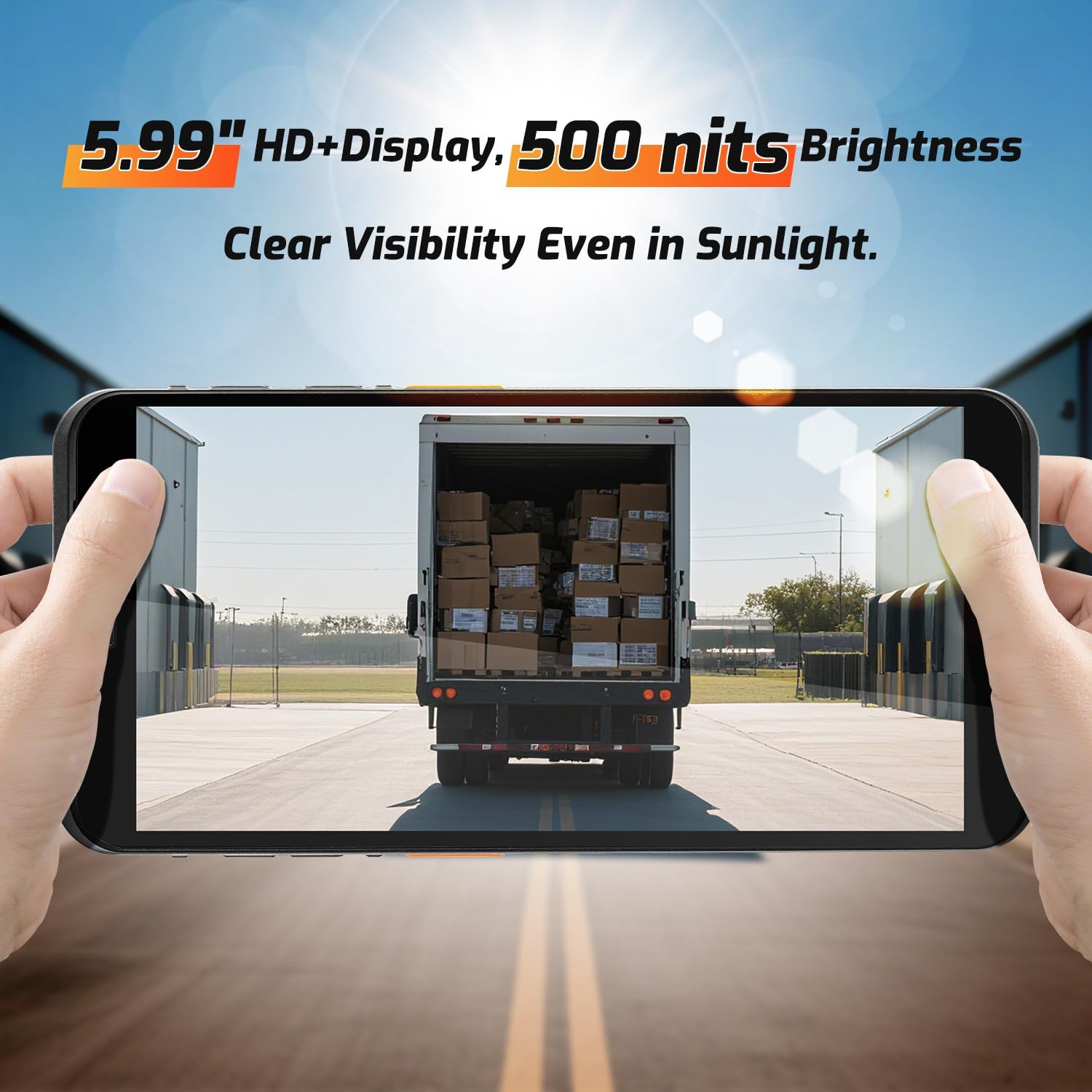
شڪل 3.1: The 5.99-inch HD+ display offers clear visibility even in bright sunlight, enhancing outdoor usability.
3.2. Barcode Scanning
The integrated Honeywell HS7 scan engine allows for rapid and accurate capture of 1D and 2D barcodes.
- اسڪيننگ ايپليڪيشن يا ايپليڪيشن کوليو جيڪا بارڪوڊ ان پٽ کي سپورٽ ڪري ٿي.
- اسڪينر ونڊو (ڊوائيس جي چوٽي تي واقع) کي بارڪوڊ ڏانهن اشارو ڪريو.
- Press one of the dedicated scan buttons (typically on the side of the device) to activate the laser/imager.
- Ensure the barcode is within the scanning range (approximately 5cm to 2m+ for long-range scanning) and centered in the aiming pattern.
- A successful scan will typically be indicated by an audible beep and/or a visual confirmation on the screen.

شڪل 3.2: The Honeywell HS7 engine efficiently scans various barcode types, including damaged or difficult-to-read codes.
وڊيو 3.1: Demonstration of the NETUM Q900's barcode scanning capabilities, including long-range scanning and DPM code recognition.
3.3. ڪئميرا جو استعمال
The Q900 is equipped with an 8MP front camera and a 13MP rear camera for documentation and image capture.
- هوم اسڪرين يا ايپ ڊراور مان ڪئميرا ايپليڪيشن کوليو.
- Select between front and rear cameras as needed.
- Tap the screen to focus and press the shutter button to capture photos or videos.

شڪل 3.3: Location of the 8MP front camera, 13MP rear camera, and NFC module on the NETUM Q900.
3.4. اين ايف سي جي ڪارڪردگي
The device supports NFC for short-range wireless communication, enabling applications like contactless payments, data exchange, and access control.
- Ensure NFC is enabled in the device settings (Settings > Connected devices > Connection preferences > NFC).
- Hold the device near an NFC tag or compatible reader to initiate communication.
- Follow on-screen prompts for specific NFC applications.
4. سار سنڀال
4.1. ڊوائيس صاف ڪرڻ
- نرم، لِنٽ کان خالي ڪپڙو استعمال ڪريو ٿورڙو ڊيampened with water or a mild screen cleaner to wipe the display and exterior.
- سخت ڪيميڪل، رگڙيندڙ صاف ڪندڙ، يا ايروسول اسپري استعمال ڪرڻ کان پاسو ڪريو.
- چارج ڪرڻ يا لوازمات کي ڳنڍڻ کان اڳ پڪ ڪريو ته سڀئي بندرگاه سڪي ويا آهن.
4.2. بيٽري جي سنڀال
- بيٽري جي عمر وڌائڻ لاءِ، انتهائي گرمي پد کان پاسو ڪريو.
- If the device will not be used for an extended period, charge the battery to about 50% before storage.
- The battery is user-replaceable; refer to Section 2.2 for installation instructions.
4.3. سافٽ ويئر اپڊيٽ
بهترين ڪارڪردگي، سيڪيورٽي، ۽ نون خاصيتن تائين رسائي کي يقيني بڻائڻ لاءِ باقاعدي طور تي سافٽ ويئر اپڊيٽس جي جانچ ڪريو ۽ انسٽال ڪريو.
- سيٽنگون ڏانهن وڃو> سسٽم> سسٽم تازه ڪاري.
- ڪنهن به دستياب اپڊيٽ کي ڊائون لوڊ ۽ انسٽال ڪرڻ لاءِ اسڪرين تي ڏنل هدايتن تي عمل ڪريو.
- Ensure the device has sufficient battery charge and a stable internet connection during updates.
5. مسئلا حل ڪرڻ
| مسئلو | ممڪن سبب | حل |
|---|---|---|
| ڊوائيس تي طاقت نه آهي. | Low battery; faulty battery; power button issue. | Charge the device for at least 30 minutes. Ensure battery is correctly installed. Contact support if issue persists. |
| بارڪوڊ اسڪينر ڪم نه ڪري رهيو آهي. | Scanner application not open; barcode damaged; incorrect scanning distance. | Open the scanning application. Ensure barcode is clean and within optimal range. Check scanner settings. |
| وائي فائي سان ڳنڍجي نٿو سگھي. | غلط پاسورڊ؛ حد کان ٻاهر؛ روٽر جو مسئلو. | Verify Wi-Fi password. Move closer to the router. Restart the router and device. |
| ٽچ اسڪرين غير جوابي. | Software glitch; physical damage; wet screen. | Restart the device. Ensure screen is dry and clean. If damaged, contact support. |
6. وضاحتون
| خاصيت | تفصيل |
|---|---|
| ماڊل نمبر | PDA Q900 |
| آپريٽنگ سسٽم | Android 14 |
| پروسيسر | Octa-core MT8781 |
| رام | 4 جي بي |
| ذخيرو | 64GB (expandable via microSD up to 1TB) |
| ڏيکاريو | 5.99" HD IPS Touchscreen |
| بارڪوڊ انجڻ | Honeywell HS7 (1D/2D Scanning) |
| پوئين ڪئميرا | 13MP |
| سامهون ڪئميرا | 8MP |
| بيٽري | 5000mAh (up to 13.5 hours working time) |
| رابطي | 4G LTE (Dual SIM), Wi-Fi 5 (Dual Band), Bluetooth 5.2, GNSS (GPS, GLONASS, Galileo, Beidou), NFC |
| پائيداري جي درجه بندي | IP67 (Water and Dust Resistant), 1.5m Drop-tested |
| طول و عرض | 0.71 x 2.6 x 6.61 انچ (18 x 66 x 168 ملي ميٽر) |
| شيءِ جو وزن | 12.3 آونس (348 گرام) |
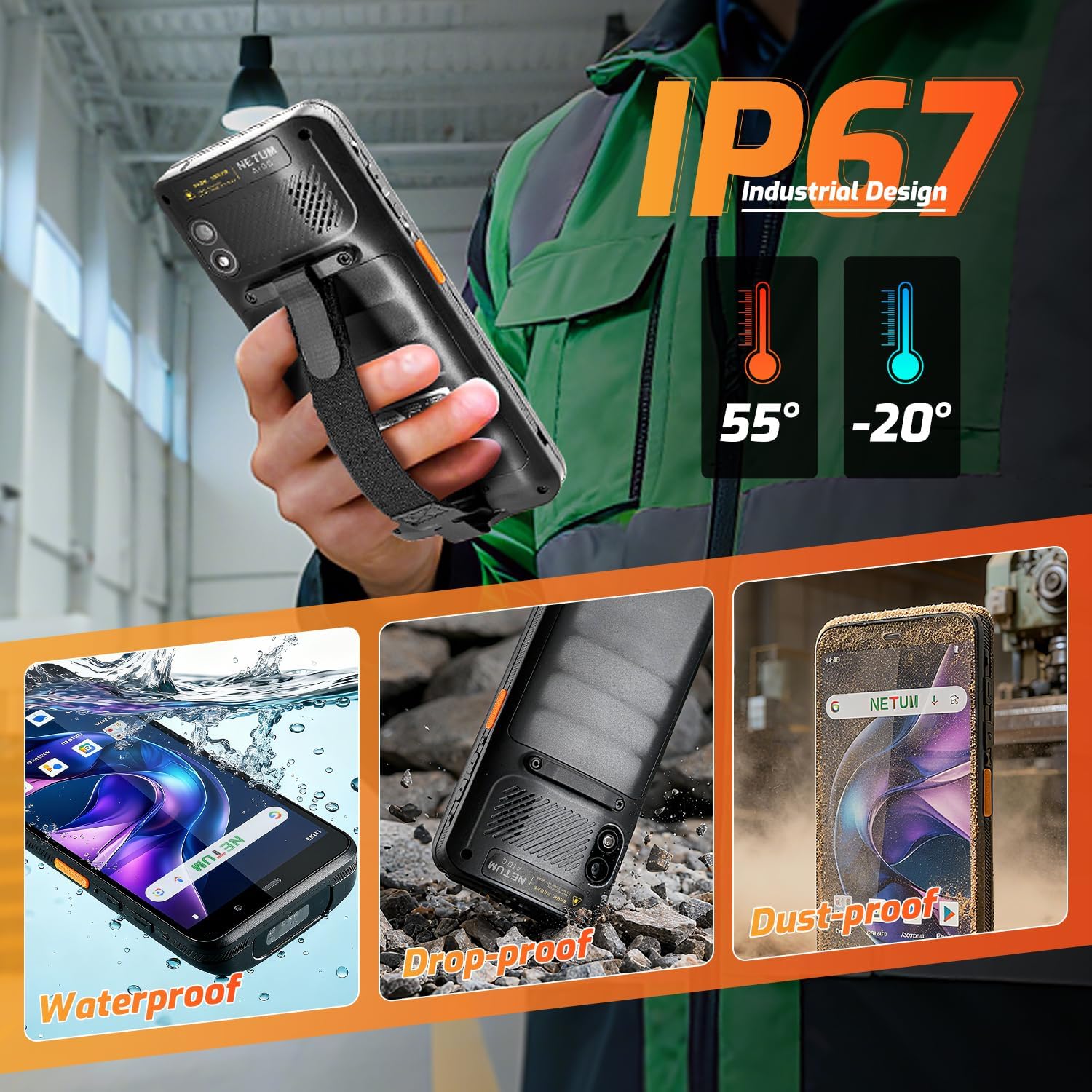
شڪل 6.1: The NETUM Q900's IP67 rating ensures protection against water, dust, and drops, making it suitable for harsh environments.
7. وارنٽي ۽ سپورٽ
NETUM products are designed for reliability and performance. For warranty information, technical support, or service inquiries, please refer to the warranty card included with your product or visit the official NETUM webسائيٽ.
وارنٽي دعوائن لاءِ خريداري جي ثبوت طور پنهنجي خريداري جي رسيد رکو.


