تعارف
This manual provides detailed instructions for the setup, operation, maintenance, and troubleshooting of your realme GT 7T Smartphone. Please read this guide thoroughly to ensure proper use and to maximize the device's capabilities.
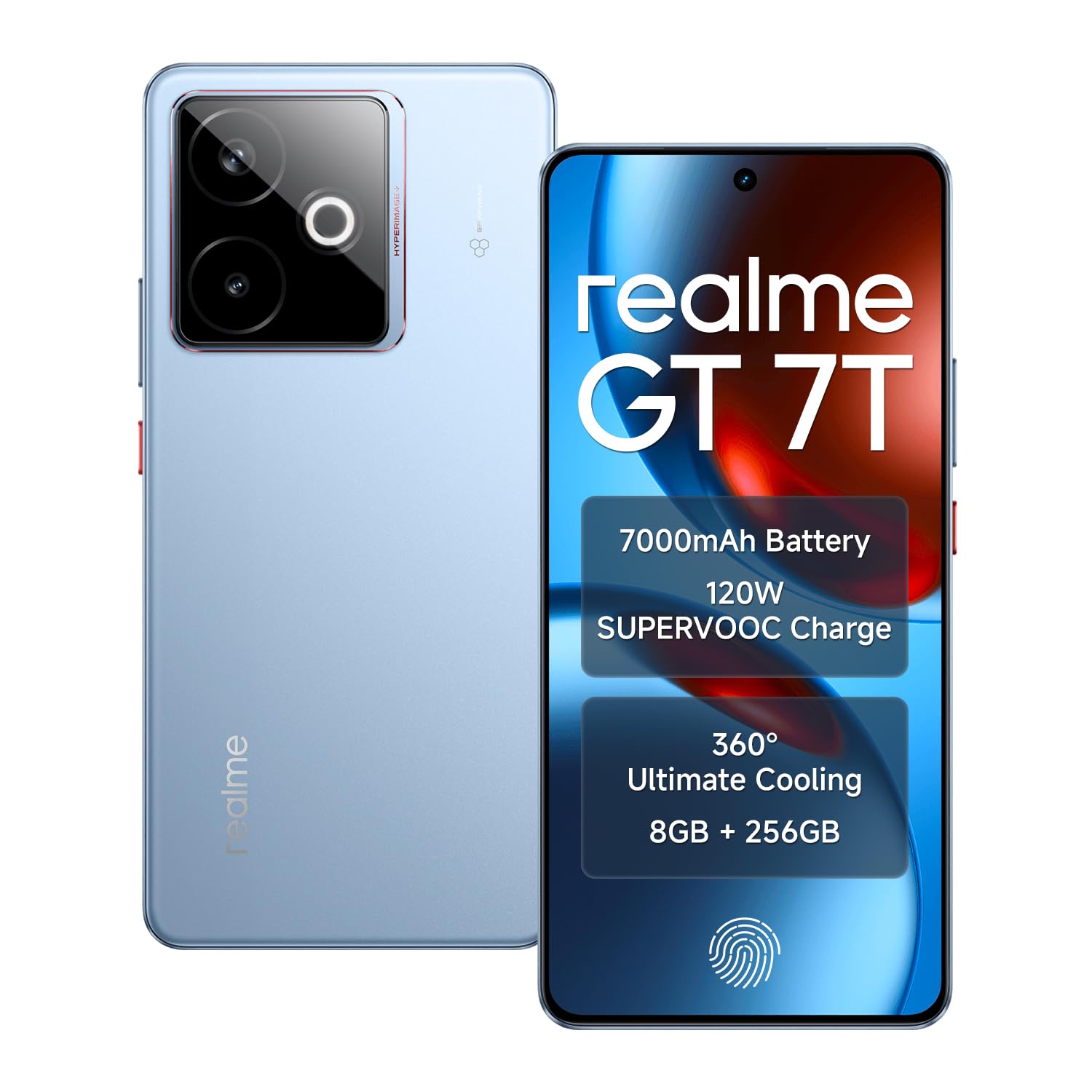
Image: The realme GT 7T Smartphone, showcasinان جي ڊيزائن ۽ رنگ.
The realme GT 7T features a 6.8-inch 120Hz display, MediaTek Dimensity 8400-MAX processor, 7000mAh battery with 120W UltraDART charging, a 50MP AI Triple Camera system, and IP69 durability. It operates on Android 15.
دٻي ۾ ڇا آهي
پڪ ڪريو ته سڀئي شيون پيڪنگ ۾ موجود آهن:
- ريئلمي جي ٽي 7 ٽي اسمارٽ فون
- USB ڊيٽا ڪيبل
- Charger (120W UltraDART)
- تڪڙو شروع ھدايت
سيٽ اپ ڪريو
1. سم ڪارڊ داخل ڪريو
- ڊوائيس جي پاسي تي سم ڪارڊ ٽري ڳوليو.
- ٽري کولڻ لاءِ مهيا ڪيل سم ايجيڪٽر ٽول استعمال ڪريو.
- Place your Nano-SIM cards (supports Dual 5G SIM) into the tray with the gold contacts facing down.
- احتياط سان ٽري کي فون ۾ ٻيهر داخل ڪريو.
2. شروعاتي چارجنگ
Before first use, it is recommended to fully charge your realme GT 7T.
- Connect the USB data cable to the phone's charging port and the 120W UltraDART charger.
- چارجر کي پاور آئوٽليٽ ۾ لڳايو.
- The device supports 120W fast charging, allowing for rapid power-up.
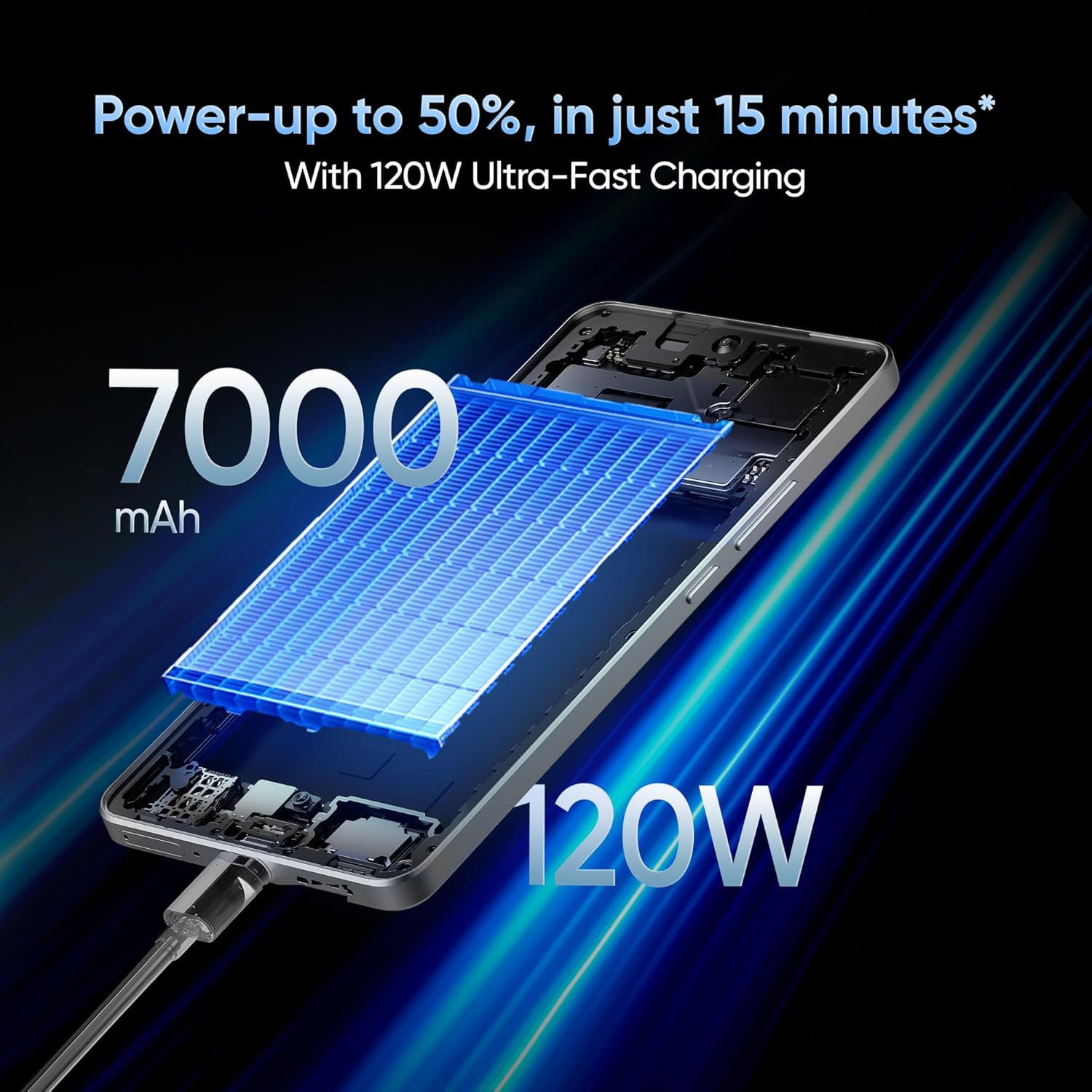
Image: The realme GT 7T connected to its 120W Ultra-Fast Charger, illustrating the rapid charging capability.
3. پاور آن ۽ شروعاتي ترتيب
- پاور بٽڻ کي دٻايو ۽ رکو جيستائين ريئلمي لوگو ظاهر نه ٿئي.
- شروعاتي سيٽ اپ مڪمل ڪرڻ لاءِ اسڪرين تي ڏنل هدايتن تي عمل ڪريو، جنهن ۾ ٻولي جي چونڊ، وائي فائي ڪنيڪشن، گوگل اڪائونٽ لاگ ان، ۽ سيڪيورٽي سيٽنگون شامل آهن.
آپريٽنگ هدايتون
ڊسپلي ۽ نيويگيشن
The realme GT 7T features a 6.8-inch display with a 120Hz refresh rate for smooth visuals and a 2160Hz high-frequency PWM dimming to reduce eye strain.
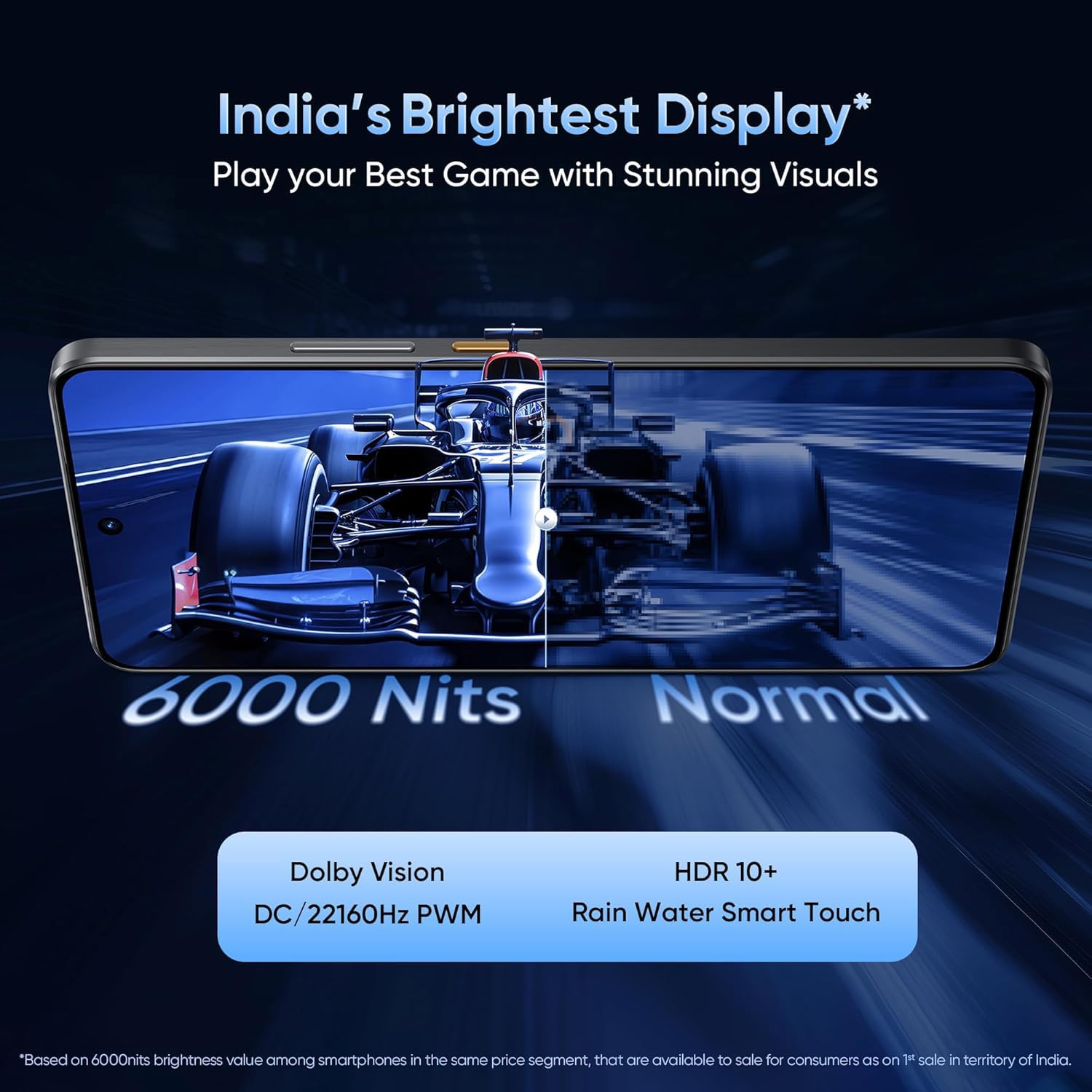
Image: The realme GT 7T's 6.8-inch display showcasing its vibrant colors and smooth 120Hz refresh rate.
ڪارڪردگي
Powered by the MediaTek Dimensity 8400-MAX 4nm chipset and 8GB RAM, the device offers high performance for multitasking and demanding applications.

تصوير: هڪ تفصيلي view of the MediaTek Dimensity 8400-MAX Flagship Chipset, highlighting its advanced architecture.
ڪئميرا جو استعمال
The AI Camera system includes a 50MP OIS main camera. Utilize features like AI Landscape Mode for enhanced scenery, AI Swift Capture for fast-moving subjects, and AI Reflection Elimination for clear shots through glass or water.
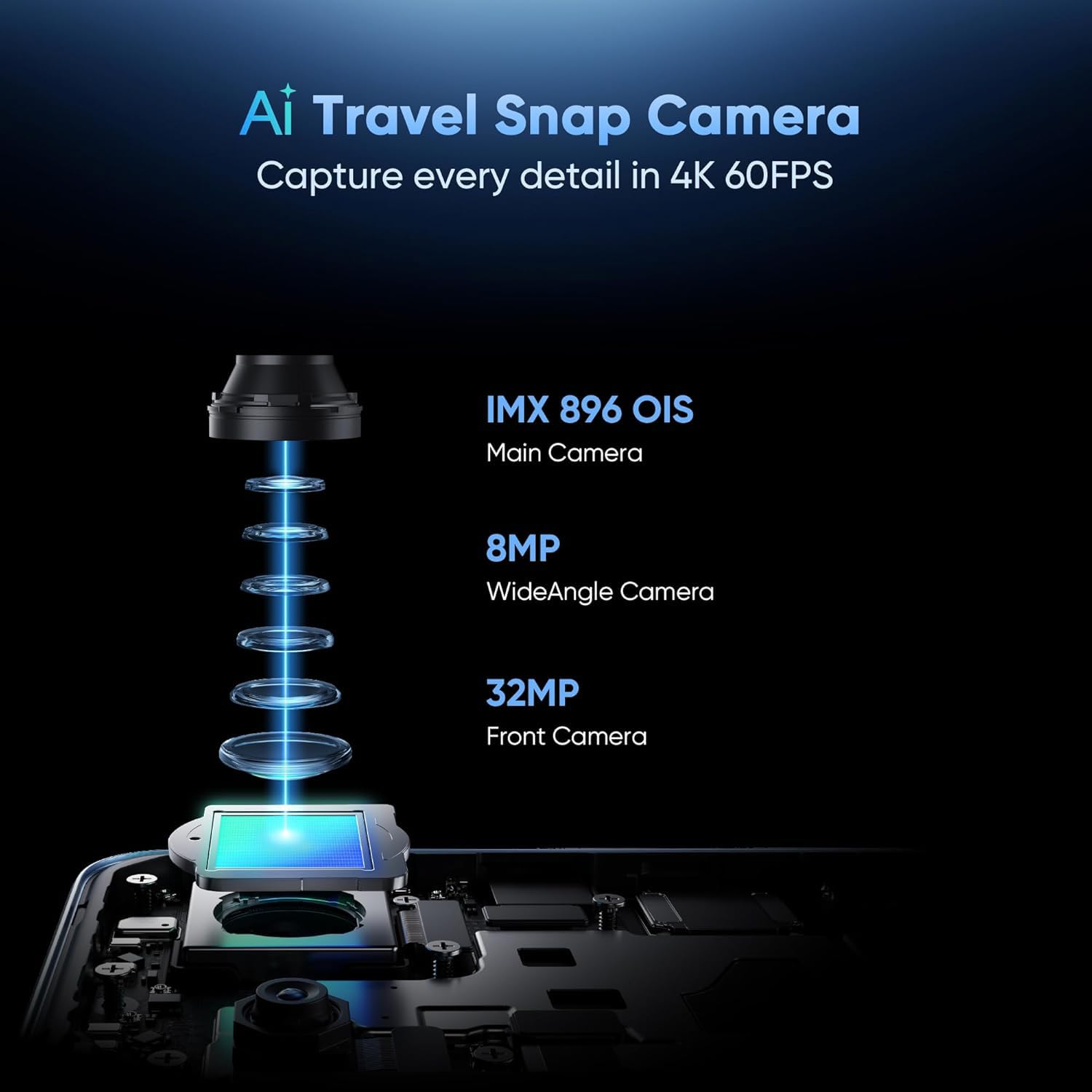
تصوير: ڌماڪو ٿيو view of the AI Travel Snap Camera system, detailing its IMX 896 OIS Main Camera, Wide Angle Camera, and Front Camera.
رابطي
The device supports various connectivity options including Bluetooth, NFC, USB, Wi-Fi, and Dual 5G SIM for high-speed internet access.
سار سنڀال
پنھنجي ڊوائيس کي صاف ڪريو
- اسڪرين ۽ جسم کي صاف ڪرڻ لاءِ نرم، لِنٽ کان پاڪ ڪپڙو استعمال ڪريو.
- سخت ڪيميائي يا ٻرندڙ مواد استعمال ڪرڻ کان پاسو ڪريو.
- The device has an IP69 rating for dust and water resistance, but avoid intentional submersion.

Image: The realme GT 7T highlighting its IP69 rating and ArmorShell™ Glass for enhanced durability.
سافٽ ويئر اپڊيٽس
Regularly check for and install software updates to ensure optimal performance, security, and access to new features. Updates are typically found in the device's Settings menu under "System" or "About Phone."
کولنگ سسٽم
The IceSense graphene cooling system helps dissipate heat. Ensure the device's vents (if any) are not obstructed during heavy use.

Image: Two realme GT 7T phones illustrating the Graphene Cover IceSense Design for 360° Ultimate Cooling.
مشڪلاتون
عام مسئلا ۽ حل
- ڊوائيس تي طاقت نه آهي: پڪ ڪريو ته بيٽري چارج ٿيل آهي. گهٽ ۾ گهٽ 10 سيڪنڊن لاءِ پاور بٽڻ کي دٻايو ۽ رکو.
- اسڪرين غير جوابده: Restart the device. If the issue persists, perform a force restart (refer to Quick Start Guide for specific key combinations).
- بيٽري جلدي ختم ٿيڻ: Close background applications, reduce screen brightness, disable unnecessary connectivity features (Bluetooth, GPS, Wi-Fi) when not in use. Check battery usage in Settings to identify power-hungry apps.
- استعمال دوران گهڻو گرم ٿيڻ: Avoid using the device in direct sunlight or poorly ventilated areas. Close demanding applications. The IceSense cooling system is designed to manage heat, but prolonged heavy use can still generate warmth.
- نيٽ ورڪ ڪنيڪٽيويٽي جا مسئلا: Check if Airplane Mode is off. Restart the device. Verify SIM card insertion. Contact your network provider if problems persist.
وڌيڪ پيچيده مسئلن لاءِ، فيڪٽري ري سيٽ ڪرڻ تي غور ڪريو (Note: This will erase all data on your device. Back up important information before proceeding.) or contact realme customer support.
وضاحتون
| خاصيت | تفصيل |
|---|---|
| ماڊل نمبر | realme GT 7T |
| آپريٽنگ سسٽم | Android 15 |
| پروسيسر | MediaTek Dimensity 8400-MAX 4nm |
| رام | 8 جي بي |
| ڏيکاريو | 6.8-inch, 120Hz Refresh Rate, 2160Hz PWM Dimming, 2560 x 1080 Resolution |
| مکيه ڪئميرا | 50MP OIS AI Camera |
| بيٽري جي گنجائش | 7000mAh |
| چارج ڪرڻ | 120W UltraDART Fast Charging |
| رابطي | Bluetooth, NFC, USB, Wi-Fi, Dual 5G SIM |
| پائيداري | IP69 Water and Dust Resistance, ArmorShell™ Glass |
| طول و عرض | 16.24 x 7.6 x 0.82 سينٽي |
| وزن | 202 جي |
وارنٽي ۽ سپورٽ
وارنٽي ڄاڻ
Your realme GT 7T Smartphone comes with a standard manufacturer's warranty. Please refer to the warranty card included in your product packaging for specific terms, conditions, and duration. Keep your proof of purchase for warranty claims.
ڪسٽمر سپورٽ
For further assistance, technical support, or service inquiries, please visit the official realme support webسائيٽ تي وڃو يا انهن جي ڪسٽمر سروس هاٽ لائن سان رابطو ڪريو.
سرڪاري ريئلمي Webسائيٽ: realme Support (مثالampلي لنڪ، اصل لنڪ علائقي جي لحاظ کان مختلف ٿي سگهي ٿو)


