1. تعارف
Thank you for choosing the ZEALOT ZE01 Portable Bluetooth Speaker. This manual provides essential information for setting up, operating, and maintaining your speaker to ensure optimal performance and longevity. Please read this manual thoroughly before use and retain it for future reference.
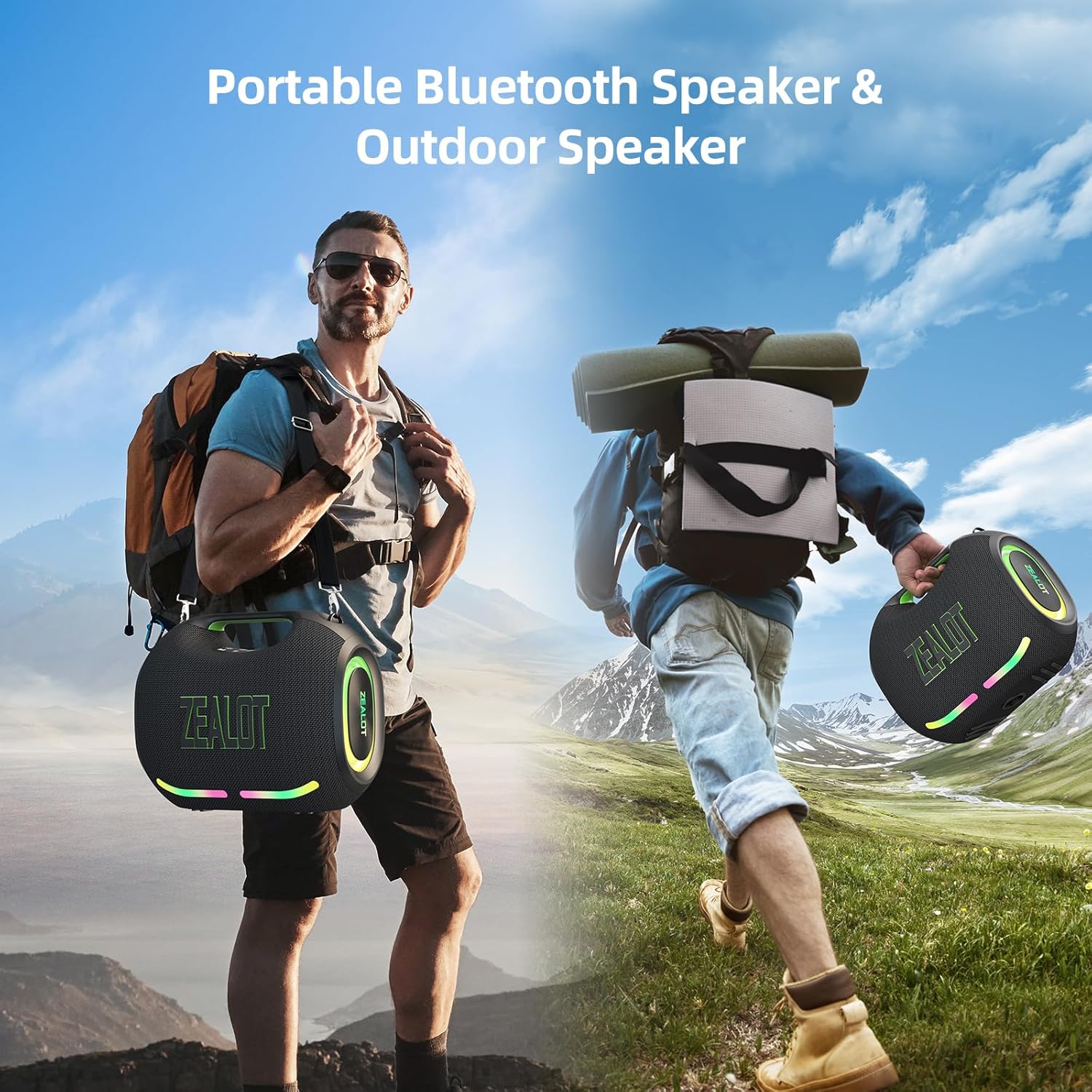
Figure 1: The ZEALOT ZE01 speaker is designed for portability, featuring a convenient shoulder strap for easy transport during outdoor activities.
2. حفاظت جي ڄاڻ
- اسپيڪر کي گهڻي عرصي تائين انتهائي گرمي پد يا سڌي سج جي روشنيءَ ۾ نه رکو.
- ڊپ کان پاسو ڪريو يا اسپيڪر کي مضبوط اثرن جي تابع ڪرڻ.
- اندروني حصن کي نقصان کان بچائڻ لاءِ، اسپيڪر کي پاڻي ۽ مائع کان پري رکو، ان جي IPX6 ريٽنگ جي باوجود.
- اسپيڪر کي پاڻ ڌار ڪرڻ، مرمت ڪرڻ يا تبديل ڪرڻ جي ڪوشش نه ڪريو. مدد لاءِ قابل سروس اهلڪارن سان رابطو ڪريو.
- Use only the provided charging cable and a compatible power adapter (PD2.0 45W adapter recommended for optimal charging) to prevent damage.
- ٻارن جي پهچ کان پري رکو.
3. پيڪيج مواد
پڪ ڪريو ته سڀئي شيون پيڪيج ۾ موجود آهن:
- 1x ZE01 Bluetooth Speaker
- 1x AUX ڪيبل
- 1x Power Cable (Type-C)
- 1x تڪڙو شروع گائيٽ
- 1x Removable Shoulder Strap
- 1x وارنٽي ڪارڊ

Figure 2: Included accessories with the ZEALOT ZE01 Portable Bluetooth Speaker.
4. پراڊڪٽ ختمview
4.1 ڪنٽرول

Figure 3: Top panel controls for the ZEALOT ZE01 speaker.
- پاور بٽڻ (آن/آف): پاور آن / آف ڪرڻ لاءِ 3 سيڪنڊن لاءِ دٻايو ۽ رکو.
- راند/روڪ بٽڻ: آواز کي هلائڻ يا روڪڻ لاءِ هڪ ڀيرو دٻايو.
- حجم وڌايو (+): Press once to increase volume. Press and hold for 2 seconds for next track.
- حجم گھٽ (-): Press once to decrease volume. Press and hold for 2 seconds for previous track.
- موڊ (ايم) بٽڻ: Press to switch between Wireless (Bluetooth), TF Card, AUX, and USB modes.
- EQ بٽڻ: Press to cycle through EQ modes (Bass, Vocal, Normal).
- هلڪو بٽڻ: Press to turn LED lights on/off or change light modes.
- جوڙي جو بٽڻ Press to initiate Bluetooth pairing or TWS pairing.
4.2 بندرگاهن

Figure 4: Input and output ports on the ZEALOT ZE01 speaker.
- TYPE-C CHARGE IN: اسپيڪر چارج ڪرڻ لاء.
- هاڪس ان: 3.5 ايم ايم آڊيو ڪيبل ذريعي ٻاهرين آڊيو ڊوائيسز کي ڳنڍڻ لاءِ.
- USB ڊرائيو: USB فليش ڊرائيو مان سڌو سنئون موسيقي هلائڻ لاءِ.
- TF ڪارڊ: TF (مائڪرو ايس ڊي) ڪارڊ مان سڌو سنئون موسيقي هلائڻ لاءِ.
- OUT-5V (USB): Functions as a power bank to charge other devices.
5. سيٽ اپ
5.1 اسپيڪر کي چارج ڪرڻ
- Connect the provided Type-C power cable to the 'TYPE-C CHARGE IN' port on the speaker.
- Connect the other end of the cable to a compatible USB power adapter (not included). A PD2.0 45W adapter is recommended for optimal charging speed.
- The battery indicator lights on the control panel will show charging status:
- Red light flashes: Charging
- Red light on: Battery below 30%
- Yellow light on: Battery 40%-70%
- Green light on: Battery 80%-100%
- A full charge typically takes 3-4 hours. The speaker offers up to 40 hours of playtime at 30% volume in standard EQ mode.

Figure 5: Battery status indicators and charging port.
5.2 بلوٽوٽ جوڙي
- Power on the speaker by pressing and holding the Power button for 3 seconds. The speaker will enter Bluetooth pairing mode automatically, indicated by a flashing blue light.
- پنهنجي ڊوائيس (اسمارٽ فون، ٽيبليٽ، وغيره) تي، بلوٽوٿ کي فعال ڪريو ۽ موجود ڊوائيسز جي ڳولا ڪريو.
- Select "ZEALOT-ZE01" from the list of devices.
- Once connected, the blue light will stop flashing, and you will hear an audible confirmation.
5.3 ٽرو وائرليس اسٽيريو (TWS) پيئرنگ
To achieve a 240W Max ultra stereo sound experience, you can pair two ZEALOT ZE01 speakers:
- Ensure both ZEALOT ZE01 speakers are powered on and in Bluetooth pairing mode (not connected to any device).
- On one of the speakers, press the 'Pairing' button (often indicated by a chain link icon). This speaker will become the primary unit.
- The two speakers will automatically connect to each other. Once connected, the primary speaker's Bluetooth indicator will flash, and the secondary speaker's indicator will be solid.
- هاڻي، پنهنجي ڊوائيس کي بلوٽوٿ ذريعي پرائمري اسپيڪر سان ڳنڍيو جيئن سيڪشن 5.2 ۾ بيان ڪيو ويو آهي.

Figure 6: TWS pairing allows for a wider stereo soundstage.
5.4 Other Connection Methods
The ZEALOT ZE01 supports multiple playback modes:
- AUX ان پٽ: Connect an external audio device using a 3.5mm AUX cable to the 'AUX IN' port. Press the 'M' button to switch to AUX mode.
- USB ڊرائيو: Insert a USB flash drive into the 'USB DRIVE' port. Press the 'M' button to switch to USB mode.
- TF ڪارڊ: Insert a TF (MicroSD) card into the 'TF CARD' slot. Press the 'M' button to switch to TF Card mode.
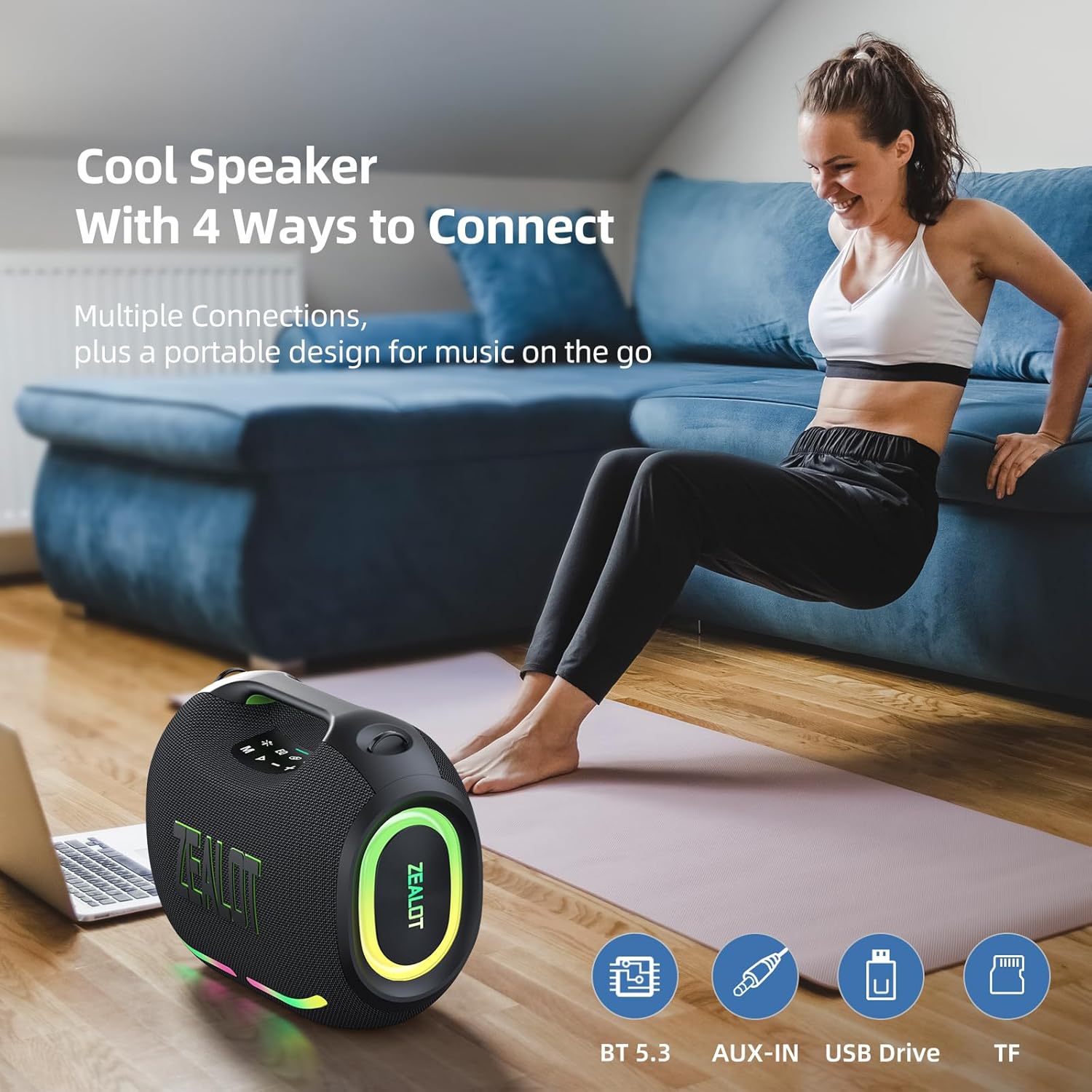
Figure 7: The speaker offers various connectivity options for versatile audio playback.
6. آپريٽنگ هدايتون
6.1 بنيادي آڊيو پلے بیک
- راند/روڪ: دٻايو Play/Pause بٽڻ.
- حجم جي ترتيب: حجم وڌائڻ لاءِ '+' کي دٻايو، حجم گهٽائڻ لاءِ '-' کي دٻايو.
- اڳيون / پويون ٽريڪ Press and hold '+' for the next track, press and hold '-' for the previous track.
6.2 EQ موڊس
The ZEALOT ZE01 features three Equalizer (EQ) modes to customize your audio experience:
- Press the 'EQ' button to cycle through the modes.
- باس موڊ: Green light on. Enhances low frequencies for a deeper bass sound.
- آواز جو موڊ: Orange light on. Optimizes mid-range frequencies for clearer vocals.
- عام موڊ: White light on. Provides a balanced audio profile.

Figure 8: EQ mode indicators.
6.3 ايل اي ڊي لائيٽ ڪنٽرول
The speaker is equipped with dynamic colorful LED lights that can be controlled:
- Press the 'Light' button (indicated by a sun/star icon) to turn the lights on/off or cycle through different light modes (e.g., Ritmo, Breathing, Rainbow).

Figure 9: Dynamic LED lights enhance the listening experience.
6.4 پاور بينڪ فنڪشن
The ZEALOT ZE01 can also serve as a portable power bank:
- Connect your external device (e.g., smartphone) to the 'OUT-5V' USB port on the speaker using a compatible charging cable.
- اسپيڪر توهان جي ڊوائيس کي چارج ڪرڻ شروع ڪندو.
7. سار سنڀال
- صفائي: اسپيڪر جي ٻاهرين حصي کي صاف ڪرڻ لاءِ نرم، سڪل ڪپڙو استعمال ڪريو. رگڙيندڙ صاف ڪندڙ يا محلول استعمال نه ڪريو.
- اسٽوريج: اسپيڪر کي ٿڌي، سڪل جاءِ تي رکو، سڌي سج جي روشني ۽ انتهائي گرمي پد کان پري جڏهن گهڻي عرصي تائين استعمال ۾ نه هجي.
- پاڻي جي مزاحمت: The speaker has an IPX6 water resistance rating, meaning it can withstand powerful water jets. However, it is not designed for submersion. Ensure all port covers are securely closed before exposure to water.

Figure 10: The IPX6 rating provides protection against water splashes and dust.
8. مسئلا حل ڪرڻ
| مسئلو | ممڪن سبب | حل |
|---|---|---|
| اسپيڪر پاور آن نٿو ٿئي. | گھٽ بيٽري. | اسپيڪر کي گهٽ ۾ گهٽ 30 منٽن لاءِ چارج ڪريو. |
| بلوٽوٿ ذريعي جوڙي نه ٿو سگهجي. | اسپيڪر پيئرنگ موڊ ۾ ناهي يا اڳ ۾ ئي ڪنهن ٻئي ڊوائيس سان ڳنڍيل آهي. | Ensure the speaker is in pairing mode (flashing blue light). Disconnect from other devices if necessary. Restart both speaker and device. |
| آواز ڪونهي. | آواز تمام گهٽ آهي؛ غلط ان پٽ موڊ؛ ڊوائيس نه هلي رهيو آهي. | Increase speaker and device volume. Press 'M' to select correct input mode. Ensure audio is playing on your connected device. |
| TWS جوڙڻ ناڪام ٿيو. | اسپيڪر تمام گهڻو پري آهن يا اڳ ۾ ئي ٻين ڊوائيسز سان ڳنڍيل آهن. | Ensure both speakers are within close proximity and not connected to any other Bluetooth devices. Repeat TWS pairing steps. |
9. وضاحتون
| خاصيت | تفصيل |
|---|---|
| ماڊل نالو | ZEALOT ZE01 Bluetooth Speaker |
| اسپيڪر جو قسم | پورٽبل اسپيڪر |
| آڊيو آئوٽ پٽ موڊ | اسٽيريو |
| اسپيڪر وڌ ۾ وڌ آئوٽ پاور | 150 واٽ (چوٽي) |
| Subwoofer قطر | 120 Millimeters (2x 50W) |
| ٽوئيٽر جو قطر | 42 Millimeters (2x 10W) |
| تعدد جواب | 20 KHz |
| سگنل کان شور جي نسبت | 90 ڊي بي |
| رڪاوٽ | 4 اومس |
| رابطي ٽيڪنالاجي | بلوٽوٿ |
| بلوٽوت ورزن | 5.3 |
| بلوٽوٿ رينج | 10 ميٽر (33 فوٽ) |
| بيٽري جي گنجائش | 24000 مليamp ڪلاڪ |
| راند جو وقت | Up to 40 hours (at 30% volume, EQ-standard) |
| چارج ڪرڻ وقت | 3-4 hours (with PD2.0 45W adapter) |
| پاڻي جي مزاحمت جي سطح | IPX6 (پاڻيءَ جي مزاحمتي) |
| پيداوار جي ماپ | 8.15"ڊي x 13.07"ڊي x 11.18"ايڇ |
| شيءِ جو وزن | 13.22 پائونڊ |
| مواد | ڌاتو، پلاسٽڪ |
| خاص خاصيتون | Bass Boost, Built-In Powerbank, LED Light, Portable, Stereo Pairing |

Figure 11: The internal speaker configuration for powerful audio.
10. سرڪاري پراڊڪٽ وڊيو
وڊيو 1: هڪ سرڪاري پراڊڪٽ وڊيو شوڪasing the ZEALOT ZE01 120W Party Speaker's features and capabilities, including its sound quality and LED lights.
11. وارنٽي ۽ سپورٽ
The ZEALOT ZE01 Portable Bluetooth Speaker comes with a limited warranty. Please refer to the included Warranty Card for detailed terms and conditions. For technical support, troubleshooting assistance, or warranty claims, please contact ZEALOT customer service through the official channels provided on the warranty card or the ZEALOT webسائيٽ.


