1. تعارف
This manual provides essential information for the proper use and maintenance of your XIAOMI Redmi 15 5G smartphone. Please read this guide thoroughly before operating your device to ensure optimal performance and longevity. The Redmi 15 5G is designed for reliable daily use, featuring a large display, powerful battery, and advanced camera system.
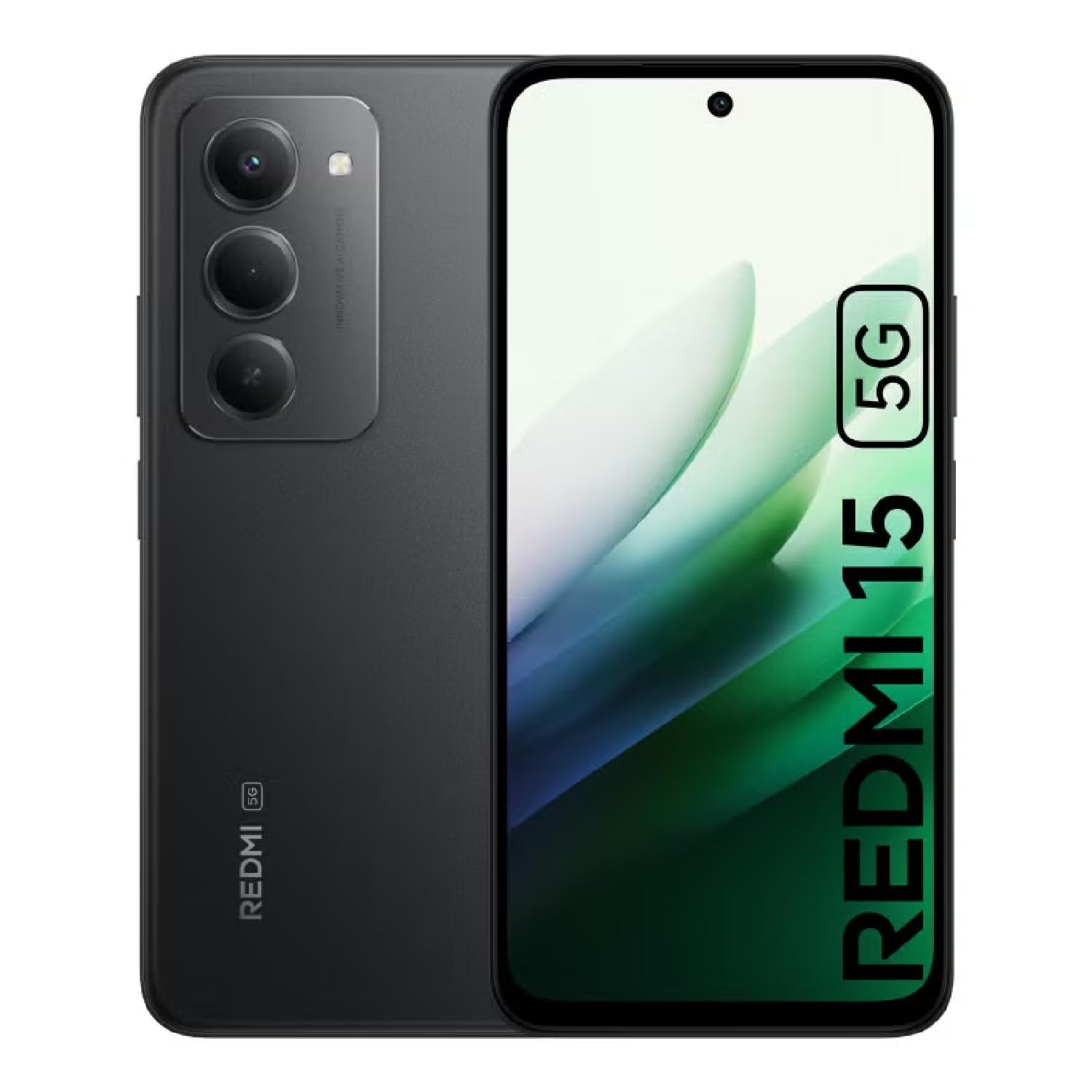
Image: The XIAOMI Redmi 15 5G smartphone, showcasing its design in multiple color options.
2. دٻي ۾ ڇا آهي
- XIAOMI Redmi 15 5G Smartphone
- USB ڪيبل
- فون ڪيس
- SIM Ejector Tool (may be included with documentation)
- تڪڙو شروع ھدايت ۽ وارنٽي ڄاڻ
3. سيٽ اپ
3.1. سم ڪارڊ ۽ مائڪرو ايس ڊي ڪارڊ جي انسٽاليشن
- پنهنجي ڊوائيس جي پاسي تي سم ٽري ڳوليو.
- سم ايجيڪٽر ٽول کي ٽري جي ڀرسان ننڍڙي سوراخ ۾ داخل ڪريو ۽ نرميءَ سان دٻايو جيستائين ٽري ٻاهر نه اچي.
- Place your Nano-SIM card(s) and/or microSD card into the tray, ensuring they are correctly oriented. The Redmi 15 5G supports a hybrid SIM slot (SIM1 + SIM2 or SIM1 + microSD).
- احتياط سان ٽري کي فون ۾ ٻيهر داخل ڪريو.
3.2. شروعاتي پاور آن ۽ ترتيب
- پاور بٽڻ کي دٻايو ۽ رکو جيستائين XIAOMI لوگو ظاهر نه ٿئي.
- پنهنجي ٻولي، علائقو چونڊڻ ۽ وائي فائي نيٽ ورڪ سان ڳنڍڻ لاءِ اسڪرين تي ڏنل هدايتن تي عمل ڪريو.
- Sign in with your Google account or create a new one to access apps and services.
- Set up your preferred security methods, such as a PIN, pattern, password, fingerprint, or AI face unlock.
4. آپريٽنگ هدايتون
4.1. ڊسپلي خاصيتون
The Redmi 15 5G features an immersive 6.9-inch FHD+ DotDisplay with a resolution of 2340 × 1080 pixels (374 PPI). Enjoy smooth visuals with a refresh rate of up to 144Hz and a touch sampling rate of up to 288Hz. The display offers a typical brightness of 700 nits (850 nits HBM) and a contrast ratio of 1400:1. It includes an all-day eye-care display with DC dimming and TÜV Rheinland certifications for low blue light, circadian friendly, and flicker-free viewing. The Wet Touch Technology 2.0 ensures accurate touch response even with wet fingers.
4.2. ڪئميرا سسٽم
Capture high-quality photos and videos with the 50MP AI dual camera system. The main camera features a 5P lens with an f/1.8 aperture. Video recording supports 1080p (1920x1080) HD at 30 fps and 720p (1280x720) HD at 30 fps. The 8MP front camera (f/2 aperture) is ideal for selfies and video calls, offering features like filmCamera, HDR mode, soft-light ring, portrait mode, and time-lapse. Front camera video recording also supports 1080p and 720p HD at 30 fps.

تصوير: تفصيلي view of the Redmi 15 5G's rear camera system.
4.3. ڪارڪردگي ۽ بيٽري
Powered by the Snapdragon® 6s Gen 3 5G Mobile Platform, built on an efficient 6nm process, the device offers smooth and reliable performance. The octa-core CPU (Kryo, up to 2.3GHz) and Adreno GPU ensure efficient multitasking and gaming. The phone comes with 8GB of RAM, expandable up to 16GB with Memory extension (utilizing ROM storage). A massive 7000mAh (typical) battery provides extended usage, offering up to 24 hours of talk time.
4.4. Connectivity and Security
The Redmi 15 5G supports 5G connectivity (SA and NSA bands), 4G LTE, and 3G/2G networks. It includes NFC for contactless payments and data transfer, Wi-Fi for internet access, and comprehensive GPS support (GPS, Glonass, Galileo, Beidou). Security features include a side-mounted fingerprint sensor and AI face unlock for convenient and secure access.
5. سار سنڀال
- صفائي: اسڪرين ۽ جسم کي صاف ڪرڻ لاءِ نرم، لِنٽ کان پاڪ ڪپڙو استعمال ڪريو. سخت ڪيميڪلز کان پاسو ڪريو.
- سافٽ ويئر اپڊيٽ: بهتر ڪارڪردگي، سيڪيورٽي، ۽ نون خاصيتن تائين رسائي کي يقيني بڻائڻ لاءِ باقاعدي طور تي سسٽم اپڊيٽس جي جانچ ڪريو ۽ انسٽال ڪريو.
- بيٽري جي سنڀال: بيٽري جي زندگي کي وڌائڻ لاءِ، انتهائي گرمي پد کان پاسو ڪريو ۽ بيٽري کي بار بار مڪمل طور تي ختم نه ٿيڻ ڏيو.
- اسٽوريج جو انتظام: وقتي طور تي غير ضروري صاف ڪريو fileڊوائيس جي رفتار برقرار رکڻ ۽ اسٽوريج جي جاءِ خالي ڪرڻ لاءِ.
6. مسئلا حل ڪرڻ
- ڊوائيس تي طاقت نه آهي: Ensure the battery is charged. Connect the device to its charger and wait a few minutes before attempting to power it on again.
- Apps Freezing or Lagging: Close background applications. Clear app cache or data if the issue persists with a specific app. Restarting the device can also resolve temporary performance issues.
- خراب نيٽ ورڪ ڪنيڪشن: Check if your SIM card is properly inserted. Ensure mobile data is enabled and you are within network coverage. For Wi-Fi issues, restart your router and phone.
- بيٽري جلدي ختم ٿيڻ: Reduce screen brightness, disable unnecessary features like GPS or Bluetooth when not in use, and close power-intensive background apps.
- فنگر پرنٽ سينسر ڪم نه ڪري رهيو آهي: پڪ ڪريو ته توهان جي آڱر صاف ۽ سڪل آهي. جيڪڏهن مسئلو برقرار رهي ته پنهنجا فنگر پرنٽس ٻيهر رجسٽر ڪريو.
7. وضاحتون
| خاصيت | تفصيل |
|---|---|
| ماڊل نالو | 25057RN09E |
| ڊسپلي سائيز | 6.9 انچ |
| قرارداد | 2340 x 1080 |
| ريفريش جي شرح | 144 هز |
| پروسيسر | Snapdragon 6s Gen 3 Mobile Platform (Octa-core, up to 2.3GHz) |
| رام | 8 GB (expandable up to 16GB with Memory extension) |
| رکڻ جي گنجائش | 256 GB (مائڪرو ايس ڊي سان 2 ٽي بي تائين وڌائي سگهجي ٿو) |
| مکيه ڪئميرا | 50 ايم پي اي آءِ ڊبل ڪيمرا |
| سامهون ڪئميرا | 8 ايم پي |
| بيٽري جي گنجائش | 7000 mAh |
| آپريٽنگ سسٽم | Xiaomi HyperOS Android 15 تي ٻڌل آهي |
| رابطي | 5G, Wi-Fi, NFC, GPS |
| سيڪيورٽي | سائڊ فنگر پرنٽ سينسر، اي آءِ فيس ان لاڪ |
| طول و عرض | 6.74 x 3.23 x 0.34 انچ |
| وزن | 7.9 آونس (224 گرام) |
8. وارنٽي ۽ سپورٽ
For warranty information, please refer to the warranty card included in your product packaging or visit the official XIAOMI website. If you encounter any issues not covered in this manual, please contact XIAOMI customer support for assistance. Keep your proof of purchase for warranty claims.


