1. تعارف
Welcome to the instruction manual for your JBL Charge 6 Portable Bluetooth Speaker. This guide provides essential information for setting up, operating, and maintaining your device. The JBL Charge 6 is engineered for robust audio performance and portability, featuring IP68 waterproof and dustproof ratings, extended battery life, and Auracast multi-speaker connectivity.
2. دٻي ۾ ڇا آهي
Carefully unpack your JBL Charge 6. The package should contain the following items:
- JBL چارج 6 پورٽبل بلوٽوٽ اسپيڪر
- پٽي
- تڪڙو شروع ھدايت
- حفاظتي چادر
Note: The JBL Charge 6 does NOT include a USB-C charging cable in the box. A compatible standard USB-C cable (sold separately) is required for charging.
This bundle also includes a Megen Hardshell Protection Case for your speaker.

Image: JBL Charge 6 speaker shown with its Megen hardshell protection case and also separately with its attached carrying strap.

Image: The detachable carrying strap for the JBL Charge 6 speaker.

Image: The Megen Hardshell Protection Case designed to store and protect the JBL Charge 6 speaker.
3. پراڊڪٽ ختمview
Familiarize yourself with the physical components and controls of your JBL Charge 6 speaker.
3.1. اسپيڪر جا حصا

تصوير: پاسي view of the JBL Charge 6 speaker, highlighting its textured fabric exterior and integrated carrying handle.
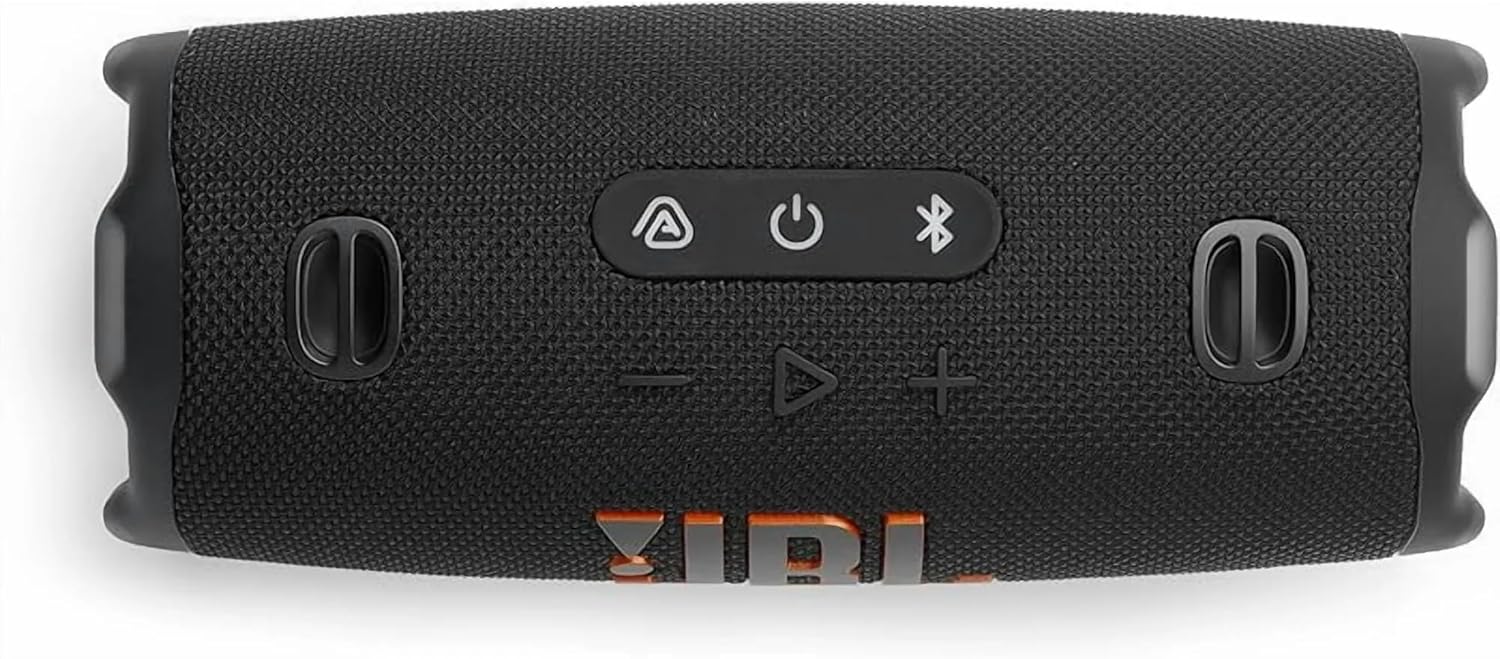
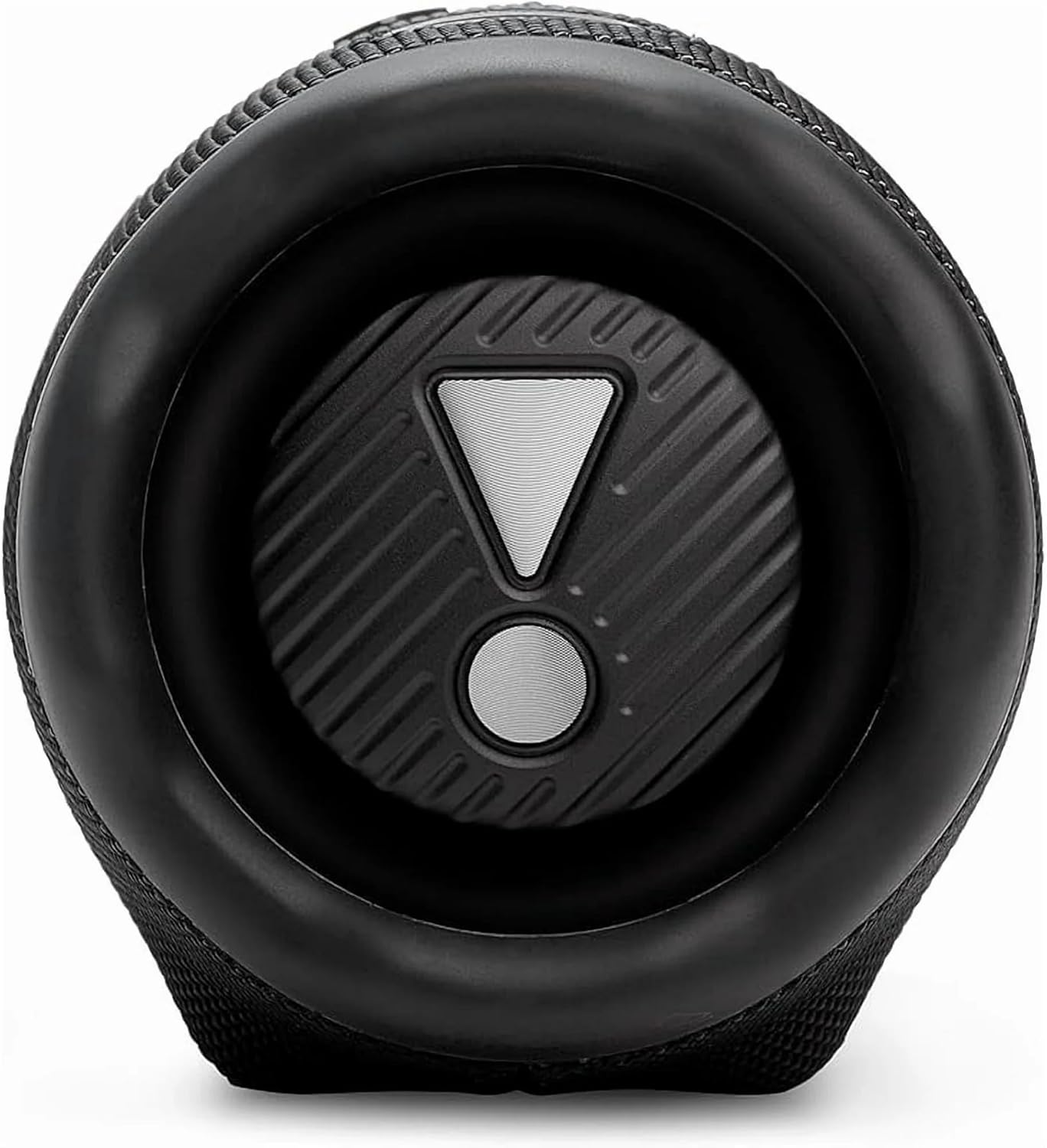
Image: End view of the JBL Charge 6 speaker, showing the passive radiator with the JBL exclamation mark logo.
3.2. ڪنٽرول پينل

تصوير: مٿي view of the JBL Charge 6 speaker, displaying the control buttons: Auracast, Power, Bluetooth, Volume Down, Play/Pause, and Volume Up.
- اورا ڪاسٽ بٽڻ: For connecting multiple Auracast-enabled JBL speakers.
- پاور بٽڻ: To turn the speaker on or off.
- بلوٽوٿ بٽڻ: To initiate Bluetooth pairing mode.
- حجم گھٽائڻ جو بٽڻ: To decrease the audio volume.
- راند/روڪ بٽڻ: To play or pause audio playback.
- حجم اپ بٽڻ: To increase the audio volume.
3.3. بندرگاهن
تصوير: پوئين پاسي view of the JBL Charge 6 speaker, showing the USB-C charging port and the USB-A power bank port, typically located under a protective flap.
- USB-C چارجنگ پورٽ: For charging the JBL Charge 6 speaker.
- USB-A Power Bank Port: For charging external devices from the speaker's battery.
4. سيٽ اپ
4.1. شروعاتي چارج
Before first use, it is recommended to fully charge your JBL Charge 6 speaker. Connect a compatible USB-C cable to the speaker's USB-C charging port and then to a power adapter (not included). The battery indicator will show charging status.
4.2. پٽي ڳنڍڻ
The included strap can be attached to the designated loops on the speaker for easier portability.
5. آپريٽنگ هدايتون
5.1. پاور آن/آف
- چالو ڪرڻ لاءِ: دٻايو پاور بٽڻ هڪ دفعو.
- بند ڪرڻ لاءِ: دٻايو ۽ رکو پاور بٽڻ until the speaker powers down.
5.2. بلوٽوٽ جوئر
- Turn on your JBL Charge 6 speaker.
- کي دٻايو بلوٽوٿ بٽڻ. The Bluetooth indicator will flash, indicating pairing mode.
- On your mobile device, go to Bluetooth settings and select "JBL Charge 6" from the list of available devices.
- هڪ ڀيرو ڳنڍيل، بلوٽوٿ اشارو مضبوط رهندو.
5.3. Auracast (Multi-Speaker Connection)
The JBL Charge 6 supports Auracast, allowing you to connect multiple Auracast-enabled JBL speakers for a wider sound stage or to cover a larger area with the same audio.
- پڪ ڪريو ته سڀئي اسپيڪر جيڪي توهان ڳنڍڻ چاهيو ٿا اهي پاور آن آهن ۽ حد اندر آهن.
- On the primary speaker (the one connected to your device via Bluetooth), press the اورا ڪاسٽ بٽڻ.
- On any additional Auracast-enabled speakers, press their respective اورا ڪاسٽ بٽڻ.
- اسپيڪر پاڻمرادو ڳنڍجي ويندا، ۽ آڊيو سڀني ڳنڍيل يونٽن ۾ هڪ ئي وقت هلندا.
5.4. اسپيڪر کي چارج ڏيڻ
Connect a USB-C charging cable to the USB-C port on the speaker and to a power source. The battery indicator lights will show the charging progress. A full charge provides up to 28 hours of playtime.
5.5. پاور بينڪ طور استعمال ڪرڻ
The JBL Charge 6 can charge external devices. Open the protective flap on the rear of the speaker and connect your device's charging cable to the USB-A power bank port.
5.6. Volume and Playback Control
- حجم جي ترتيب: استعمال ڪريو حجم وڌايو (+) ۽ حجم نمبر (-) بٽڻ
- راند/روڪ: کي دٻايو Play/Pause Button هڪ دفعو.
- ڇڏي ڏيو ٻه ڀيرا دٻايو Play/Pause Button ايندڙ ٽريڪ تي وڃڻ لاءِ.
6. خاصيتون
6.1. IP68 Waterproof and Dustproof
The JBL Charge 6 is rated IP68, meaning it is fully protected against dust ingress and can withstand immersion in water up to 1.5 meters (approximately 5 feet) for up to 30 minutes. This makes it suitable for use in various outdoor environments, including near pools or at the beach.
6.2. AI Sound Boost
Equipped with JBL AI Sound Boost, the speaker utilizes an advanced audio processing algorithm to optimize sound output, delivering full, rich, and immersive audio performance.
6.3. وڌايل راند جو وقت
Enjoy up to 28 hours of audio playback on a single charge, ensuring your music lasts through extended listening sessions.
7. سار سنڀال
7.1. صفائي
اسپيڪر کي صاف ڪرڻ لاءِ، نرم، ڊي استعمال ڪريوamp cloth. Avoid using harsh chemicals or abrasive materials, as these can damage the speaker's finish or components. Ensure all ports are dry before charging or connecting devices after exposure to water.
7.2. اسٽوريج
Store the speaker in a cool, dry place away from direct sunlight and extreme temperatures. If storing for an extended period, ensure the battery is partially charged (around 50%) to prolong its lifespan.
7.3. بيٽري جي سنڀال
To maximize battery life, avoid fully discharging the speaker frequently. Charge the speaker regularly, even if not in use, to maintain battery health.
8. مسئلا حل ڪرڻ
If you encounter issues with your JBL Charge 6, refer to the following common problems and solutions:
- اسپيڪر آن نٿو ٿئي:
Ensure the battery is charged. Connect the speaker to a power source using a USB-C cable and try again. - بلوٽوٿ ذريعي جوڙي نه ٿو سگهجي:
Make sure the speaker is in pairing mode (Bluetooth indicator flashing). Ensure your device's Bluetooth is enabled and within range. Try restarting both the speaker and your device. - آواز ڪونهي:
Check the volume levels on both the speaker and your connected device. Ensure the speaker is successfully paired and connected. - چارج ڪرڻ جا مسئلا:
Verify that the USB-C cable and power adapter are working correctly. Ensure the charging port is clean and free of debris. - Auracast connection problems:
Ensure all speakers are Auracast-enabled and within close proximity. Follow the Auracast pairing steps carefully.
9. وضاحتون
| برانڊ | جي بي ايل |
| ماڊل نالو | چارج 6 |
| اسپيڪر جو قسم | انڊور آئوٽ ڊور |
| خاص خاصيتون | Dustproof, Portable, Waterproof |
| رابطي ٽيڪنالاجي | بلوٽوٿ |
| وائرليس ڪميونيڪيشن ٽيڪنالاجي | بلوٽوٿ |
| مطابقت رکندڙ ڊوائيسز | اسمارٽ فون |
| طاقت جو ذريعو | بيٽري سان هلندڙ |
| بيٽري جو قسم | 1 غير معياري بيٽري (شامل) |
| اسپيڪر وڌ ۾ وڌ آئوٽ پاور | 45 واٽ |
| آڊيو آئوٽ پٽ موڊ | اسٽيريو |
| چوڌاري آواز چينل جي جوڙجڪ | 2.0 |
| پاڻي جي مزاحمت جي سطح | پنروڪ (IP68) |
| مواد | Fabric, Rubber |
| پيداوار جي ماپ | 4"ڊي x 3"ڊي x 2"ايڇ |
| شيءِ جو وزن | 3.72 پائونڊ (1.69 ڪلوگرام) |
| ڪنٽرول جو طريقو | ڇڪڻ |
| چڙهڻ جو قسم | پورٽبل اسپيڪر |
10. وارنٽي ۽ سپورٽ
The JBL Charge 6 comes with a Limited Warranty. For detailed warranty information, product support, or to register your product, please visit the official JBL website or refer to the Safety Sheet included in your package.
For further assistance, you may also contact JBL customer service through their official channels.


