1. تعارف
This manual provides comprehensive instructions for the installation, operation, and maintenance of your KERUI 16-Channel 5MP Hybrid 5-in-1 Digital Video Recorder (DVR). This DVR supports various camera types including AHD, TVI, CVI, CVBS, IP, and XVI, offering a versatile solution for your security monitoring needs. Please read this manual carefully before using the product to ensure proper setup and functionality.
2. پراڊڪٽ ختمview
The KERUI 16-Channel DVR is designed for high-definition surveillance, supporting 5MP resolution for clear and detailed image capture. It features advanced functionalities such as human detection, 24/7 recording, and remote access.
اهم خاصيتون:
- 5 ايم پي هاءِ ڊيفينيشن: Captures clear and detailed images with 5-megapixel resolution.
- سپر مطابقت: Supports AHD, TVI, CVI, CVBS, IP, and XVI camera types, allowing connection of up to 16 cameras.
- سمارٽ الارم: Equipped with motion detection and human detection, sending instant notifications and email alerts to your mobile device.
- Quick Playback Search: Features a pre-installed 2TB hard drive for continuous 24/7 recording and easy review of footage.
- Advanced H.265+ Video Compression: Optimizes storage space and bandwidth by up to 50% compared to H.264.
- ريموٽ رسائي: Monitor your property anytime, anywhere via a mobile application.
Product Components and Connections:

تصوير 1: اڳيان ۽ پوئتي view of the KERUI 16-channel DVR, showing control buttons, video input/output ports, and a 2TB hard drive. This image illustrates the physical layout of the device and its included storage.

تصوير 2: Diagram illustrating the hybrid 5-in-1 compatibility of the DVR, supporting CVBS, CVI, TVI, AHD, and XVI camera types, along with various input/output connections like audio, network, HDMI, VGA, USB, and power. This diagram helps visualize how different camera types and peripherals connect to the DVR.
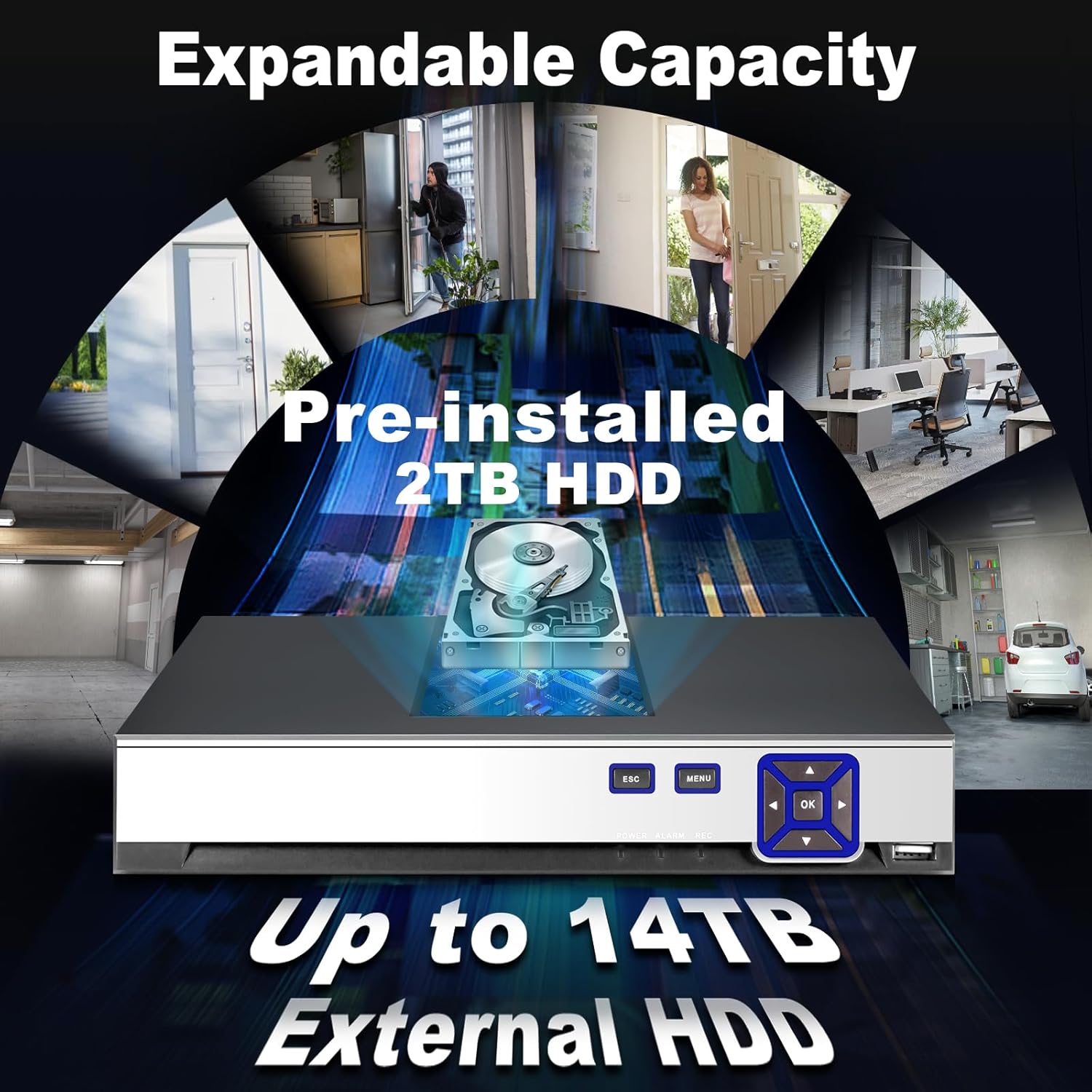
تصوير 3: Image highlighting the expandable storage capacity of the DVR, featuring a pre-installed 2TB HDD and support for up to 14TB external HDD, with various scenarios of property monitoring. This image demonstrates the DVR's capability for extensive video storage.

تصوير 4: Comparison graphic demonstrating the efficiency of H.265+ video compression over H.264, showing up to 50% storage savings and faster downloads for H.265+. This visual explains the benefits of the advanced compression technology used in the DVR.
3. سيٽ اپ
Follow these steps to set up your KERUI DVR system:
- کوليو ۽ چڪاس ڪريو: Carefully unpack all components. Verify that all items listed in the packing list are present and undamaged.
- ڪئميرا ڳنڍيو: Connect your AHD, TVI, CVI, CVBS, IP, or XVI cameras to the corresponding BNC video input ports (V1-V16) on the rear panel of the DVR. Ensure secure connections.
- مانيٽر ڳنڍيو: Connect a monitor to the DVR using either the HDMI or VGA output port.
- ماؤس ڳنڍيو: نيويگيشن لاءِ DVR تي USB پورٽ مان هڪ ۾ USB ماؤس لڳايو.
- نيٽ ورڪ ڳنڍيو (اختياري): ريموٽ لاءِ viewing and network features, connect an Ethernet cable from your router to the LAN port on the DVR.
- پاور Connectنيو: Connect the provided power adapter to the DVR's DC 12V power input and then plug it into a power outlet. The DVR will power on automatically.
- شروعاتي تشڪيل: Upon first boot, follow the on-screen wizard to set up basic parameters such as language, date/time, network settings, and password.
4. آپريٽنگ هدايتون
This section covers basic operation of your DVR.
جيئڻ View:
After successful setup, the DVR will display live video feeds from connected cameras on your monitor. You can switch between single-camera view ۽ ملٽي ڪئميرا گرڊ view using the on-screen controls or the DVR's front panel buttons.
رڪارڊنگ:

تصوير 5: Visual representation of the 24/7 non-stop recording capability, showing a user monitoring multiple camera feeds on a screen, emphasizing continuous security. This image highlights the DVR's ability to record continuously for maximum security.
- مسلسل رڪارڊنگ The DVR is configured for 24/7 continuous recording by default, utilizing the pre-installed 2TB HDD.
- حرڪت سان هلندڙ رڪارڊنگ: You can configure specific channels to record only when motion is detected. Access the recording schedule settings in the main menu.
پلے بیک:

تصوير 6: Sequence of images demonstrating the advanced smart playback function, allowing users to quickly review رڪارڊ ٿيل footage of events, such as a person approaching a door. This image illustrates the ease of reviewخاص واقعن ۾.
- Navigate to the 'Playback' section from the main menu.
- گهربل تاريخ ۽ ڪئميرا چينل چونڊيو.
- Use the timeline to locate and play back recorded events. The smart playback feature allows for quick navigation to events.
Smart Alarm and Human Detection:

تصوير 7: Illustration of the AI motion and human detection feature, showing detected human figures outlined in green, with app push notifications and email alerts for security events. This image demonstrates how the DVR identifies and alerts users to human activity.
- Access 'Alarm Settings' in the main menu.
- Configure motion detection zones and sensitivity for each camera.
- Enable human detection for specific channels to reduce false alarms.
- Set up email alerts and push notifications to your mobile app for immediate alerts.
ريموٽ رسائي:

تصوير 8: Graphic depicting free and easy remote access to the DVR system via a mobile application (available on App Store and Google Play), showing multiple users monitoring their property from various devices. This image illustrates the convenience of monitoring your security system remotely.
- Download the official KERUI mobile application from the App Store (iOS) or Google Play (Android).
- Register an account and add your DVR device using its unique ID or QR code.
- هڪ دفعو ڳنڍيل، توهان ڪري سگهو ٿا view لائيو فيڊ، پلے بيڪ رڪارڊنگ، ۽ انٽرنيٽ ڪنيڪشن سان ڪٿي به الرٽ وصول ڪريو.
5. سار سنڀال
باقاعده سار سنڀال توهان جي DVR سسٽم جي بهترين ڪارڪردگي ۽ ڊگهي عمر کي يقيني بڻائي ٿي.
- صفائي: Keep the DVR unit clean and free from dust. Use a soft, dry cloth for cleaning. Do not use liquid cleaners.
- وينٽيليشن: پڪ ڪريو ته DVR کي وڌيڪ گرم ٿيڻ کان روڪڻ لاءِ سٺي هوادار علائقي ۾ رکيو ويو آهي. وينٽيليشن جي سوراخن کي بند نه ڪريو.
- فرم ويئر اپڊيٽس: وقتي طور تي ٺاهيندڙ جي چيڪ ڪريو webفرم ويئر اپڊيٽ لاءِ سائيٽ. فرم ويئر کي اپڊيٽ ڪرڻ سان ڪارڪردگي بهتر ٿي سگهي ٿي ۽ نوان فيچر شامل ٿي سگهن ٿا.
- هارڊ ڊرائيو جي صحت: Monitor the health of the hard drive through the DVR's system settings. Replace the HDD if any issues are detected to prevent data loss.
- پاسورڊ سيڪيورٽي: Regularly change your DVR and app passwords to maintain security.
6. مسئلا حل ڪرڻ
هي حصو عام مسئلن کي حل ڪري ٿو جيڪي توهان کي منهن ڏئي سگهن ٿا.
| مسئلو | ممڪن سبب | حل |
|---|---|---|
| مانيٽر تي ڪو به وڊيو ڊسپلي ناهي | ڪيبل ڪنيڪشن ڍلو، مانيٽر تي غلط ان پٽ سورس، DVR آن نه ٿيو. | Check HDMI/VGA cable connections. Ensure monitor is set to correct input. Verify DVR power. |
| ڪابه ڪئميرا تصوير ناهي | Camera not powered, video cable loose, camera incompatible, incorrect video format. | Check camera power supply. Secure video cable connections. Verify camera compatibility and video format settings in DVR. |
| DVR تائين ريموٽ رسائي نه ٿي سگهي | Network cable disconnected, incorrect network settings, firewall issues, app not configured. | Ensure DVR is connected to the network. Check network settings (IP address, gateway). Verify router/firewall settings. Reconfigure mobile app. |
| حرڪت جي ڳولا ڪم نه ڪري رهي آهي يا تمام گهڻي حساس آهي | Detection zone not set, sensitivity too low/high, schedule not configured. | Adjust motion detection zones and sensitivity in settings. Verify alarm schedule. Ensure human detection is enabled if desired. |
| ڪابه رڪارڊنگ ناهي | HDD full or faulty, recording schedule incorrect, camera not connected. | Check HDD status and capacity. Verify recording schedule. Ensure cameras are properly connected and functioning. |
7. وضاحتون
| خاصيت | تفصيل |
|---|---|
| برانڊ | ڪيريو |
| ماڊل نمبر | 89419555-0419-4cdb-8c1d-f13bbf71a839 |
| چينلن جو تعداد | 16 |
| ويڊيو ريزوليوشن سپورٽ | 16 x 5MN@12fps, 16 x 4MN@15fps, 16 x 1080p@15fps (XVI) |
| ڪئميرا مطابقت | AHD/TVI/CVI/CVBS/IP/XVI (6-in-1 Hybrid) |
| Pre-installed Storage | 2 TB HDD |
| وسعت وارو اسٽوريج | Up to 14 TB External HDD |
| وڊيو ڪمپريشن | H.265 + |
| مطابقت رکندڙ ڊوائيسز | ڪئميرا |
| پيڪيج جي ماپ | 35.1 x 28.4 x 7.9 سينٽي |
| پيڪيج جو وزن | 1.92 ڪلو |
| لوازمات شامل آهن | 1 DVR, 1 2TB HDD |
8. وارنٽي ۽ سپورٽ
For warranty information and technical support, please refer to the documentation included with your purchase or contact KERUI customer service directly. Contact details are typically available on the manufacturer's official webسائيٽ يا توهان جي خريداري جي نقطي ذريعي.
If you encounter any quality issues or installation connection problems with your KERUI security DVR system, please do not hesitate to contact us at any time.


