1. تعارف
This manual provides essential information for the proper use and maintenance of your Baseus Inspire XH1 Adaptive Active Noise Cancelling Headphones. Please read this manual thoroughly before using the product to ensure optimal performance and longevity.

Image 1.1: Baseus Inspire XH1 Headphones
2. پيڪيج مواد
پڪ ڪريو ته سڀئي شيون پيڪيج ۾ موجود آهن:
- بيسس انسپائر XH1 ايڪٽو نوائس ڪينسلنگ هيڊفونز ×1
- آڪس ڪيبل × 1
- USB-C ڪيبل × 1
- کڻڻ وارو ڪيس × 1

تصوير 2.1: پيڪيج جو مواد
3. Product Diagram and Controls
Familiarize yourself with the headphone's physical controls and ports.
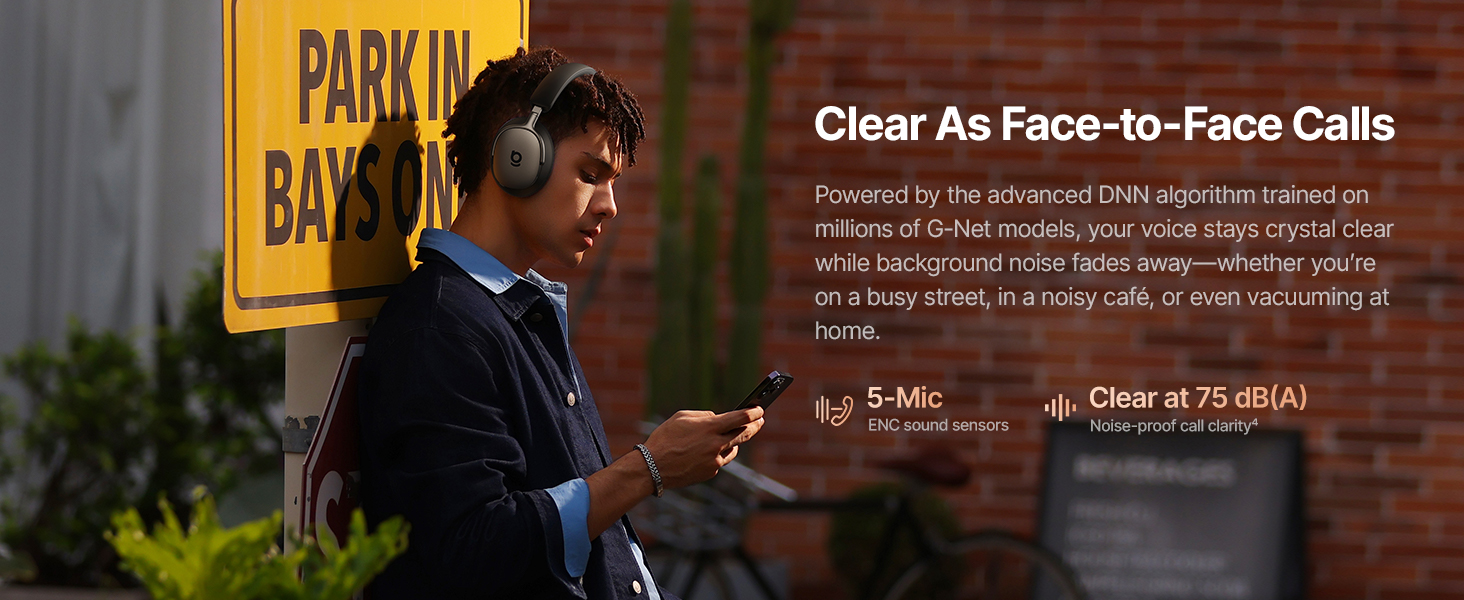
Image 3.1: Headphone Controls Overview
بٽڻ افعال:
- ANC بٽڻ:
- Press once: Toggle ANC Mode (ANC On / ANC Off / Transparency).
- Press and hold for 2 seconds: Activate Quick Attention (one-press transparency and volume down).
- Multifunction بٽڻ:
- Press once: Play or pause audio.
- Press once: Answer or end calls.
- Press twice: Toggle Dolby Audio off or on.
- Press twice: Reject calls.
- Press three times: Activate Low Latency mode.
- حجم بٽڻ (+/-):
- Press once (+): Volume up.
- Press once (-): Volume down.
- Press and hold (+) for 2 seconds: Previous track.
- Press and hold (-) for 2 seconds: Next track.
4. سيٽ اپ
4.1 شروعاتي چارجنگ
Before first use, fully charge the headphones. Connect the supplied USB-C cable to the charging port on the headphones and to a compatible USB power source. The charging indicator will show the charging status.
4.2 پاور آن/آف
- پاور آن: Press and hold the Multifunction Button until the indicator light illuminates.
- بجلي بند: Press and hold the Multifunction Button until the indicator light turns off.
4.3 بلوٽوٽ جوڙي
- پڪ ڪريو ته هيڊفون بند ٿيل آهن.
- Press and hold the Multifunction Button for approximately 5 seconds until the indicator light flashes rapidly, indicating pairing mode.
- پنهنجي ڊوائيس (اسمارٽ فون، ليپ ٽاپ، وغيره) تي، بلوٽوٿ کي فعال ڪريو ۽ موجود ڊوائيسز جي ڳولا ڪريو.
- Select "Baseus Inspire XH1" from the list of devices.
- هڪ دفعو ڳنڍيو ويو، اشارو روشني چمڪائڻ بند ڪري ڇڏيندو ۽ مضبوط رهندو.
4.4 Baseus App Installation
For full functionality, including SoundFit hearing personalization, advanced EQ settings, and noise reduction modes, download and install the Baseus App (V2.8.9+) from your device's app store. Ensure your headphone firmware (V1.1.07+) is updated via the app for the best experience.

Image 4.1: Baseus App Interface
5. آپريشن
5.1 فعال شور منسوخي (ANC) موڊس
The Baseus Inspire XH1 features Adaptive ANC. Press the ANC button to cycle through modes:
- ANC تي: Reduces external noise by up to -48 dB. Ideal for noisy environments.
- شفافيت موڊ: ماحول جي آوازن کي گذرڻ جي اجازت ڏئي ٿو، توهان کي توهان جي آس پاس جي ماحول کان باخبر رکي ٿو.
- ANC بند: Standard audio playback without noise cancellation.

Image 5.1: Adaptive ANC in Action
5.2 ڪال مئنيجمينٽ
The headphones feature 5-Mic ENC and AI-powered noise reduction for clear calls.
- جواب/آخر ڪال: هڪ ڀيرو ملٽي فنڪشن بٽڻ کي دٻايو.
- ڪال رد ڪريو: Press the Multifunction Button twice.

Image 5.2: Clear Call Functionality
5.3 ميوزڪ پلے بیک
هيڊفونز مان سڌو سنئون پنهنجي آڊيو پلے بیک کي ڪنٽرول ڪريو:
- راند/روڪ: هڪ ڀيرو ملٽي فنڪشن بٽڻ کي دٻايو.
- اڳيون ٽريڪ: 2 سيڪنڊن لاءِ واليوم ڊائون (-) بٽڻ کي دٻايو ۽ رکو.
- پويون ٽريڪ: 2 سيڪنڊن لاءِ واليوم اپ (+) بٽڻ کي دٻايو ۽ رکو.
- حجم مٿي / ھيٺ: Press the respective Volume button once.
5.4 ملٽي پوائنٽ ڪنيڪشن
The headphones support simultaneous connection to two devices via Bluetooth 6.1. This allows for seamless switching between audio sources. Enable multipoint connection through the Baseus App.
5.5 Charging and Battery Life
The Inspire XH1 offers extended battery life:
- Up to 100 hours of playtime with ANC off.
- Up to 65 hours of playtime with ANC on.
- 10 منٽن جي تيز چارج سان لڳ ڀڳ 12 ڪلاڪ راند جو وقت ملندو آهي.
- Full charge time is approximately 1.5 hours.

Image 5.3: Battery Performance
6. آواز جون خاصيتون
The Baseus Inspire XH1 headphones are engineered for a premium audio experience.
- Sound by Bose: Delivers a signature premium audio experience.
- Dolby Spatial Audio: Provides immersive 360° sound. Can be toggled via the Multifunction Button or Baseus App.
- هاءِ ريز آڊيو ۽ ايل ڊي اي سي: Certified for high-resolution audio, with LDAC support for 3 times the audio detail of standard Bluetooth.
- SuperBass 3.0 & SuperBalance 3.0: Optimized acoustic chambers and angled drivers provide deep bass and balanced sound.
- سائونڊ فٽ ٻڌڻ جي ذاتي ڪرڻ: Available via the Baseus App, this feature customizes the sound profile based on your unique hearing.

Image 6.1: Sound by Bose Integration

Image 6.2: Internal Audio Components
7. Comfort and Design
The Inspire XH1 headphones are designed for extended wear.
- Velvet-Like CloudComfort: Ergonomic over-ear design with protein leather and resilient memory foam padding for comfort.
- Travel-Friendly Portability: Foldable design and included carrying case for easy transport.

Image 7.1: CloudComfort Earcup

Image 7.2: Travel-Friendly Carrying Case
8. سار سنڀال
پنهنجي هيڊفونز جي ڊگهي عمر ۽ بهترين ڪارڪردگي کي يقيني بڻائڻ لاءِ، انهن سار سنڀال جي هدايتن تي عمل ڪريو:
- صفائي: Use a soft, dry cloth to clean the exterior surfaces of the headphones. Do not use abrasive cleaners or solvents.
- اسٽوريج: When not in use, store the headphones in their protective carrying case to prevent damage from dust, scratches, and impacts.
- نمي کان بچڻ: Do not expose the headphones to water or excessive moisture. If they get wet, dry them thoroughly before use or storage.
- گرمي پد: Avoid exposing the headphones to extreme temperatures (hot or cold) as this can affect battery life and internal components.
- ڪيبل جي سنڀال: Handle the Aux and USB-C cables gently. Avoid sharp bends or excessive pulling to prevent damage.
9. مسئلا حل ڪرڻ
If you encounter issues with your Baseus Inspire XH1 headphones, refer to the following common solutions:
| مسئلو | ممڪن حل |
|---|---|
| هيڊفون آن نه ٿا ٿين. | پڪ ڪريو ته هيڊفون چارج ٿيل آهن. USB-C ڪيبل استعمال ڪندي پاور سورس سان ڳنڍيو. |
| بلوٽوٿ ذريعي جوڙي نه ٿو سگهجي. | Ensure headphones are in pairing mode (rapidly flashing indicator light). Turn off and on Bluetooth on your device. Forget the device in your Bluetooth settings and try pairing again. |
| ڪابه آواز يا گهٽ آواز ناهي. | هيڊفون ۽ ڊوائيس جي واليوم ليول چيڪ ڪريو. پڪ ڪريو ته هيڊفون صحيح طرح سان ڳنڍيل آهن. ٻئي ڊوائيس ٻيهر شروع ڪرڻ جي ڪوشش ڪريو. |
| ANC اثرائتي ڪم نه ڪري رهيو آهي. | Ensure ANC mode is activated (not Transparency or Off). Check for proper fit of earcups to create a seal. Update headphone firmware via the Baseus App. |
| ڪال جي معيار جا مسئلا. | Ensure microphone is not obstructed. Check for strong Bluetooth connection. Move to a quieter environment if possible. |
| Baseus App not connecting or features not working. | Ensure Bluetooth is enabled and headphones are connected. Update the Baseus App to the latest version (V2.8.9+). Update headphone firmware (V1.1.07+) via the app. |
If the problem persists, please contact Baseus customer support for further assistance.
10. وضاحتون
| خاصيت | تفصيل |
|---|---|
| ماڊل نالو | بيسس انسپائر XH1 |
| شور ڪنٽرول | Adaptive Active Noise Cancellation (-48dB) |
| رابطي ٽيڪنالاجي | وائرليس (بلوٽوٿ 6.1) |
| آڊيو ڊرائيور جو قسم | متحرڪ ڊرائيور |
| آڊيو ڊرائيور جي ماپ | 35 ملي ميٽر |
| تعدد جي حد | 20 هز - 40 ڪلو هرٽز |
| رڪاوٽ | 16 اوم |
| ڪنٽرول قسم | Button Control / APP Control |
| مواد | Leather, Foam, Plastic/Silicone |
| بيٽري جي زندگي (ANC بند) | 100 ڪلاڪ تائين |
| بيٽري جي زندگي (ANC آن) | 65 ڪلاڪ تائين |
| فاسٽ چارج | 10 منٽ 12 ڪلاڪ راند جي وقت لاء |
| مڪمل چارج وقت | لڳ ڀڳ. 1.5 ڪلاڪ |
| پيداوار جي ماپ | 8.07 x 3.14 x 6.57 انچ |
| شيءِ جو وزن | 1.87 پائونڊ |
| شامل اجزاء | Headphones, Aux Cable, USB-C Cable, Carrying Case |
11. وارنٽي ۽ سپورٽ
For warranty information and customer support, please refer to the warranty card included in your product packaging or visit the official Baseus webسائيٽ. وارنٽي دعوائن لاءِ خريداري جي ثبوت طور پنهنجي خريداري جي رسيد رکو.
ٺاهيندڙ: بيسس
سرڪاري Webسائيٽ: ايميزون تي بيسس جو سرڪاري اسٽور


