تعارف
This comprehensive guide is designed to help you unlock the full potential of your laser engraver using LightBurn software. It serves as your ideal companion, guiding you from initial setup through to the creation of creative and durable projects. Whether you are a beginner or an experienced maker, this manual provides clear, step-by-step instructions, practical examples, and professional tips to maximize every function within LightBurn, enabling you to produce high-quality work.
Key features of this guide include:
- Clear and Detailed Instructions: Suitable for users of all skill levels.
- Ready-to-Use Tips and Tricks: For immediate and effective results.
- Illustrations and Real-World Cases: To accelerate your learning process.
- Focus on Durable, Beautiful, and Functional Projects: Guiding you to create lasting works.
With this guide, you gain not just instructions, but the confidence and skills to transform your ideas into extraordinary creations.
سافٽ ويئر سٽا
This section details the process of installing and configuring LightBurn software on your computer. Proper setup is crucial for seamless operation with your laser engraver.
- Download LightBurn: Obtain the latest version of LightBurn from the official website. Ensure compatibility with your operating system.
- تنصيب: Follow the on-screen prompts to install the software. Accept the license agreement and choose an installation directory.
- ڊرائيور لڳائڻ: Install any necessary drivers for your specific laser engraver model. Refer to your laser engraver's manual for driver details.
- شروعاتي تشڪيل: Launch LightBurn. The software will guide you through the initial device setup wizard. Select your laser controller type and connection method (e.g., USB, Ethernet).
- Workspace Setup: Define your laser's work area dimensions within LightBurn to match your physical machine.
- ٽيسٽ ڪنيڪشن: Perform a connection test to ensure LightBurn can communicate with your laser engraver.
For detailed visual instructions, refer to the relevant chapters within the guide.
Operating LightBurn
هي سيڪشن هڪ اوور مهيا ڪري ٿوview of the fundamental operations within LightBurn, enabling you to design, prepare, and execute laser projects.
Designing Your Project
- انٽرفيس نيويگيشن: Familiarize yourself with the LightBurn interface, including toolbars, menus, and panels.
- Creating Shapes: Use the drawing tools to create basic geometric shapes, lines, and text.
- Importing Designs: Import vector graphics (SVG, AI, DXF) and raster images (JPG, PNG, BMP) into your workspace.
- Editing and Arranging: Manipulate objects by scaling, rotating, grouping, and aligning them.
Layer and Cut Settings
- Understanding Layers: Assign different operations (Cut, Engrave, Fill) to distinct layers.
- Configuring Cut Settings: Adjust laser power, speed, passes, and other parameters for each layer based on material type and desired outcome.
- Material Library: Utilize or create custom material settings for consistent results.
Executing the Project
- اڳيviewing the Job: Use the 'Preview' window to visualize the laser path and estimated job time before starting.
- فريمنگ: Use the 'Frame' function to ensure your design fits correctly on your material.
- Starting the Job: Send the job to your laser engraver and monitor its progress.
Detailed instructions for advanced features and specific project types are covered in depth throughout the manual.
سافٽ ويئر جي سار سنال
Regular maintenance of your LightBurn software ensures optimal performance and data integrity.
- سافٽ ويئر اپڊيٽ: Periodically check for and install the latest LightBurn software updates to benefit from new features, bug fixes, and performance improvements.
- Backup Your Settings: Regularly back up your LightBurn preferences, device settings, and material libraries. This can be done via the 'File' menu.
- پروجيڪٽ File انتظام: Organize your project files in a logical folder structure and back them up to an external drive or cloud storage.
- لائسنس جو انتظام: Keep a record of your LightBurn license key for future installations or transfers.
While LightBurn is software, maintaining your physical laser engraver (cleaning lenses, mirrors, rails) is also crucial for consistent results, though outside the scope of this software guide.
عام مسئلن کي حل ڪرڻ
This section addresses common problems encountered while using LightBurn and provides solutions to help you resolve them.
| مسئلو | ممڪن سبب | حل |
|---|---|---|
| Laser not connecting to LightBurn | Incorrect port selection, driver issues, cable problem, laser not powered on. | Verify USB/Ethernet cable connection. Check device manager for driver status. Ensure laser is powered on. Select correct COM port in LightBurn 'Devices' settings. |
| ليزر فائرنگ نه ٿي رهيو آهي يا ڪمزور آئوٽ پُٽ | Low power setting, incorrect material settings, laser tube/diode issue, focus problem. | Increase power setting in 'Cut Settings'. Verify material settings. Check laser focus. Consult laser engraver's manual for hardware diagnostics. |
| Engraving/cutting is inaccurate or distorted | Loose belts, incorrect steps per mm, material shifting, mechanical issues with laser. | Inspect and tighten belts on your laser engraver. Calibrate steps per mm in LightBurn device settings. Secure material firmly. Check for any physical obstructions or damage to the laser's moving parts. |
| سافٽ ويئر ڪريش يا منجمد ٿي وڃي ٿو | Outdated software, corrupted installation, insufficient system resources. | Update LightBurn to the latest version. Reinstall LightBurn. Close other demanding applications. Ensure your computer meets minimum system requirements. |
For more specific issues, refer to the detailed troubleshooting sections within the guide or the official LightBurn documentation and community forums.
گائيڊ وضاحتون
| وصف | تفصيل |
|---|---|
| عنوان | LightBurn User Guide: A Step-by-Step Manual for Designing with Purpose, Crafting with Precision, and Creating Projects That Last |
| ليکڪ | Avery Craftsman |
| پبلشر | آزاد طور تي شايع ٿيل |
| اشاعت جي تاريخ | آگسٽ 9، 2025 |
| ٻولي | English (Originally Italian Edition) |
| پرنٽ ڊگھائي | 187 صفحا |
| ISBN-13 | 979-8297233195 |
| ASIN | B0FLW5JZ8B |
| شيءِ جو وزن | 1.23 پائونڊ |
| طول و عرض | 8.5 x 0.43 x 11 انچ |
سپورٽ ۽ وسيلا
For additional support regarding LightBurn software or this guide, please refer to the following resources:
- Official LightBurn Webسائيٽ: Visit the official LightBurn website for software downloads, updates, and comprehensive documentation.
- LightBurn Community Forum: Engage with other LightBurn users and experts to ask questions, share projects, and find solutions.
- Author's Resources: Check for any supplementary materials or updates provided by the author, Avery Craftsman.
- پبلشر رابطو: For inquiries related to the publication of this guide, contact the publisher, Independently published.
This guide is intended as an instructional manual and does not include a warranty for the LightBurn software itself, which is provided by the software developer. Please refer to LightBurn's official terms of service and licensing for software warranty information.
بصري حوالا

شڪل 1: Front cover of the LightBurn User Guide. The title "LightBurn User Guide" is prominently displayed, indicating its purpose as a comprehensive manual for laser design and engraving software.
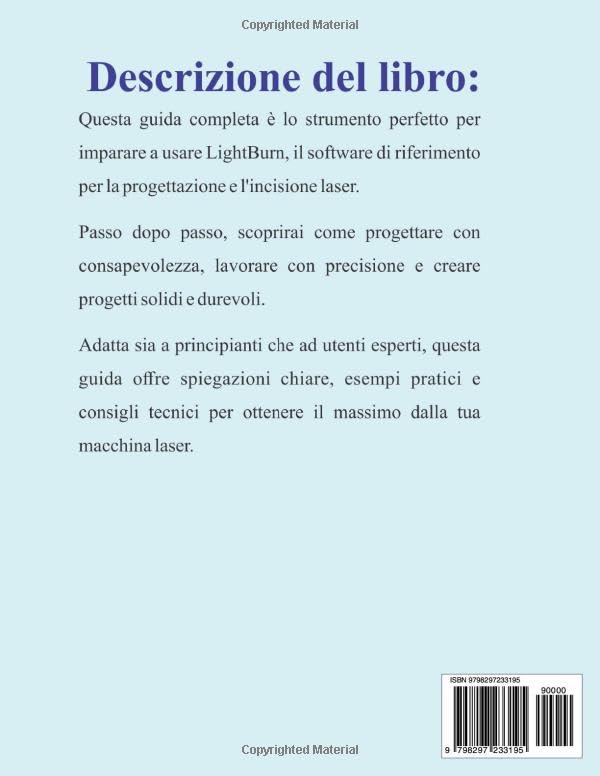
شڪل 2: Back cover of the LightBurn User Guide. This image displays the book's description in Italian, summarizing its content and benefits, along with the ISBN barcode for identification.


