تعارف
This user manual provides comprehensive instructions for the Bigme B6 Color E-reader. Please read this manual carefully before using the device to ensure proper operation and to maximize its features. Keep this manual for future reference.
پيداوار ختمview
اهم خاصيتون
- ڏيکاريو: 6-inch color E-paper display (1448 x 1072 pixels) designed for an eye-friendly reading experience. Features blue light zero and flicker-free technology, certified by TÜV Rheinland for comfortable reading.
- ياداشت ۽ ذخيرو: Equipped with 4GB RAM and 64GB internal storage, allowing for the storage of numerous e-books and documents.
- آپريٽنگ سسٽم: اينڊرائيڊ 14 تي هلندو آهي، جيڪو ايپليڪيشنن جي وسيع رينج تائين رسائي فراهم ڪري ٿو.
- پروسيسر: Features an Octa-core CPU for quick response and efficient performance.
- ڊيزائن: Slim, compact, and lightweight black body for easy portability.
- سامهون روشني: 36-level adjustable front light for comfortable reading in various lighting conditions.
- رابطي: Supports Bluetooth and Wi-Fi for seamless data transfer and online access.
- File مطابقت: Supports over 19 e-book formats including PDF, TXT, EPUB, EPUB3, HTML, HTM, AZW3, FB2, DOC, DOCX, MOBI, OEB, CBR, RPC, RPC, RTF, DJVU, ZIP.
- آڊيو بڪ سپورٽ: Allows for audiobook playback.
پيڪيج مواد
The Bigme B6 Color E-reader package includes the following items:
- Bigme B6 Color E-reader Main Unit
- حفاظتي ڪيس
- استعمال ڪندڙ جو دستياب (ھي دستاويز)

تصوير: اڳيان ۽ پوئتي view of the Bigme B6 Color E-reader. The device is black and features a slim design.

Image: Illustration of the Bigme B6 Color E-reader package contents, including the device, protective case, and user manual.
سيٽ اپ ڪريو
شروعاتي چارج
Before first use, fully charge your Bigme B6 E-reader. Connect the device to a power source using the provided USB cable. The charging indicator will show the charging status.
پاور آن / آف
- پاور آن ڪرڻ: Press and hold the power button located on the side/top of the device until the screen lights up.
- پاور آف ڪرڻ: Press and hold the power button until a power-off menu appears on the screen. Select "Power Off".
- سمهڻ/جاڳڻ: Briefly press the power button to put the device into sleep mode or wake it up.
شروعاتي سيٽ اپ مددگار
Upon first power-on, the device will guide you through an initial setup wizard. This typically includes:
- ٻولي جي چونڊ
- وائي فائي نيٽ ورڪ ڪنيڪشن
- تاريخ ۽ وقت سيٽنگون
- Account login (optional, for app stores or cloud services)
سيٽ اپ کي مڪمل ڪرڻ لاءِ آن-اسڪرين اشارن تي عمل ڪريو.
آپريٽنگ هدايتون
نيويگيشن ۽ انٽرفيس
The Bigme B6 features an intuitive touch interface. Navigate through menus and content by tapping, swiping, and pinching on the screen.
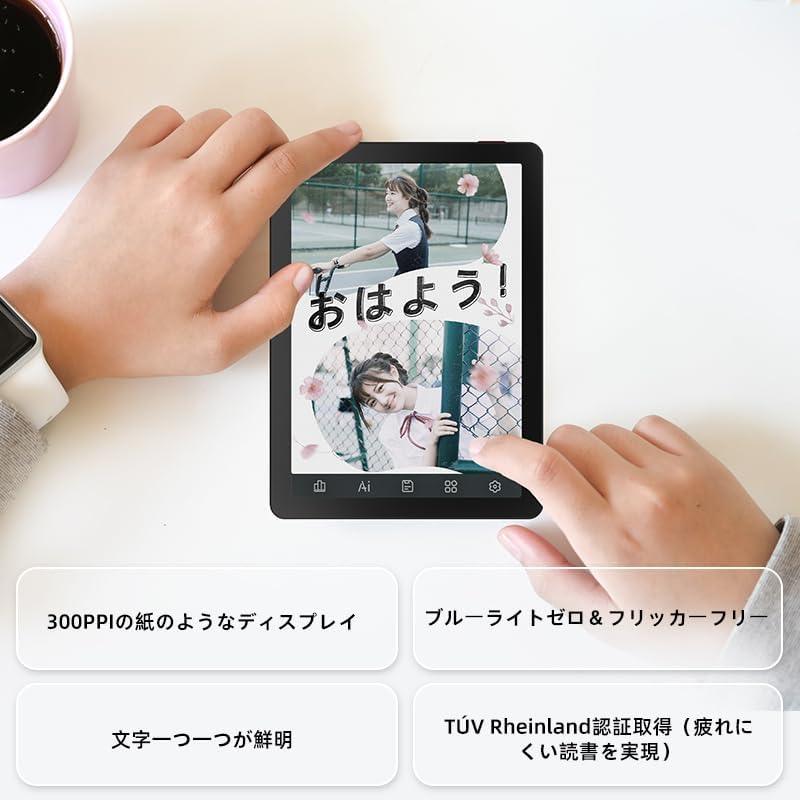
Image: A hand holding the Bigme B6 E-reader, highlighting its display features such as 300PPI, blue light zero, and clear text rendering.

Image: The Bigme B6 E-reader displaying its interface with customizable touch buttons at the bottom of the screen.
اي ڪتاب پڙهڻ
- Opening Books: پنهنجي لائبريري مان ڪتاب جي ڪَوَر کي کولڻ لاءِ ان تي ٽيپ ڪريو.
- صفحا ڦيرائڻ: Tap the left or right side of the screen, or swipe horizontally, to turn pages.
- Adjusting Font/Light: Tap the center of the screen to bring up the reading menu. From here, you can adjust font size, font style, line spacing, and the 36-level front light.
- Highlighting and Notes: Press and hold on text to select it. Options for highlighting, adding notes, or looking up definitions will appear.
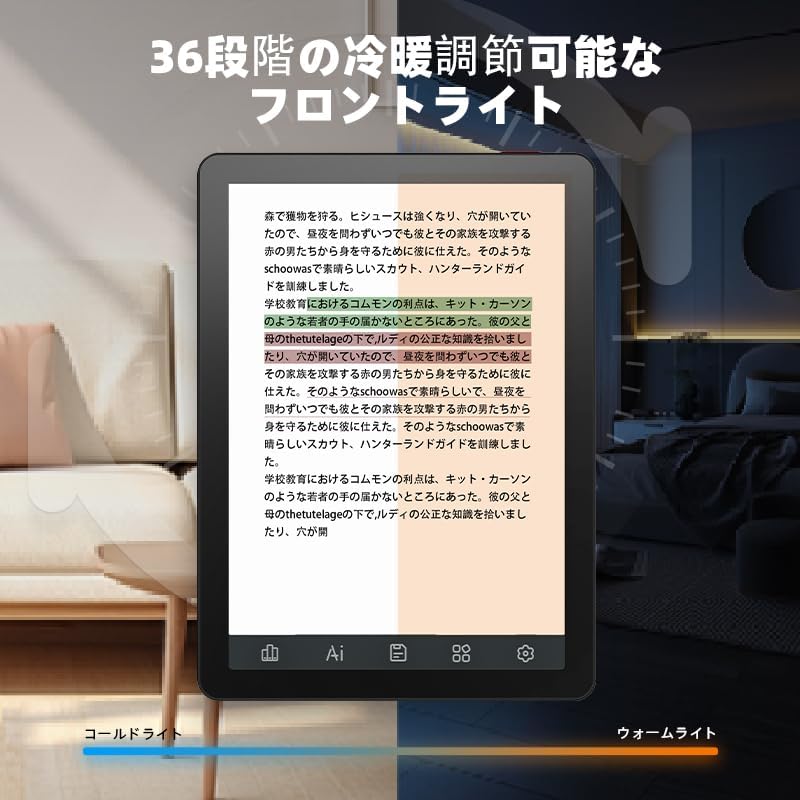
Image: The Bigme B6 E-reader displaying text with an illustration of adjustable front light levels, from cold light to warm light.

Image: The Bigme B6 E-reader displaying text with color elements, demonstrating the ability to read in color and highlight content.
توهان جي لائبريري جو انتظام
The device supports various e-book formats, allowing you to expand your library without complex file تبديليون.

Image: The Bigme B6 E-reader displaying its storage capacity of 4GB RAM and 64GB, indicating it can store tens of thousands of books.

Image: The Bigme B6 E-reader displaying a list of supported e-book formats, emphasizing its ability to expand the library without file تبديلي.
Connectivity and Data Transfer
- وائي فائي: Connect to Wi-Fi networks for downloading books, browsing the internet, and syncing data. Go to Settings > Wi-Fi to manage connections.
- بلوٽوٿ: Pair with Bluetooth headphones or speakers for listening to audiobooks. Go to Settings > Bluetooth to manage devices.
- USB منتقلي: Connect the device to a computer using a USB cable to transfer files سڌو.

Image: The Bigme B6 E-reader next to a pair of headphones, illustrating its audiobook functionality.

Image: The Bigme B6 E-reader shown alongside a laptop, demonstrating seamless data synchronization capabilities.
سار سنڀال
ڊوائيس جي صفائي
- ڊوائيس جي اسڪرين ۽ جسم کي صاف ڪرڻ لاء نرم، لنٽ کان خالي ڪپڙو استعمال ڪريو.
- Do not use abrasive cleaners, alcohol, or chemical solvents, as these can damage the screen or finish.
- Avoid spraying cleaners directly onto the screen. Apply to the cloth first.
ذخيرو
- ڊوائيس کي ٿڌي، سڪل جاءِ تي، سڌي سج جي روشني ۽ انتهائي گرمي پد کان پري رکو.
- When not in use for extended periods, ensure the device is charged to about 50% to preserve battery health.
سافٽ ويئر اپڊيٽس
Periodically check for software updates to ensure optimal performance and access to new features. Updates can usually be found in the device's settings menu under "System Update" or "About Device".
مشڪلاتون
عام مسئلا ۽ حل
| مسئلو | ممڪن سبب | حل |
|---|---|---|
| ڊوائيس چالو نٿو ڪري | گهٽ بيٽري؛ سسٽم حادثو | Charge the device for at least 30 minutes. If still unresponsive, perform a forced restart by holding the power button for 10-15 seconds. |
| اسڪرين غير جوابدار آهي | عارضي سافٽ ويئر جي خرابي | ڊوائيس کي ٻيهر شروع ڪريو. پڪ ڪريو ته اسڪرين صاف ۽ سڪل آهي. |
| وائي فائي سان ڳنڍجي نٿو سگھي | غلط پاسورڊ؛ روٽر جو مسئلو؛ ڊوائيس وائي فائي بند آهي | Double-check the Wi-Fi password. Restart your router. Toggle Wi-Fi off and on in device settings. |
| Books not appearing in library | Unsupported format; Incorrect file جڳھ | Ensure the book format is supported (refer to specifications). Verify files are in the correct folder on the device. |
If you encounter issues not listed here or if the suggested solutions do not resolve the problem, please contact Bigme customer support.
وضاحتون
| خاصيت | تفصيل |
|---|---|
| ماڊل نالو | JP-B6 |
| ڊسپلي سائيز | 6 انچ |
| ڊسپلي ٽيڪنالاجي | E-Ink, Color E-paper |
| ڊسپلي قرارداد | 1448 x 1072 پکسلز |
| رام | 4 جي بي |
| اندروني اسٽوريج | 64 جي بي |
| آپريٽنگ سسٽم | Android 14 |
| پروسيسر | Octa-core CPU (Mediatek) |
| رابطي | بلوٽوٽ ، وائي فائي |
| رنگ | ڪارو |
| پيداوار جي ماپ | 15.66 x 13.86 x 0.58 سينٽي |
| شيءِ جو وزن | 215 گرام |
| شامل اجزاء | User Manual, Protective Case, E-reader main unit |
وارنٽي ۽ سپورٽ
وارنٽي جي معلومات ۽ ڪسٽمر سپورٽ لاءِ، مھرباني ڪري پنھنجي خريداري سان شامل دستاويزن جو حوالو ڏيو يا سرڪاري بگمي جو دورو ڪريو webسائيٽ. وارنٽي دعوائن لاءِ خريداري جو ثبوت رکو.
آن لائين وسيلا:
- بگمي آفيشل Webسائيٽ: www.bigme.com
- For further assistance, contact your retailer or the Bigme customer service team.


