تعارف
This manual provides instructions for the Monster Persona 4th ANC Active Noise Canceling Headphones. Please read this manual thoroughly before using the product to ensure proper operation and to understand its features.

Image: Monster Persona 4th ANC Headphones in white, showcasinجي مجموعي ڊيزائن.
حفاظت جي ڄاڻ
ڊوائيس کي نقصان پهچڻ يا پاڻ کي زخمي ٿيڻ کان بچائڻ لاءِ هيٺ ڏنل حفاظتي هدايتن تي عمل ڪريو:
- هيڊفونز کي انتهائي گرمي پد يا نمي جي سامهون نه رکو.
- هيڊفونز کي مضبوط اثرن جي تابع ڪرڻ يا ڇڏڻ کان پاسو ڪريو.
- هيڊفونز کي پاڻ نه ڌار ڪريو يا مرمت ڪرڻ جي ڪوشش نه ڪريو.
- Clean the headphones with a soft, dry cloth. Do not use harsh chemicals.
- ڊگھي ٻڌڻ سان وڏي مقدار جي سطح تي ٻڌڻ سان نقصان ٿي سگھي ٿو.
پيڪيج مواد
پڪ ڪريو ته سڀئي شيون پيڪيج ۾ موجود آهن:
- 1x Monster Persona 4th ANC Headphones
- 1x ٽائپ-سي چارجنگ ڪيبل
- 1x آڪس ڪيبل
- 1x استعمال ڪندڙ دستياب

Image: Contents of the product box, including the headphones, charging cable, aux cable, and user manual.
پيداوار ختمview ۽ ڪنٽرول
هيڊ فون جي حصن ۽ ڪنٽرول بٽڻن سان پاڻ کي واقف ڪريو.

Image: Diagram illustrating the location and function of the control buttons on the headphones.
- جلد +: Press once to increase volume. Long press for 2 seconds for next song.
- جلد جو: Press once to decrease volume. Long press for 2 seconds for previous song.
- پاور بٽڻ:
- کولڻ: 3 سيڪنڊن لاء ڊگھو پريس ڪريو.
- بند ڪريو 5 سيڪنڊن لاء ڊگھو پريس ڪريو.
- راند/روڪ: هڪ ڀيرو دٻايو.
- ڪال جو جواب ڏيو/ رکو: هڪ ڀيرو دٻايو.
- ڪال رد ڪريو: 2 سيڪنڊن لاء ڊگھو پريس ڪريو.
- وائس اسسٽنٽ: 2 سيڪنڊن لاء ڊگھو پريس ڪريو.
- ANC Switching Modes: Press once to cycle through modes (Active Noise Canceling, Transparency, Standard).
سيٽ اپ ڪريو
هيڊفون چارج ڪرڻ
پهرين استعمال کان اڳ، هيڊفونز کي مڪمل چارج ڪريو.
- ٽائپ-سي چارجنگ ڪيبل کي هيڊفونز تي چارجنگ پورٽ سان ڳنڍيو.
- ڪيبل جي ٻئي ڇيڙي کي USB پاور سورس سان ڳنڍيو (مثال طور، وال اڊاپٽر، ڪمپيوٽر USB پورٽ).
- اشاري جي روشني چارجنگ جي حالت ڏيکاريندي. مڪمل چارج ۾ لڳ ڀڳ 2 ڪلاڪ لڳن ٿا.
10 منٽن جي چارج سان لڳ ڀڳ 5 ڪلاڪ پلے بیک ٿيندو آهي.

Image: Visual representation of the headphone's battery life and fast charging capability.
پاور آن / آف
- پاور آن ڪرڻ: پاور بٽڻ کي 3 سيڪنڊن لاءِ ڊگھو دٻايو.
- پاور آف ڪرڻ: پاور بٽڻ کي 5 سيڪنڊن لاءِ ڊگھو دٻايو.
بلوٽوٽ جوئر
بلوٽوٿ ذريعي پنهنجا هيڊفون ڪنهن ڊوائيس سان ڳنڍڻ لاءِ:
- پڪ ڪريو ته هيڊفون بند ٿيل آهن.
- Long press the Power button for 3 seconds to power on and enter pairing mode (indicator light will flash).
- پنهنجي ڊوائيس (اسمارٽ فون، ٽيبليٽ، ڪمپيوٽر) تي، بلوٽوٿ کي فعال ڪريو ۽ موجود ڊوائيسز جي ڳولا ڪريو.
- ڊوائيسز جي فهرست مان "Monster Persona 4th ANC" چونڊيو.
- هڪ ڀيرو ڳنڍيل، اشاري جي روشني چمڪائڻ بند ٿي ويندي.

Image: Close-up of the internal Bluetooth 6.0 chip, indicating advanced wireless connectivity.
گهڻ پوائنٽ ڪنيڪشن
The headphones support connecting to two Bluetooth devices simultaneously.
- Connect the headphones to the first device as described in the Bluetooth Pairing section.
- پهرين ڊوائيس تي بلوٽوٿ کي عارضي طور تي ڊسڪنيڪٽ ڪريو.
- Connect the headphones to the second device.
- Reconnect Bluetooth on the first device. The headphones should now be connected to both devices.

Image: Headphones connected simultaneously to a smartphone and a laptop, demonstrating multi-point connection.
وائرڊ ڪنيڪشن
وائرڊ ڪنيڪشن سان هيڊفون استعمال ڪرڻ لاءِ:
- Connect the included Aux Cable to the 3.5mm audio jack on the headphones.
- Connect the other end of the Aux Cable to your audio source's 3.5mm output.
Note: The wired connection on mobile devices only supports Type-C port input and output if using a Type-C to 3.5mm adapter (not included).
آپريٽنگ
Music Playback and Volume
- راند/روڪ: هڪ Powerيرو پاور بٽڻ کي دايو.
- اڳيون گيت: Long press Volume + for 2 seconds.
- اڳيون گيت: Long press Volume - for 2 seconds.
- حجم و :ايو: Press Volume + once.
- حجم گھٽايو: Press Volume - once.
ڪال انتظام
- جواب ڏيو / بند ڪريو: هڪ Powerيرو پاور بٽڻ کي دايو.
- ڪال رد ڪريو: پاور بٽڻ کي 2 سيڪنڊن لاءِ ڊگھو دٻايو.
وائس اسسٽنٽ
- وائس اسسٽنٽ کي فعال ڪريو. پاور بٽڻ کي 2 سيڪنڊن لاءِ ڊگھو دٻايو.
Sound Modes (ANC, Transparency, Standard)
The headphones offer three listening modes:
- Active Noise Canceling (ANC) Mode: محيطي شور گھٽائي ٿو.
- شفافيت موڊ: آڊيو ٻڌڻ دوران توهان کي پنهنجي آس پاس جي ماحول کي ٻڌڻ جي اجازت ڏئي ٿي.
- معياري موڊ: Balanced sound for everyday listening without noise cancellation or transparency.
To switch between modes, press the ANC Switching Modes button once.
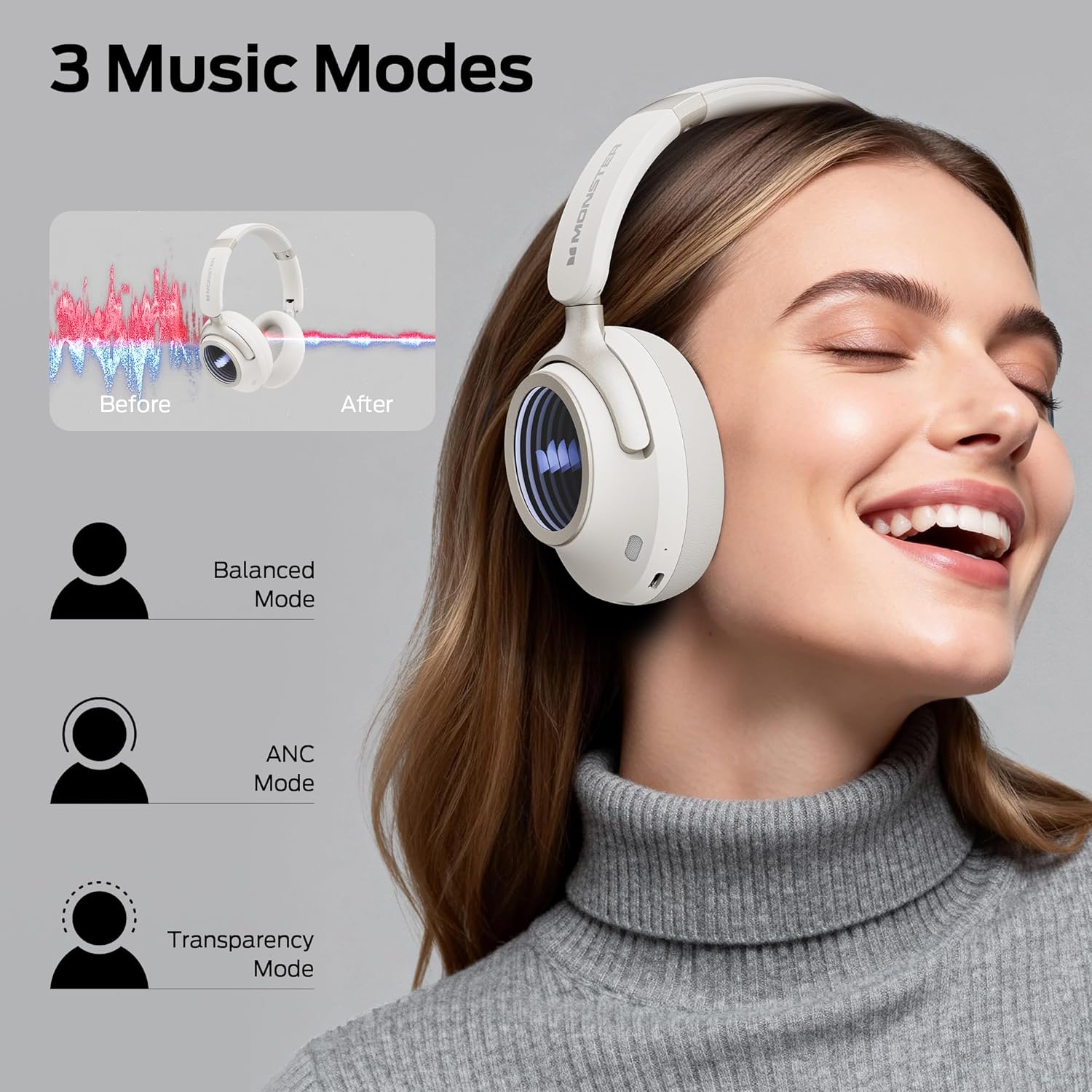
Image: Illustration of the three available music modes: Balanced, ANC, and Transparency, with a user demonstrating the headphones.
هيڊفون پائڻ
Adjust the headband and earcups for a comfortable and secure fit. The earcups rotate for flexible adjustments.

Image: Close-up of an earcup, highlighting the breathable cushion design for comfort.

Image: Diagrams showing the dimensions of the headphones for both wireless and wired configurations.
سار سنڀال
- صفائي: Use a soft, dry, lint-free cloth to clean the headphones. Do not use liquid cleaners or aerosols.
- اسٽوريج: جڏهن استعمال ۾ نه هجي، ته هيڊفونز کي ٿڌي، سڪل جاءِ تي، سڌي سج جي روشني ۽ انتهائي گرمي پد کان پري رکو. فولڊ ڪرڻ وارو ڊيزائن ڪمپيڪٽ اسٽوريج جي اجازت ڏئي ٿو.
- بيٽري جي سنڀال: To preserve battery life, charge the headphones regularly, even if not used frequently. Avoid fully discharging the battery for extended periods.
مشڪلاتون
| مسئلو | حل |
|---|---|
| هيڊفون آن نه ٿا ٿين. | پڪ ڪريو ته هيڊفون چارج ٿيل آهن. ٽائيپ-سي ڪيبل استعمال ڪندي پاور سورس سان ڳنڍيو. |
| بلوٽوٿ ذريعي جوڙي نه ٿو سگهجي. | Ensure headphones are in pairing mode (flashing indicator light). Turn off and on Bluetooth on your device. Forget previous pairings and try again. Ensure headphones are within range. |
| ڪابه آواز يا گهٽ آواز ناهي. | Check headphone and device volume levels. Ensure headphones are properly connected (Bluetooth or wired). Try restarting both devices. |
| Active Noise Canceling (ANC) is not effective. | Ensure ANC mode is activated. Check that the earcups form a good seal around your ears. ANC is most effective against low-frequency sounds. |
| ڪالن دوران مائڪروفون ڪم نه ڪري رهيو آهي. | Ensure the headphones are connected via Bluetooth. Check your device's audio input settings to confirm the headphones are selected as the microphone. |
وضاحتون
| خاصيت | تفصيل |
|---|---|
| ماڊل نالو | مونسٹر پرسونا ڇهين ANC |
| رابطي ٽيڪنالاجي | وائرڊ، وائرليس (بلوٽوٿ 6.0) |
| هيڊ فون جيڪ | 3.5 مليڪ جيڪ |
| وائرليس ڪميونيڪيشن ٽيڪنالاجي | بلوٽوٿ |
| مواد | چمڙو، پلاسٽڪ |
| چارج ڪرڻ وقت | 2 ڪلاڪ |
| بيٽري جي سراسري زندگي | 70 ڪلاڪ (ANC بند)، 50 ڪلاڪ (ANC آن) |
| ڪنٽرول قسم | بٽڻ ڪنٽرول |
| شيءِ جو وزن | 0.2 ڪلوگرام |
| پاڻي جي مزاحمت جي سطح | پاڻي مزاحمتي |
| وڌ ۾ وڌ آپريٽنگ فاصلو | 33 فوٽ |
| شور ڪنٽرول | فعال شور منسوخي |
| فارم فيڪٽر | ڪن مٿان |
| پيداوار جي ماپ | 17.4 x 8 x 19.5 سينٽي |
وارنٽي ۽ سپورٽ
مونسٹر جون شيون اعليٰ معيار جي معيارن تي ٺهيل ۽ تيار ڪيون ويون آهن. وارنٽي جي معلومات ۽ گراهڪ جي مدد لاءِ، مھرباني ڪري پنھنجي پيڪيج ۾ شامل وارنٽي ڪارڊ جو حوالو ڏيو يا سرڪاري مونسٽر جو دورو ڪريو. webسائيٽ. وارنٽي دعوائن لاءِ خريداري جو ثبوت رکو.
جيڪڏهن توهان کي ڪو مسئلو درپيش اچي ٿو جيڪو هن دستور ۾ شامل نه آهي، مهرباني ڪري مدد لاءِ ڪسٽمر سپورٽ سان رابطو ڪريو.


