تعارف
This manual provides essential information for setting up, operating, maintaining, and troubleshooting your Apple Watch Series 11 GPS 42mm. Please read these instructions carefully to ensure proper use and to maximize the features of your device. The Apple Watch Series 11 is designed to enhance your daily life with advanced health monitoring, fitness tracking, and seamless connectivity.
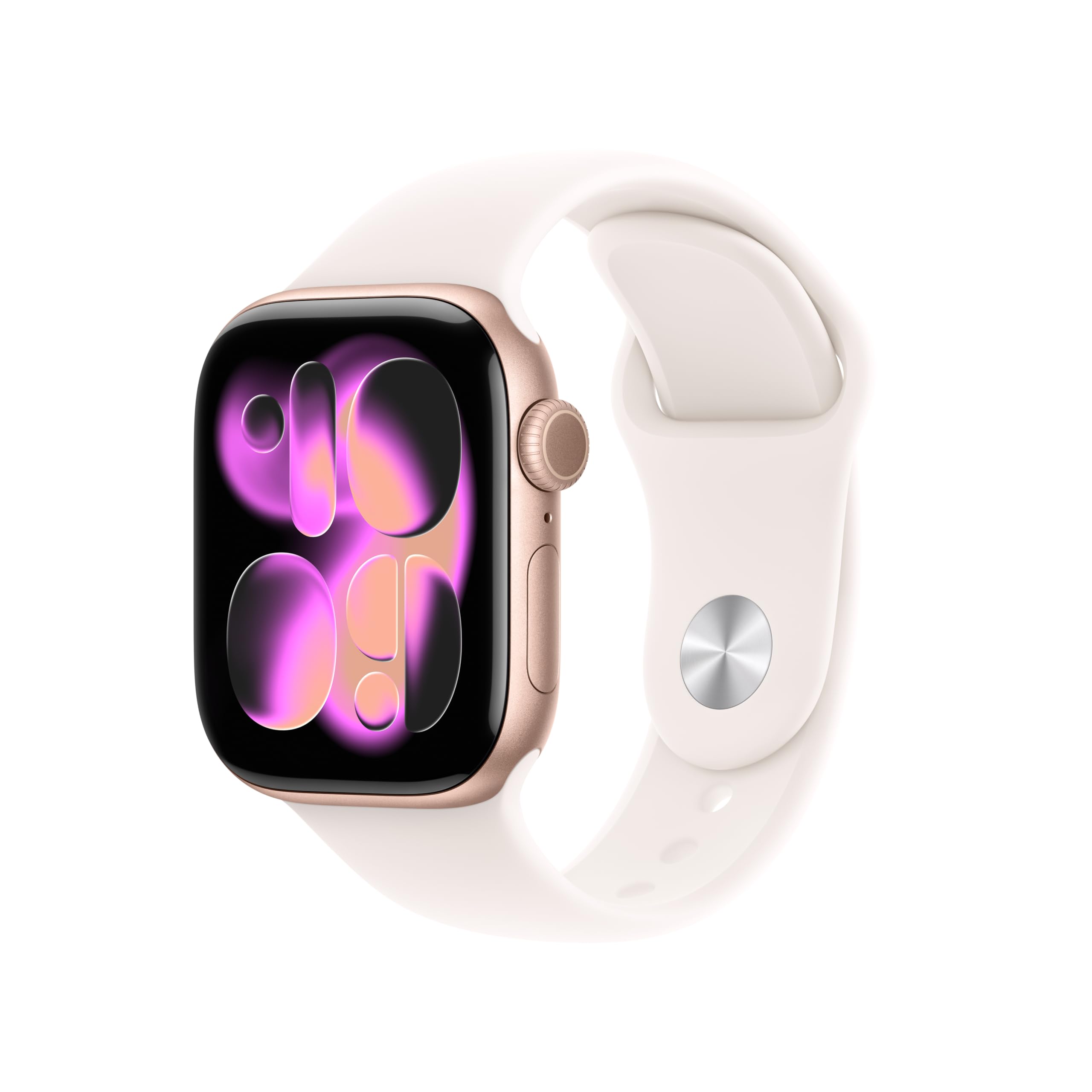
Image: A person running, showcasing the Apple Watch Series 11 in use during physical activity.
دٻي ۾ ڇا آهي
پنهنجي ايپل واچ سيريز 11 کي انباڪس ڪرڻ وقت، تصديق ڪريو ته سڀئي جزا موجود آهن:
- Apple Watch Series 11 GPS 42mm Rose Gold Aluminium Case
- Light Blush Sport Band
- 1m مقناطيسي چارج ڪيبل

Image: The Apple Watch Series 11, a Light Blush Sport Band, and a USB-C Magnetic Fast Charging Cable, illustrating the package contents.
سيٽ اپ ڪريو
Initial Pairing with iPhone
- پنهنجي ايپل واچ کي چارج ڪريو: Connect the magnetic charging cable to your Apple Watch and a power adapter. Allow it to charge until it powers on.
- پاور آن: ايپل جو لوگو ظاهر ٿيڻ تائين پاسي واري بٽڻ کي دٻايو ۽ رکو.
- Open Apple Watch App: On your iPhone, open the Apple Watch app. If you don't have it, download it from the App Store.
- جوڙڻ جو عمل: Tap 'Start Pairing' on your iPhone. Position your iPhone so that the Apple Watch appears in the viewايپل واچ ايپ ۾ ڳوليندڙ.
- اسڪرين تي ڏنل هدايتن تي عمل ڪريو: Complete the setup by following the prompts on both your iPhone and Apple Watch. This includes setting up a passcode, installing apps, and configuring health and activity settings.
Band Attachment
To attach the Sport Band, slide each band piece into the watch case until you hear a click. Ensure the bands are securely fastened before wearing the watch.
Operating Your Apple Watch
صحت جي نگراني
The Apple Watch Series 11 offers comprehensive health insights:
- Hypertension Notifications: The watch can detect signs of chronic high blood pressure and provide notifications.
- Sleep Score: Track and understand your sleep quality with detailed sleep scores and stages.
- اي سي جي ايپ: Take an electrocardiogram anytime to check for signs of atrial fibrillation.
- دل جي شرح جي نگراني: Receive notifications for high, low, or irregular heart rhythms.
- بلڊ آڪسيجن ايپ: ضرورت مطابق پنهنجي رت جي آڪسيجن جي سطح کي ماپيو.
- Vitals App: View overnight health metrics for a holistic view توهان جي ڀلائي جي.
- سائيڪل ٽريڪنگ: Monitor your menstrual cycle with retrospective ovulation estimates.

Image: The Apple Watch Series 11 showing current heart rate (68 BPM) and an 'Overnight Vitals' screen with typical sleep data.
فٽنيس ٽريڪنگ
Your Apple Watch is a powerful fitness partner:
- سرگرمي جا انگ: Track your daily movement, exercise, and stand goals.
- ورزش ايپ: Access advanced metrics for various workouts, including Pacer, Heart Rate Zones, and training load.
- ايپل فٽنيس+: Enjoy three months of Apple Fitness+ free with your purchase.

Image: The Apple Watch Series 11 displaying activity rings (Move, Exercise, Stand) and a screen for an 'Outdoor Run' workout.
ڪنيڪٽوٽي ۽ ڪميونيڪيشن
Stay connected on the go:
- جي پي ايس: Built-in GPS for accurate location tracking during workouts and navigation.
- نوٽيفڪيشن: Receive texts, calls, and app notifications directly on your wrist.
- سري: Use Siri with on-device processing for quick commands and information.
- موسيقي: Listen to music stored on your watch or streamed from your iPhone.
- وائي فائي ۽ بلوٽوٿ: Connects to your iPhone via Bluetooth 5.3 and Wi-Fi 4 (802.11n).

Image: A close-up of a person's hand adjusting the Apple Watch Series 11 on their wrist, demonstrating interaction with the device's interface.
ڊسپلي ۽ بيٽري
The Apple Watch Series 11 features a stunning and durable display with extended battery life:
- Always-On Retina Display: Wide-angle OLEDs and LTPO3 technology provide up to 2,000 nits maximum brightness.
- استحڪام: Ion-X front glass with 2x scratch resistance (aluminum cases).
- بيٽري جي زندگي: Up to 24 hours of normal use.
- تيز چارج: Achieve up to 80% charge in about 30 minutes, or 8 hours of normal use in just 15 minutes.

Image: A collage showing four key features: hypertension notifications, 24-hour battery life indicator, sleep score display, and the superdurable display of the Apple Watch Series 11.
حفاظتي خاصيتون
Your Apple Watch includes important safety functions:
- ايمرجنسي SOS: Quickly call emergency services.
- حادثي جي ڳولا: Automatically detects severe car crashes and connects you with emergency services.
- گردن جي چڪاس Detects hard falls and can initiate an emergency call if you are unresponsive.
- Check In: Automatically notifies a loved one when you arrive at your destination.
سار سنڀال
پنهنجي ايپل واچ کي صاف ڪرڻ
- بجلي بند: پنهنجي ايپل واچ کي بند ڪريو ۽ ان کي چارجر کان ڌار ڪريو.
- صاف ڪريو: Use a soft, lint-free cloth to wipe the watch. If necessary, lightly dampen ڪپڙو تازو پاڻي سان.
- Avoid Soaps: Do not use soaps, cleaning products, abrasive materials, or compressed air.
- چڱي طرح سڪي: چارج ڪرڻ يا پائڻ کان اڳ پڪ ڪريو ته گھڙي مڪمل طور تي سڪي وئي آهي.
پاڻي جي مزاحمت
The Apple Watch Series 11 has a water resistance rating of 50m and is swimproof. It is also IP6X dust resistant. While designed for water exposure during activities like swimming, it is not recommended for scuba diving, waterskiing, or other activities involving high-velocity water or submersion below shallow depths. Water resistance is not a permanent condition and may diminish over time.
مشڪلاتون
عام مسئلا ۽ حل
- واچ آن نه ٿي رهي آهي: Ensure the watch is charged. Connect it to the magnetic charging cable and a power source. If it still doesn't turn on, try a force restart (press and hold both the side button and Digital Crown for at least 10 seconds until you see the Apple logo).
- جوڙڻ جا مسئلا: Ensure your iPhone's Bluetooth is on and both devices are close to each other. Restart both your iPhone and Apple Watch. If issues persist, unpair the watch from your iPhone (if previously paired) and attempt to pair again.
- غلط صحت ڊيٽا: Ensure the watch is worn snugly on your wrist, but not too tight. Clean the back of the watch regularly to ensure proper sensor contact. Update watchOS to the latest version.
- خراب بيٽري زندگي: Check for apps running in the background. Reduce screen brightness or enable Low Power Mode. Ensure watchOS is up to date.
- Apps Not Responding: Force quit the app by pressing the side button, then swipe the app to the left and tap the 'X' button. Reopen the app. If the issue continues, restart your Apple Watch.
وضاحتون
| خاصيت | تفصيل |
|---|---|
| ماڊل نمبر | MEU04LW/A |
| پيداوار جي ماپ | 9.4 x 3 x 1.2 انچ |
| شيءِ جو وزن | 1.12 اونس |
| ٺاهيندڙ | ايپل |
| آپريٽنگ سسٽم | watchOS |
| ميموري رکڻ جي صلاحيت | 64 جي بي |
| خاص خاصيتون | Activity Tracker, Always On Display, Cycle Tracking, GPS, Heart Rate Monitor |
| رابطي ٽيڪنالاجي | جي پي ايس |
| وائرليس ڪميونيڪيشن معياري | 802.11a/g/n/ac, Bluetooth 5.3 |
| بيٽري سيل جي جوڙجڪ | ليتيم آئن |
| جي پي ايس | Built-in GPS (L1 GPS, GNSS, Galileo, QZSS and BeiDou) |
| اسڪرين جي ماپ | 42 ملي ميٽر |
| مواد | Aluminium case (Rose Gold) |
| ڏيکاريو | Always-On Retina display with wide-angle OLEDs and LTPO3, Ion-X front glass with 2x scratch resistance, Up to 2,000 nits max brightness |
| چُپ | S10 SiP with 64-bit dual-core processor, 4-core Apple Neural Engine |
| Health and Wellness Sensors | Electrical heart sensor, Third-generation optical heart sensor, Blood oxygen sensor, Temperature sensor |
| پائيداري | Water resistance 50m (swimproof), Dust Resistance IP6X |
| پاور ۽ بيٽري جي زندگي | Up to 24 hours normal use, Up to 38 hours in Low Power Mode, Fast-charge capable |
وارنٽي ۽ سپورٽ
وارنٽي ڄاڻ
Your Apple Watch Series 11 is covered by Apple's standard limited warranty. This warranty typically covers manufacturing defects for a specified period from the date of purchase. For detailed terms and conditions, including coverage duration and limitations, please refer to the warranty documentation included with your product or visit the official Apple webسائيٽ.
ڪسٽمر سپورٽ
For technical assistance, service, or additional information, please contact Apple Support. You can find support resources, including online guides, FAQs, and contact options, on the official Apple Support website. It is recommended to have your device's serial number available when contacting support.
آن لائن سپورٽ: سپورٽ.ايپل.com/واچ


