1. تعارف
Thank you for choosing the Baseus E20 True Wireless Earbuds. These earbuds are designed to provide a high-quality audio experience with powerful bass, clear calls, and reliable connectivity. This manual will guide you through the setup, operation, and maintenance of your new earbuds.
2. دٻي ۾ ڇا آهي
- Baseus E20 True Wireless Earbuds (Left and Right)
- چارج ڪيس
- USB-C چارجنگ ڪيبل
- استعمال ڪندڙ دستي

Image: Baseus E20 True Wireless Earbuds shown inside their charging case, highlighting key features like powerful bass, IPX5 water resistance, 33 hours listening time, and environmental noise cancellation.
3. پراڊڪٽ ختمview
3.1 ائربڊ جا جزا
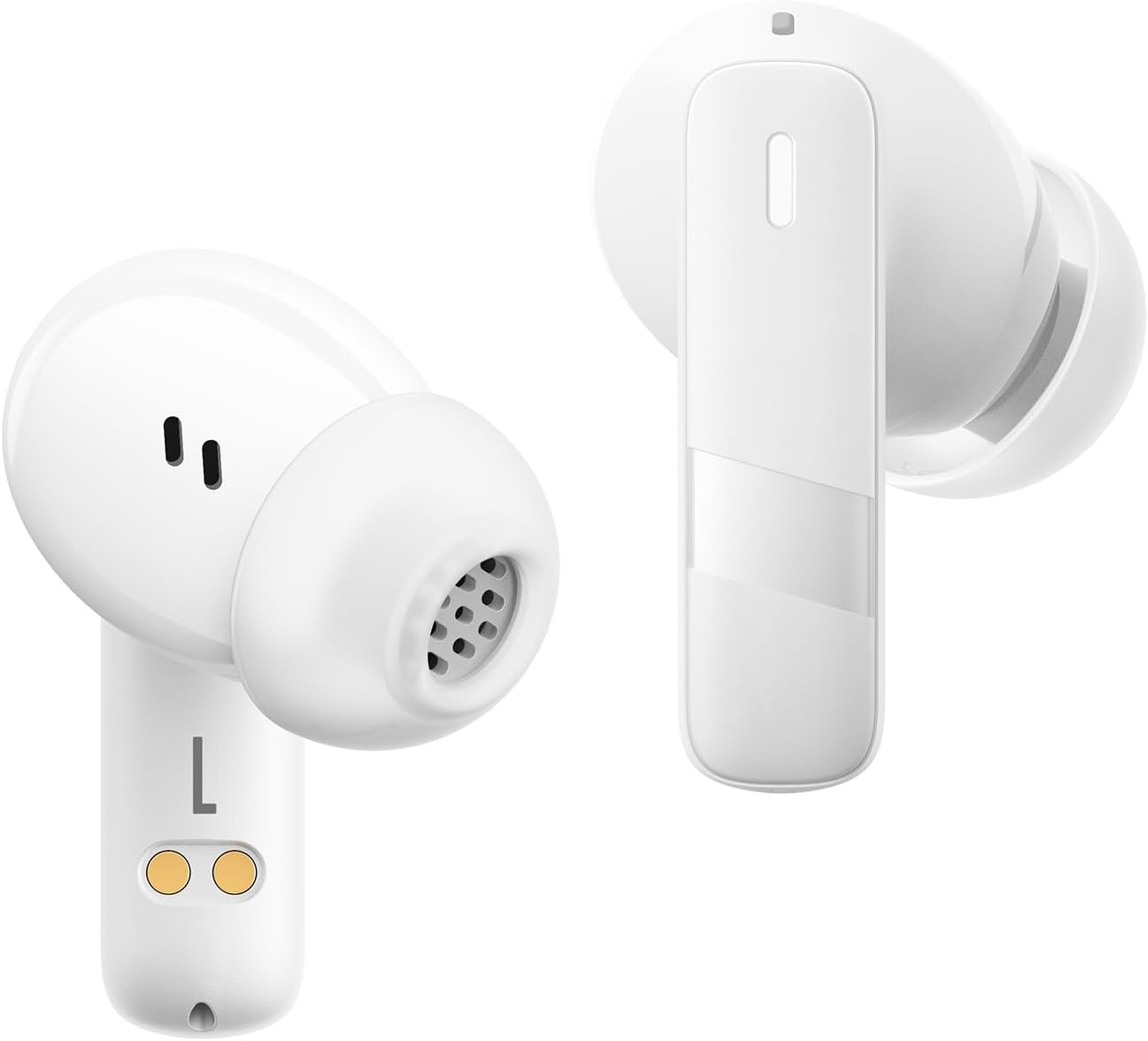
تصوير: هڪ ويجهو تصوير view of the Baseus E20 True Wireless Earbuds, showing the ergonomic design, speaker grille, and charging contacts.
- ٽچ ڪنٽرول ايريا: پلے بیک، ڪالز، ۽ موڊس کي منظم ڪرڻ لاءِ.
- مائڪروفون: For calls and voice commands (2 ENC Mics).
- اسپيڪر: Delivers audio (12mm drivers).
- رابطا چارج ڪرڻ: For charging the earbuds in the case.
3.2 چارج ڪندڙ ڪيس
- چارج پورٽ: ڪيس کي چارج ڪرڻ لاءِ USB-C پورٽ.
- روشني اشارو: چارجنگ جي حيثيت ۽ بيٽري جي سطح ڏيکاري ٿو.
4. سيٽ اپ
4.1 ائربڊس ۽ ڪيس کي چارج ڪرڻ
پهرين استعمال کان اڳ، ائربڊس ۽ چارجنگ ڪيس کي مڪمل طور تي چارج ڪريو.
- ائربڊس کي چارجنگ ڪيس ۾ رکو. پڪ ڪريو ته چارجنگ رابطا برابر آهن.
- USB-C چارجنگ ڪيبل کي ڪيس تي چارجنگ پورٽ ۽ پاور سورس سان ڳنڍيو.
- The indicator light on the case will show the charging status. Once fully charged, the light will indicate completion or turn off.

Image: The Baseus E20 charging case is shown connected to a USB-C charging cable, illustrating the charging process and highlighting the 33-hour total listening time.
4.2 بلوٽوٽ جوڙي
Pair your Baseus E20 earbuds with your device for the first time.
- چارجنگ ڪيس کوليو. ائربڊس پاڻمرادو پيئرنگ موڊ ۾ داخل ٿيندا، ۽ انهن جون اشاري جون بتيون چمڪنديون.
- پنهنجي ڊوائيس (اسمارٽ فون، ٽيبليٽ، ليپ ٽاپ) تي، بلوٽوٿ کي فعال ڪريو.
- ڳولھيو "Baseus E20" in the list of available Bluetooth devices and select it to connect.
- Once connected, the earbud indicator lights will turn off or show a steady light, and you will hear a confirmation tone.
نوٽ: After the initial pairing, the earbuds will automatically connect to the last paired device when taken out of the case, provided Bluetooth is enabled on the device.

Image: A detailed diagram illustrating the Bluetooth 5.3 chip, emphasizing a more stable and efficient connection for the Baseus E20 earbuds.
5. آپريٽنگ هدايتون
The Baseus E20 earbuds feature intuitive touch controls. The following table outlines the common functions:

Image: A visual guide to the touch control areas on the Baseus E20 earbuds, detailing single, double, and triple tap functions for various operations.
| عمل | فنڪشن |
|---|---|
| Double Tap (L or R) | Answer/Hang up Call, Play/Pause Music |
| ٽرپل ٽيپ (ايل يا آر) | وائيس اسسٽنٽ کي فعال ڪريو |
| Long Press (L or R) | Cycle Noise Cancellation Modes (Default > Normal > Transparency) |
| Long Press (L or R) | Cycle Spatial Audio Modes (Music Mode > Theater Mode > Normal) |
نوٽ: Specific functions may vary slightly depending on your connected device and operating system.
5.1 ڪال مئنيجمينٽ
- جواب/آخر ڪال: ڪنهن به ائربڊ کي ٻٽي ٽيپ ڪريو.
- ڪال رد ڪريو: 2 سيڪنڊن لاءِ ٻئي ائربڊ کي دٻايو ۽ رکو.

Image: An internal diagram of the Baseus E20 earbud highlighting the dual-mic Environmental Noise Cancellation (ENC) system for clear calls.
5.2 ميوزڪ پلے بیک
- راند/روڪ: ڪنهن به ائربڊ کي ٻٽي ٽيپ ڪريو.
5.3 وائس اسسٽنٽ
- وائس اسسٽنٽ کي فعال ڪريو. Triple tap either earbud.
5.4 شور ڪنٽرول موڊس
The Baseus E20 earbuds offer different noise control modes:
- Noise Cancellation (Default): هڪ عميق ٻڌڻ جي تجربي لاءِ ماحول جي شور کي گھٽائي ٿو.
- عام موڊ: Standard audio playback without active noise control.
- شفافيت موڊ: آڊيو ٻڌڻ دوران توهان کي پنهنجي آس پاس جي ماحول کي ٻڌڻ جي اجازت ڏئي ٿي.
To cycle through modes: Long press either earbud.
6. سار سنڀال
6.1 صفائي
- Regularly clean the earbuds, especially the ear tips and speaker grilles, with a soft, dry, lint-free cloth.
- پڪ ڪريو ته چارجنگ جي مسئلن کان بچڻ لاءِ ٻنهي ائربڊس ۽ ڪيس تي چارجنگ ڪانٽيڪٽس صاف ۽ سڪل آهن.
- گھڙڻ وارا مواد، محلول، يا سخت ڪيميڪل استعمال نه ڪريو.
6.2 اسٽوريج
- ائربڊس کي انهن جي چارجنگ ڪيس ۾ محفوظ ڪريو جڏهن استعمال ۾ نه هجي ته انهن کي محفوظ رکڻ ۽ چارج رکڻ لاءِ.
- انتهائي گرمي يا تيز نمي ۾ ذخيرو ڪرڻ کان پاسو ڪريو.
6.3 پاڻي جي مزاحمت (IPX5)
The Baseus E20 earbuds are IPX5 water-resistant, meaning they can withstand splashes and sweat. They are not designed for submersion in water or exposure to pressurized water jets. Ensure earbuds are dry before placing them back in the charging case to prevent damage.

Image: The Baseus E20 earbuds and charging case are depicted with water splashing around them, illustrating their IPX5 water-resistant capability for reliable performance in various conditions.
7. مسئلا حل ڪرڻ
| مسئلو | ممڪن حل |
|---|---|
| ائربڊس نه ملائي رهيا آهن |
|
| هڪ earbud مان ڪوبه آواز ناهي |
|
| چارج ڪيس چارج نه ڪرڻ |
|
| ناقص ڪال معيار |
|
8. وضاحتون
| خاصيت | تفصيل |
|---|---|
| ماڊل نالو | E20 |
| بلوٽوت ورزن | 5.3 |
| ڊرائيور جي ماپ | 12mm |
| ڪل راند جو وقت | 33 ڪلاڪن تائين (چارجنگ ڪيس سان) |
| Earbuds Playback Time | 6 ڪلاڪن تائين (هڪ چارج تي) |
| پاڻي جي مزاحمت | IPX5 |
| مائڪروفون | 2 ENC Mics for Clear Calls |
| ڪنٽرول قسم | ٽچ ڪنٽرول |
| چارجنگ پورٽ | USB-C |
| شيءِ جو وزن | 3.2 اونس |
| مطابقت رکندڙ ڊوائيسز | Cellphones, Laptops, Tablets, Devices with Bluetooth Audio Capability (iOS, Android, Windows, Mac OS, Switch) |

Image: A cutaway diagram illustrating the 12mm PU diaphragm driver, emphasizing its role in producing strong and accurate ultra-low frequencies for powerful bass.
9. پراڊڪٽ ختمview وڊيو
وڊيو: هڪ سرڪاري اوورview of the Baseus E20 True Wireless Earbuds, demonstrating features such as touch controls, powerful bass, IPX5 water resistance, 33-hour battery life, ENC for clear calls, and Bluetooth 5.3 connectivity. The video shows the earbuds in various usage scenarios, including listening to music, making calls, and being used in different weather conditions.
10. وارنٽي ۽ سپورٽ
Baseus products come with a standard manufacturer's warranty. For detailed warranty information, product support, or service inquiries, please refer to the warranty card included in your product packaging or visit the official Baseus webسائيٽ. وارنٽي دعوائن لاءِ خريداري جي ثبوت طور پنهنجي خريداري جي رسيد رکو.
آن لائن سپورٽ: وڌيڪ مدد لاءِ، مھرباني ڪري دورو ڪريو Baseus Official Store on Amazon يا سندن سرڪاري webسائيٽ.


